This article is not available in Portuguese/Portugal, view it in Spanish
Important: this article is aimed at Endalia HR users with Manager profiles.
Managing vacations is very important for the proper functioning of teams as well as maintaining dedicated personnel at all times. Keep reading to carry out this inquiry thanks to these simple steps.
Here you will find:
Consult an employee's vacation balance
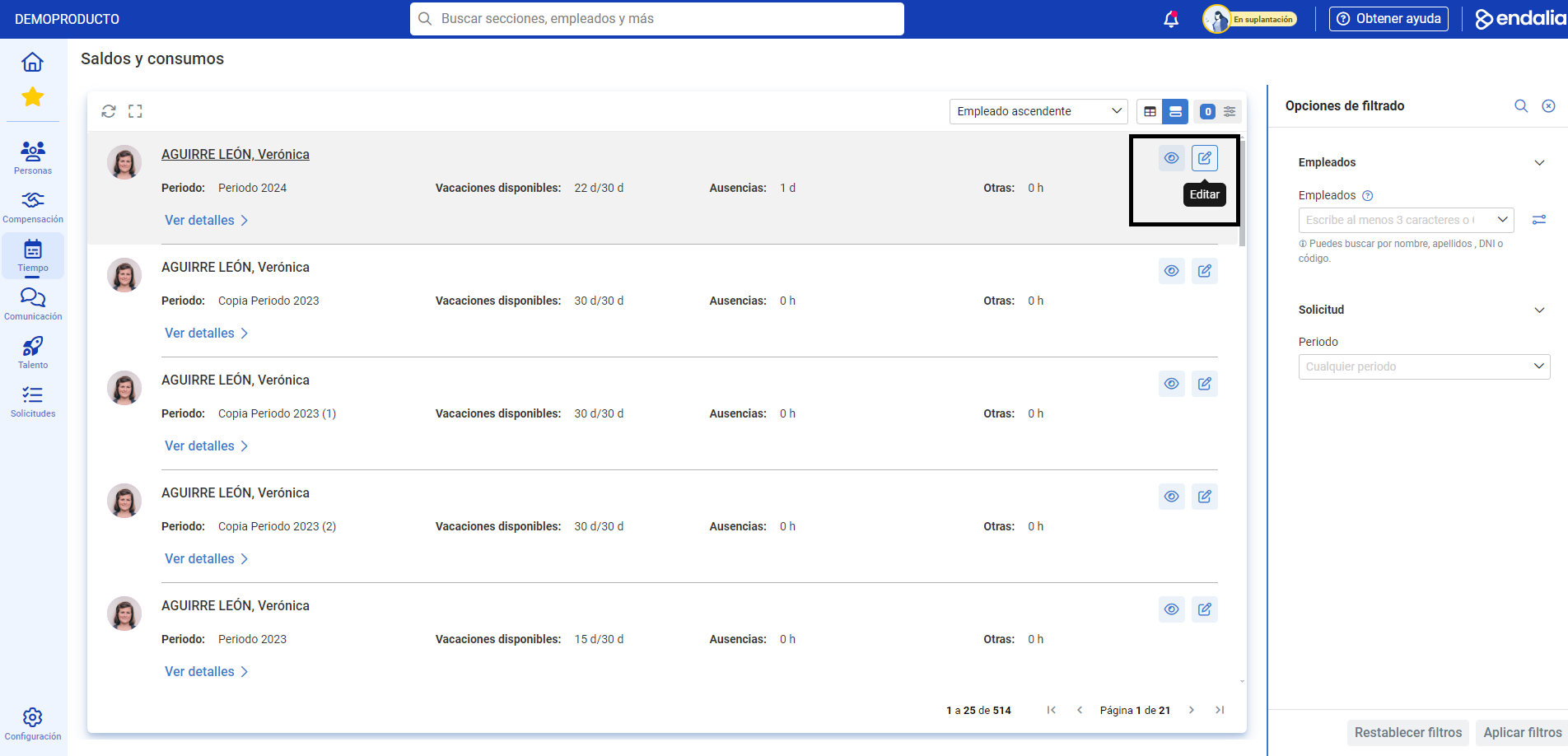
Within the Time Management hub, navigate to Vacations and Absences > Absenteeism Monitoring > Balances and usage
On the screen presented, you have all the information related to balances, that is, available vacations, absences, and others. Use the different filtering options to select the employees to review. Remember that within each employee's section, you have an option called View Details as well as an edit button to access the employee's profile and obtain more information:
Additionally, you can take a look at the following related articles:
And our glossary, available at this link.
Was this article helpful?
That’s Great!
Thank you for your feedback
Sorry! We couldn't be helpful
Thank you for your feedback
Feedback sent
We appreciate your effort and will try to fix the article