Important: this article is directed to Endalia HR users with an Administrator profile.
Defining salary ranges within the market is a common and basic practice in corporate culture, as it ultimately allows evaluation of employee performance and effort. Explore the possibilities this feature offers in the following lines.
In this article:
Create salary level
- Inside the hub Configuration, go to Compensation and Benefits > Salary Levels
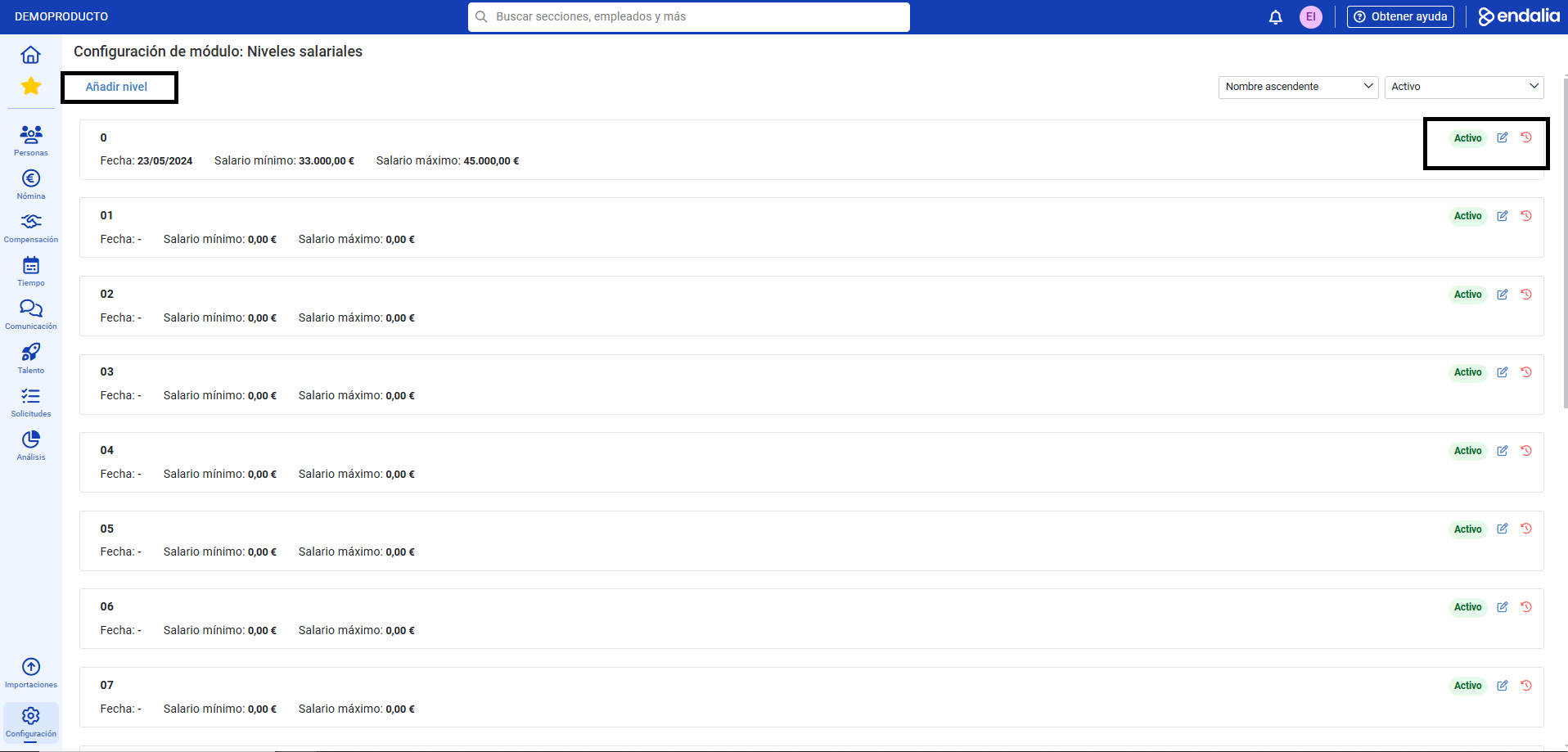
- On the screen presented next, you must set the parameters, creating and configuring a band to associate it later with a specific employee. Therefore, click on the option Add level, which you will find at the top of the screen:
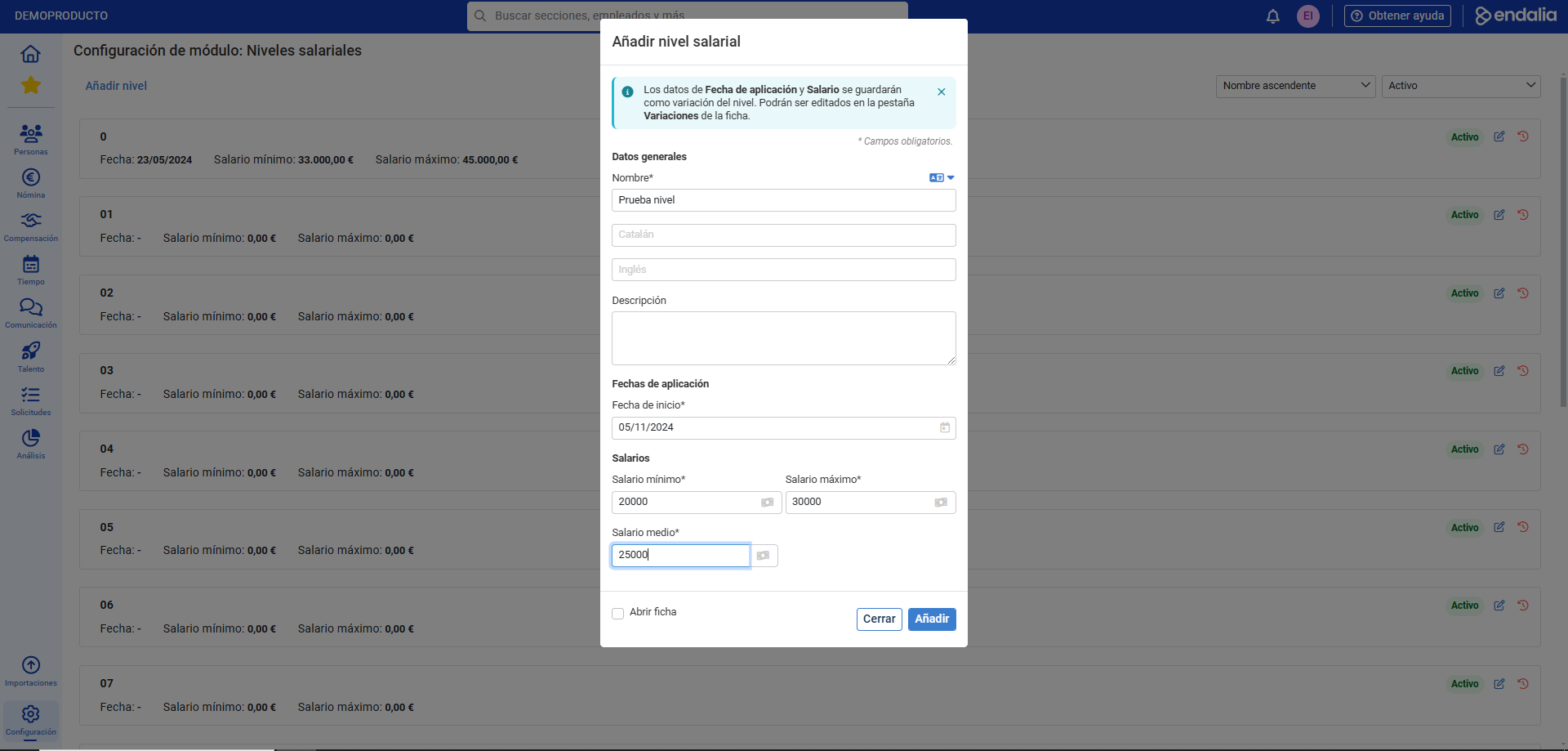
- In the modal window Add salary level, fill in the required (*) fields as well as other relevant information and click on Add to add it to the list:
Note: This is the first step to define an employee's salary ranges. The logical sequence is Create salary level > Manage variations > Assign salary level to an employee. Consult the related articles to further expand your knowledge.
Process video
We'll show you quickly:
Remember that you have the following related articles at your disposal:
Still have doubts? Take a look at our glossary at this link.
Was this article helpful?
That’s Great!
Thank you for your feedback
Sorry! We couldn't be helpful
Thank you for your feedback
Feedback sent
We appreciate your effort and will try to fix the article