Important: this article is directed at Endalia HR users with a Collaborator profile.
Medical insurance, bonuses, meal vouchers... payrolls have various components not always easy to identify... until now!
In this article:
Consult my salary information
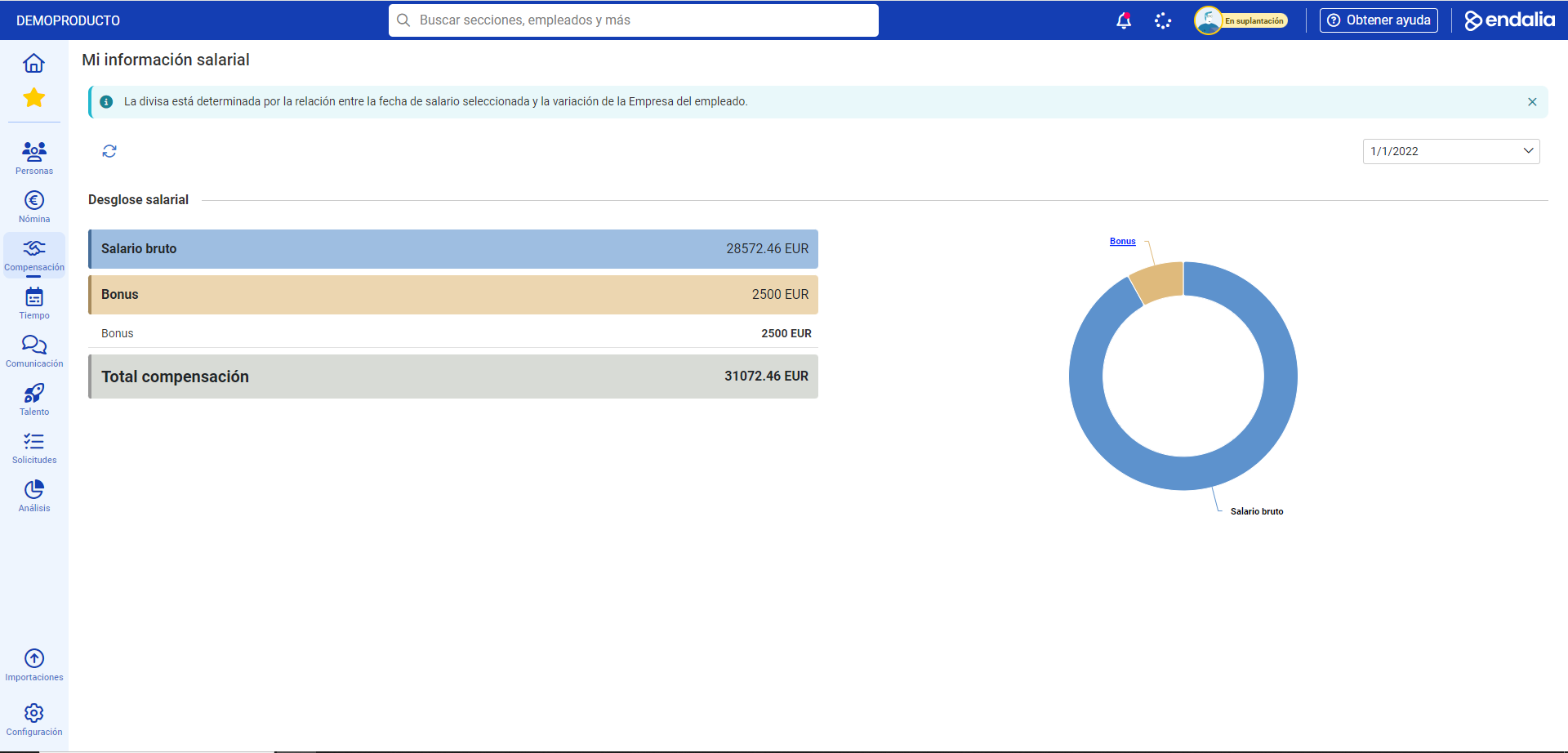
- Within the hub Compensation and benefits, go to Compensation > My salary information
- On the screen presented next, My salary information, you can view the breakdown of all salary components, along with a chart that will allow you to know them in detail, by clicking on each part. Remember that with the Update button in the toolbar, you can refresh the page and obtain the most recent data set, if there is one:
Video of the process
Still have questions? Take a look at this simple informational snippet:
Additionally, the following related article is available:
Still have questions? Take a look at our glossary at this link.
Was this article helpful?
That’s Great!
Thank you for your feedback
Sorry! We couldn't be helpful
Thank you for your feedback
Feedback sent
We appreciate your effort and will try to fix the article