This article is not available in Portuguese/Portugal, view it in Spanish
Important: this article is aimed at Endalia HR users with a Collaborator profile.
As an employee, keeping track of work performance and the various items on payslips is quite common. Pay attention to the tips we present in this article.
In this article:
View and download my payslips
- Within the hub Compensation and benefits, go to Compensation > My salary information > My payroll receipts
- On the screen presented to you next, My payroll receipts, you can view all matters related to your payslips; specifically, the net amount of the last month, accumulated income, and a breakdown of them, represented in a graph:
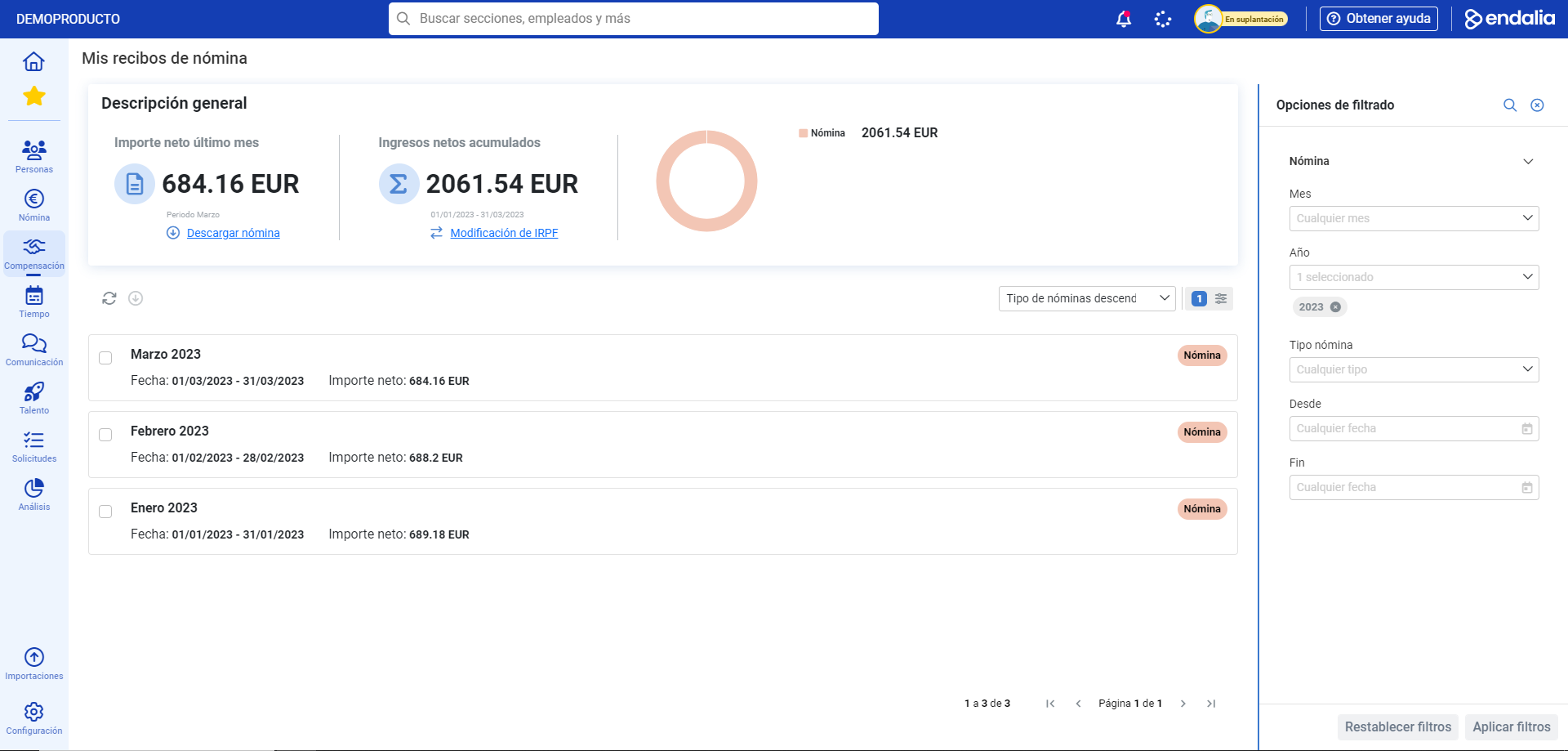
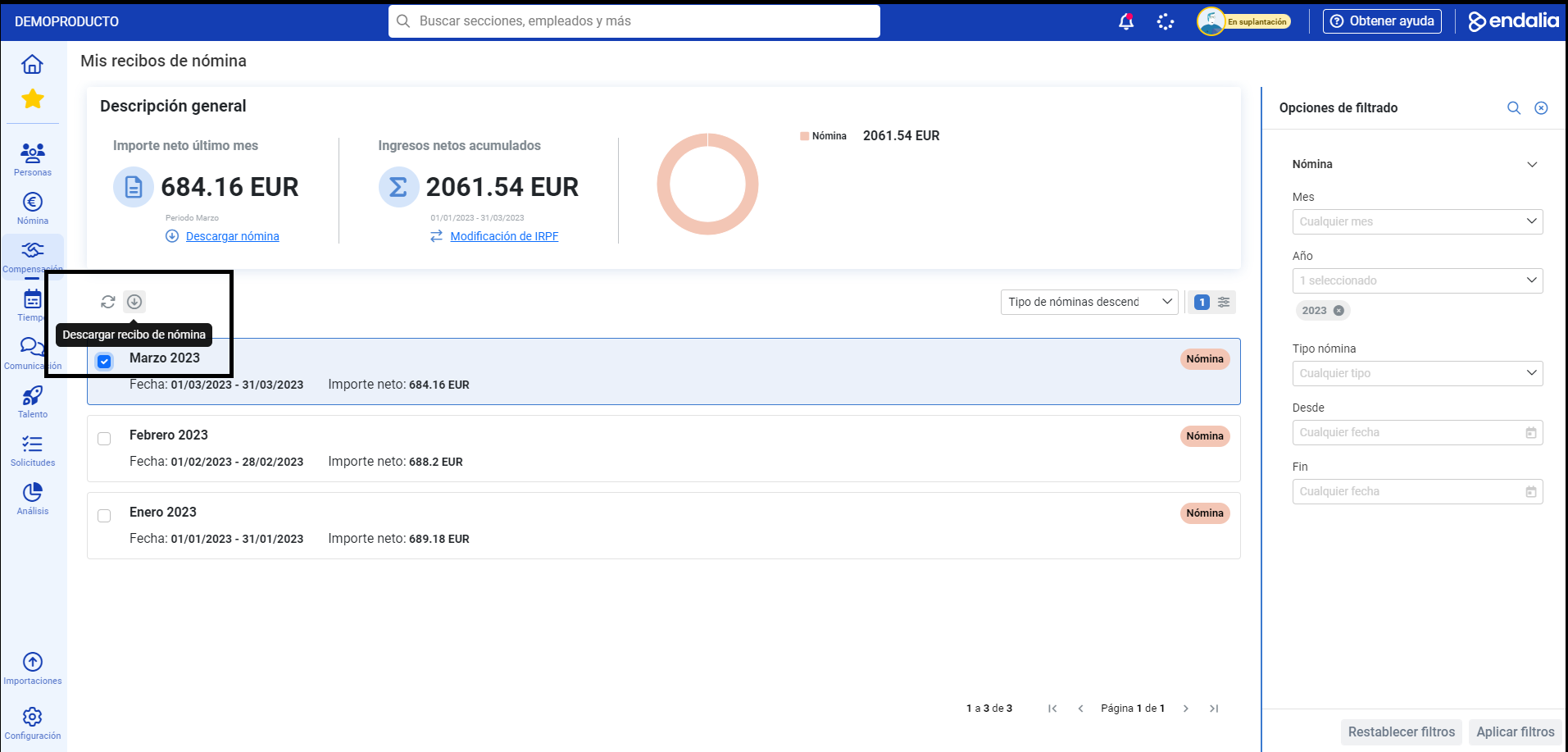
- To download and view your latest payslip in PDF format, click the Download payslip button you'll find at the top of the screen. Alternatively, you can download the payslips corresponding to other periods by selecting them from the list on this same screen and clicking Download payroll receipt, a button located, as always, on the toolbar:

Video of the process
Still have questions? Check out this simple informative capsule:
Additionally, you have the following related article at your disposal:
Still have questions? take a look at our glossary at this link.
Was this article helpful?
That’s Great!
Thank you for your feedback
Sorry! We couldn't be helpful
Thank you for your feedback
Feedback sent
We appreciate your effort and will try to fix the article