Important: this article is intended for Endalia HR users with an Administrator profile.
This functionality allows the evaluation managers of organizational units to monitor the achievement of goals and the data related to them. Join us throughout this article to learn more about this software option.
In this article:
View general objectives
- In the Performance and Talent Hub, go to Objectives > Corporate Objectives > General Objectives
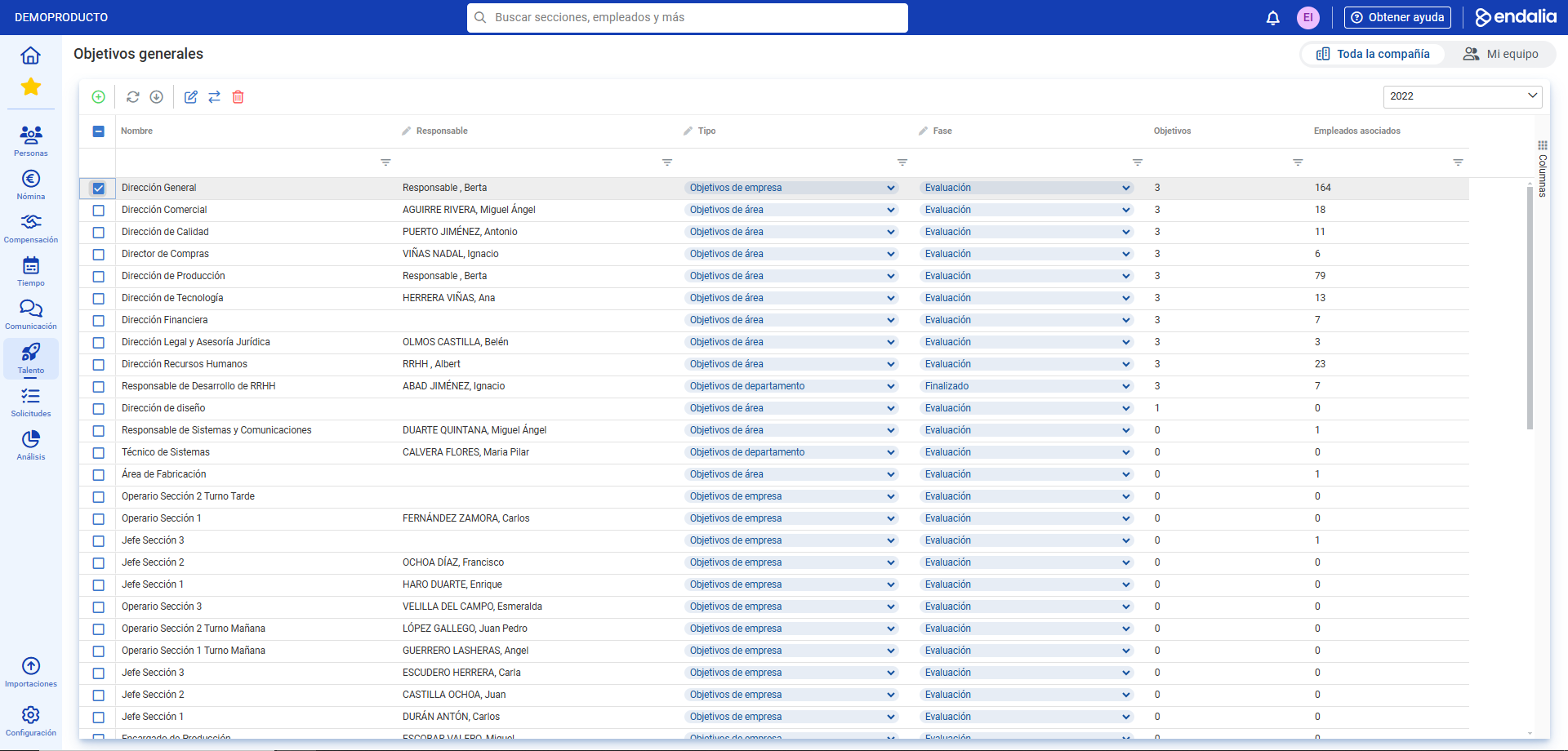
- On the new screen presented to you, you have a list of all general objectives, sorted by period, section, phase, etc. To access its viewing, check the box or select the corresponding row and click Edit, a button you'll find on the toolbar:
- Within the general objective record, you can see, through the menu items, both the state and management phases of them. Scroll through the various sections to access all the information you need regarding these general goals:
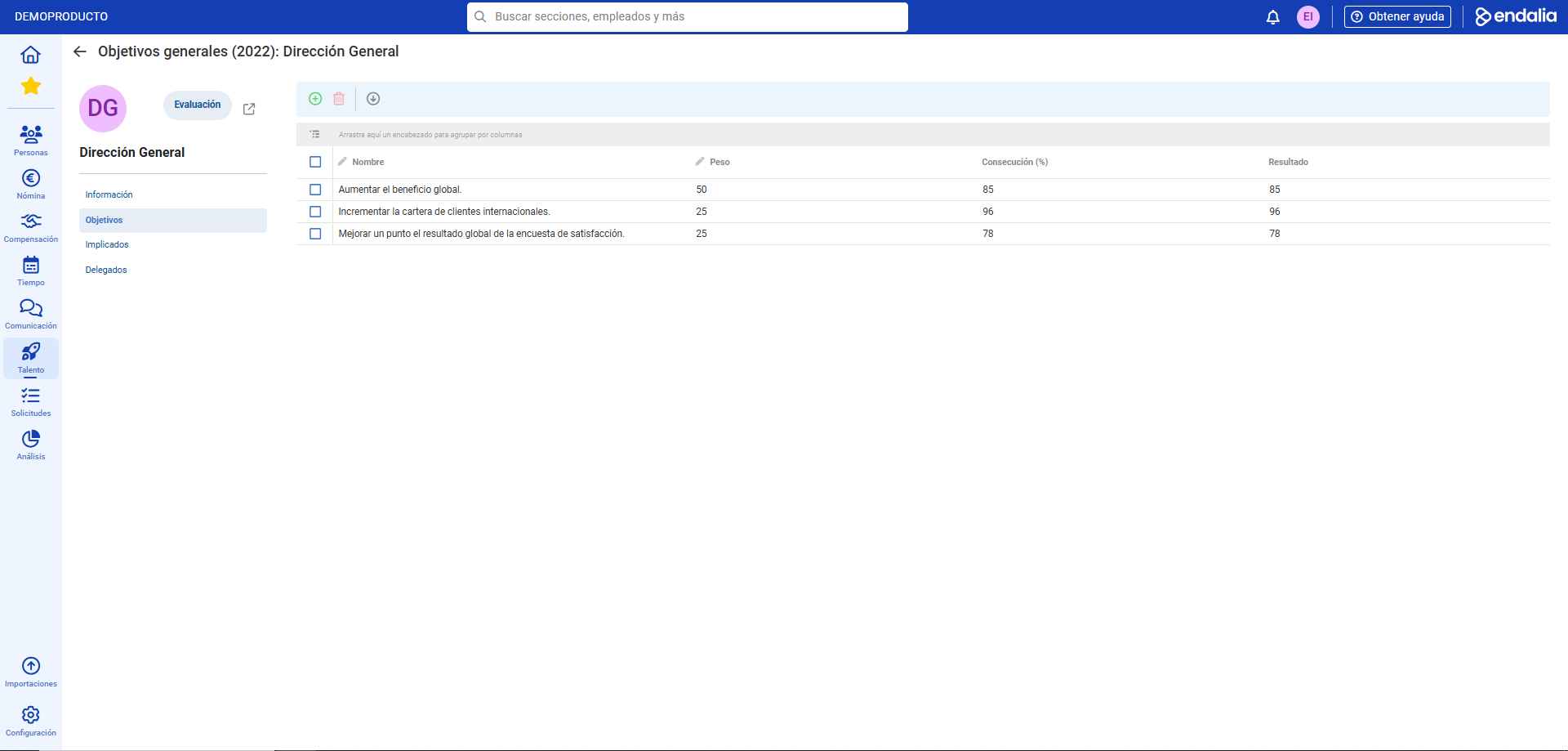
Note: The person in charge will be able to advance the corresponding phases; as they progress, the objectives will become visible to collaborators in their individual evaluations.
If you have doubts about the terms, check our glossary at this link.
Was this article helpful?
That’s Great!
Thank you for your feedback
Sorry! We couldn't be helpful
Thank you for your feedback
Feedback sent
We appreciate your effort and will try to fix the article