Important: Generic positions > Specific employee positions > Assigned competencies.
This article is intended for Endalia HR users with an Administrator profile.
Thanks to this option in our software, you can link competencies to the employee positions that are, in turn, children of the generic positions. What seems a generational mess isn’t so. Check it out for yourself!
In this article, you will find:
Define competency profile in generic positions
- Within the Organization and People hub, select Positions > Generic positions
- On the screen presented to you, there is a list of generic positions available in your company. To define a competency profile, click on the respective box or click the name of the position and press the Edit Generic Position button > Edit Position File, found on the toolbar;
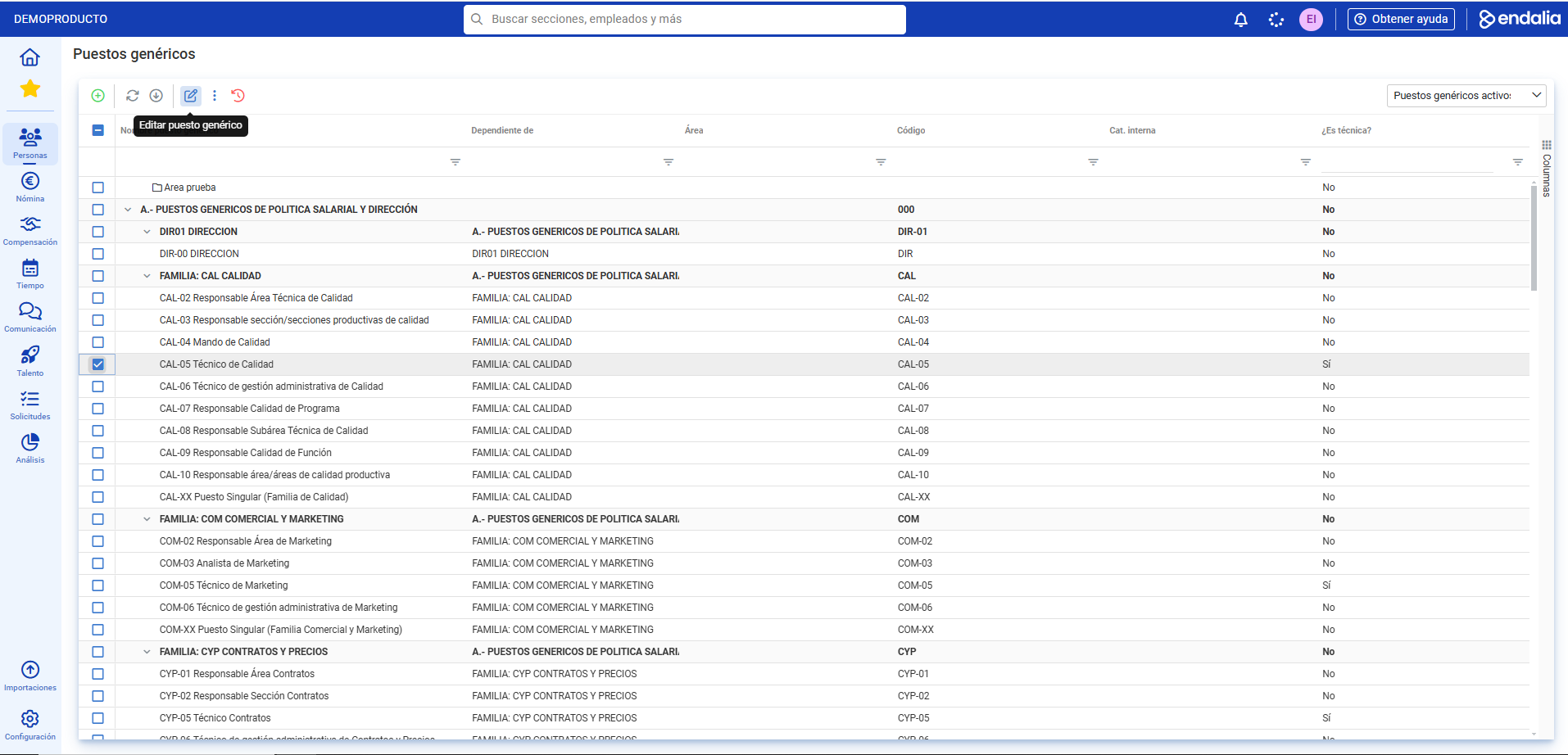
- Next, go to the Competency Profile section and click the Add competencies button, in the toolbar. Now, complete this action in two steps; first, select the competencies you wish to add, which will appear on the right side of the modal window; second, choose the minimum and required levels to perform the job in the company, which will be important later when evaluating competencies. Lastly, click Save
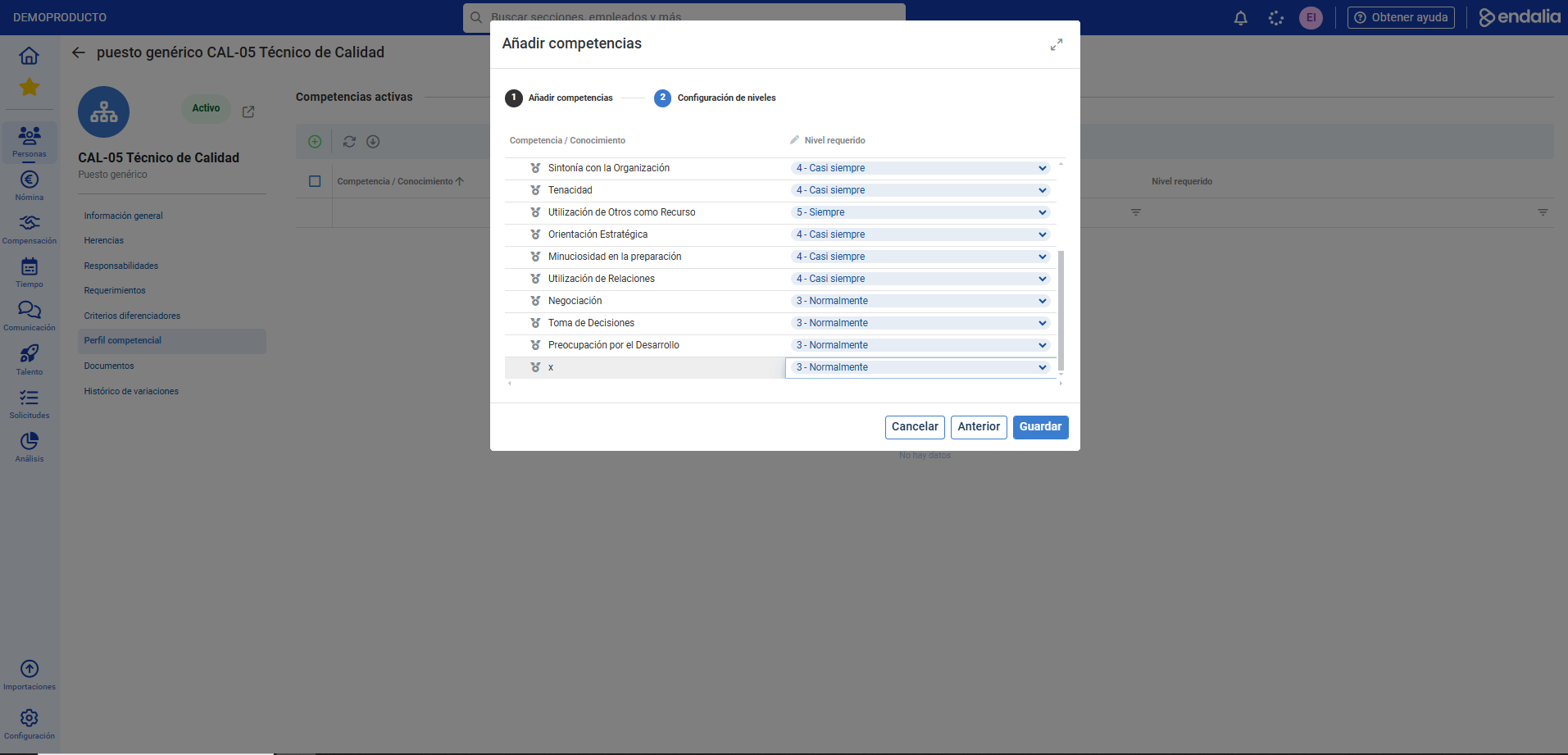
- Now you have associated competencies, which will be useful for creating a development period later.
Video of the process
Do you want to know more? Check the following related articles:
In addition, there is a glossary of useful terms available. To access, simply click this link.
Was this article helpful?
That’s Great!
Thank you for your feedback
Sorry! We couldn't be helpful
Thank you for your feedback
Feedback sent
We appreciate your effort and will try to fix the article