Important: To conduct the 360 evaluation, you must first make sure that the previously created period has the checkbox Evaluations (Configuration > Development > Evaluation Periods > Add Period (+) > Period Sections > Evaluations) activated.
This article is intended for Endalia HR users with an Administrator profile.
This option, available in the hub configuration, will allow you to carry out thorough and accurate evaluations of the organization's employees. If you want to know how to manage this functionality, do not miss these details.
In this article you will find:
Set up 360 evaluation
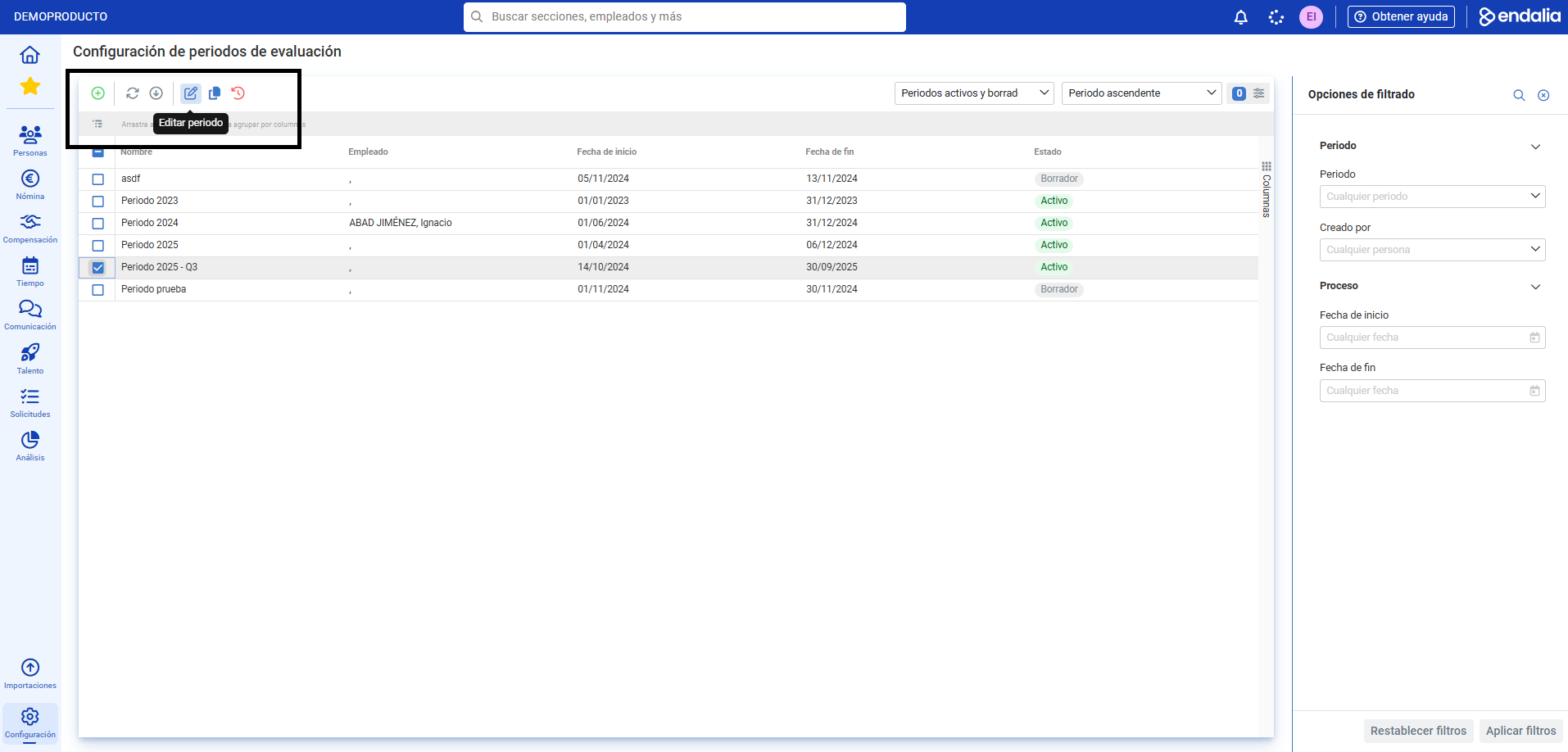
- Within the Configuration hub, select Development > Evaluation Periods
- On the screen presented to you, you have a list of evaluation periods. Select one from the list and click Edit, a button you'll find on the toolbar:
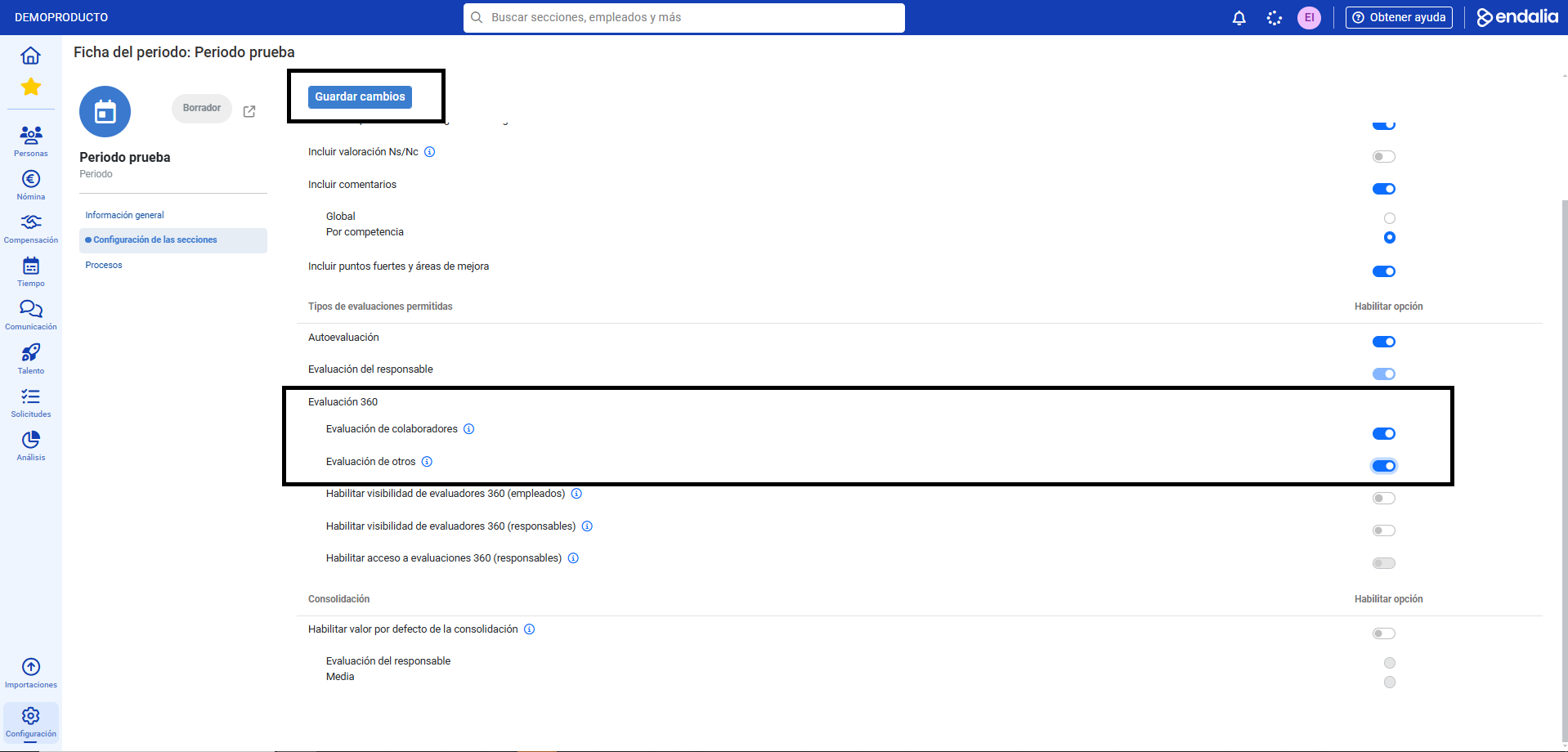
- Next, go to Section Settings > Evaluation Questionnaires, and ensure that under Allowed Evaluation Types the option Peer Evaluation or Other Evaluation is activated.
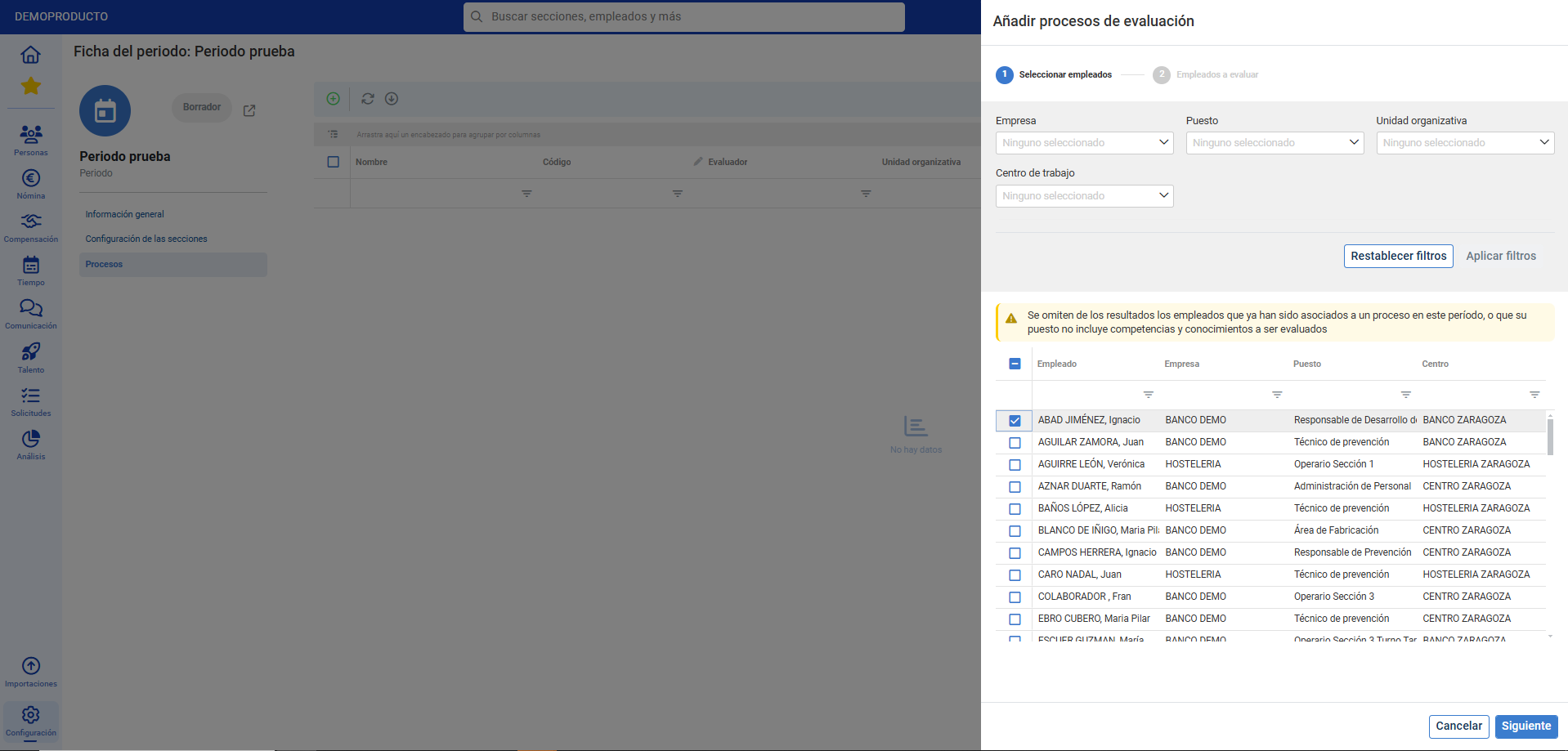
- Finally, in the Processes section, within the period tab, you can see peer evaluators (those below the evaluated in the organizational structure) and other evaluators (free selection):
Process video
Want to know more? Check the following related articles:
Additionally, there is a glossary of useful terms available to you. To access it, simply click this link.
Was this article helpful?
That’s Great!
Thank you for your feedback
Sorry! We couldn't be helpful
Thank you for your feedback
Feedback sent
We appreciate your effort and will try to fix the article