Important: this article is aimed at Endalia users with an Administrator profile.
It may look the same on paper, but it is not: with a generic position, we have a template; with a position, a role occupied by an employee in an organizational structure. How to relate the two? We will explain it below.
In this article
Assign a generic position from Generic Positions
Within the Persons and Positions hub, go to Positions > Generic Positions.
Check the box for the generic position or click on the corresponding row.
Press the More Options button located in the toolbar.
Select the Assign generic position to positions option.
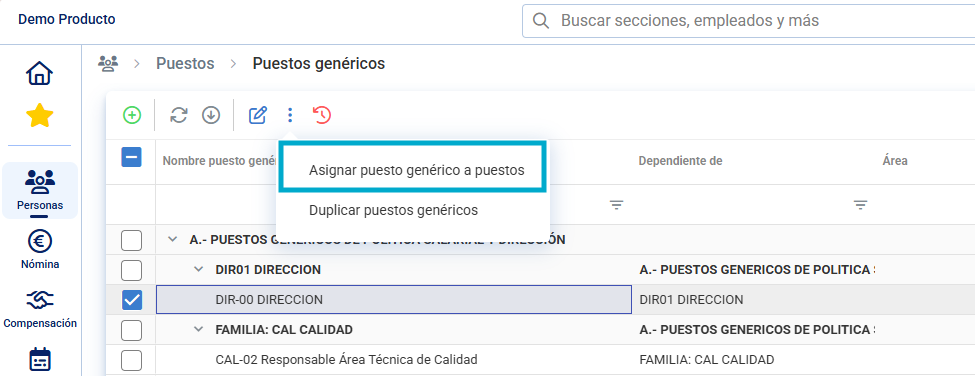
In the modal window that appears next, choose, within the structure tree or using the search, the positions you want to associate with the previously selected generic position.
Click Assign to complete the action.
Assign a generic position from the Position's record
You can also make this association directly from the position's record.
Access the Persons and Positions hub > Positions > Organizational Structure.
Click on the row of the position to which you want to assign a generic position to open its record.
Within the position's information fields, locate the Generic Position field.
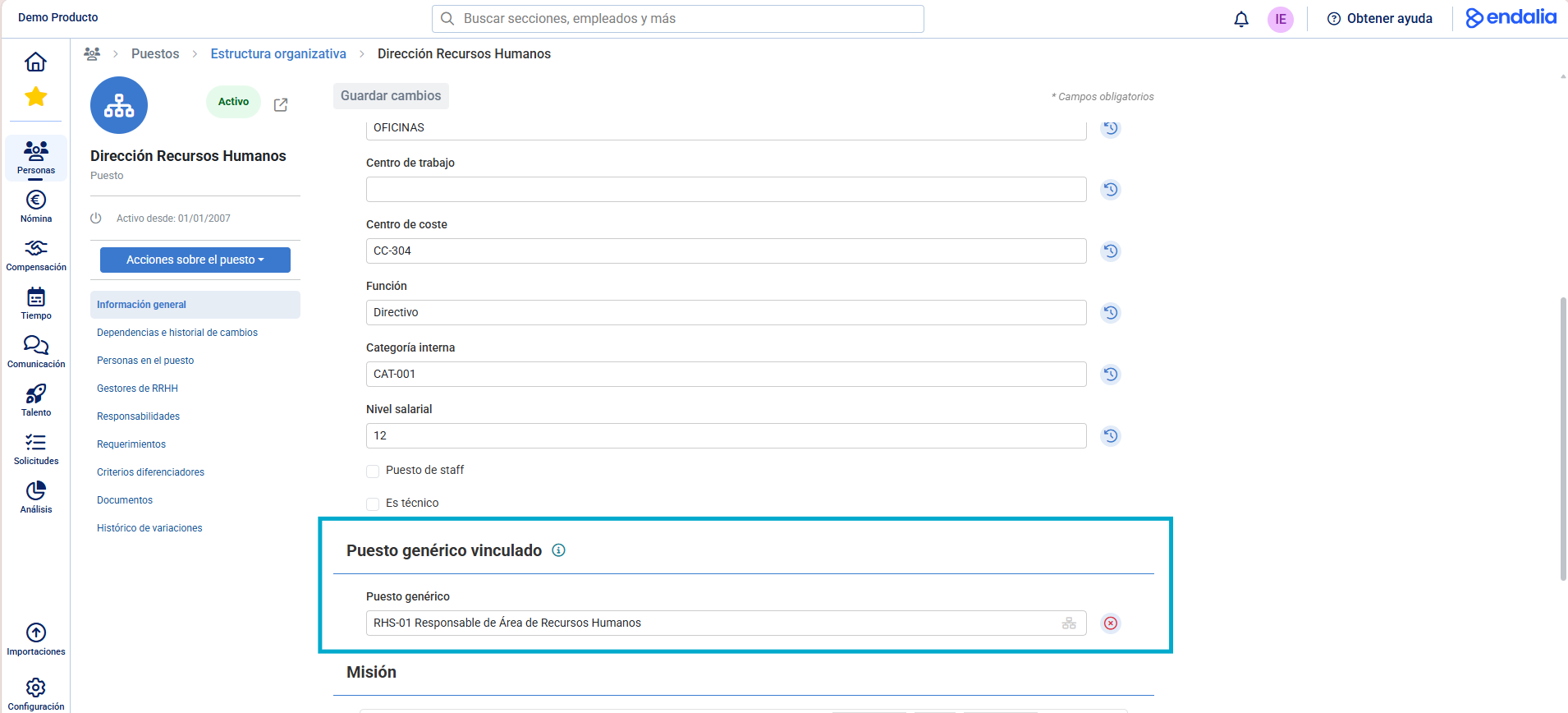
Select the corresponding generic position from the dropdown menu.
The position will automatically be linked to the selected generic position.
Related Articles
Want to know more? Check out the following related articles:
If you have any questions about the terms, check out our glossary at this link.
Was this article helpful?
That’s Great!
Thank you for your feedback
Sorry! We couldn't be helpful
Thank you for your feedback
Feedback sent
We appreciate your effort and will try to fix the article