Important: this article is intended for Endalia users with an Administrator profile.
"Restructuring" is a part of the everyday vocabulary of all companies. If you want to know how to delete specific or generic positions, we show you in this article.
In This Article
Delete a Position
Before deleting a position, it must be in a historical or future state.
If the position is active, you must first set it to historical. You can see how it's done in the article Change the status of a position: historical or active.
Once the position is in the correct state:
Within the People and Positions Hub, go to Positions > Organizational Structure.
Access the tab Historical Positions or Future Positions, as appropriate.
Locate the position you want to delete, check its box or click the corresponding row.
Press the Delete Position button, available in the toolbar.
Confirm deletion in the modal window.
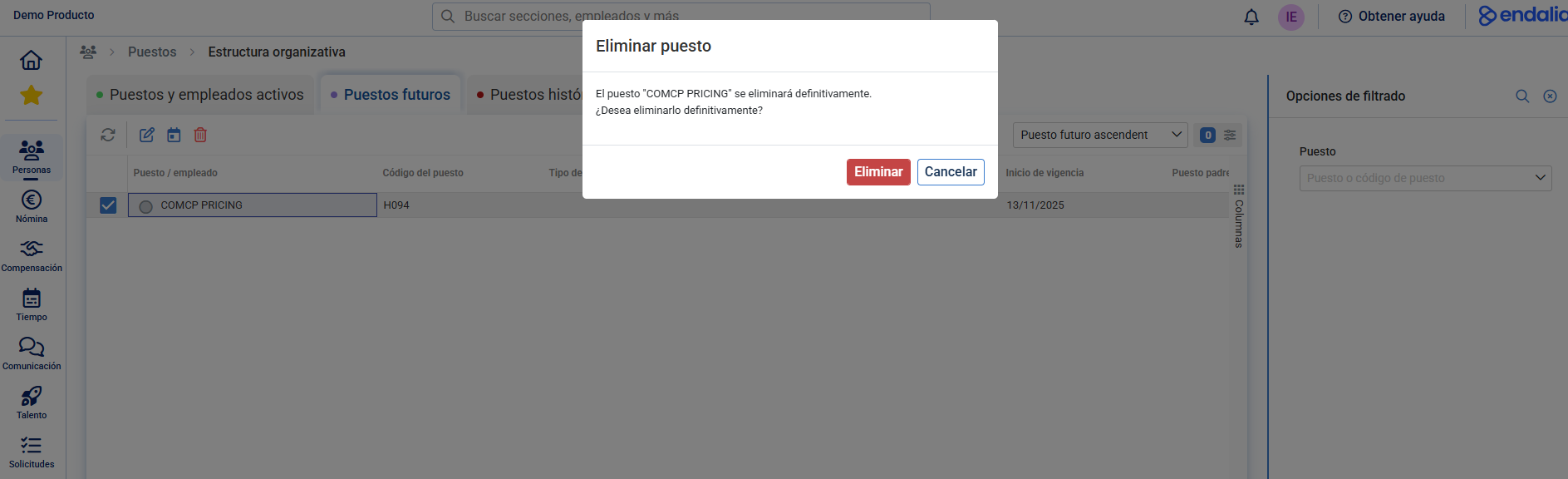
Important: once deleted, the position cannot be recovered. This action is irreversible
Delete a Generic Position
The procedure for generic positions is similar:
Go to the module Positions > Generic Positions.
Ensure that the generic position is in a historical state.
Access the tab Historical Generic Positions.
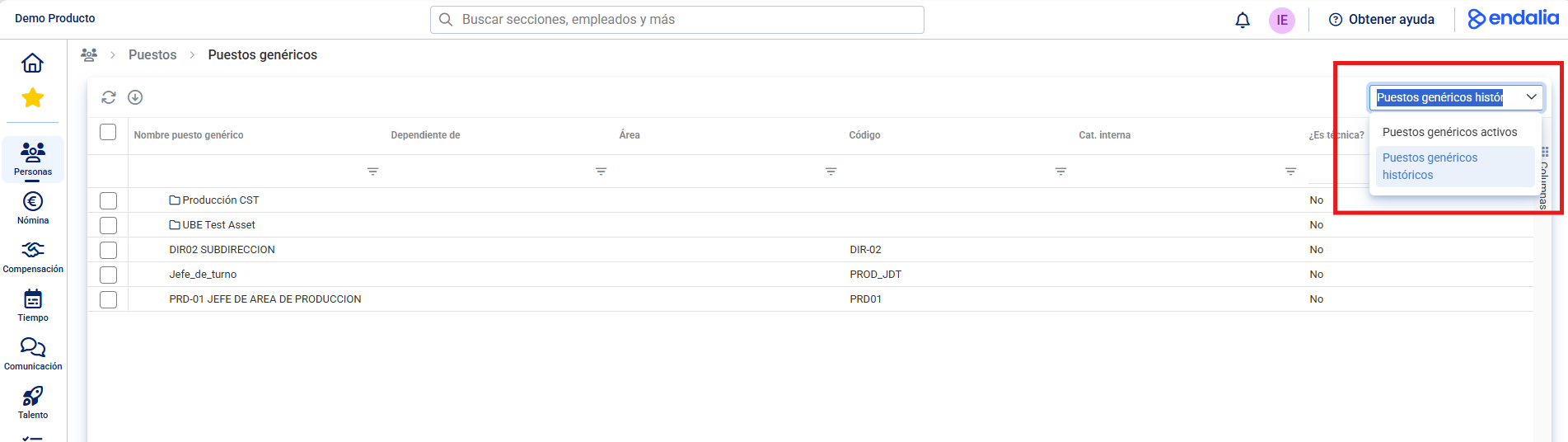
Check the box or click the row of the corresponding position.
Click Delete Generic Position in the toolbar.
Confirm the action in the modal window.
Note: the deletion of a generic position, like a regular position, cannot be undone.
Related Articles
Want to know more? Check out the following related articles:
- Change the status of a position: historical or active
- Add a Generic Position
- Add a Position in the Structure
If you have doubts about the terms, take a look at our glossary in this link.
Was this article helpful?
That’s Great!
Thank you for your feedback
Sorry! We couldn't be helpful
Thank you for your feedback
Feedback sent
We appreciate your effort and will try to fix the article