Important: Assignment of competencies to generic positions >  > Creation of periods.
This article is intended for Endalia HR users with an Administrator profile.
Once competencies have been assigned to generic positions, it's time to create development periods for collaborators. To learn more, follow these interesting tips we offer you.
In this article you will find:
Create a period
- Within the Configuration hub, go to Development > Evaluation periods
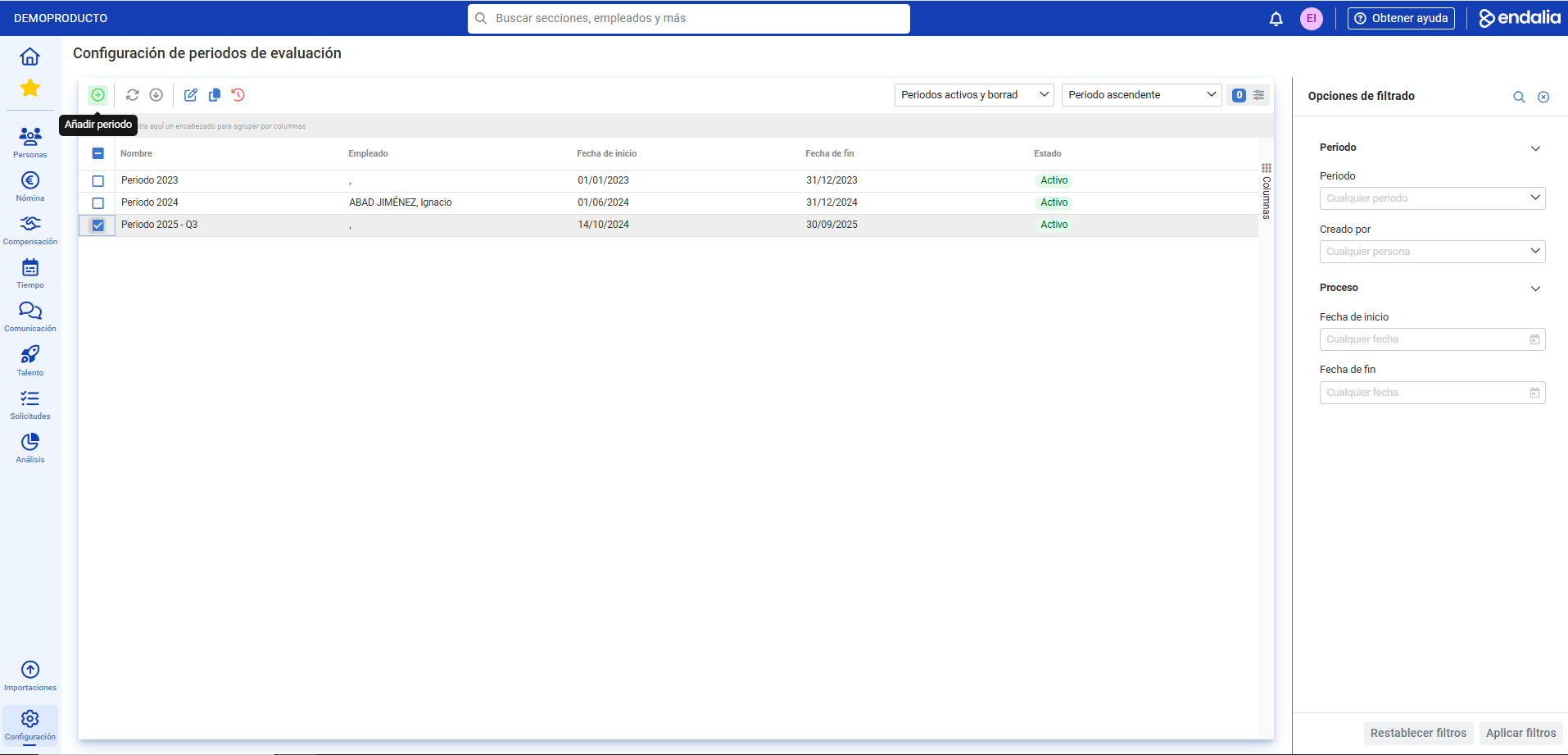
- On the next screen, you'll find a list of previously generated periods. To create a new one, click the Add period button located in the toolbar:
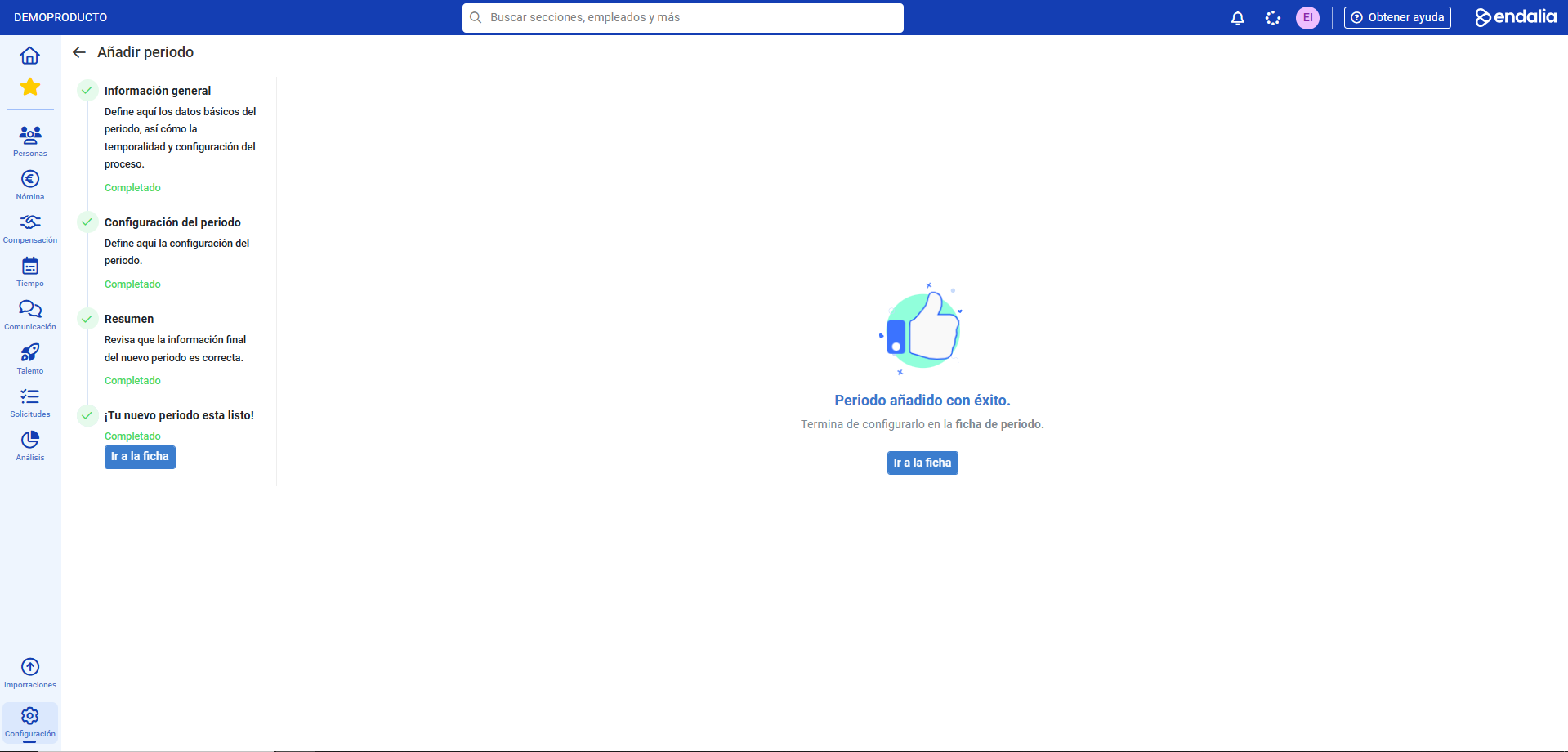
- Next, you need to complete the creation of the period in a 4-part stepper. Keep in mind that to progress, the various steps must be marked with a green checkmark to enable clicking on Next successively until the entire process shows as complete (Your new period is ready!). Now, access the period's information directly, or use the Back button to return to the main screen (Evaluation period configuration) and select its editing through the button located in the toolbar accordingly:
- Once inside the record, you must fill in the various sections, namely:
- General Information: Includes basic data, period status and date configuration over the sections. Remember to click Save changes to make your preferences effective.
- Section Configuration: will be displayed on screen, depending on the number chosen previously during the period creation; Here you can enable and disable options, manage competency matrices and, ultimately, customize all aspects to manage developments. Remember, once again, Save changes.
- Processes: In this last step, you must link people from your organization with the development period in question. Use the Add button in the toolbar to select collaborators in this two-step process.
Video of the process
Do you want to know more? Check the following related articles:
Additionally, there is a glossary of useful terms. To access, simply click on this link.
Was this article helpful?
That’s Great!
Thank you for your feedback
Sorry! We couldn't be helpful
Thank you for your feedback
Feedback sent
We appreciate your effort and will try to fix the article