Important: this article is aimed at Endalia HR users with an Administrator profile.
Tax obligations include other types of procedures that directly affect professionals and the associated expenses they generate. Here you can learn to manage them in a few simple steps.
In this text:
Manage professionals
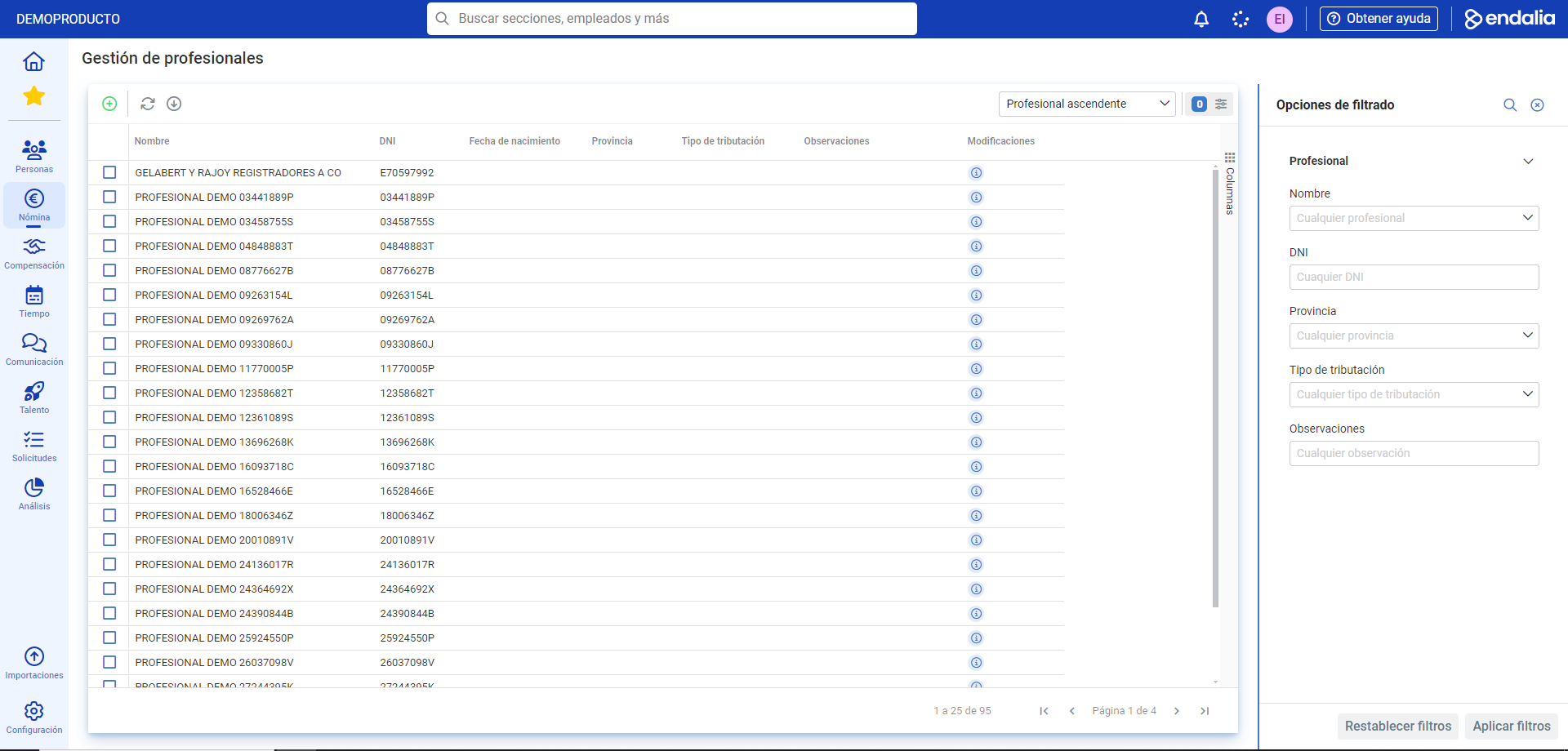
Inside the hub Payroll, click on Payrolls > Payrolls > IRPF > Professional Management
- Now, you have a table with a list of professionals with various data. As usual, use the different buttons in the toolbar to carry out various actions: edit, go to invoices, delete, etc.:
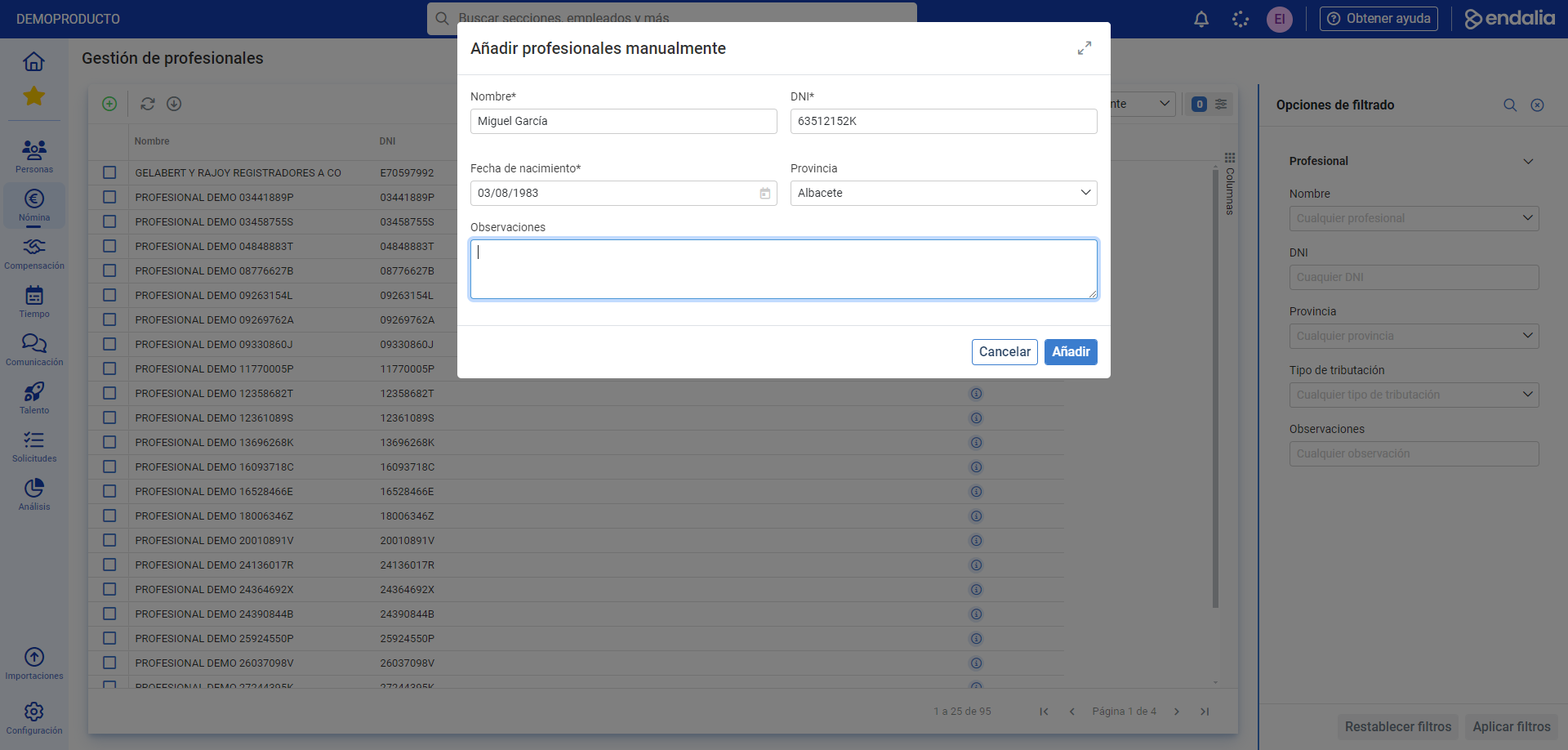
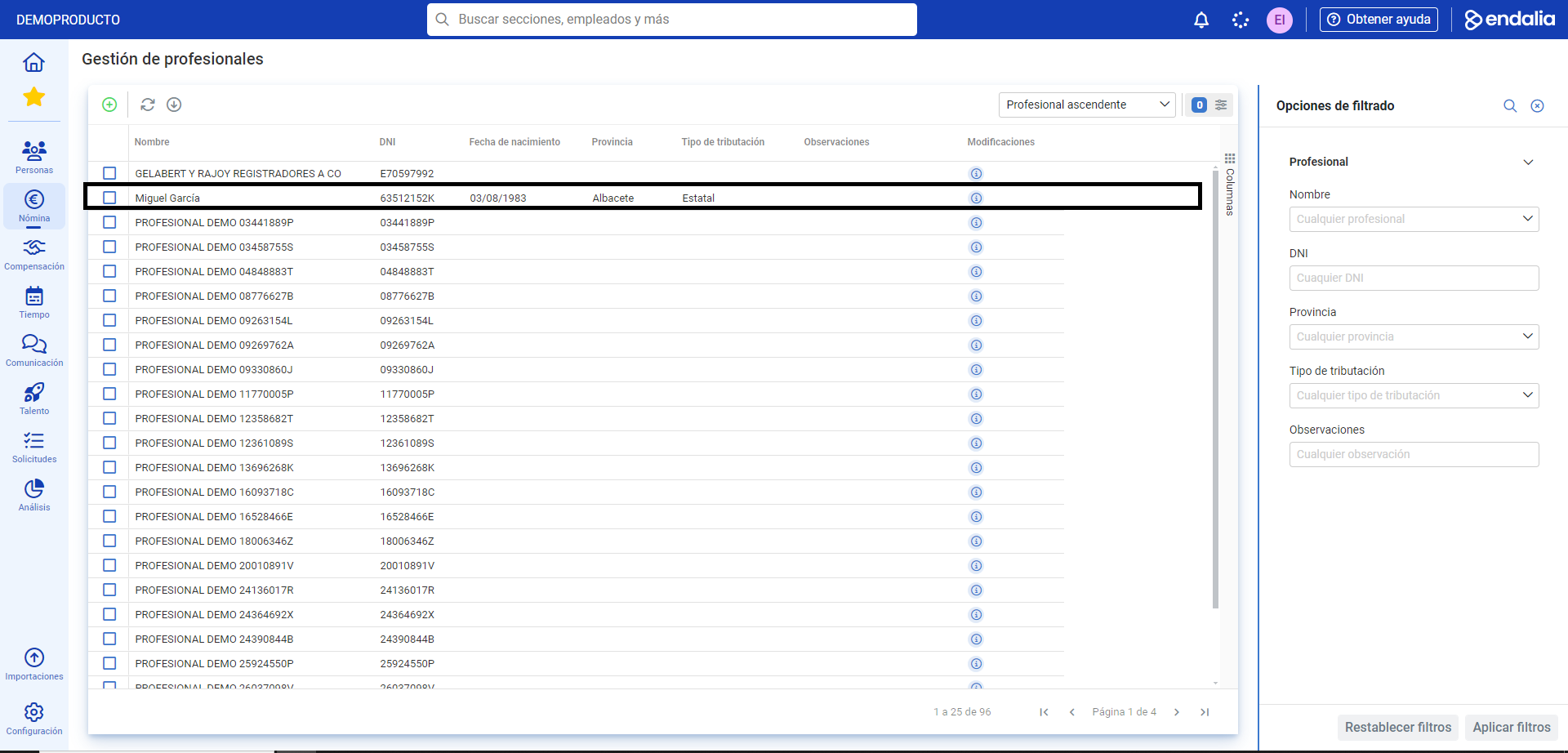
- If you want to add a professional, click on the Add button, which you will also find in the toolbar. In the subsequent pop-up window, Manually add professionals, fill in the necessary fields and click Add to complete your preferences. You will now see the name of the new professional in the main screen listing:
Process video
Take a look at the summary of the functionality here:
Additionally, you can view our glossary available at this link.
Was this article helpful?
That’s Great!
Thank you for your feedback
Sorry! We couldn't be helpful
Thank you for your feedback
Feedback sent
We appreciate your effort and will try to fix the article