This article is not available in Portuguese/Portugal, view it in Spanish
Important: this article is for Endalia HR users with an Administrator profile.
External collaborators play an important role in company development at certain times; therefore, tracking payments is of great importance.
In this article you will find:
Manage professional invoices
Note: Keep in mind that to manage an invoice, you must first create professionals to associate it with (Payroll > Company > IRPF > Professional invoices). For more information, see the article Manage professionals within this module.
In the hub Payroll, click on Payroll > Payroll > IRPF > Professional invoices
- Now, you have a table with a list of professionals with varied data. As is usual, use the various tools available on the toolbar to carry out the different actions: edit, delete, etc.:
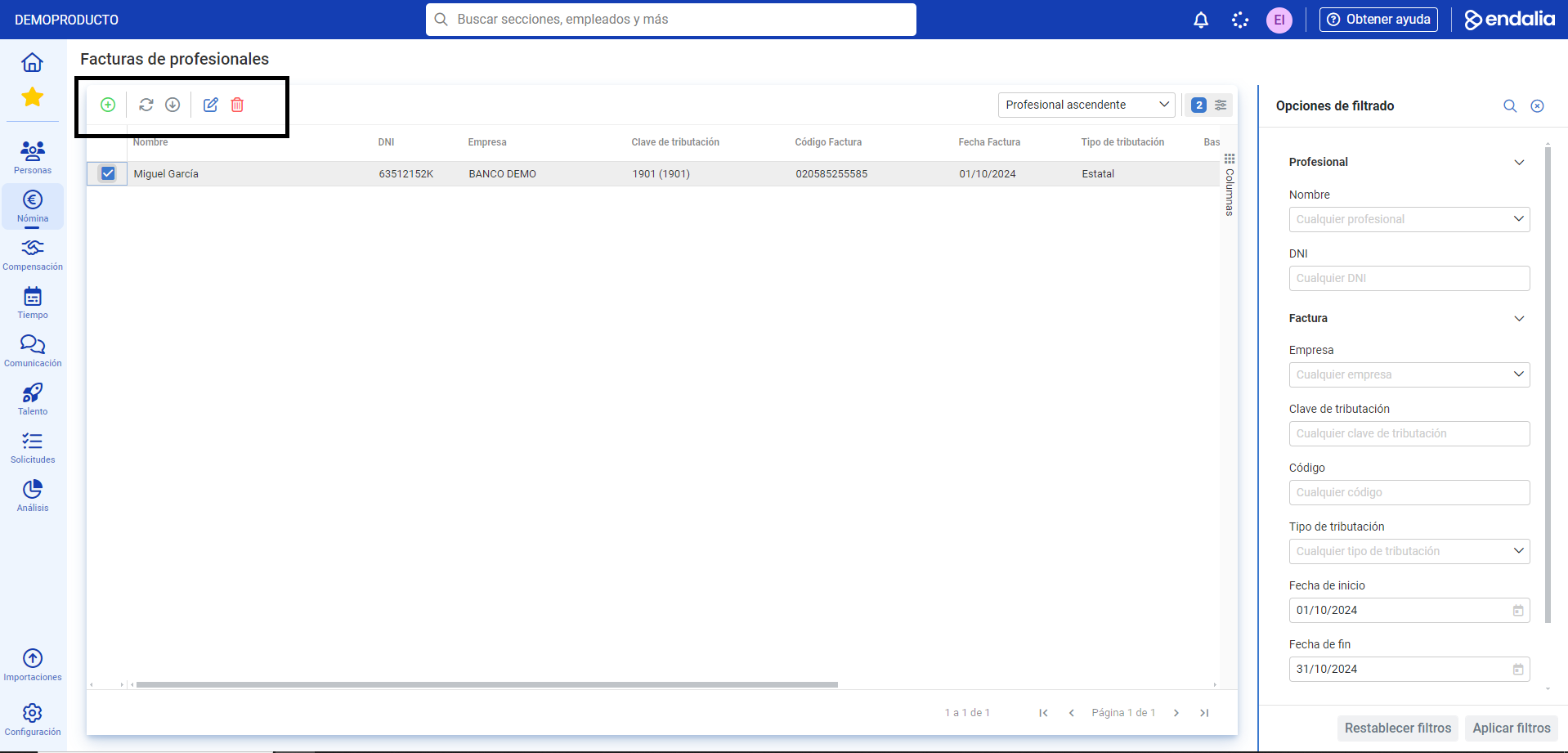
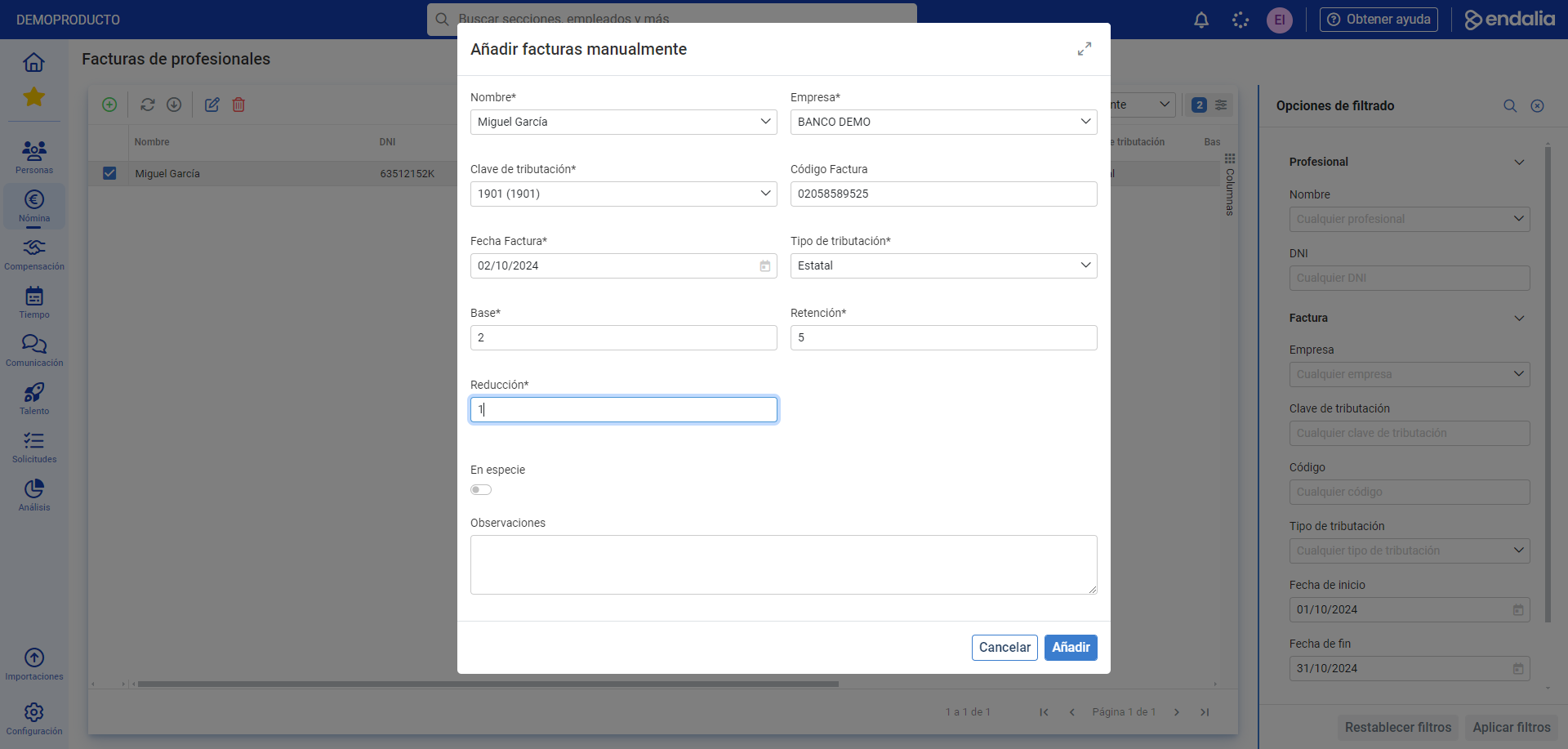
- If you wish to add an invoice to a professional, click the Add button, which you will also find on the toolbar. In the modal window that appears, Add invoices manually, fill in the necessary fields and click Add in the lower right corner of the window. Now you will see the name of the new professional with invoice in the main window's list:
Additionally, you can view our glossary, available at this link.
Was this article helpful?
That’s Great!
Thank you for your feedback
Sorry! We couldn't be helpful
Thank you for your feedback
Feedback sent
We appreciate your effort and will try to fix the article