Important: this article is intended for users of Endalia HR with an Administrator profile.
The public treasury must receive information about certain economic activities periodically; therefore, different models are necessary to cover multiple tax obligations.
Here you will find:
Tax Models
Inside the Payroll Hub, click Payroll > Payroll > IRPF > Tax Models
- On the screen presented to you, you will see a table with a list of tax models, companies, etc. Use the various buttons present in the toolbar to edit, change status, or export reports, among others.
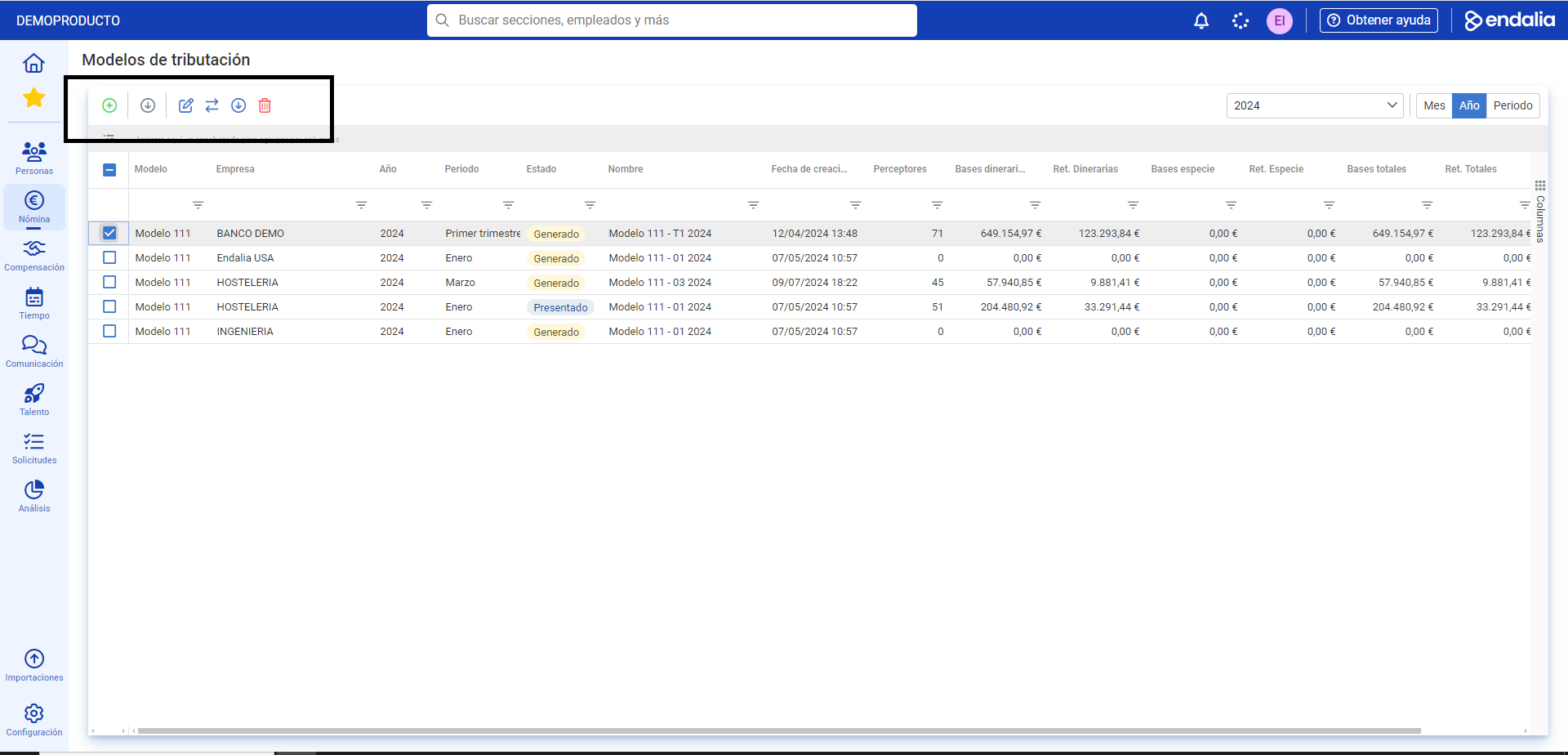
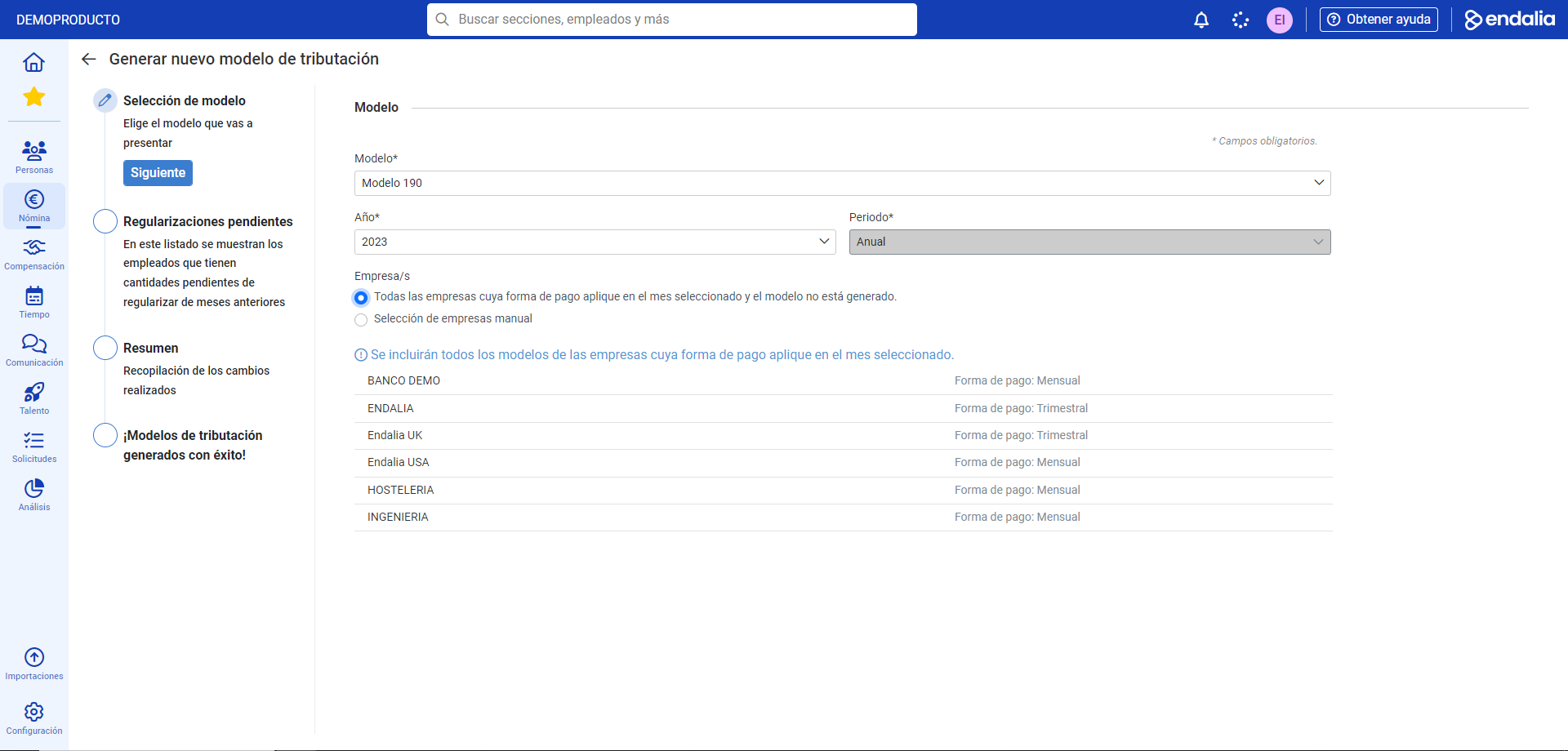
- If you want to generate a new tax model, click the Generate Model button, also found in the toolbar: In the popup modal window presented to you, there is a stepper consisting of four parts. Make sure to fill in the mandatory steps to advance to the next phase:
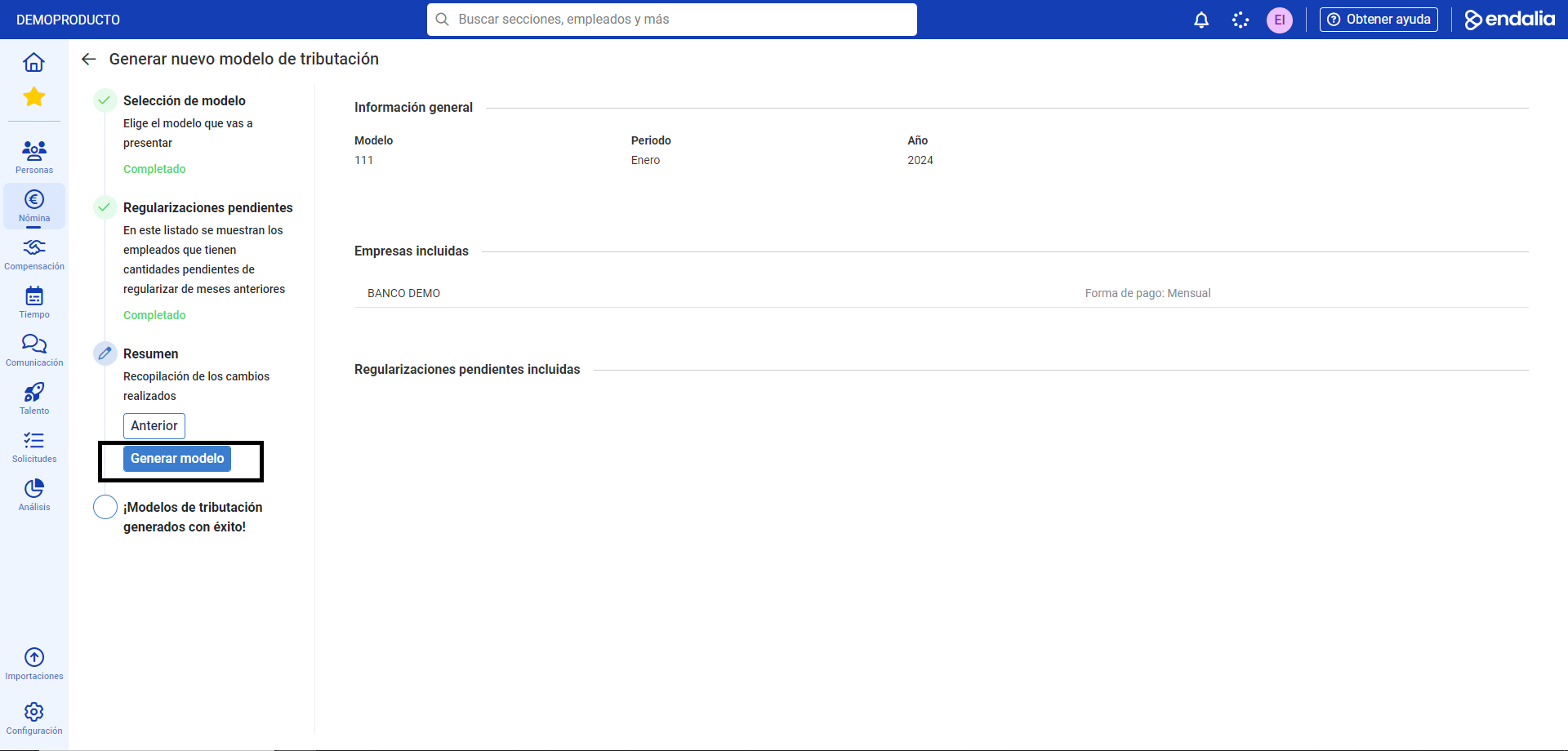
 In the third step, titled Summary, click on Generate Model
  Finally, a message will appear on the screen notifying you of the new model's availability. You can access the list again by clicking on the button intended for this purpose located below the aforementioned message: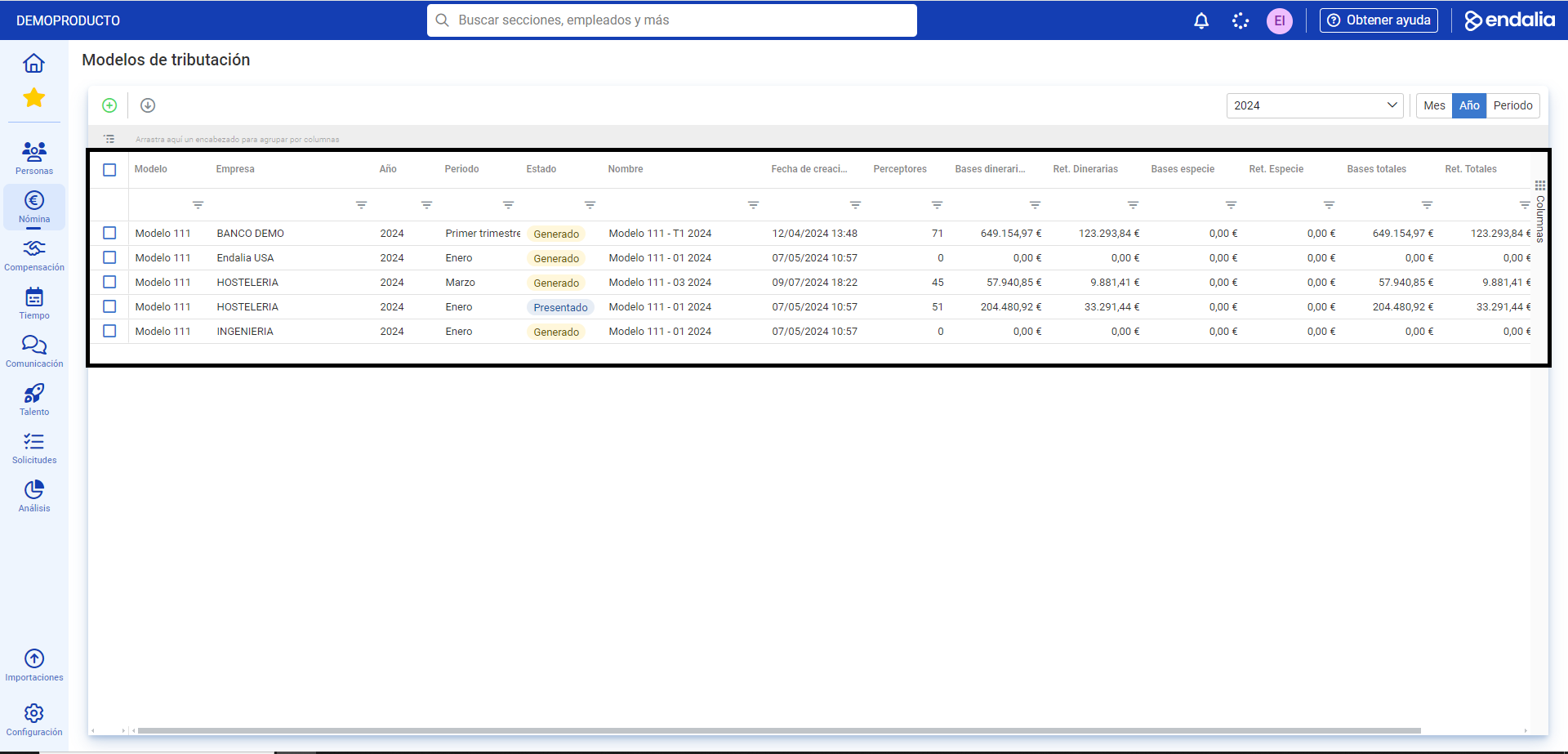
Video of the process
Take a look at the functionality summary here:
Additionally, you can view our glossary available at this link.
Was this article helpful?
That’s Great!
Thank you for your feedback
Sorry! We couldn't be helpful
Thank you for your feedback
Feedback sent
We appreciate your effort and will try to fix the article