Important: this article is intended for Endalia HR users with an Administrator profile.
The procedure to finalize a company's accounts must be rigorous and controlled. Thanks to our software, this task will now be easier for you.
Here you will find:
Accounting Closures
Inside the Payroll Hub, click Payroll > Payroll > Payments > Accounting Closures
- You now have a list of existing accounting closures, which you can Export to Excel using the designated button on the toolbar:
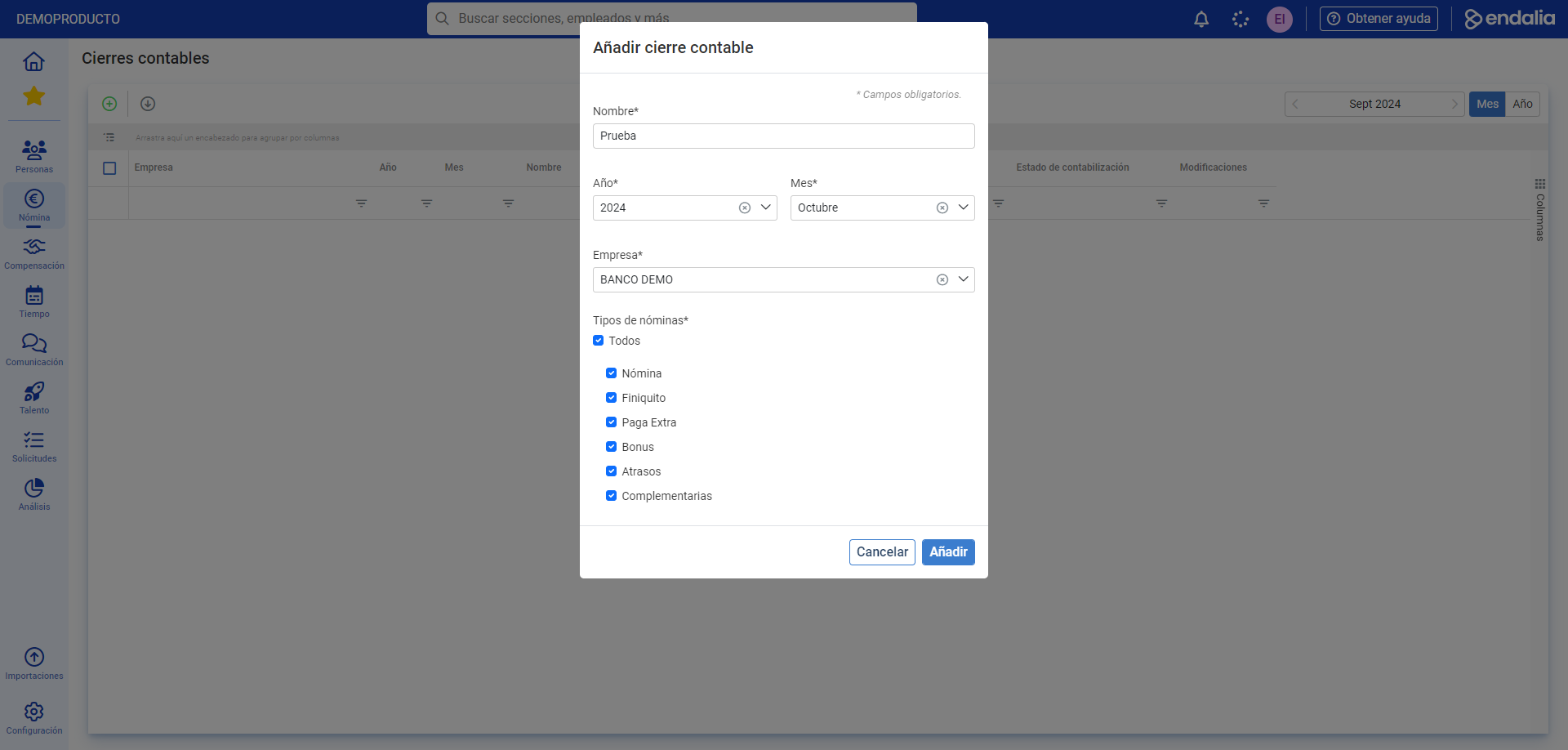
- To create an accounting closure, click the Add button, also located on the toolbar. In the modal window that follows, fill in the required fields, including types of payrolls, and click Add. Now you have the new closure created, available on the main screen:
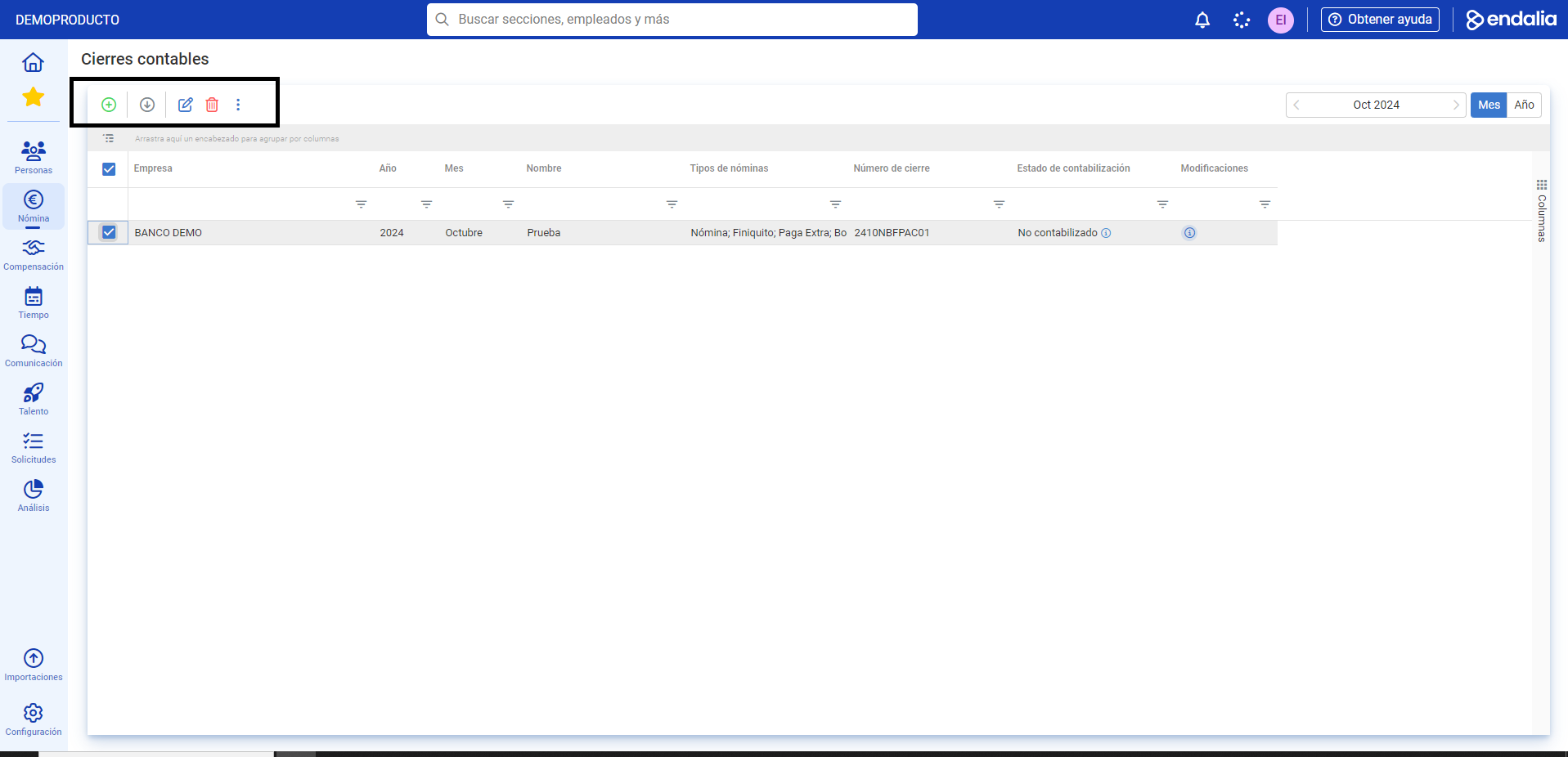
- To modify or complete a closure, click Edit, a button found on the toolbar. You now have three menu items available, namely:
- Closure Information: Fill in or modify the fields and click Save changes at the top of the screen to consolidate your preferences.
- Payrolls included in the closure: You have information about the different amounts associated with the payrolls of the closure, as well as a list of them in table format. The toolbar buttons allow you to perform various actions, such as Generate receipt, Open payroll record, or Open employee record.
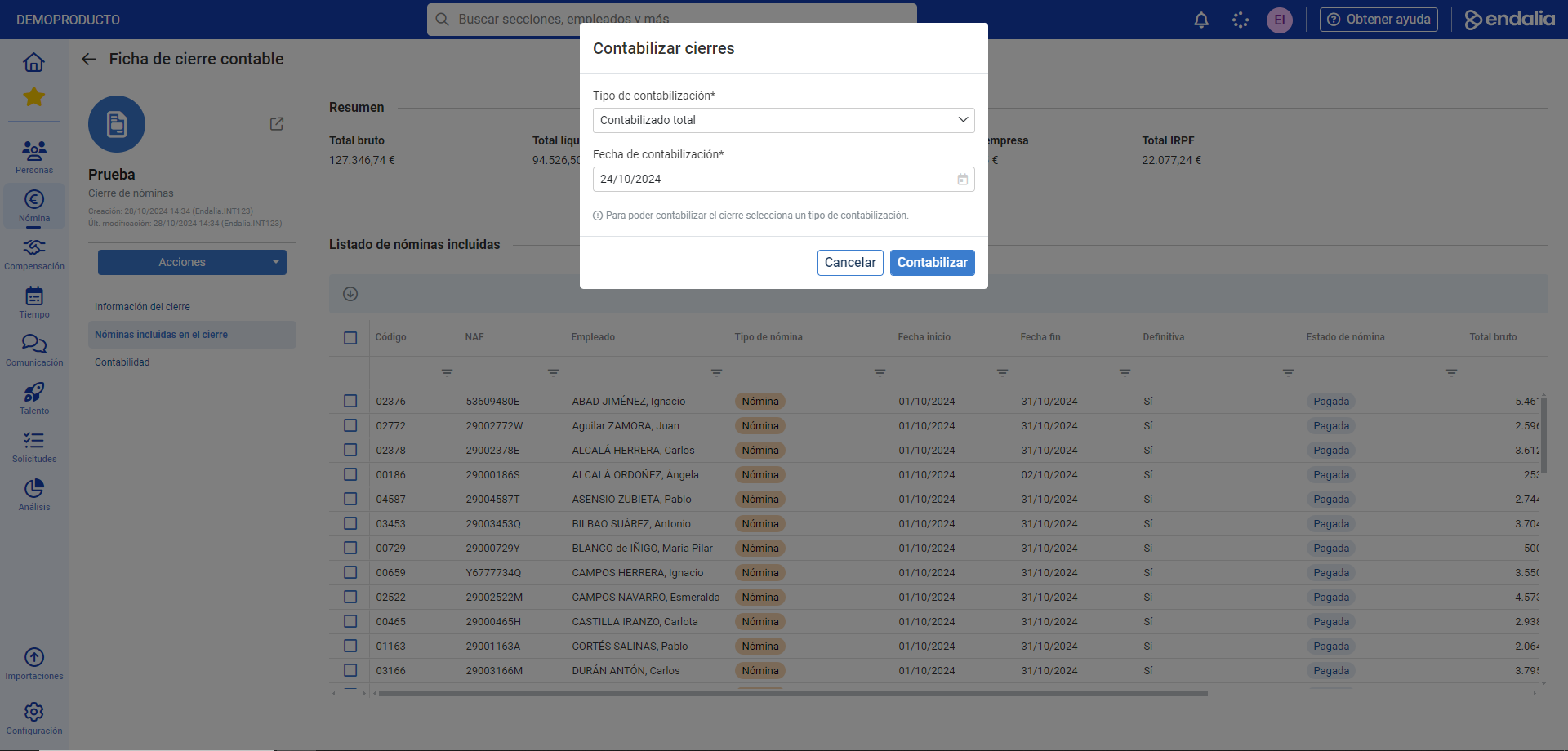
- Accounting: This screen allows you to view a summary for each account and cost center, and the detail of the amounts for each employee included in the closure. The Recalculate accounting button allows you to address discrepancies. Finally, the Actions button, on the main screen, allows you to account for the closure, either totally or partially. Remember to click the Account button in the modal window to carry out your preferences:
Video of the process
We show you this functionality in just a few seconds:
Still have questions? Check out the following related articles:
Additionally, you can view our glossary, available at this link.
Was this article helpful?
That’s Great!
Thank you for your feedback
Sorry! We couldn't be helpful
Thank you for your feedback
Feedback sent
We appreciate your effort and will try to fix the article