Important: this article is aimed at Endalia HR users with an Administrator profile.
The Government defines this concept as "the set of monetary or in-kind compensations paid by employers to their employees regardless of their inclusion or not in the contribution base and even if single bases classified by remuneration concepts apply." And, our task, to ensure you can manage them.
In this article you will find:
Generate CRA model (compensated remuneration concepts)
Within the Payroll Hub, click on Payrolls > Payrolls > Social security > CRA model
- On this first screen, you have a list of CRA models with their corresponding company, status, creation dates, etc. Keep in mind that, as is the case in other areas of this module, you have different buttons on the toolbar to perform actions. Select the corresponding checkbox or click on the corresponding company to be able to mark as submitted, edit, download file or delete
- If you want to add a new CRA model, click on the button designated for this purpose, also located on the toolbar (+). Next, fill in the following fields in the modal window:
- Year: by default, the current year is displayed.
- Month: according to the law, the system offers by default the month prior to the present, which is when the CRA model is submitted.
- Company: select the associated business using the Add company button.
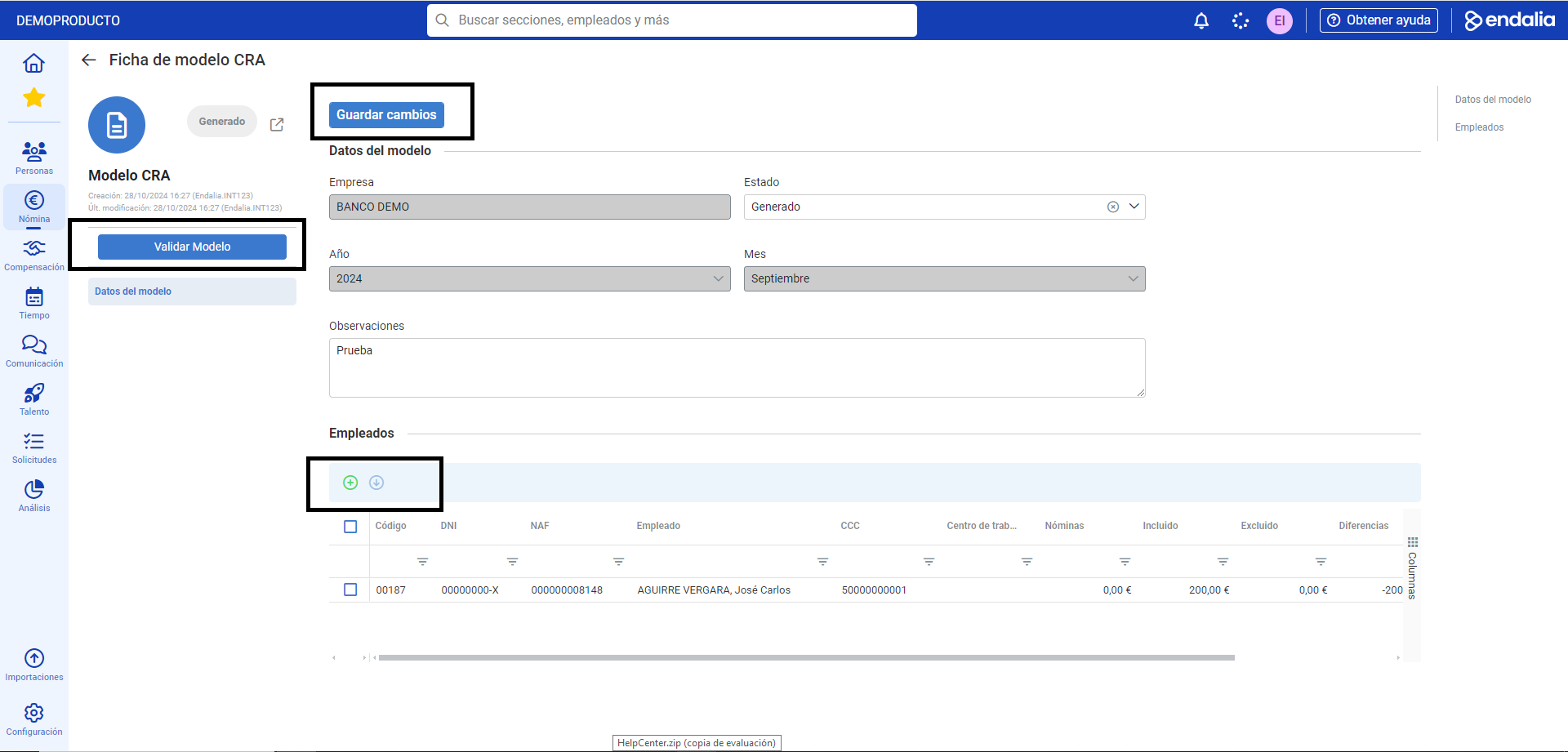
Lastly, do not forget to click Generate, to add a CRA model to the list on the main screen of this functionality. Again, by selecting the new model and using the Edit button on the toolbar, you can access its file, add employees to the model, and validate it using the corresponding button: 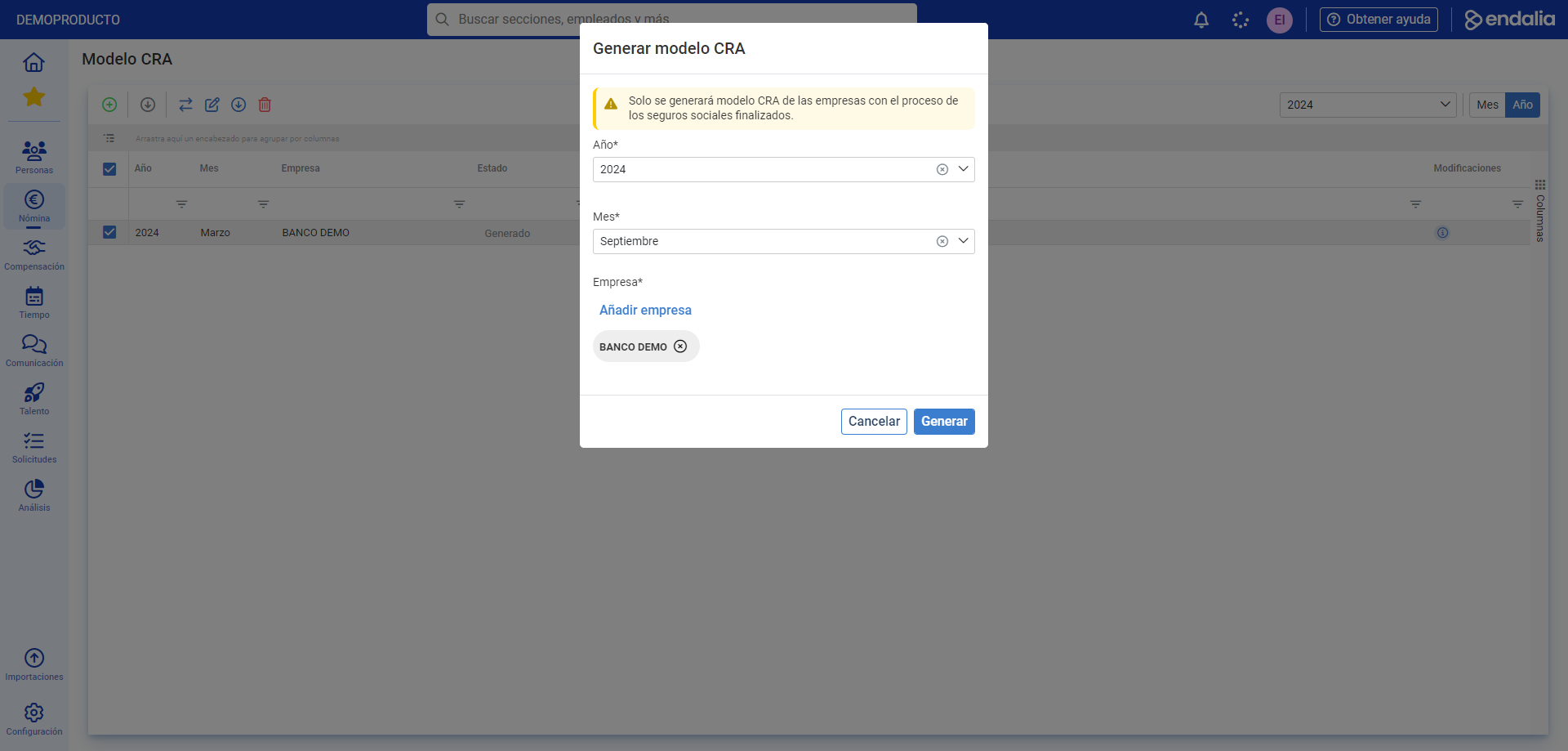
Process video
We show you this functionality in just a few seconds:
If you have any doubts, you can take a look at our glossary, available at this link.
Was this article helpful?
That’s Great!
Thank you for your feedback
Sorry! We couldn't be helpful
Thank you for your feedback
Feedback sent
We appreciate your effort and will try to fix the article