Important: this article is intended for Endalia HR users with an Administrator profile.
This option allows you to manage the variables for fields to be filled out in an employee's profile. You can learn more about this basic functionality in the following brief lines we offer below.
In this article you will find:
Mandatory field feedback in the employee profile
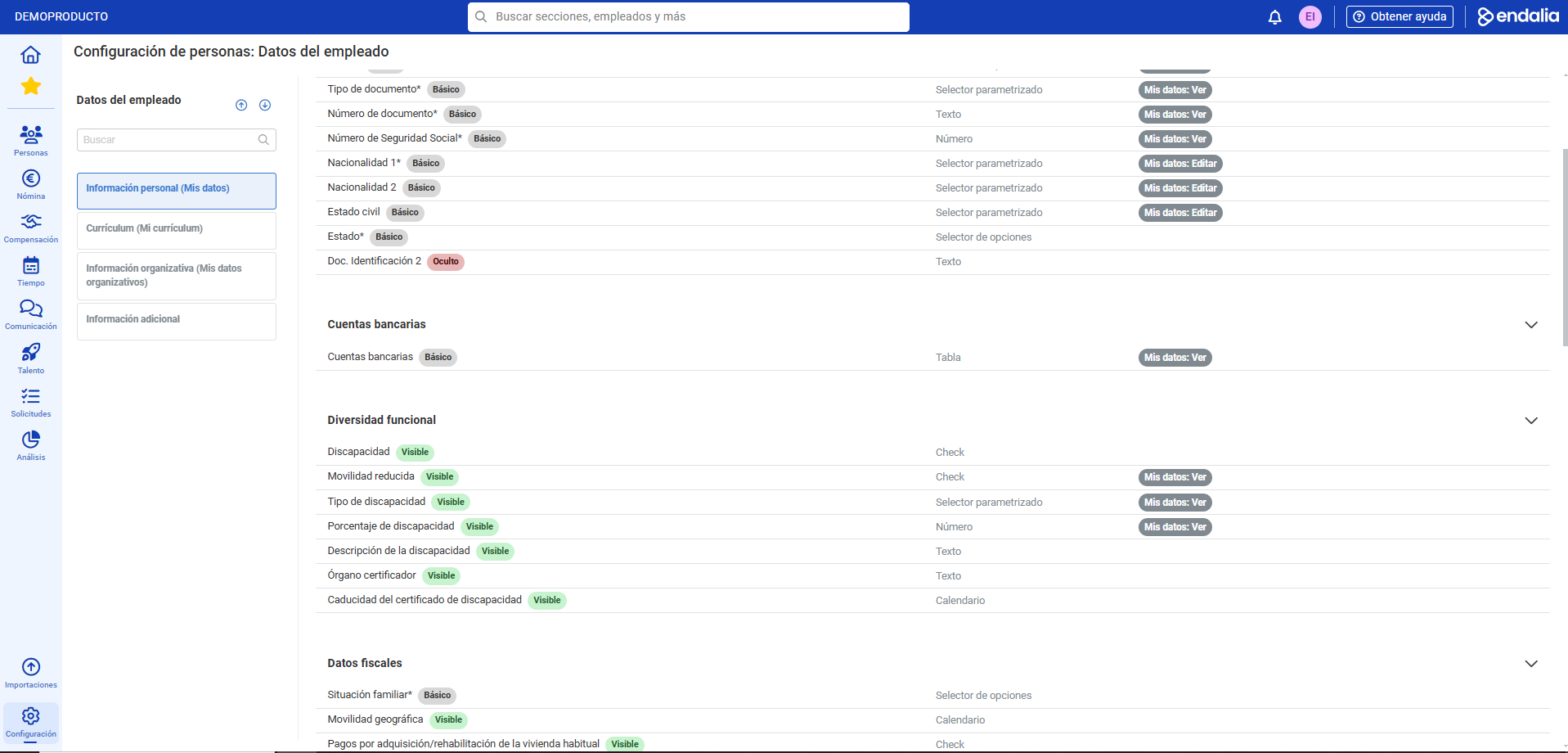
- Within the Configuration hub, go to Organization and people > Employee data
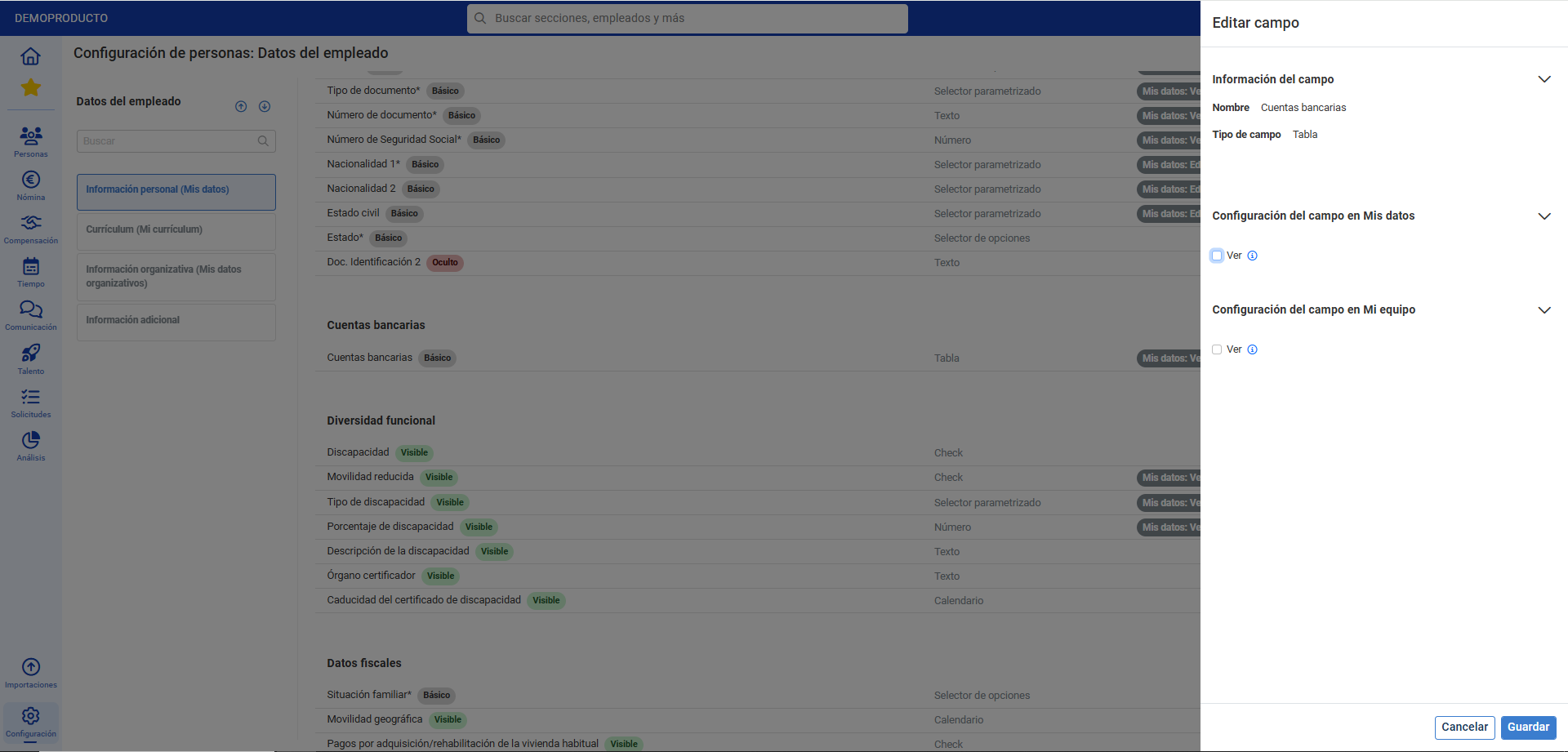
- In the following window, you'll find various tabs (Personal Information, Curriculum, Organizational Information, etc.) related to the information subject to change. Within each one, there are different sections with multiple data fields in an employee's profile. Click on the colored bubbles to perform various actions on proposals in this functionality, relating to the data. They are as follows:
- Determine if the data is visible or not (if hidden, it will not be visible anywhere).
- Whether they are mandatory or not (same setting for both environments mentioned earlier).
- If the colleague can edit them in their profile, or only view them).
- If the manager can see the data in the same section
Process video
Do you want to know more? Check out the following related articles:
If you're unsure of the terms, check out our glossary at this link.
Was this article helpful?
That’s Great!
Thank you for your feedback
Sorry! We couldn't be helpful
Thank you for your feedback
Feedback sent
We appreciate your effort and will try to fix the article