Important: this article is intended for Endalia HR users with an Admin / HR profile.
From here you can manage daily operations, identify pending tasks, and get an overview of the training status in the organization.
The Training (Administration) dashboard is the control center of the module. In this article you will find:
What is the Training (HR) dashboard?
When you access Talent > Training > Administration, the dashboard is the main management screen.
From here you can:
- Quickly identify what requires attention
- Monitor the training status across the entire organization
- Manage participants, training actions, and requests
- Monitor budget execution
It is the entry point for daily training management.
Sections

Pending tasks
At the top you will find the alerts that require immediate action.
They include, among others:
- Participants pending completion
- Pending certificates
- Unanswered questionnaires
- Pending requests
Each alert includes direct access to the corresponding action. Alerts disappear automatically when they are resolved.
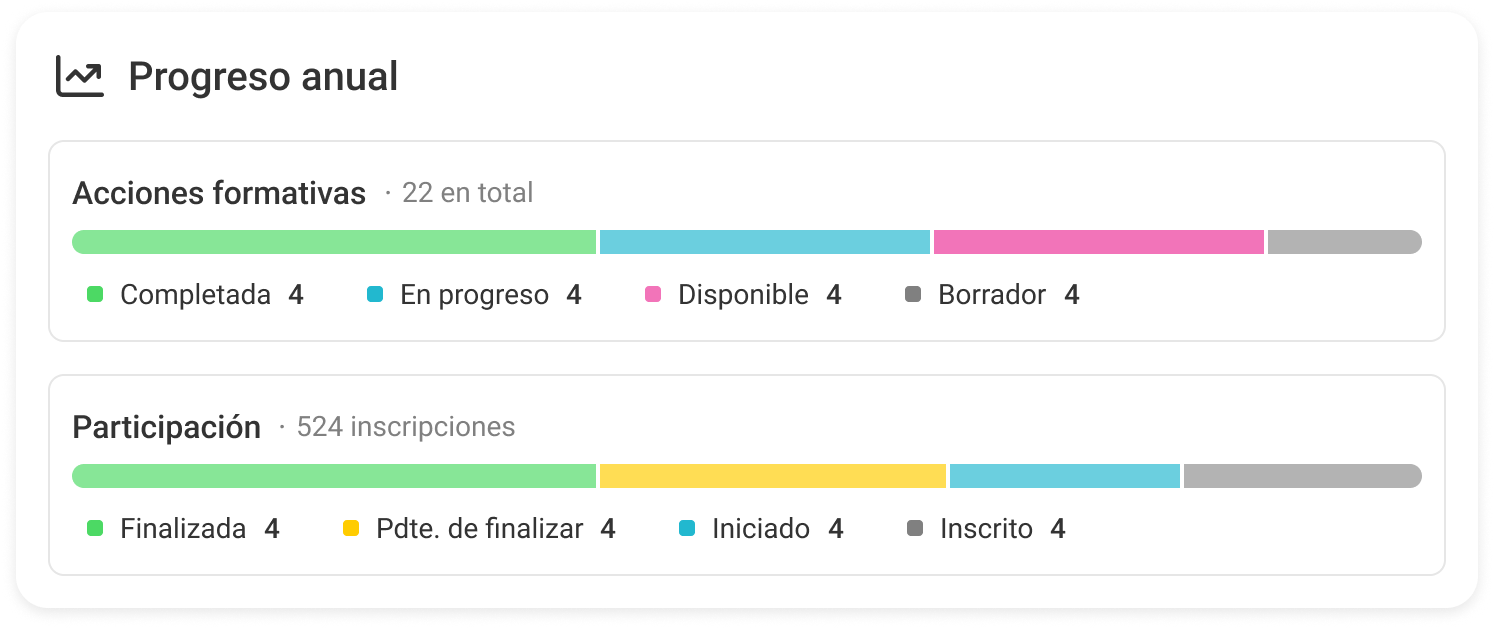
Annual summary
This block displays an overview of the training catalog:
- Number of active courses
- Unique participants
- Distribution by status of training actions
It allows you to quickly understand the level of activity in the catalog.
Training activity tracking
From the dashboard you can monitor:
- Ongoing training actions
- Active participations
- Overall progress
Helps to detect:
- bottlenecks
- actions with low completion
- lack of activity

Budget monitoring
The dashboard shows the status of the training budget for the active period:
- % executed
- consumed amount
- comparison with planned
It allows you to monitor expenses in real time without the need for external exports.
Completed actions with pending participants
This block shows training actions that have already been completed but still have participants in Pending completion status.
This means that:
- The training action has ended
- But some participants have not completed the closure process
For example:
- They have not uploaded the certificate
- They are pending validation
- They have not confirmed completion
Training by category
This block shows a summary of training activity grouped by training categories. It allows you to get a quick view of how training is distributed within the organization.
For example:
- Identify which areas have the greatest training volume
- Detect categories with low activity
- Understand the relative weight of each type of training
Usage recommendations
Review your pending tasks daily
- Use the dashboard as the entry point for management
- Regularly monitor the status of the catalog and activity
- Monitor the budget to prevent deviations
Was this article helpful?
That’s Great!
Thank you for your feedback
Sorry! We couldn't be helpful
Thank you for your feedback
Feedback sent
We appreciate your effort and will try to fix the article