Shifts: Total work periods (e.g. e.g., from 9 am to 5 pm; morning, night, etc.).
Periods: Work periods recorded in the day (e.g. e.g., work from 9 am to 1 pm; lunch break from 2 to 3 pm, etc.).
This article is intended for Endalia HR users with Administrator profile.
We discuss a fundamental term within Time Registry, which determines the time periods dedicated to each task within a workday.
Here you will find:
- Edit and add periods
- Process video
Edit and add periods
Within the hub Configuration, click on the module Time Registry > Scheduling
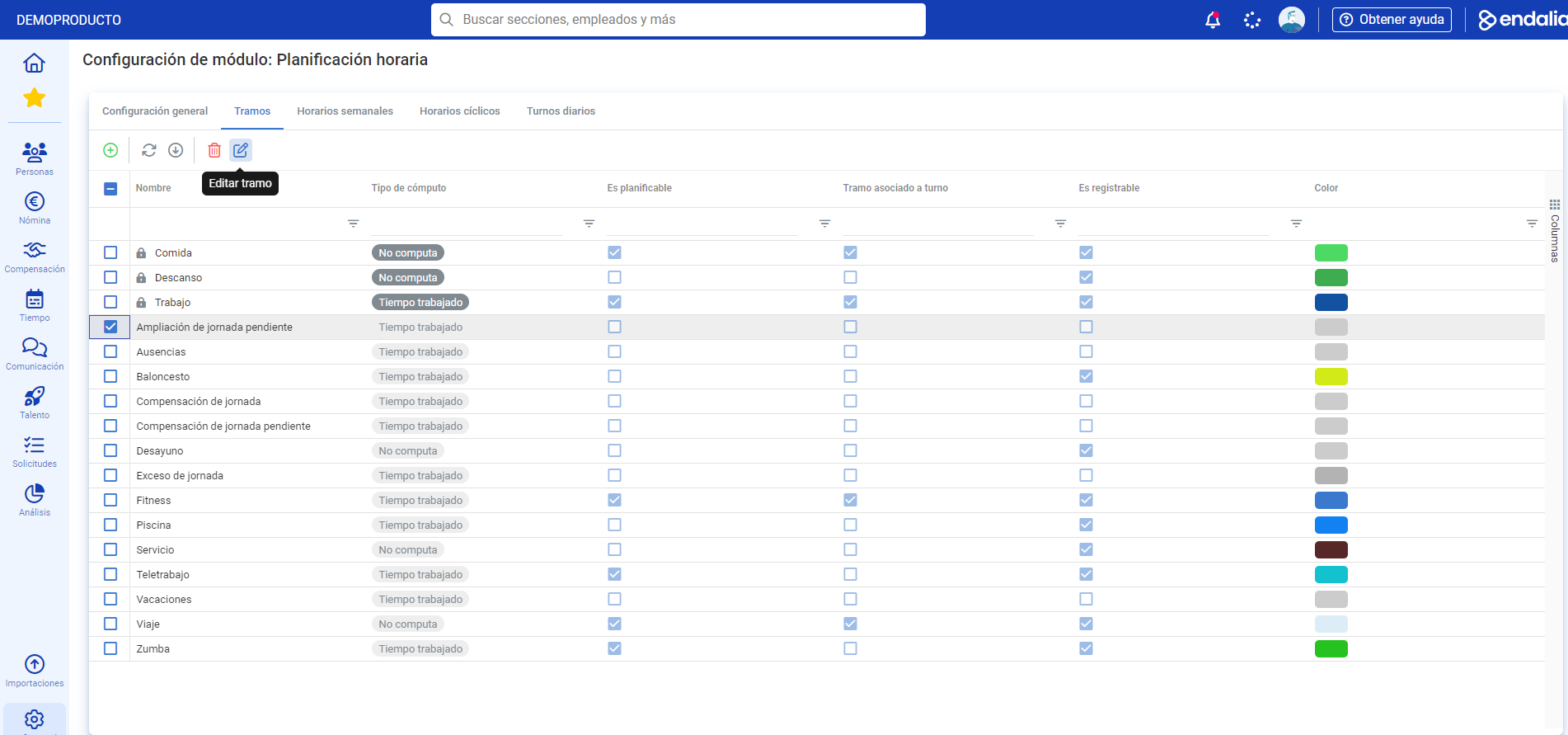
- In this first screen, go to the Periods tab . Here you have a list of them, and you should know that those represented with a lock are essential, meaning common across all companies and pre-defined by the system (cannot be deleted). but they can be edited. To perform this action, click on one of them and press the Edit Period button, which you will find on the toolbar:
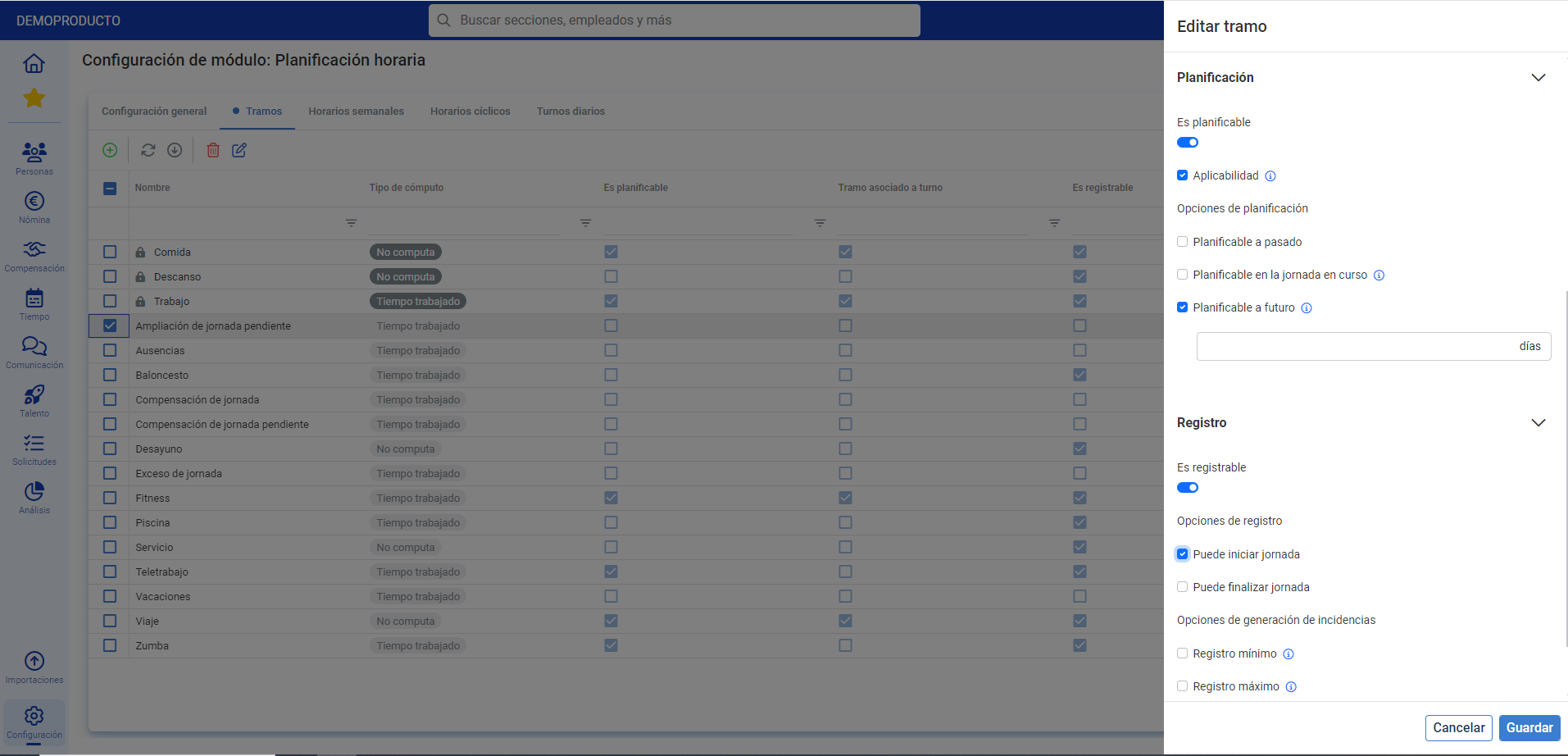
- In the side modal window presented next, fill in the mandatory field (Name) and all the information you consider relevant. In the Schedulable section, you should know that if you activate this option, the system will allow you to schedule this period in a timetable and, in Records, if the Is Registerable option is activated, the system will allow you to create it in your records (when you register your day). Finally, don't forget to click on Save, to apply your preferences:
- To add a period, in the main window (Scheduling), click on the Add period button, present on the toolbar, and follow the steps described earlier in this tutorial. Again, don't forget to click on Save, in the side modal window, to add your new period to the list:
Process video
All the steps, summarized:
Still have questions? Check out the following related articles:
Additionally, you can view our glossary, available at this link.
Was this article helpful?
That’s Great!
Thank you for your feedback
Sorry! We couldn't be helpful
Thank you for your feedback
Feedback sent
We appreciate your effort and will try to fix the article