Important: this article is aimed at Endalia HR users with an Administrator profile.
Within the sections, there are profiles that always have a greater impact than others when making decisions; they are called "weights." In this section, we teach you how to configure them correctly.
In this article:
Configure Weights
Before starting, keep in mind that you must first configure a period and then the sections and phases with the general objectives tab in the period sheet to manage those goals: 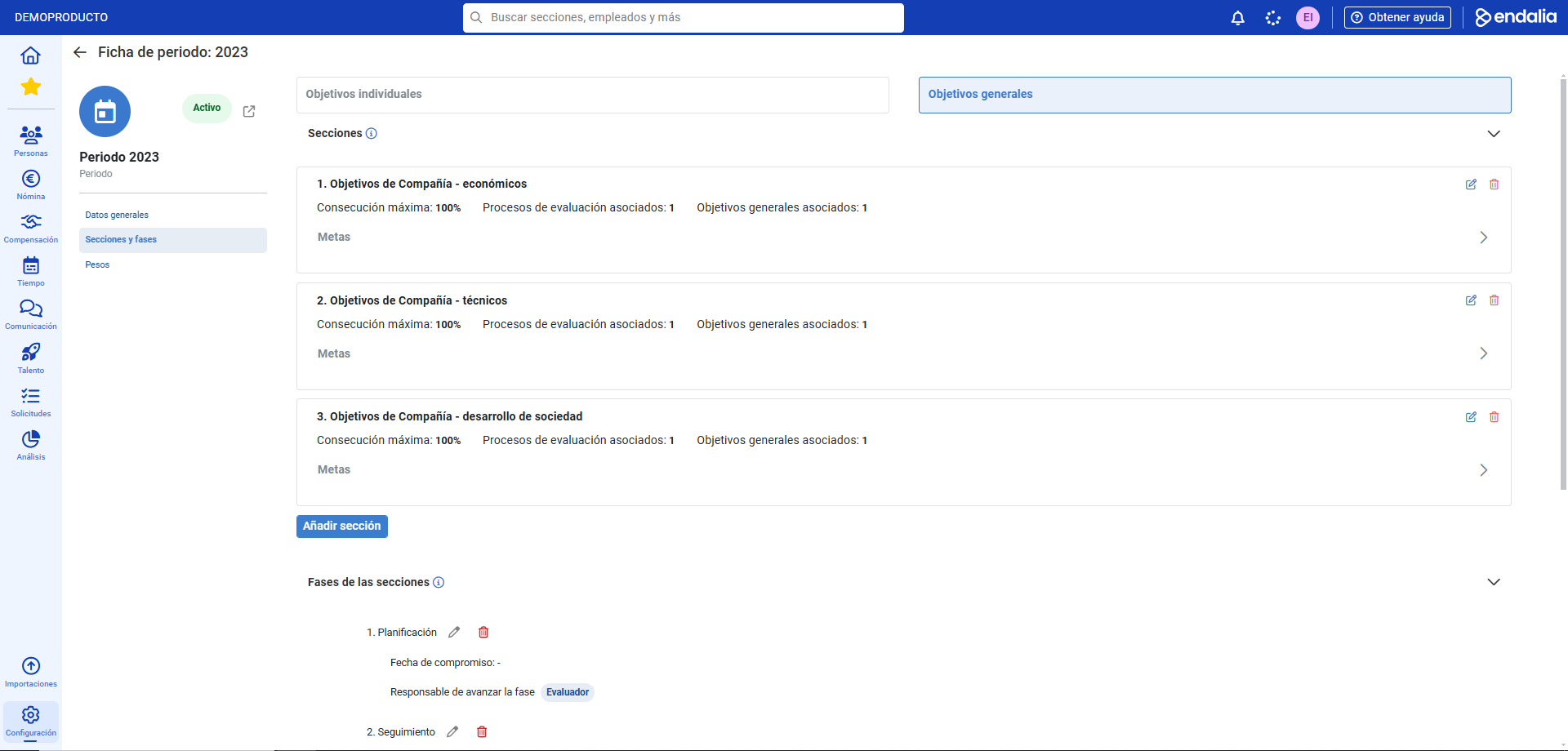
- Within the hub Settings, click on Objectives > Periods
- Double-click on the previously created period or alternatively check the box and click Edit period, a button you'll find on the toolbar.
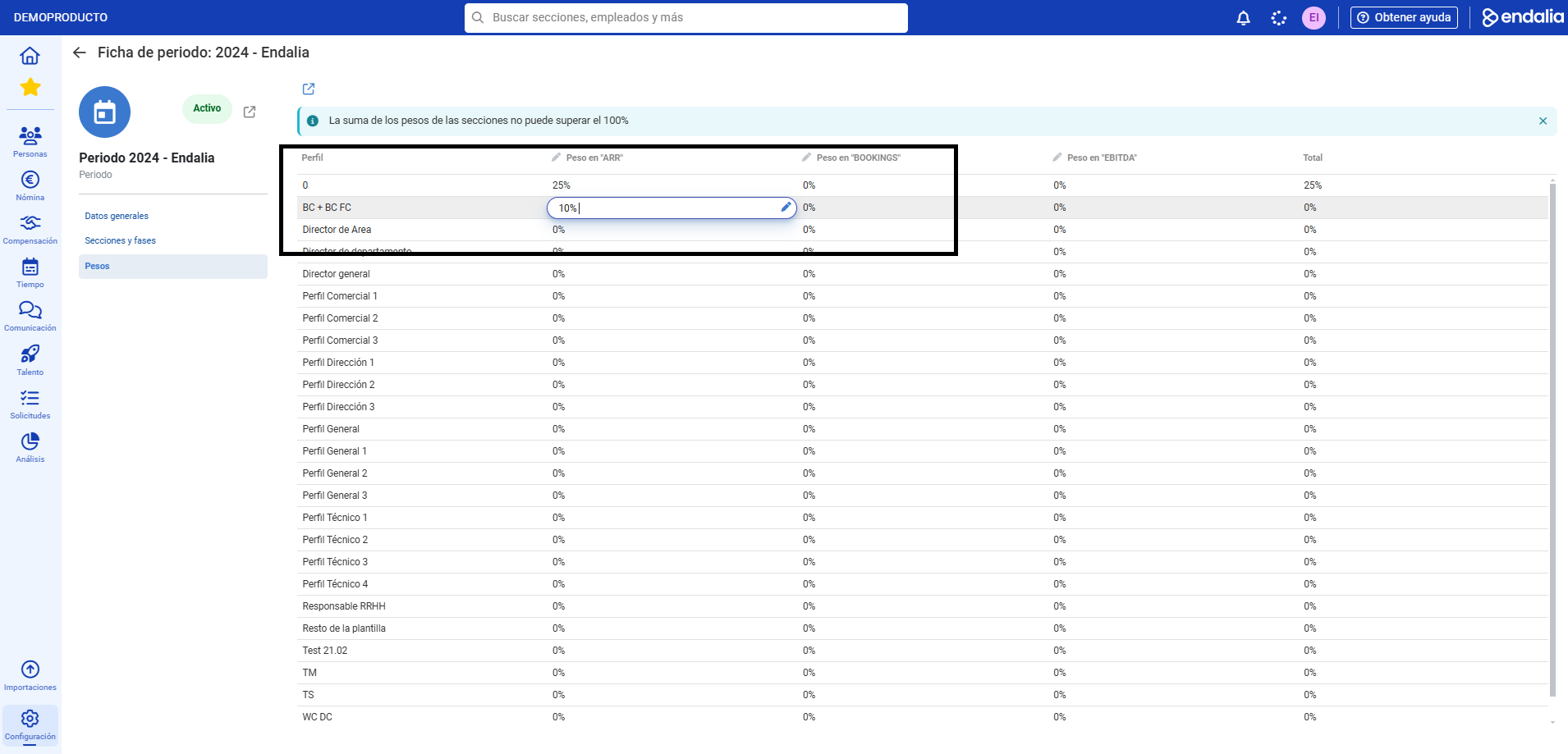
- In the period tab menu, click on Weights. On this screen, you can directly assign the weights of each previously generated section; to do this, hover the pointer over the column corresponding to each coordinate of the section/profile axis and click on the pencil icon to enter the weight percentage for each section (by default, the total sum is set at 100%):
- Now you can see the section weights associated with the profiles of the employees who will perform evaluations. To do this, click on the hub Performance and Talent > Objectives > Objective Evaluations. Next, select the period using the toolbar filter to access the associated employees.
- In the employee tab, go to the Profile and Weights section where you can already see the distribution of weights associated with the profile by sections.
Process video
We'll show you quickly:
If you want to know more, check out the following related articles:
If you have questions regarding the terms, take a look at our glossary at this link.
Was this article helpful?
That’s Great!
Thank you for your feedback
Sorry! We couldn't be helpful
Thank you for your feedback
Feedback sent
We appreciate your effort and will try to fix the article