Important: this article is for users of Endalia HR with an Administrator profile.
All employees of a company need to have associated objectives, that is, goals to associate their name with to measure certain capabilities, such as productivity. To know more, just take a look at these lines.
In this article:
Create Objective Profile
- Within the Configuration hub Settings, click on Objectives > Module Parameters
- On the next screen, there is a tab called Objective Profile, which will allow you to set parameters that will later serve as a reference in future evaluations. To edit one present in the list, double click on its name or alternatively, check the box in the corresponding row and click on Edit Parameter, a button that you will find in the toolbar.
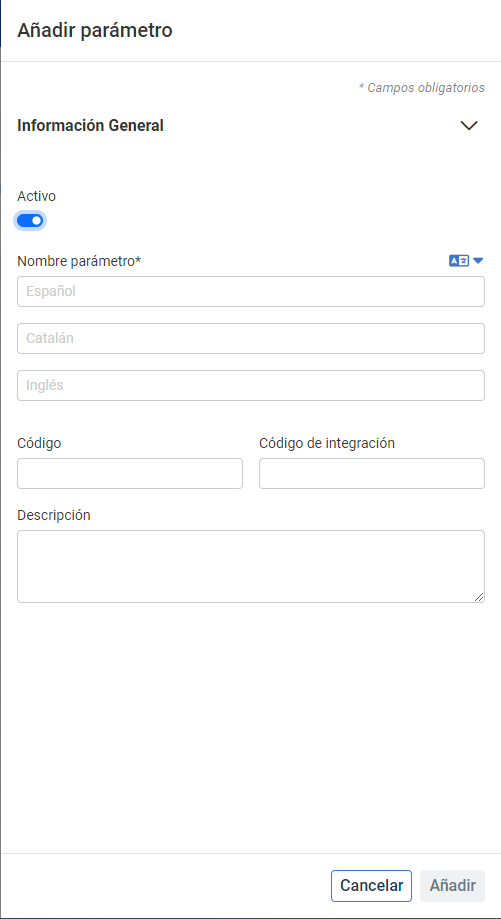
- In case you want to create a new one. click on Add Parameter, in the same location. In the side modal window, fill in the desired fields and click on Add, to make your preferences effective.
- The next step is to associate the parameter with a specific employee. To do this, go to Organization and People > People > Company > Employees. Next, select an employee from the list by double-clicking on their name in order to access their file. Within it, in the menu item Organizational Information, you will find a tab called Professional Data. Once inside, in the section of the same name, you will have a dropdown called Objective Profile; select the previously created objective (Value*), as well as its start date of application (Start of variation) and its end date (optional). Finally, click on Save Changes, to register the pertinent changes.
Note: The newly created parameter may not appear directly in Value*. To update the dropdown, just press F5 and you can see the complete list (see video).
Process Video
We show it to you quickly:
If you want to know more, consult the following related articles:
If you have questions about the terms, take a look at our glossary in this link.
Was this article helpful?
That’s Great!
Thank you for your feedback
Sorry! We couldn't be helpful
Thank you for your feedback
Feedback sent
We appreciate your effort and will try to fix the article