Important: this article is intended for Endalia HR users with an Administrator profile.
This flow allows the administrator to publish employee salary documents so that the employee can review them.
In this article:
Publish payroll
Within the Compensation and Benefits hub, go to Compensation > Salaries > Payroll Receipts
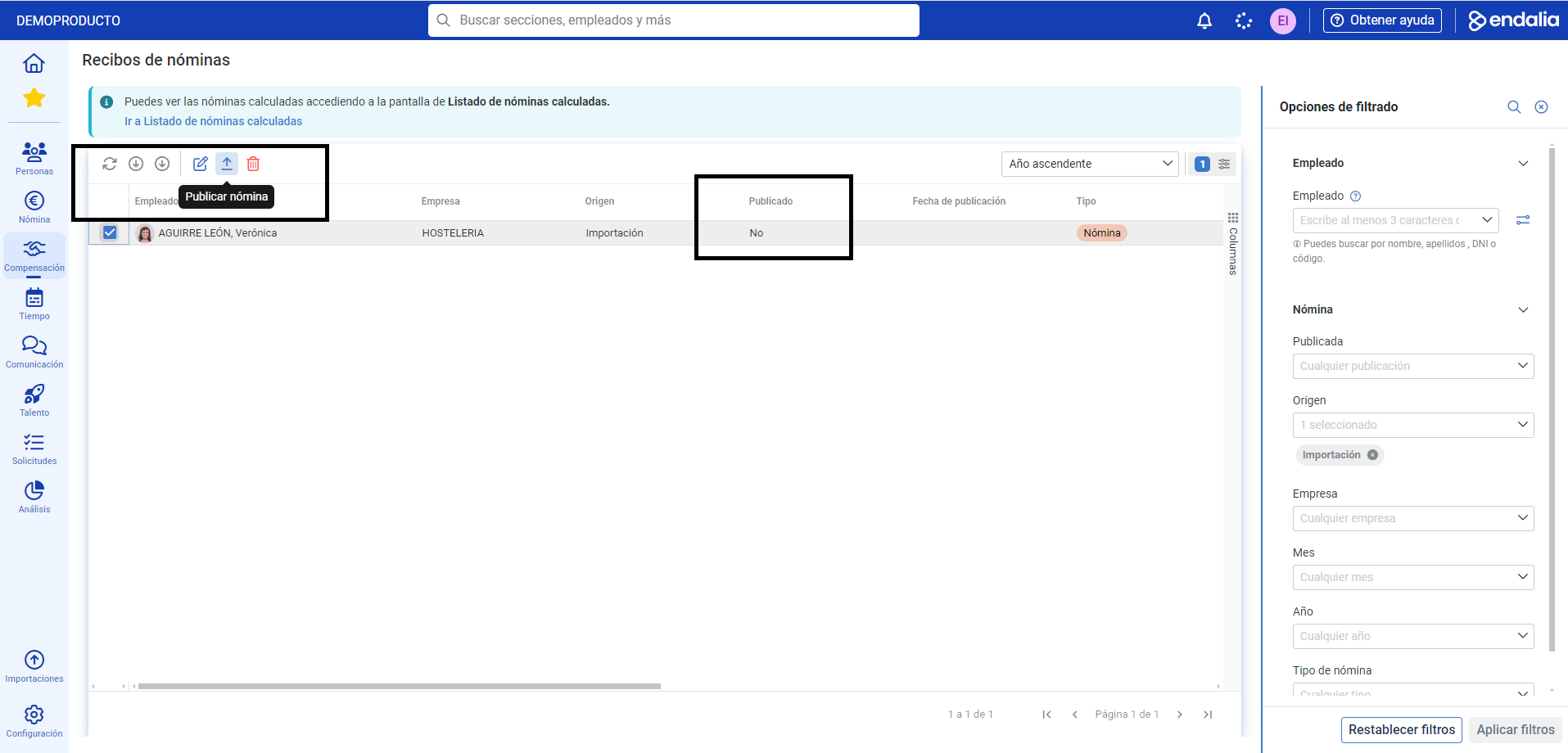
In the list that appears next on the Payroll Receipts screen, check the corresponding box or select the row of the employee in question, ensuring it appears as not published. Then click the Publish payroll button that you'll find on the toolbar:
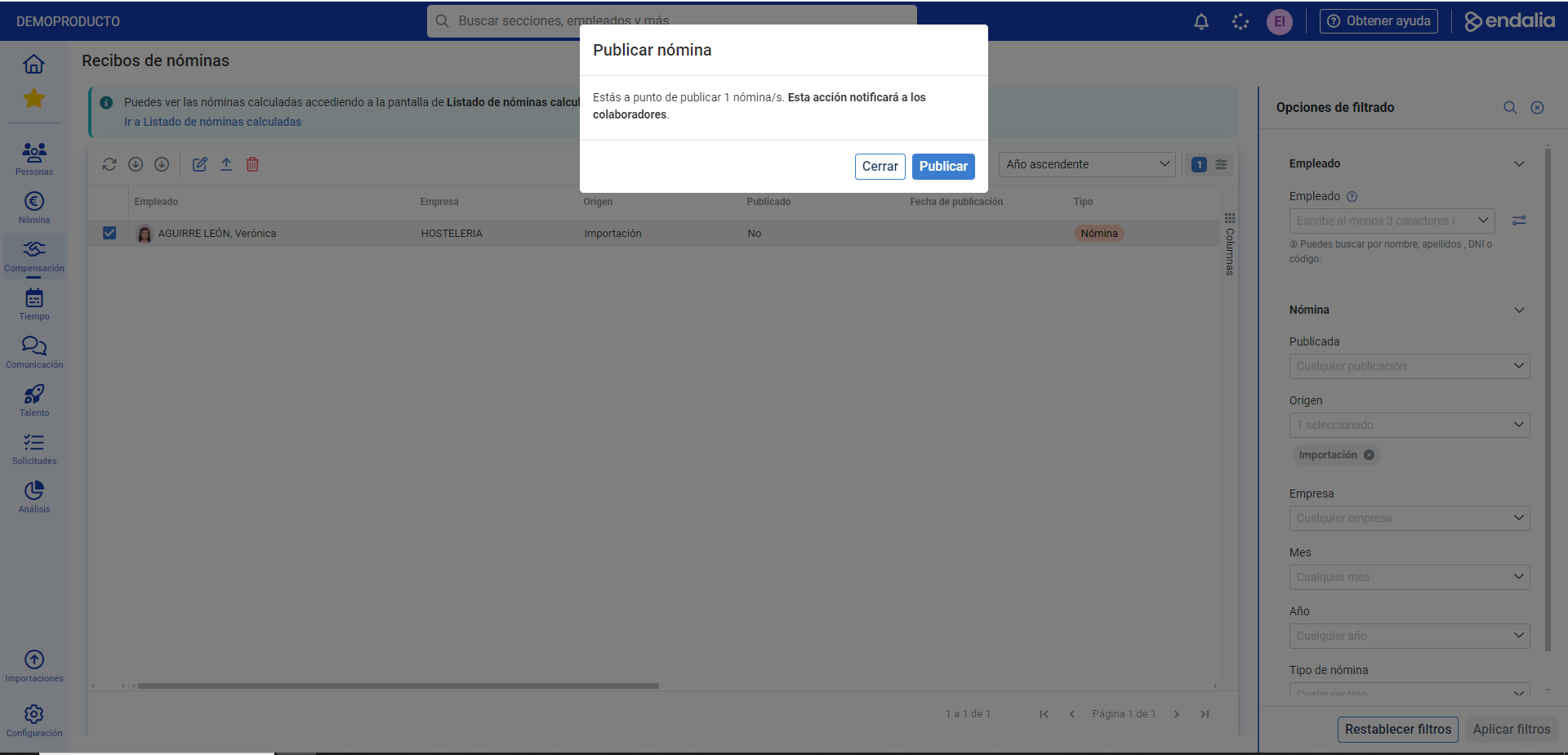
Finally, in the confirmation modal window, click Publish. Now, the system sends a notification to the employee, who has the document available in My salary documents
Process video
Additionally, the following related articles are available:
Still have questions? Check out our glossary at this link.
Was this article helpful?
That’s Great!
Thank you for your feedback
Sorry! We couldn't be helpful
Thank you for your feedback
Feedback sent
We appreciate your effort and will try to fix the article