Important: this article is intended for Endalia HR users with a Manager profile.
As a manager, this functionality allows you to link training actions for employees through the collaborators' development plan, thus promoting their professional growth within the company.
In this article, we present:
Link training actions to a development plan
Within the hub Performance and talent, navigate to the module Development > My team > Employee development > Development plans
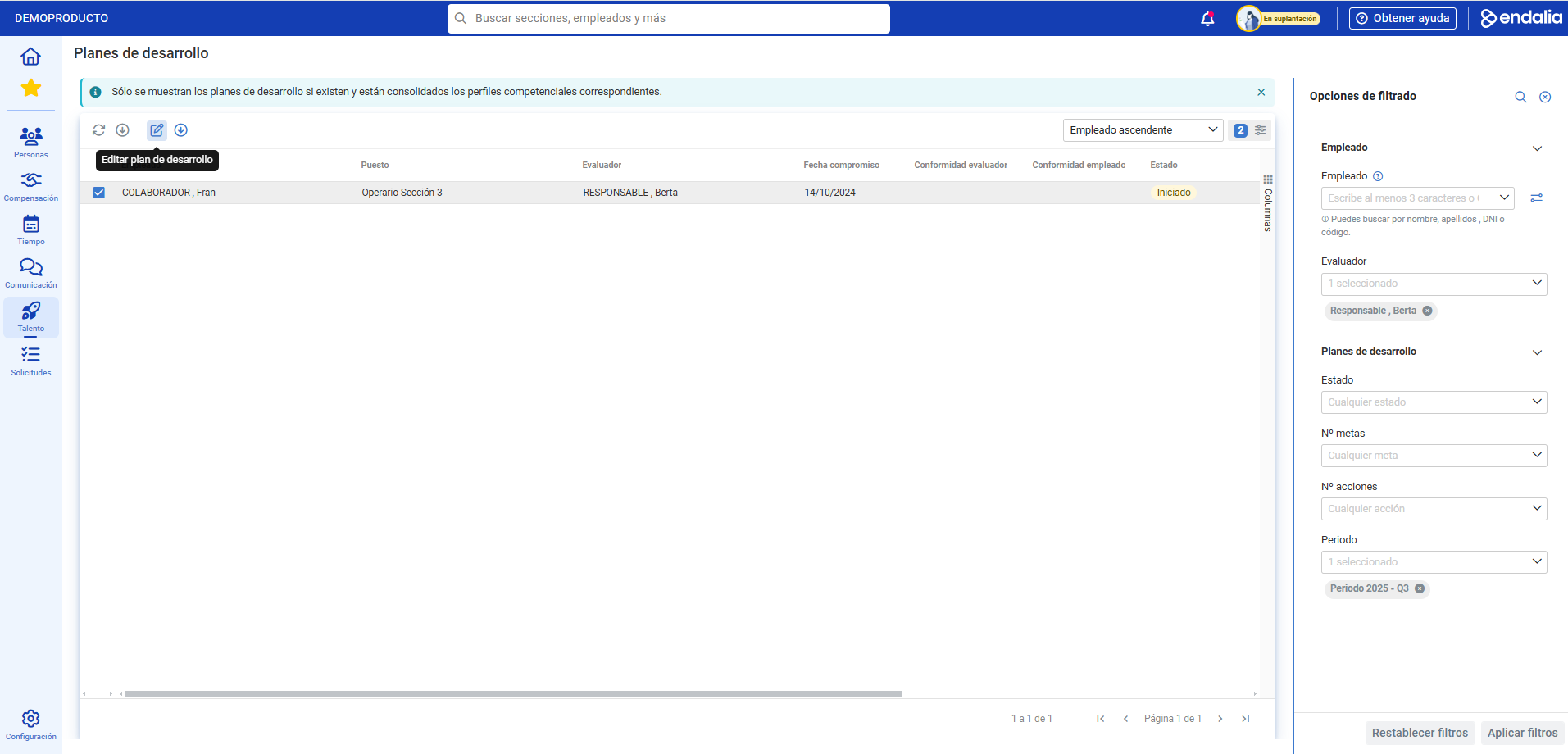
- Now, you can see a list of collaborators with existing development plans and consolidated competency profiles. To modify them, click on the name or corresponding box and then on Edit development plan, a button that, as always, you'll find on the toolbar:
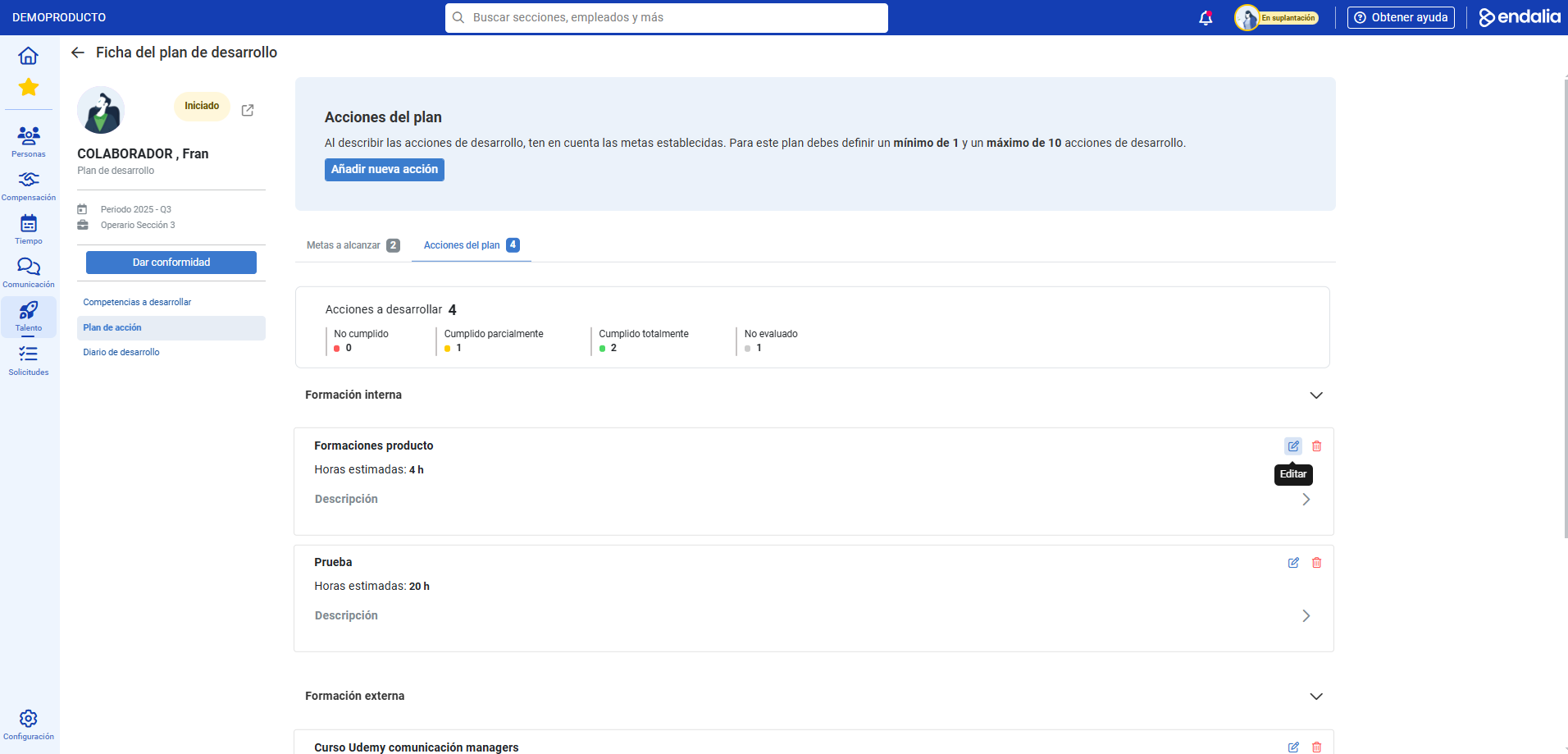
- Now, go to the menu item Action plan, and immediately after, to the tab Plan actions. In the Internal training section, you have all the learning linked to the collaborator and within the card, the Edit button. Click on it:
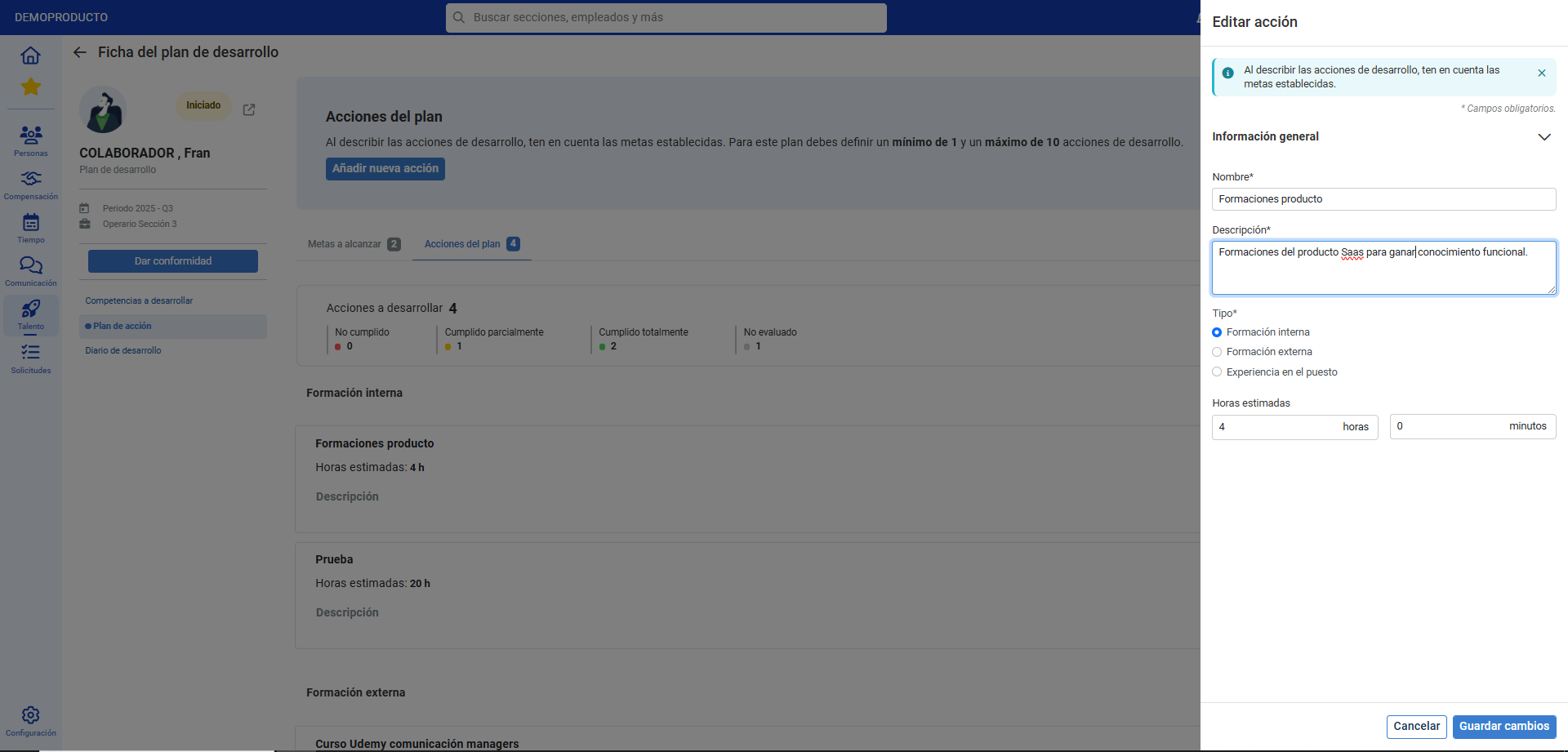
- In the subsequent side modal window, link the training actions to the development plan as long as they are within the date range of the development period, and click on Save changes, to incorporate them into internal training. Thanks to these actions, you can now compare what was planned in the action plan (both at the goal level and estimated hours) with what the collaborator actually accomplished in terms of training actions:
Still have questions? Refer to the following related articles:
Additionally, you can view our glossary, available at this link.
Was this article helpful?
That’s Great!
Thank you for your feedback
Sorry! We couldn't be helpful
Thank you for your feedback
Feedback sent
We appreciate your effort and will try to fix the article