Important: this article is aimed at users of Endalia HR with an Administrator profile.
It is one of the most important functionalities within the compensation framework, as it allows comprehensive evaluation of an employee's progression and capabilities. In the following article, we will show you how to do it in a simple and quick way.
In this article:
Manage merit matrix
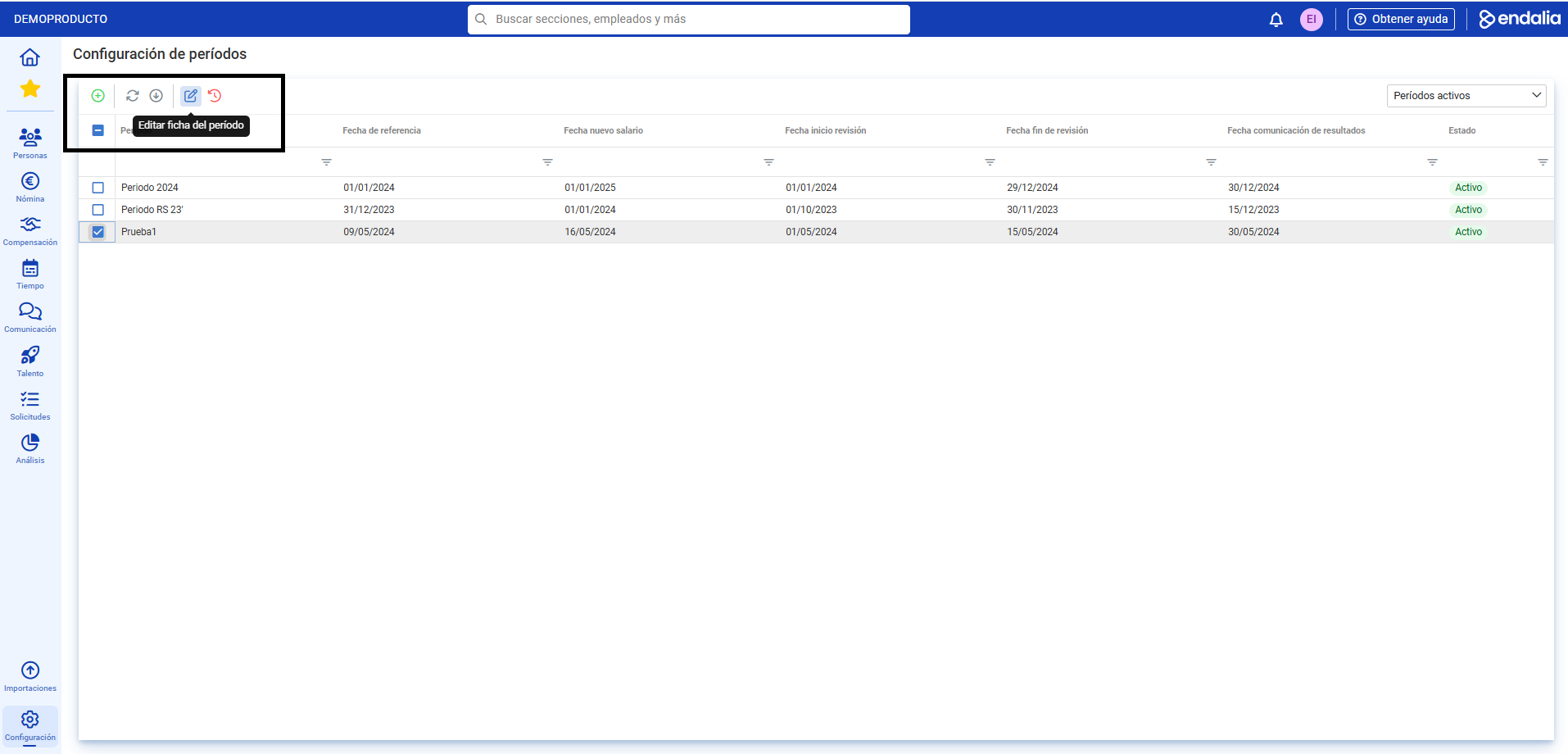
- Within the hub Configuration, navigate to Compensation and Benefits > Salary Review Periods
- On the screen presented to you, select a period from the list and click on Edit period sheet, a button you will find on the toolbar.
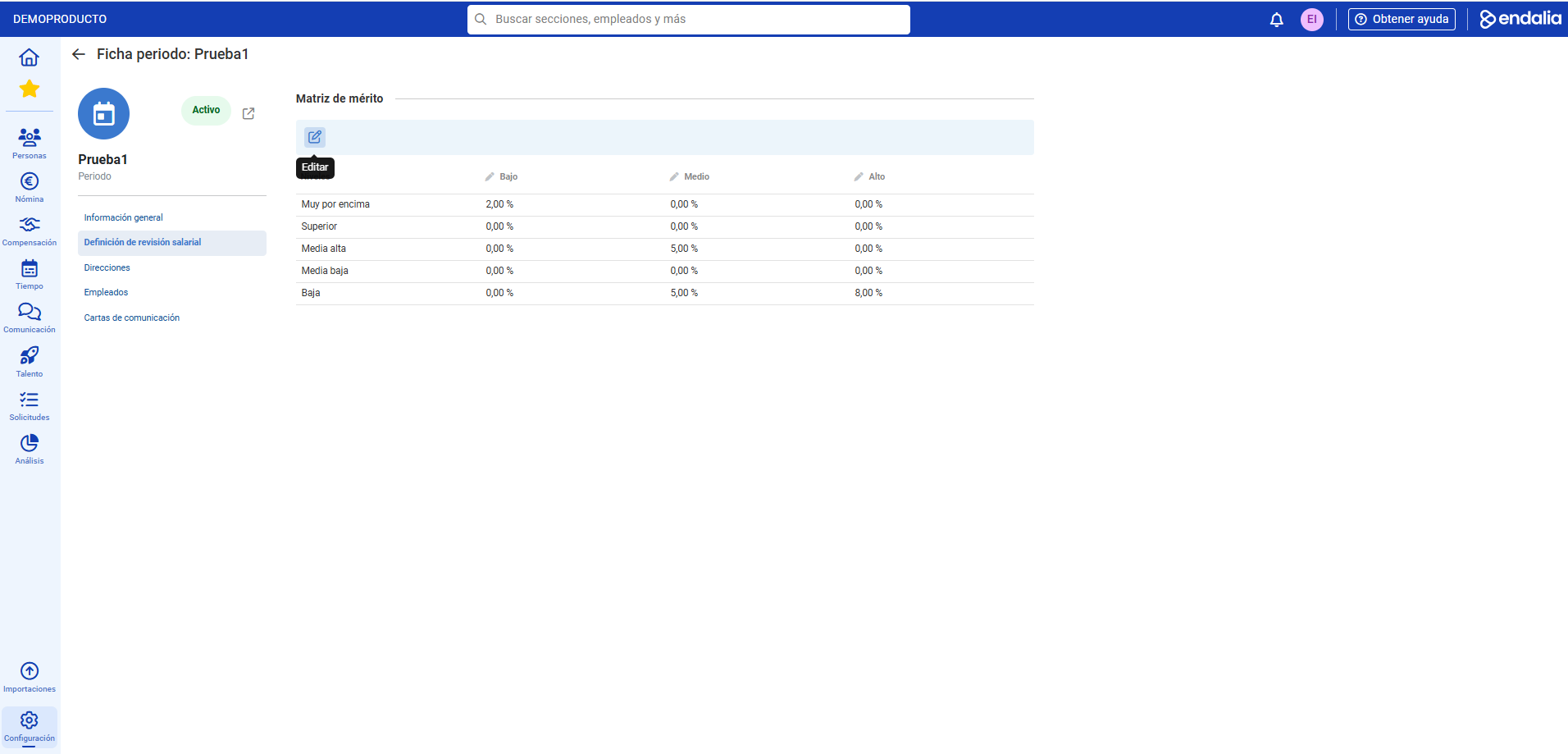
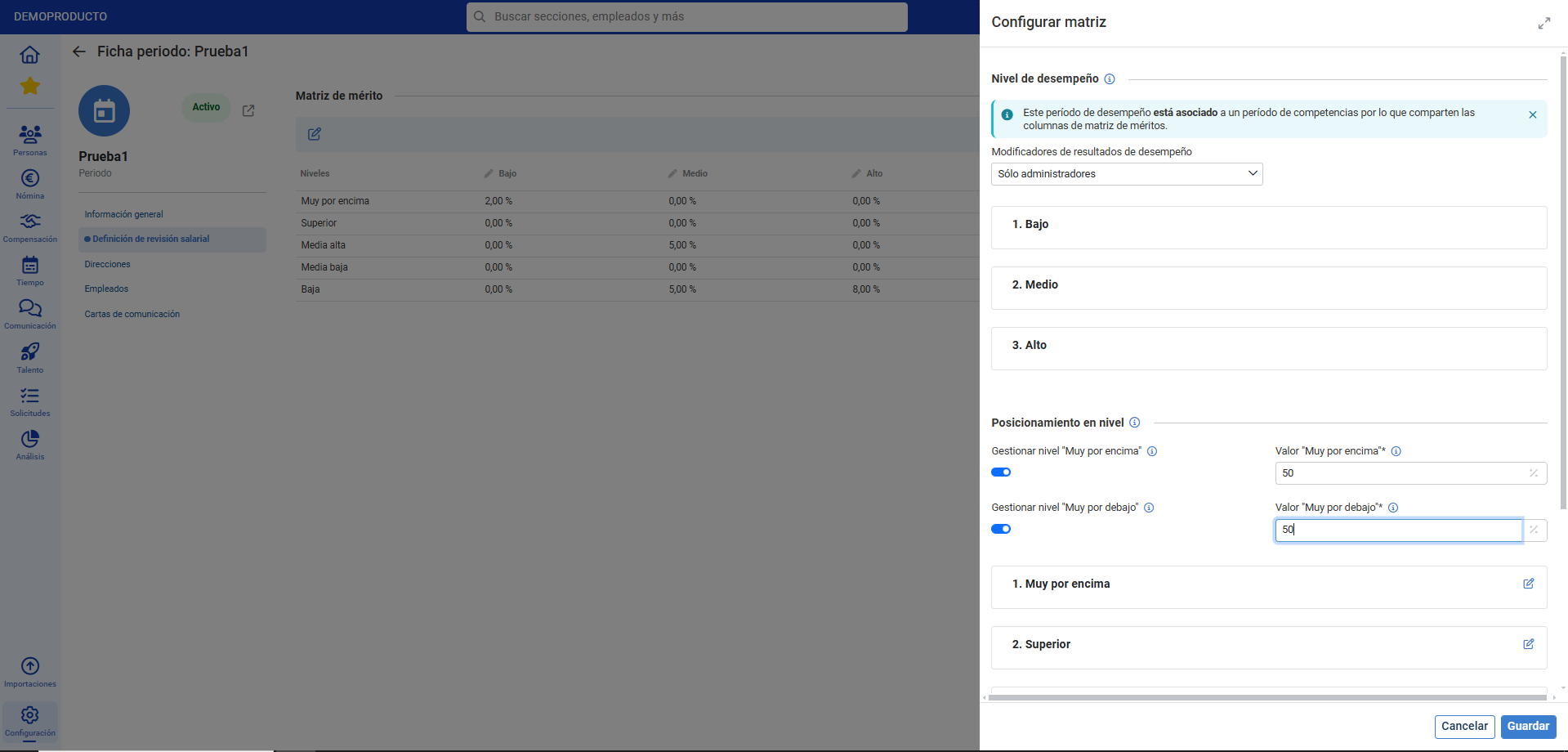
- On the next screen, you can see various sections. Enter Salary Review Definition to access the merit matrix. Once inside, you can directly modify the percentage values in the table. Additionally, if you click on the Edit button in the toolbar, you can modify other values, such as permissions to change performance metrics, level placements, their names, etc.:
Process video
We show it to you quickly:
We remind you that you have the following related articles available:
Additionally, you have a glossary of terms at the following link.
Was this article helpful?
That’s Great!
Thank you for your feedback
Sorry! We couldn't be helpful
Thank you for your feedback
Feedback sent
We appreciate your effort and will try to fix the article