This system is designed to enhance the accuracy of time registration, offer efficient time control, and provide an intuitive and fast experience. It is ideal for any workplace that needs to register hours effectively. Below, we explain how to clock in using the Kiosk step by step.
To begin, make sure your Kiosk is configured correctly. If you need help with this process, see the article on how to set up your Kiosk.
In this article
How to clock in using the Kiosk
1. Receiving the 6-digit code
Once employees receive their personal 6-digit code, they will be ready to start clocking in from the Kiosk's main screen.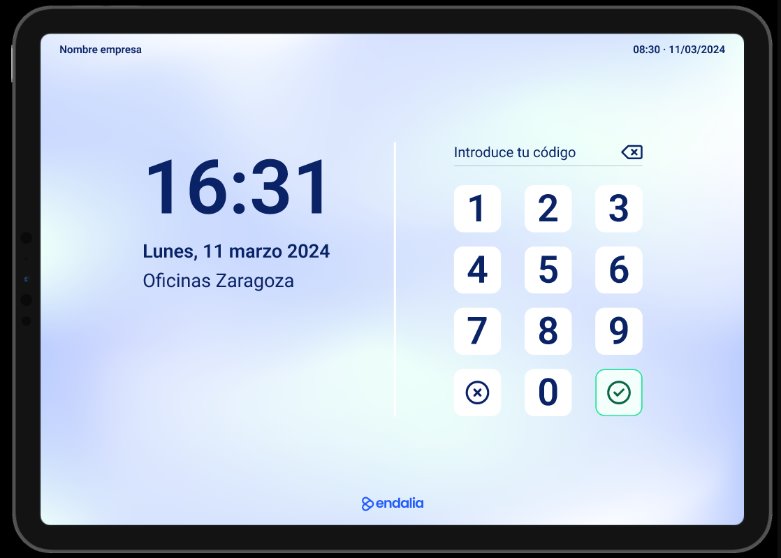
2. Entering the code
By correctly entering the code, the system will recognize the employee and indicate they can begin their first record of the day.
If the system does not recognize the employee or there is an error, they can select the option “This is not me” to return to the initial screen and re-enter their code.
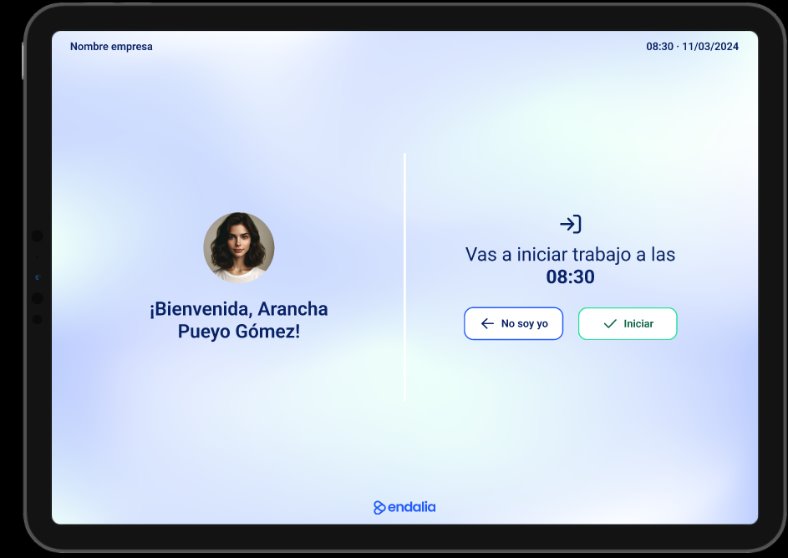
3. Start the registration
Once recognized, the registration will start counting in real-time. The registration will remain active until the employee re-enters their code to:
End their shift.
Log a break or start a new time segment.
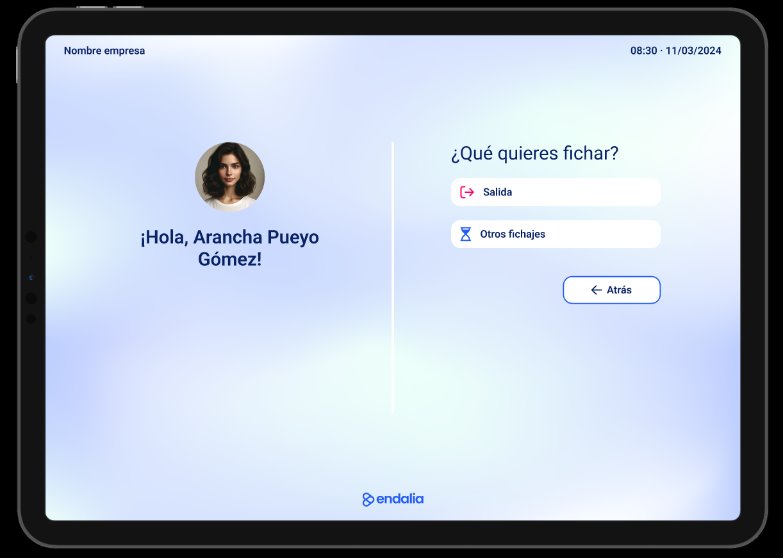
4. Other registrations
In the Other registrations section, employees can choose from the segments configured in the Endalia environment.
Upon registering the exit, the system will display a summary of all registrations performed during the day.
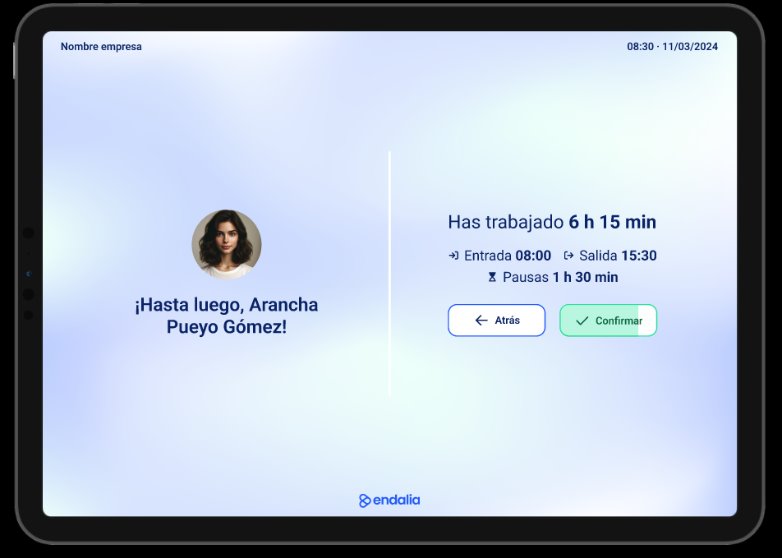
Synchronization with Endalia
All registrations made in the Kiosk are synchronized in real-time with Endalia. You can view them directly on the platform.
Note: If an employee enters their code but does not perform any action, the system will automatically close the session to prevent errors.

Was this article helpful?
That’s Great!
Thank you for your feedback
Sorry! We couldn't be helpful
Thank you for your feedback
Feedback sent
We appreciate your effort and will try to fix the article