Important: this article is intended for Endalia HR users with an Administrator profile.
"Consolidate," in this context, means to validate the worker's data on the employee portal, such as resumes, skills, etc. This is a basic functionality that we show you here in three simple steps.
In this article:
Consolidate data
- Go to the Organization and People hub and click on the People module > Employee Monitoring > Data Consolidation
- On this screen, you will see a list of employees and the corresponding fields of their profile that are unverified. To validate them, click on the box of the respective employee or the corresponding row and press the Consolidate button, which you will find in the toolbar.
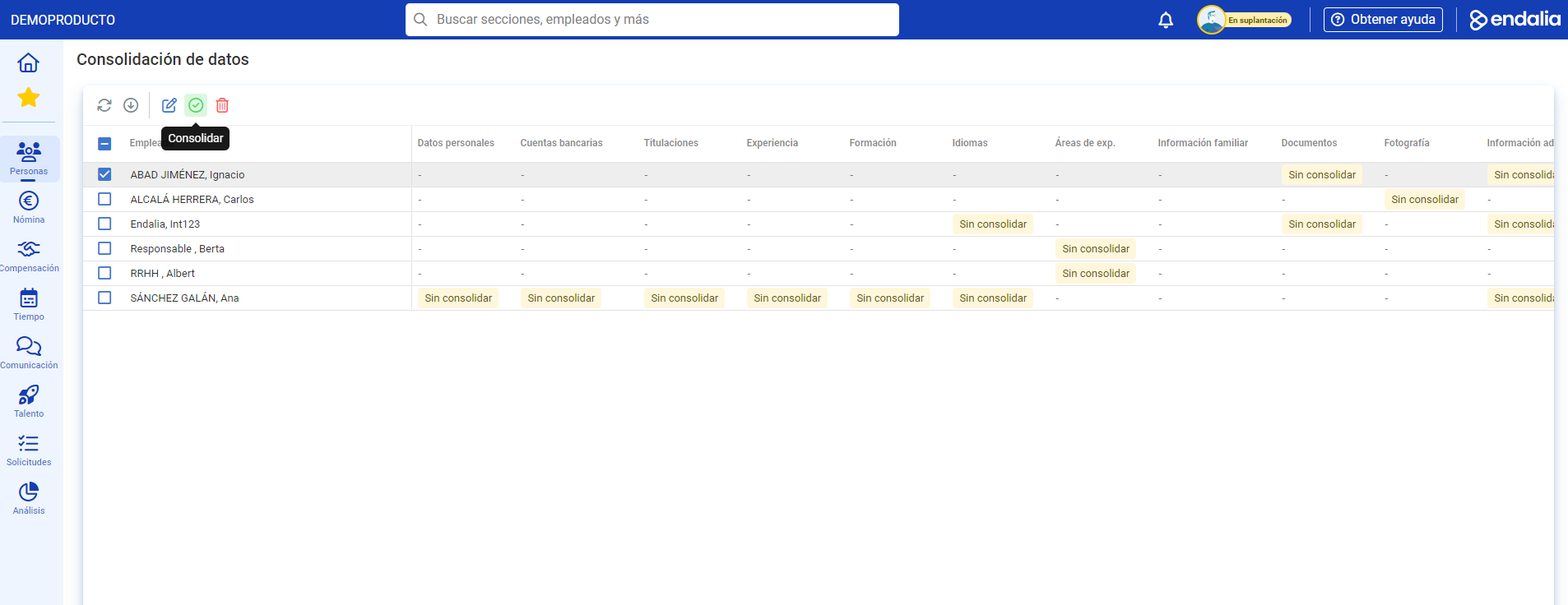
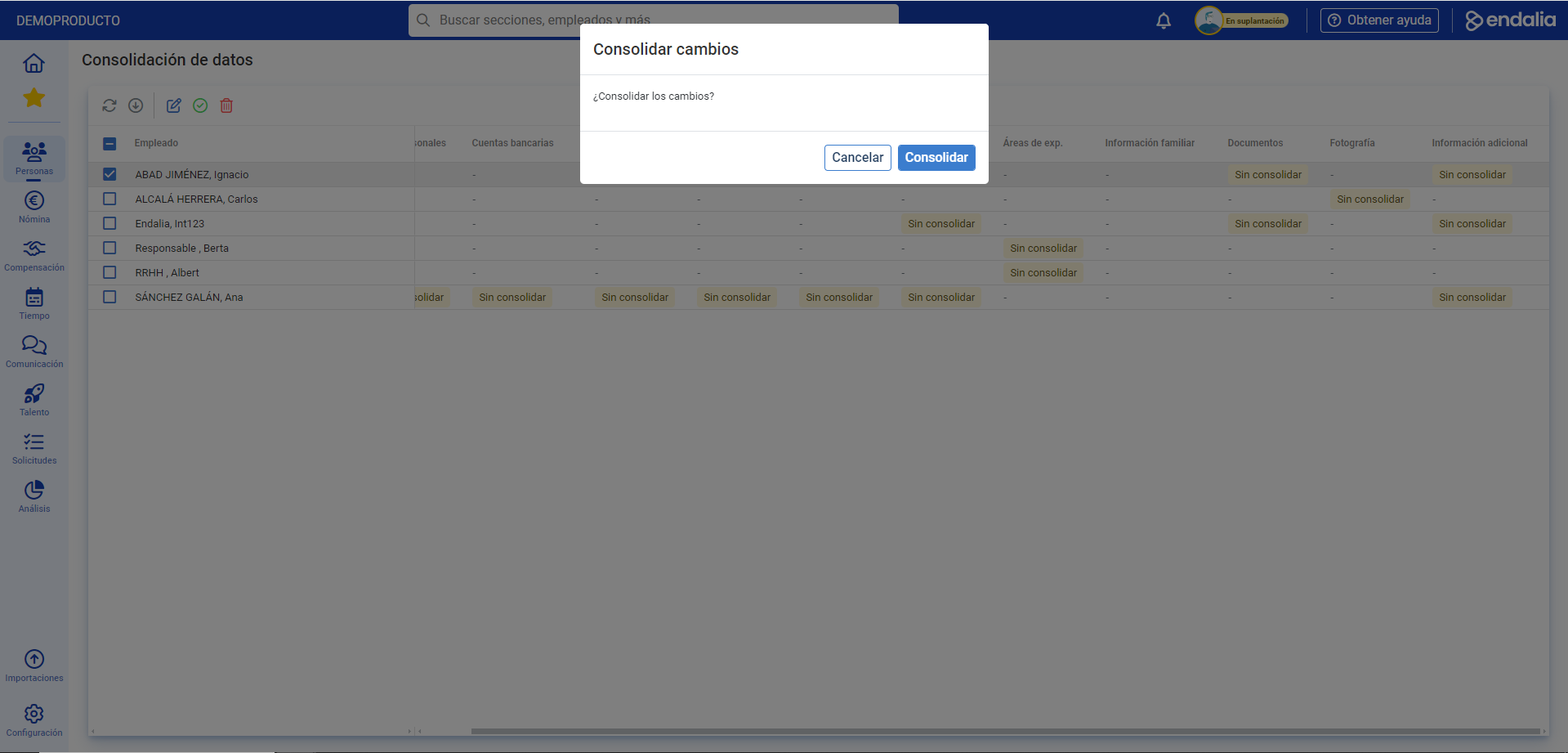
- In the next confirmation modal window, click Consolidate
Note: Alternatively, you can follow the same path (People > Employee Monitoring > Data Consolidation), select an employee, and press the Edit button in the toolbar. This way, you will be able to view their old and new personal data, and also edit/delete individually.
Process video
Here you have summarized the current functionality:
Want to know more? Consult the following related articles:
If you have questions regarding terms, take a look at our glossary at this link.
Was this article helpful?
That’s Great!
Thank you for your feedback
Sorry! We couldn't be helpful
Thank you for your feedback
Feedback sent
We appreciate your effort and will try to fix the article