Important: this article is intended for Endalia HR users with an Administrator profile.
Like any company, expenses must be managed by a series of responsible parties for validation, verification, cancellation, etc. This is the first step to configure this module, and here it is available for your consultation.
In this article:
Create an approval flow
- Within the hub Configuration, click on Expenses > Flows
- The following screen shows the approval flows, which are of two types:
- Predefined: this is the default provided by the software. It consists of 4 phases (Draft, Pending approval, Pending closure, and Rejected) and only the name can be modified; to do this, click the Edit icon found next to the flow name.
- Add flow: this option allows creating a partially customized one, according to your needs. Clicking on this option opens the side modal window with the same name. Here you can select:
- Flow name (mandatory)
- Involved phases: by default, the system allows you to customize three: approval, second approval, and validation. Note that, in turn, there are three ways to select approvers for these phases: collectives (if those approving the phase belong to one, indicate it in the corresponding dropdown; additionally, we can select it so all its members are approvers), organizational unit (the approver will be the immediate superior in the structure that you must also specify) and direct manager (on whom the applicant directly depends). Do not forget to click on Add to see the newly generated flow.
3. Keep in mind that a single phase can have multiple approvers and that, once the flow is created, it will not be possible to modify the phases or the approvers present in each of them. Finally, from the main screen you can always edit, delete (all except the predefined flow) or activate flow (also deactivate it, if it is not associated with any category) using the options provided by the tool: 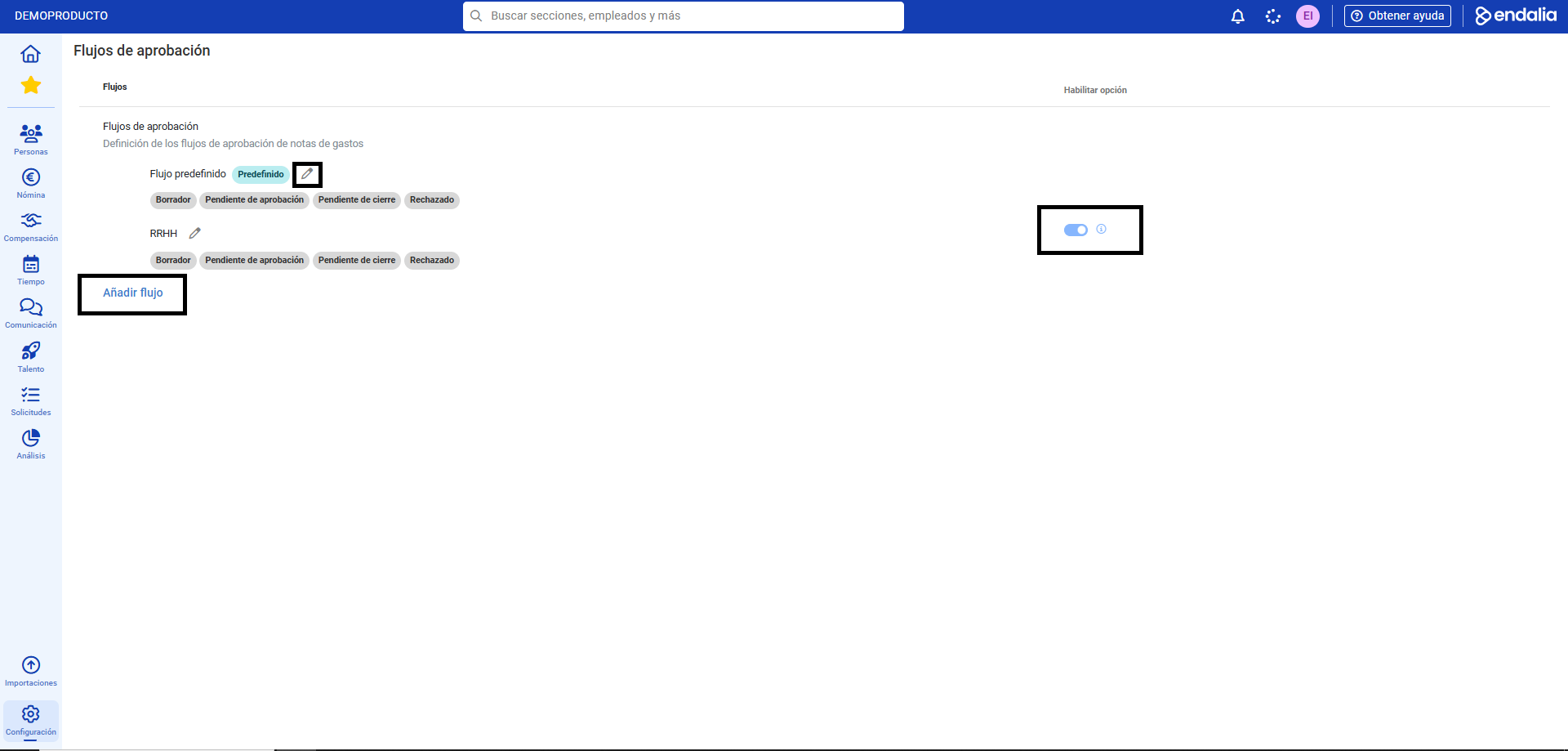
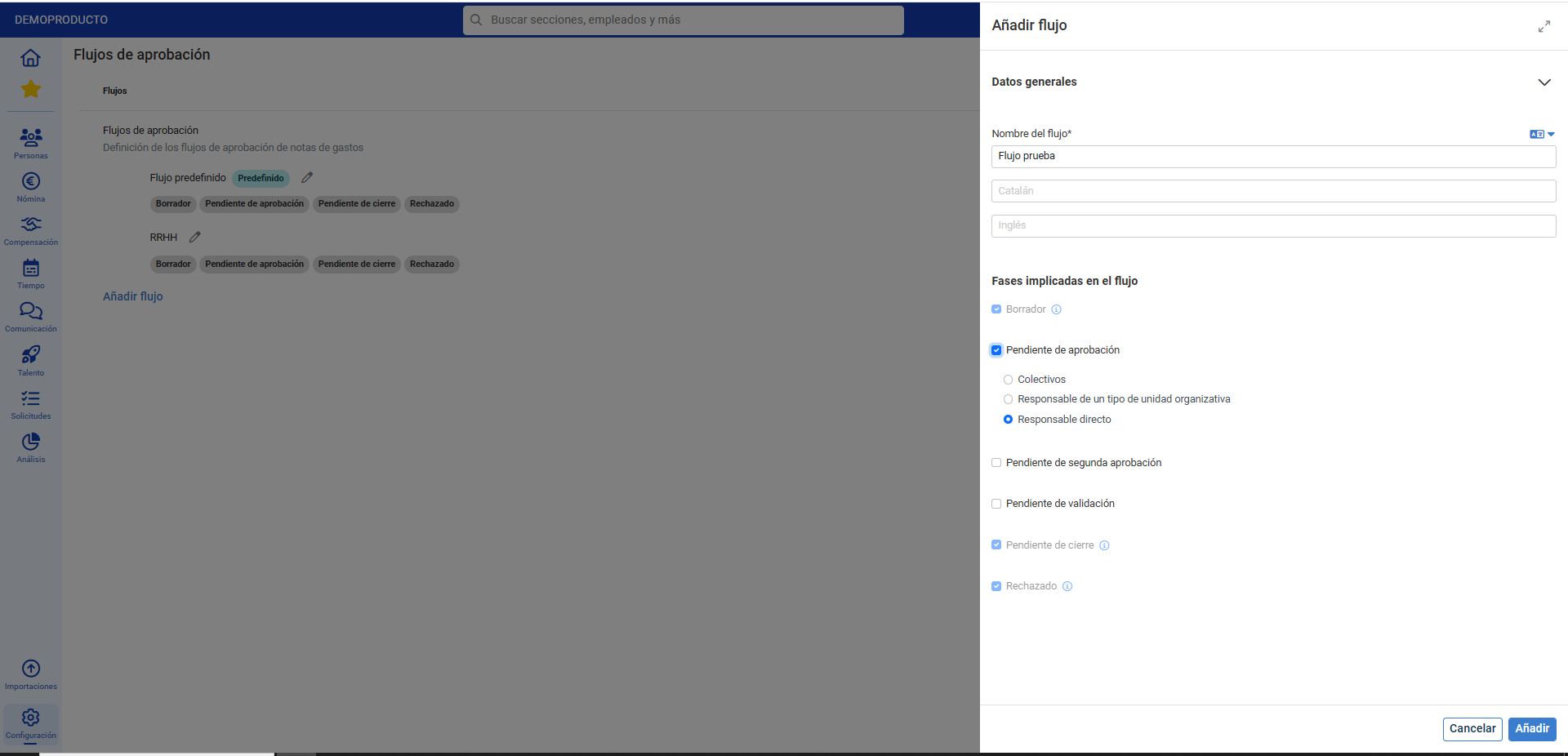
Note: In the flows, the fact that the phases Draft, Pending closure, and rejected cannot be modified is because they are necessary for the proper functioning of the module.
Process video
We will show it to you quickly:
Do you want to know more? Consult the following related articles:
If you have questions about the terms, take a look at our glossary in this link.
Was this article helpful?
That’s Great!
Thank you for your feedback
Sorry! We couldn't be helpful
Thank you for your feedback
Feedback sent
We appreciate your effort and will try to fix the article