Important: this article is intended for Endalia HR users with an Administrator profile.
Sometimes, department heads' preferences or agreements include adding expenses pending settlement to the payroll. Learn to generate a report to manage this functionality in these simple steps.
In this article:
Settle expenses in payroll - Report
- Within the hub Analysis, go to Reports and analytics> Reports >Generate reports
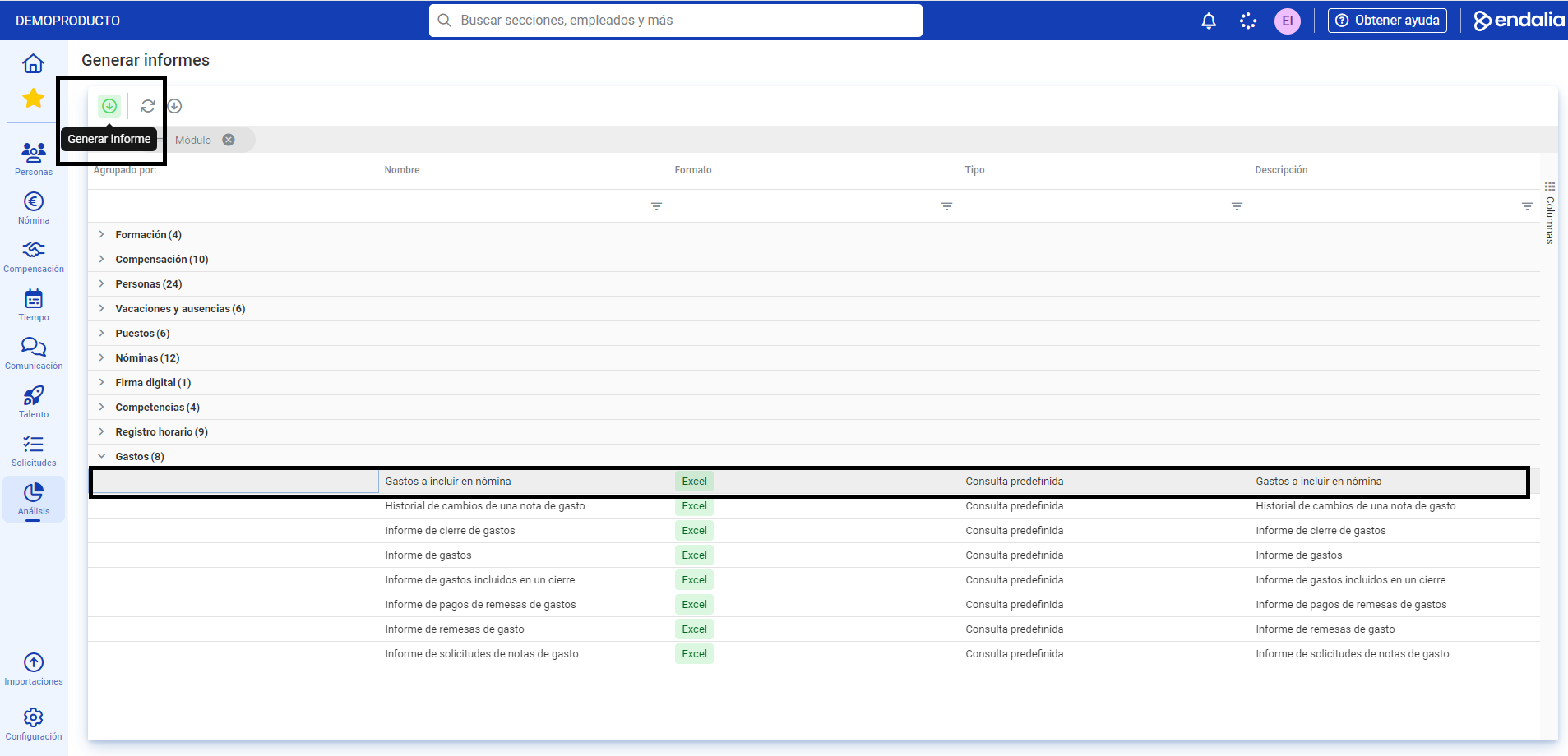
- In the next screen, named Generate reports, select Expenses > Expenses to be included in payroll. Double-click the latter or alternatively, select it and press the Generate report button, which is found in the toolbar:
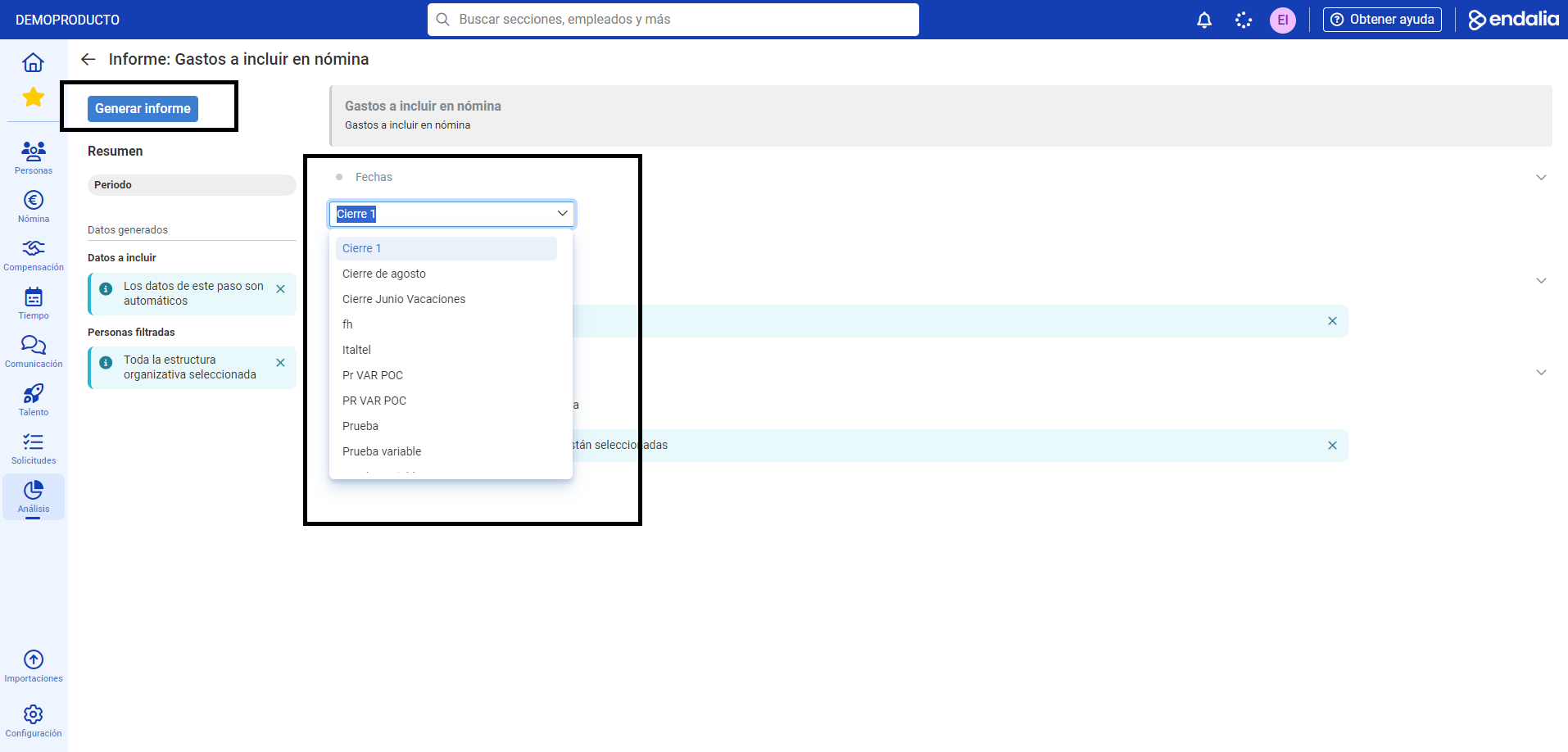
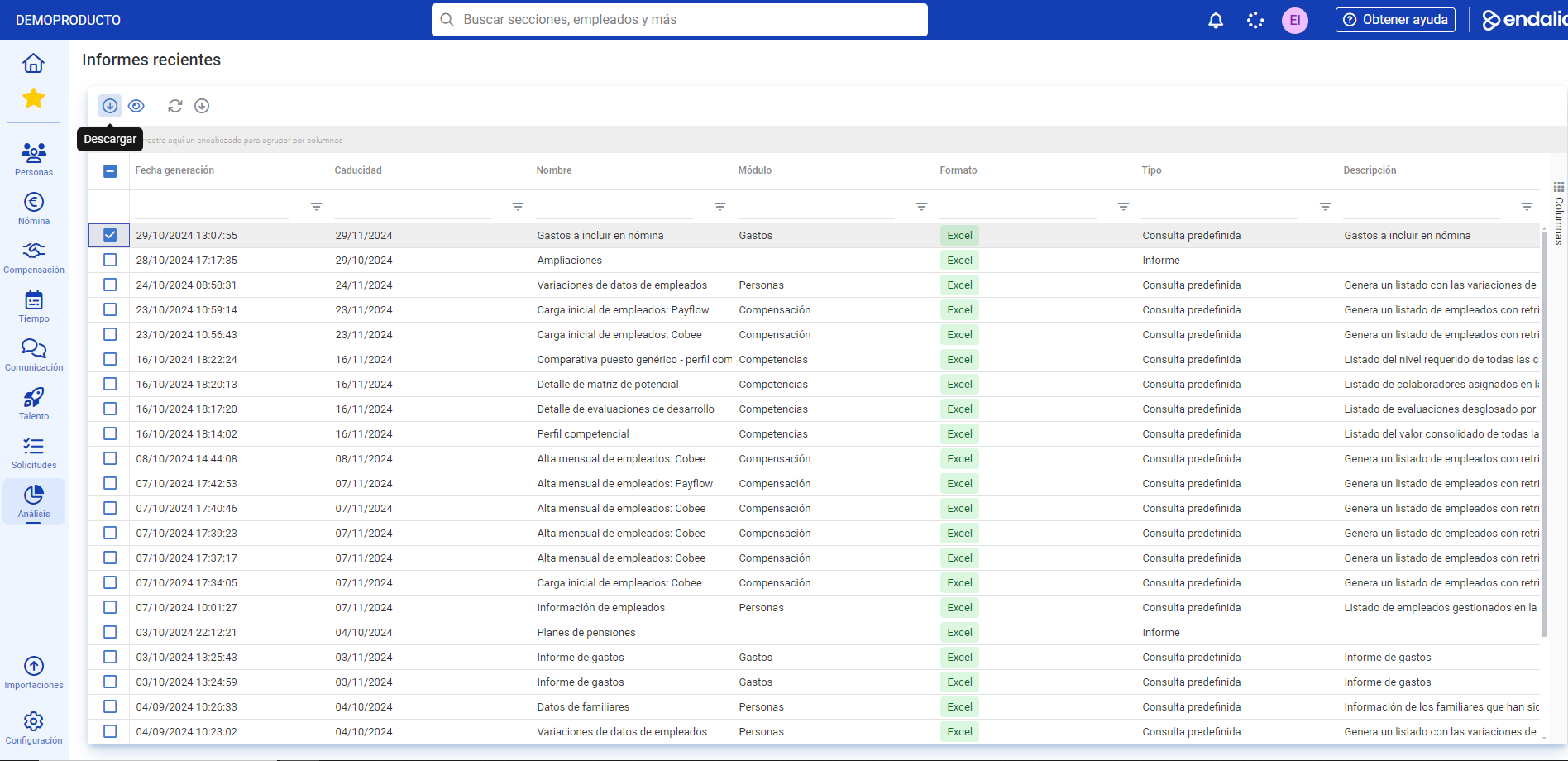
- In the Dates section, select the name of the closure and then click the Generate report button, found in the top left of the screen. The software automatically redirects you to Recent Reports, where a list of them is displayed. Finally, to download your report in Excel format, check its box and click the Download button located in the toolbar:
We remind you that you have the following related articles at your disposal:
- Create/Delete an approval flow
- Add/Delete type of expense - free, per diem, and mileage
- Create/Delete an expense category
- Create an expense closure
If you have questions about the terms, take a look at our glossary at this link.
Was this article helpful?
That’s Great!
Thank you for your feedback
Sorry! We couldn't be helpful
Thank you for your feedback
Feedback sent
We appreciate your effort and will try to fix the article