Important: this article is aimed at Endalia HR users with an Administrator profile.
One of the most important functionalities when reviewing salaries is to manage the associated addresses to know, at all times, in which part of the organizational structure the salaries are located. If you want to know more, keep reading!
In this article:
Manage addresses
- Within the hubConfiguration, go to Compensation and Benefits > Salary Review Periods
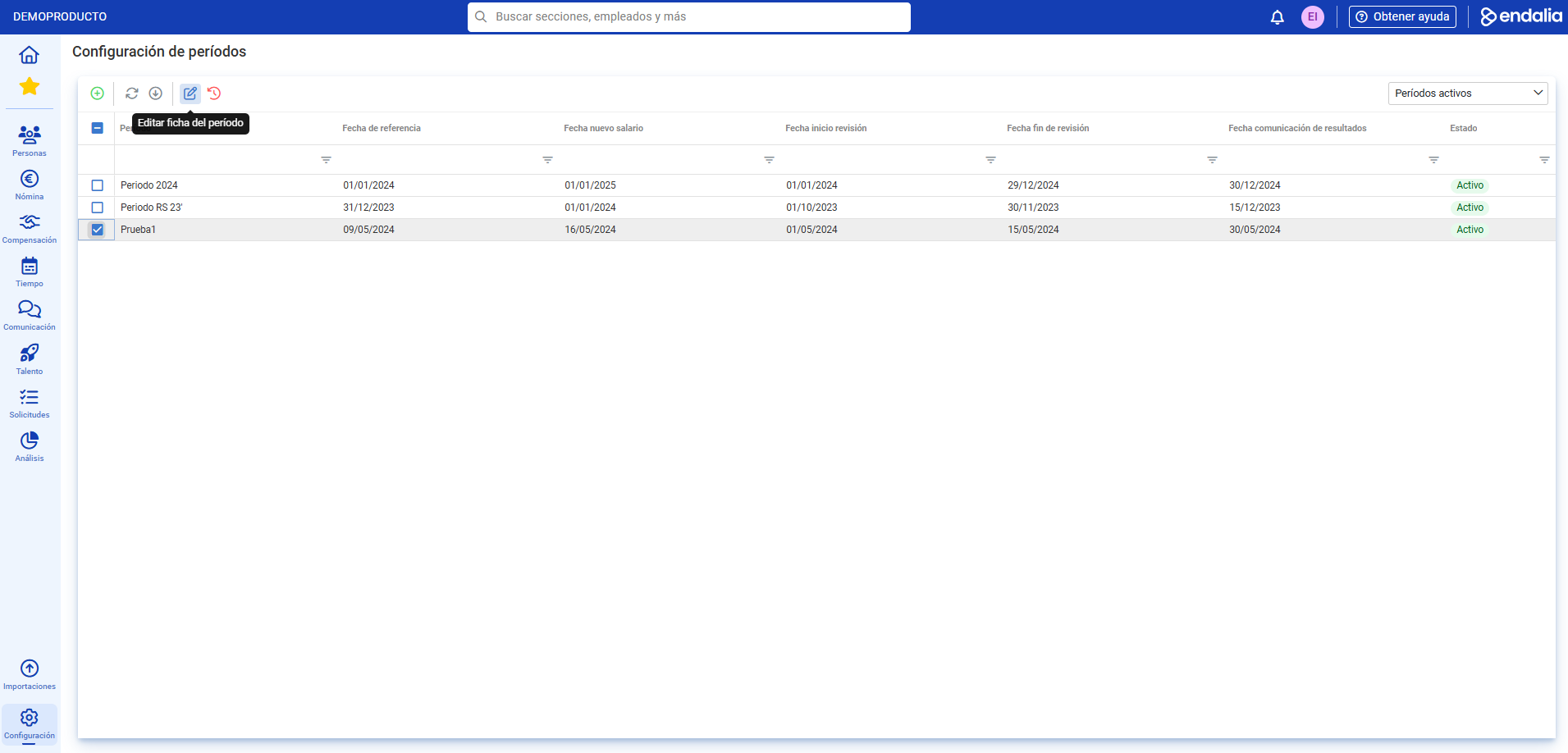
- Next, select the period from the list and click on the Edit period file button, which you'll find on the toolbar:
- In the next step, select the Addresses section, click on a period from the list, and click the Edit button, again located on the toolbar. Now, you must complete the three tabs presented to you: Responsibilities, Employees, and Budget. Remember that the Status dropdown should be In Progress to make changes, and always use the Save
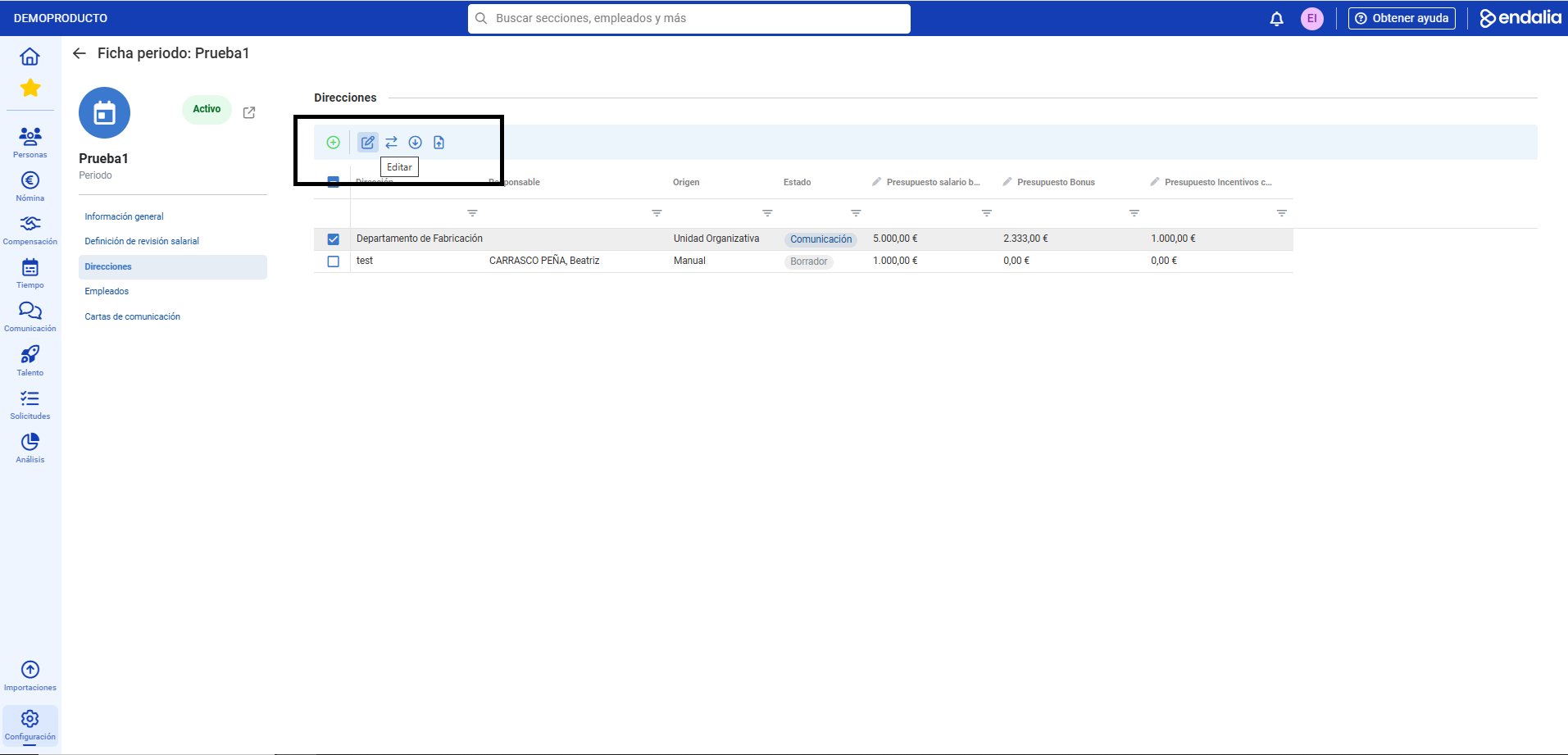
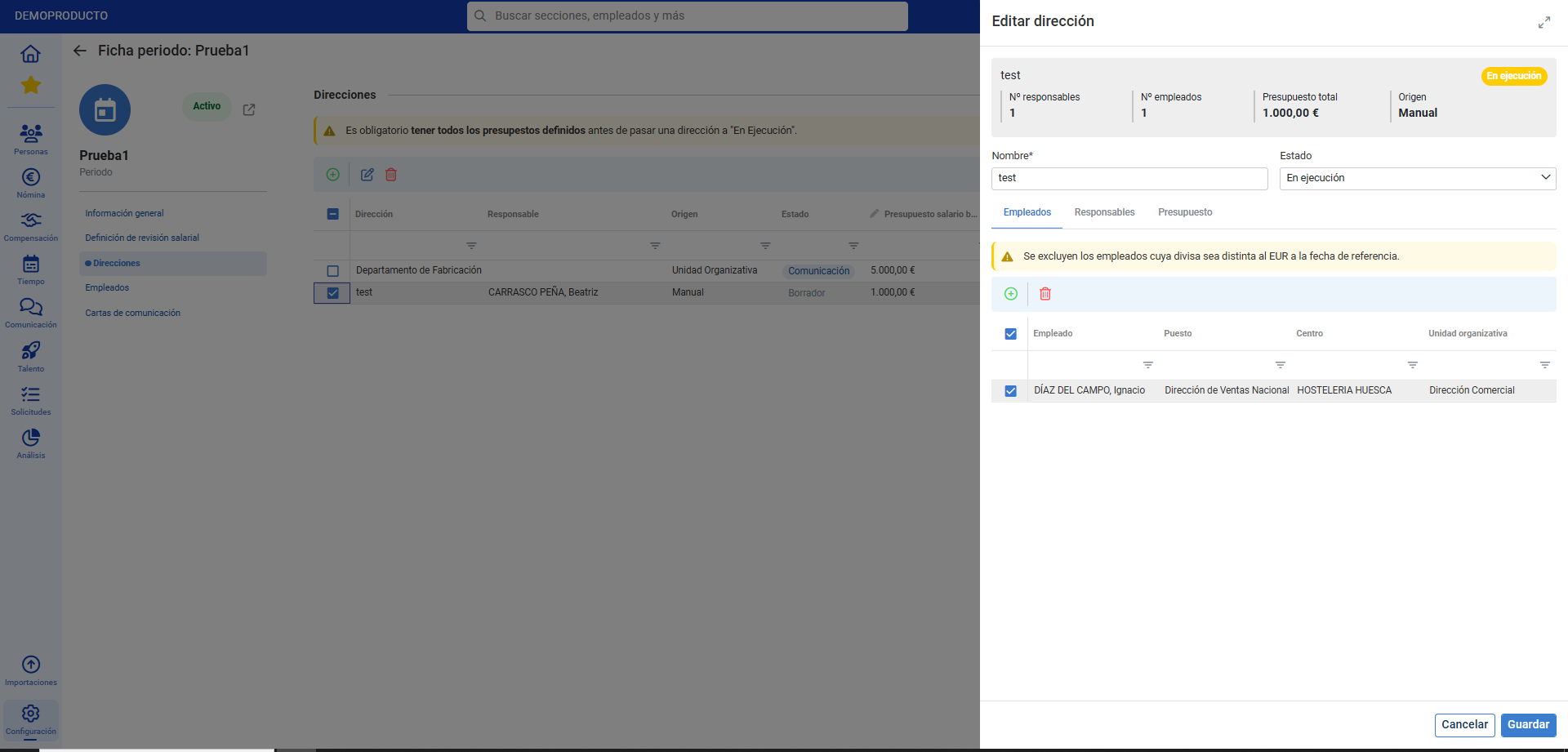 button
Process video
Still have questions? We'll show you in this small informative tidbit:
Remember that the following related articles are available to you:
Still have questions? Check our glossary at this link.
Was this article helpful?
That’s Great!
Thank you for your feedback
Sorry! We couldn't be helpful
Thank you for your feedback
Feedback sent
We appreciate your effort and will try to fix the article