This article is not available in Portuguese/Portugal, view it in Spanish
Important: this article is aimed at Endalia HR users with an Administrator profile.
This is a right available to employees after becoming parents. Due to its numerous variables and peculiarities, it is advisable to break it down to avoid missing details. Keep reading to learn more!
In this article:
Birth and childcare
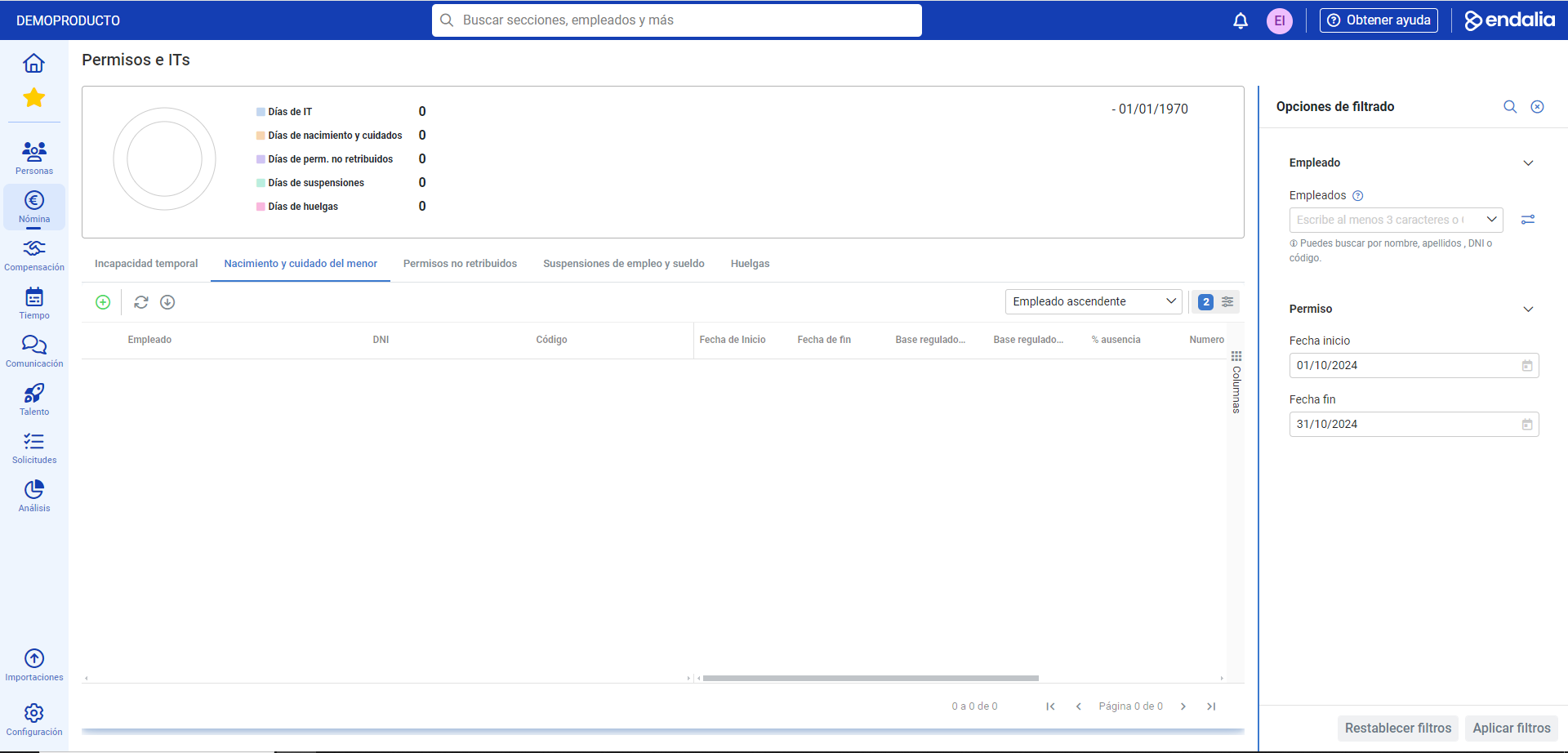
Inside the Payroll hub, click on Payrolls > > Payroll incidents > Permits and ITs
- On this first screen, you have, at the top, a list of the types of permits and the number of employees who have requested them. Please note that this graph only refers to the current month, so if you want to see other data, you must enter them in the corresponding filters, located on the right side of the screen.
- To access the functionality in question, select the Birth and childcare tab; immediately after, you will find a list of employees with various associated data. As usual, you can make use of employee selection and the toolbar buttons to delete or edit aspects of their record.
- To add a birth and childcare detail to an employee, click on the corresponding button in the toolbar (+). In the subsequent side modal window, you have the following fields to fill in, some of them mandatory (*):
- Employee: the search allows you to select the worker, to assign the described variable.
- Type of absence: determines its specification.
- Start/end date: to specify the ranges, mandatorily. The law mandates that the employee must take a 6-week leave, counted from the date of birth or adoption, full-time. The rest of the leave weeks can be distributed at the employee's discretion; therefore, this time frame is directly linked with Add period, since the rest of the absence time (by law, up to the first year of the baby's life, in full weeks) will be reflected in this section.
- Daily forced regulatory base: in this field, you can specify the worker's contribution base, to be considered for the calculation of disability and the resulting delegated payment. It can be forced daily (for example, if there are no records from previous months), by entering the corresponding amount in euros.
- Number of children: it is necessary to specify the number even if it is not mandatory, as, from the second, the worker will enjoy an additional week of leave, added to the previously mentioned conditions.
- Remarks: additional comments. It is the last field of this modal window; don't forget to click the Add button, to make your preferences effective and to have the employee's name listed on the main screen.
Note: The regulatory base should only be indicated if you want to force it. The system will calculate the corresponding base according to the specific criteria of this case.
In summary: according to the current legislation...
1. The birth leave is 16 weeks for both parents, and it can be taken:
- Continuously after the birth, placement, or adoption.
- In a fragmented manner; the first 6 weeks are mandatory for both parents after the aforementioned events, and the remaining 10 can be taken in full-week periods, either full-time or part-time.
- From the second child onward, one week will be added to the standard leave.
Video of the process
We show you this functionality in just a few seconds:
Still have questions? Take a look at the following related articles:
Additionally, you can view our glossary, available at this link.
Was this article helpful?
That’s Great!
Thank you for your feedback
Sorry! We couldn't be helpful
Thank you for your feedback
Feedback sent
We appreciate your effort and will try to fix the article