Important: this article is addressed to users of Endalia HR with an Administrator profile.
There are various justified reasons why an employee may be absent from work, such as vacations, sick leave, remote work, medical visits, etc. Learn how to manage them all in this simple configuration guide.
In this article:
Types of absenteeism
Within the hub Configuration, click on the module Vacations and absences > Types of absenteeism
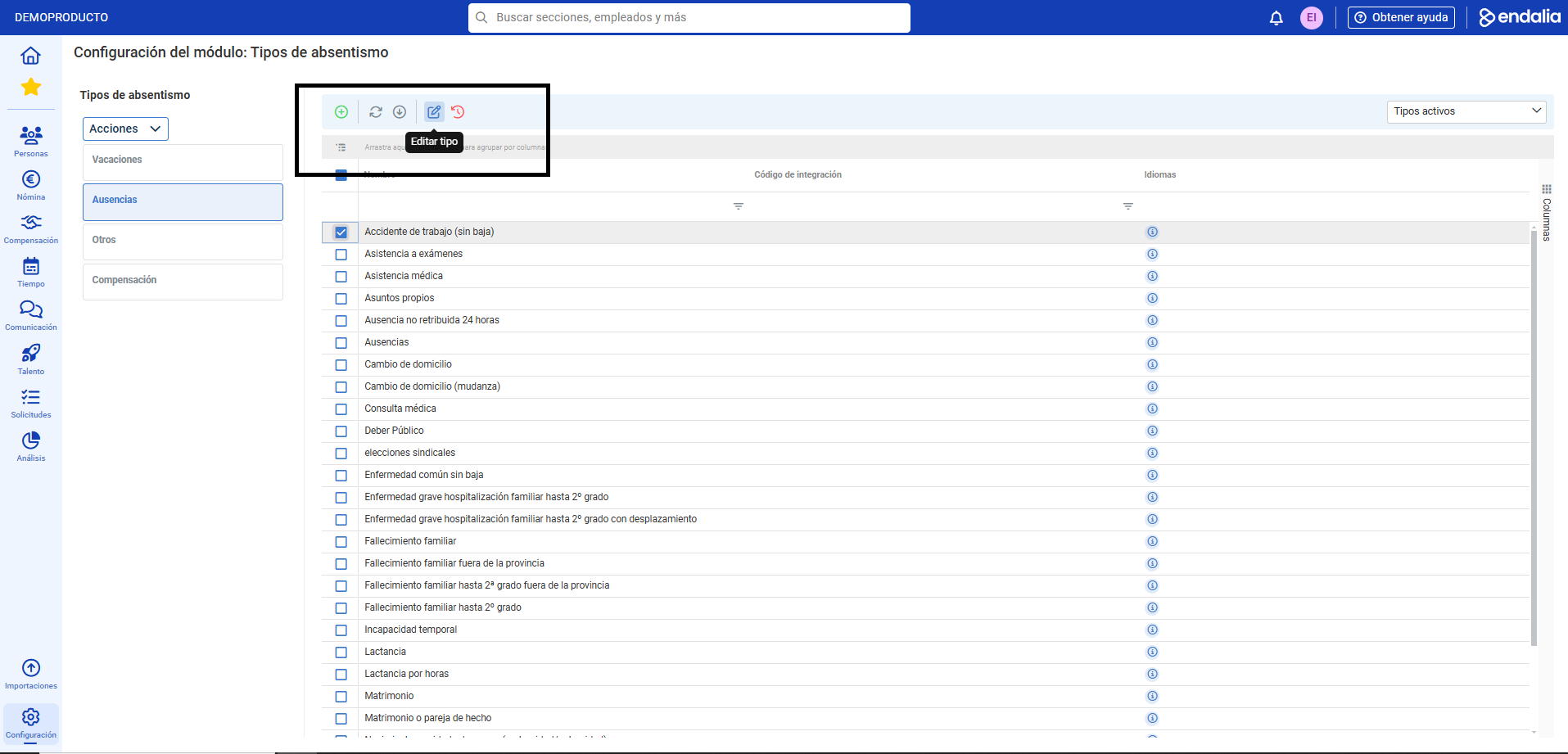
- This screen displays the main menu of the available file: Vacations, Absences, Others, and Compensation. Click on each button to see the corresponding options. To edit them, double-click on the corresponding row or alternatively, check the desired item's box and click Edit type, a button you'll find in the toolbar:
 You can also create new items using the Add type button, in the same location. In the side modal window presented, fill in the fields marked with an asterisk (*); you can also make use of contextual help for more information on each field. Remember that if you activate the Specific Information option for Affects time registration planning, upon registering an absence, it will automatically appear in the time schedule. Lastly, always remember to click on Save to set your preferences: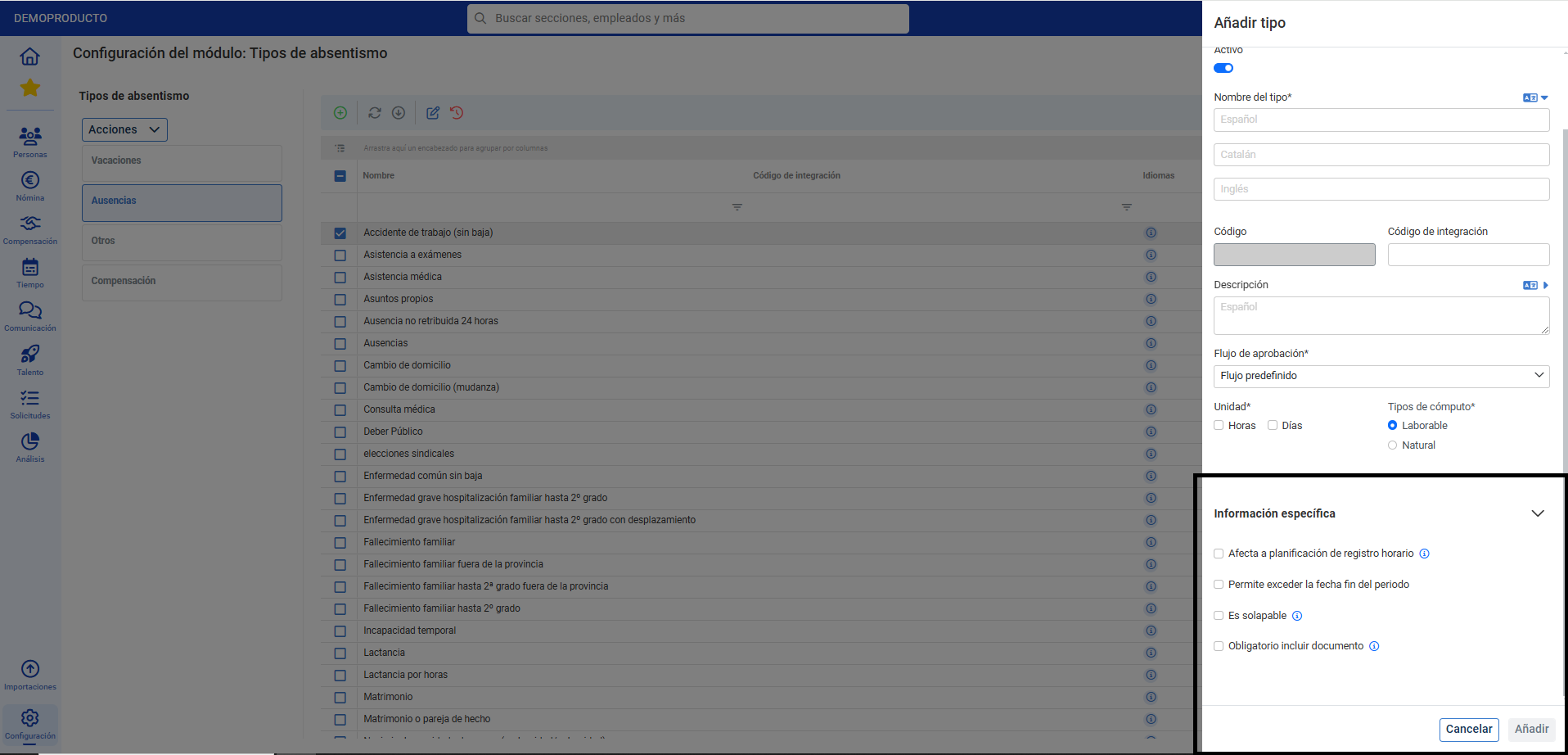
Note: In the file's menu, there is an additional option called Actions. Use it to Export/Import the Configuration template in .json format for other purposes, such as generating reports and records, restoring original information of each typology, etc.
Still have questions? Here are more articles that might be useful to you:
In addition, you can view our glossary available at this link.
Was this article helpful?
That’s Great!
Thank you for your feedback
Sorry! We couldn't be helpful
Thank you for your feedback
Feedback sent
We appreciate your effort and will try to fix the article