Once your shifts are configured you just need to assign them to your employees! 


In this article, we explain step by step how to achieve it.
In this article:
Note: Remember, to assign shifts to employees, they must be previously added to the shift management.
1. The first step is to go to the Time Management section -> Planning -> Shifts, where the options to Assign shifts and Assign weekly rest will appear:
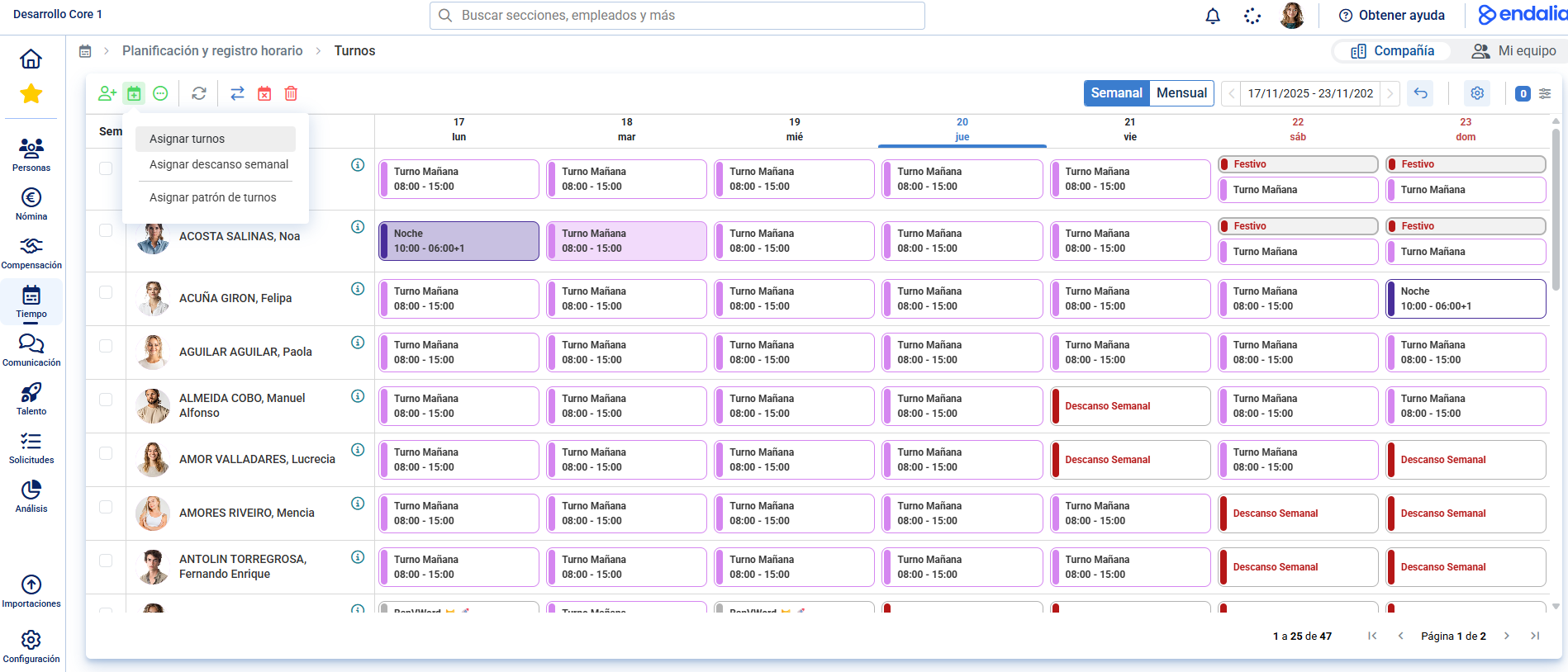
Remember, you can have employees selected in advance from this view, or add them as needed during the assignment.
Once the employees are selected, we will move on to configuring the assignment of your shift or weekly rest:
Shifts
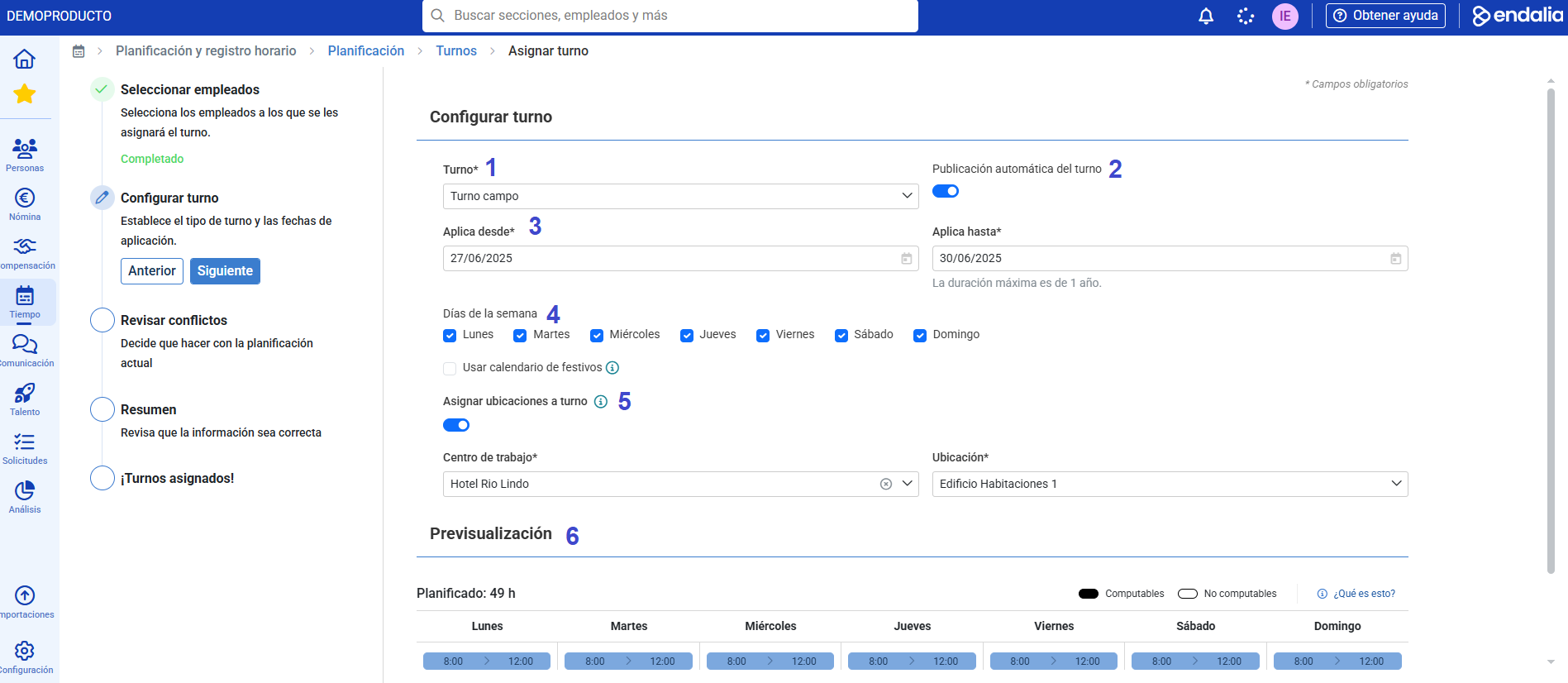
- We will have a list to select all shifts previously created in Configuration.
- Schedule whether you want all associated shifts to be automatically published to employees upon completion of the assignment, or to remain in draft and be published later from the shift section.
- Decide the dates on which I want to assign this shift.
- Indicate the days of the week when the selected shift in step 1 should be applied.
- Select the work center and any of the associated locations. Upon publication, all segments of the shift will be associated with the same Work Center and Location.
- Visual section of how the indicated shift would be reflected in the weekly planning.
Weekly rest
If we already know in advance that our employees will rest on certain fixed days of the week, we no longer have to do it one by one, we can do it massively! 
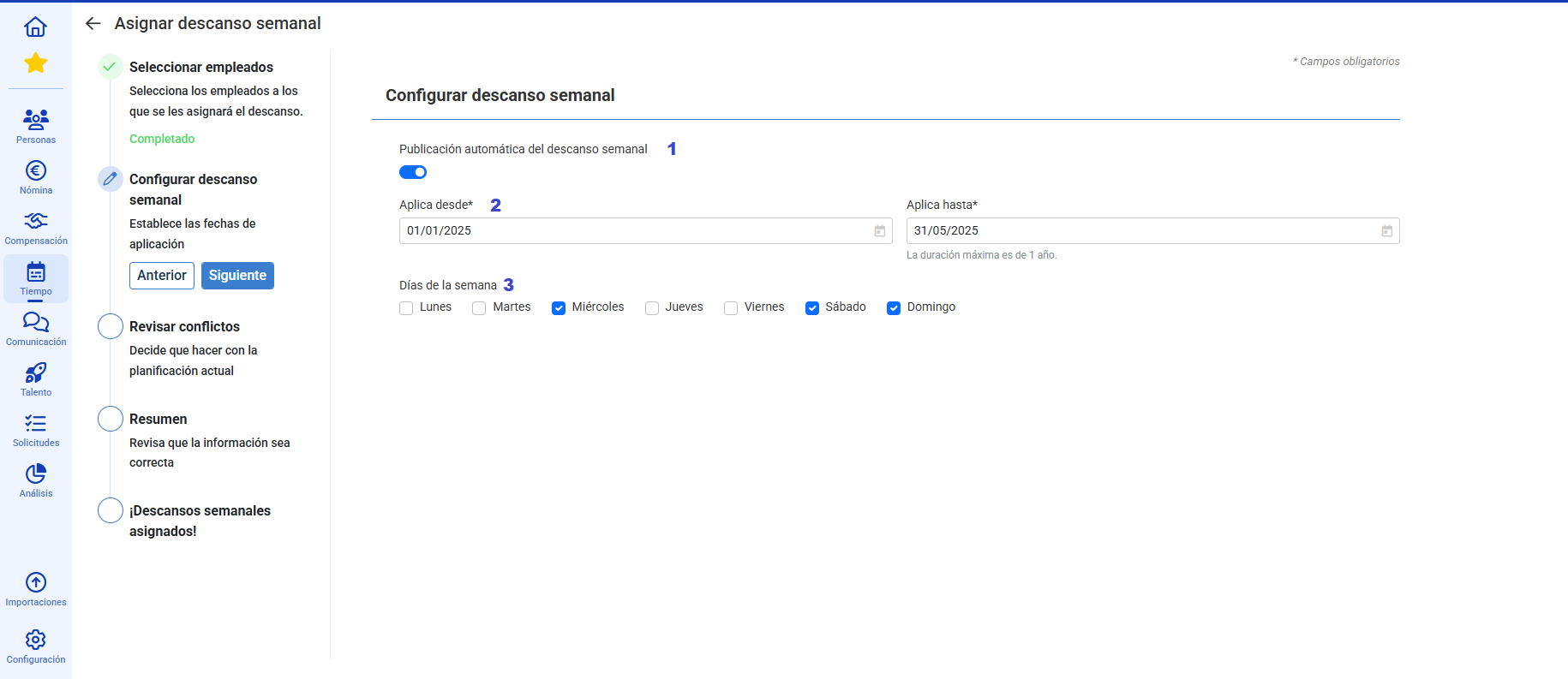
- Schedule whether you want the rests to be automatically published to employees upon completion of the assignments, or to remain in draft and be published later from the shift section.
- Decide the dates on which I want to assign the rest.
- Select the days of the week that I want my selected employees to have rest assigned for the dates indicated in step 2.
Once these configurations are completed, you will have your shifts and weekly rests assigned to your employees!
Was this article helpful?
That’s Great!
Thank you for your feedback
Sorry! We couldn't be helpful
Thank you for your feedback
Feedback sent
We appreciate your effort and will try to fix the article