Important: this article is intended for Endalia HR users with an Administrator profile.
Occasionally, it is necessary to create generic positions, outside the organizational structure and without an assigned employee. This involves generating a template to input information when subsequently creating a position that is part of said structure. Questions? Keep reading!
In this article, you will find:
Add a generic position
- Within the hub Organization and People, go to the Positions > Generic Positions module.
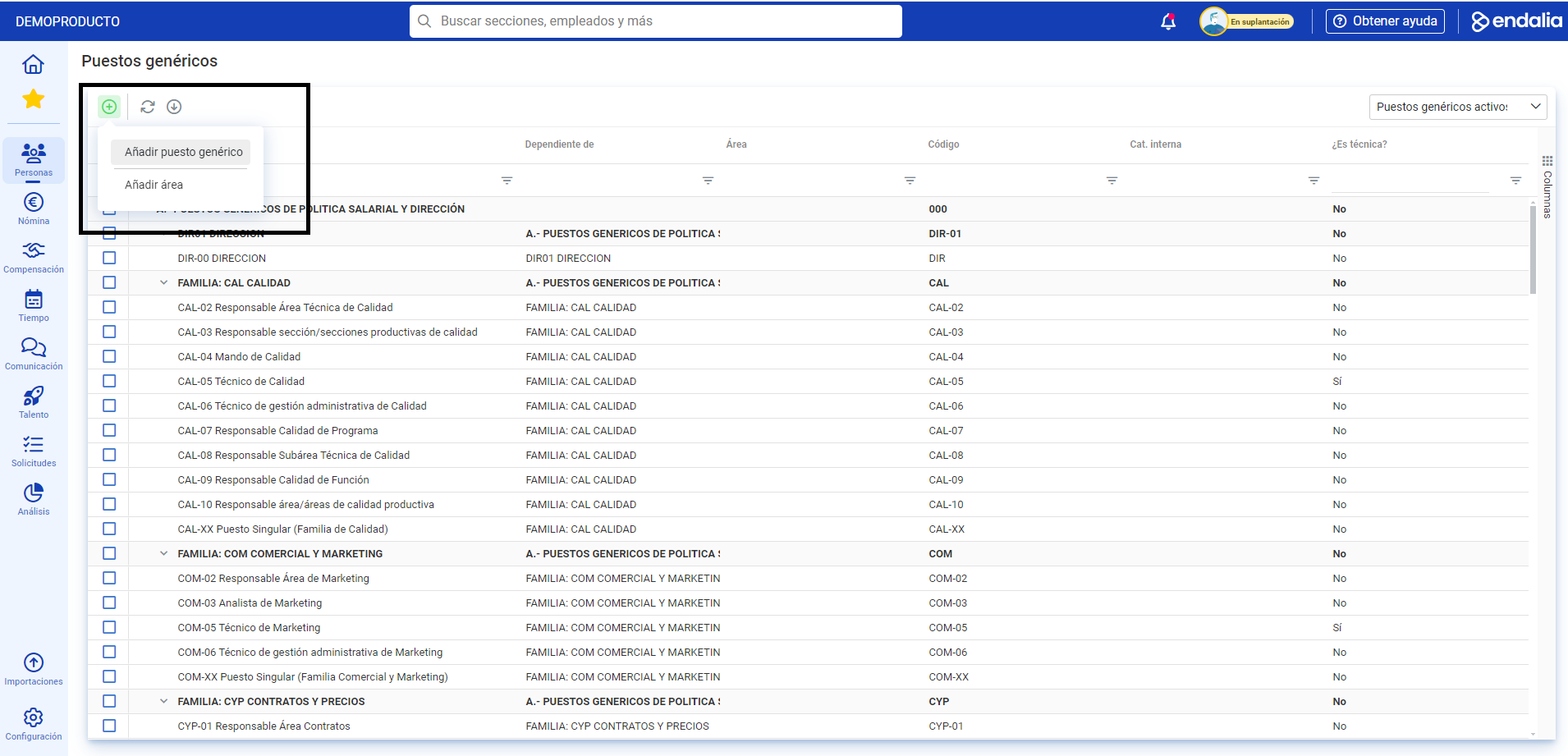
- In this screen, you can see the list of generic positions that do not belong to any organizational structure. At the top right of the screen, there is a filter to distinguish between active or historical generic positions. Next, click on the Add > Add a generic position button found in the toolbar:
- Then, in the Add a generic position modal window, two steps are displayed. In the first step, you must include both the position name and the assigned internal code; both fields are mandatory. Click on Next
- In the second step, you must place this generic position within its structure using the search bar or selecting in the generic positions tree. Alternatively, you can open the position sheet in a new tab within the same modal window. Finally, click Add to view the new position generated within its corresponding generic structure:
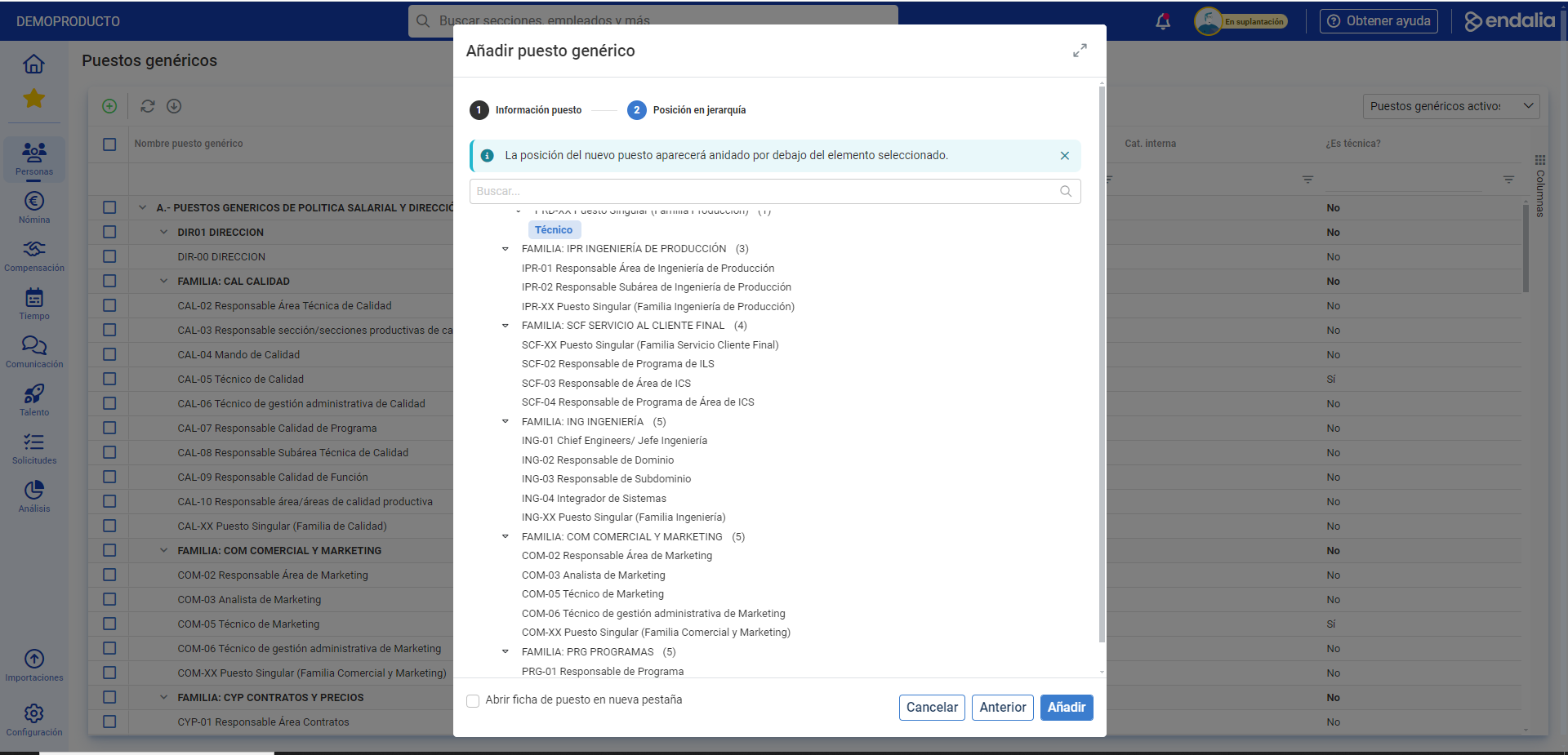
Note: From step 2 onwards, you can add areas, in addition to positions. Simply follow the Add > Add area path, also available in the toolbar.
Video of the process
Below, we show you the complete process video:
Want to know more? Check the following related articles:
If you have doubts about the terms, take a look at our glossary on this link.
Was this article helpful?
That’s Great!
Thank you for your feedback
Sorry! We couldn't be helpful
Thank you for your feedback
Feedback sent
We appreciate your effort and will try to fix the article