Important: this article is aimed at Endalia users with an Administrator profile.
In an increasingly distributed work environment, coordinating who works where and when has become a key challenge to optimize time. In this article, you will discover how with Location Management you can plan shifts and allocate resources on-site, monitor compliance, and generate reports in real time, reducing both administrative time and unnecessary travel.
In this article
Activate the locations
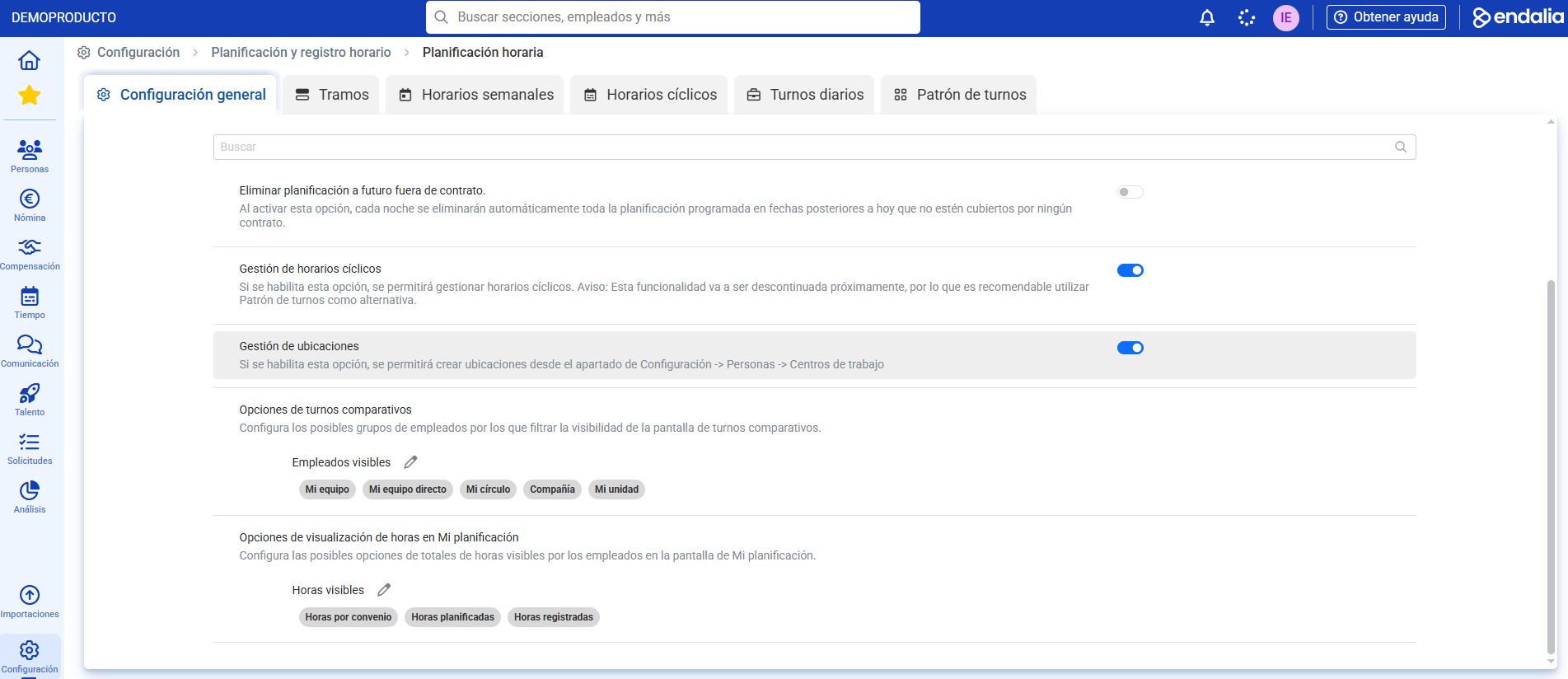
To activate the functionality we go to Settings -> Planning and time registration -> Time planning. This activation allows locations associated with the work center to be created. Moreover, employees with shifts associated with locations will be asked to share their location upon registration whenever the planned location has coordinates:
Create Locations at the Work Centers
- Access Settings -> People -> Work Centers -> Registration Configurations:
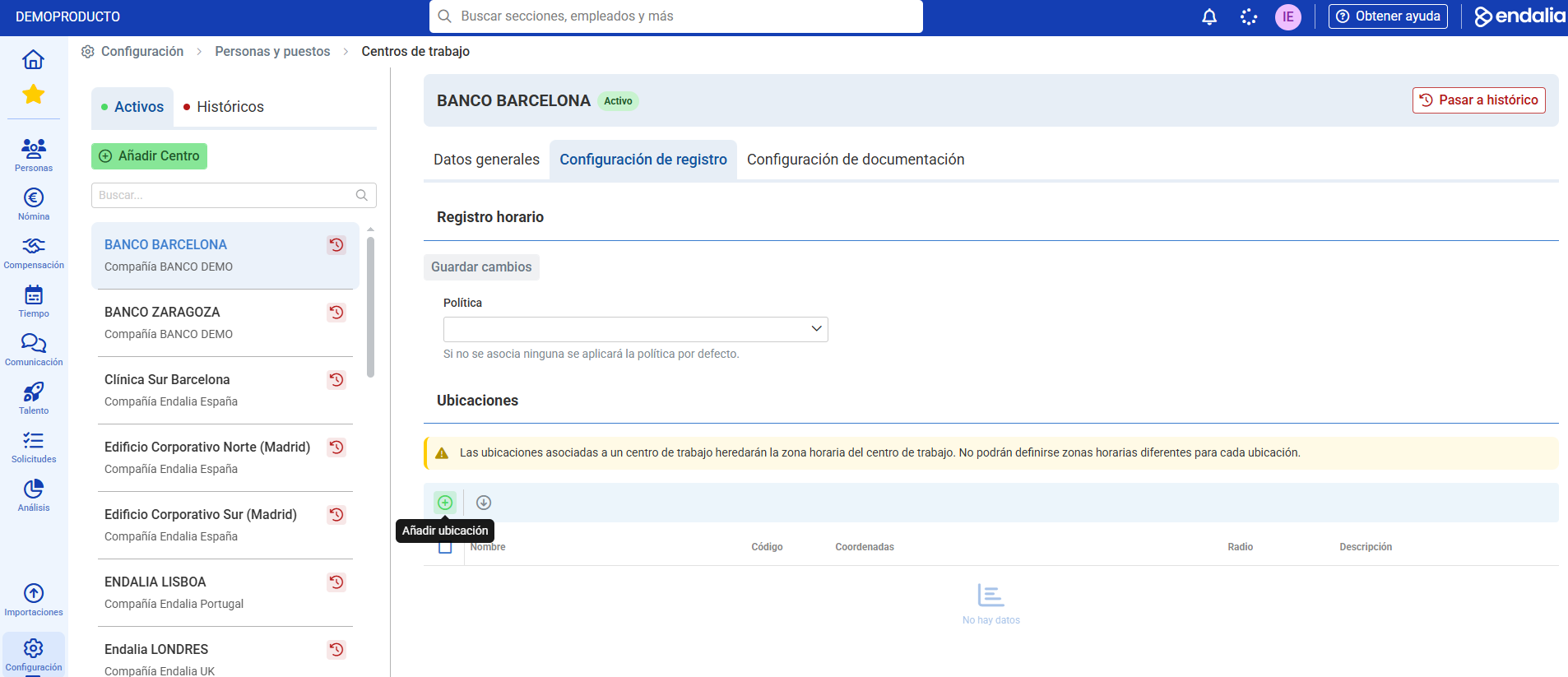
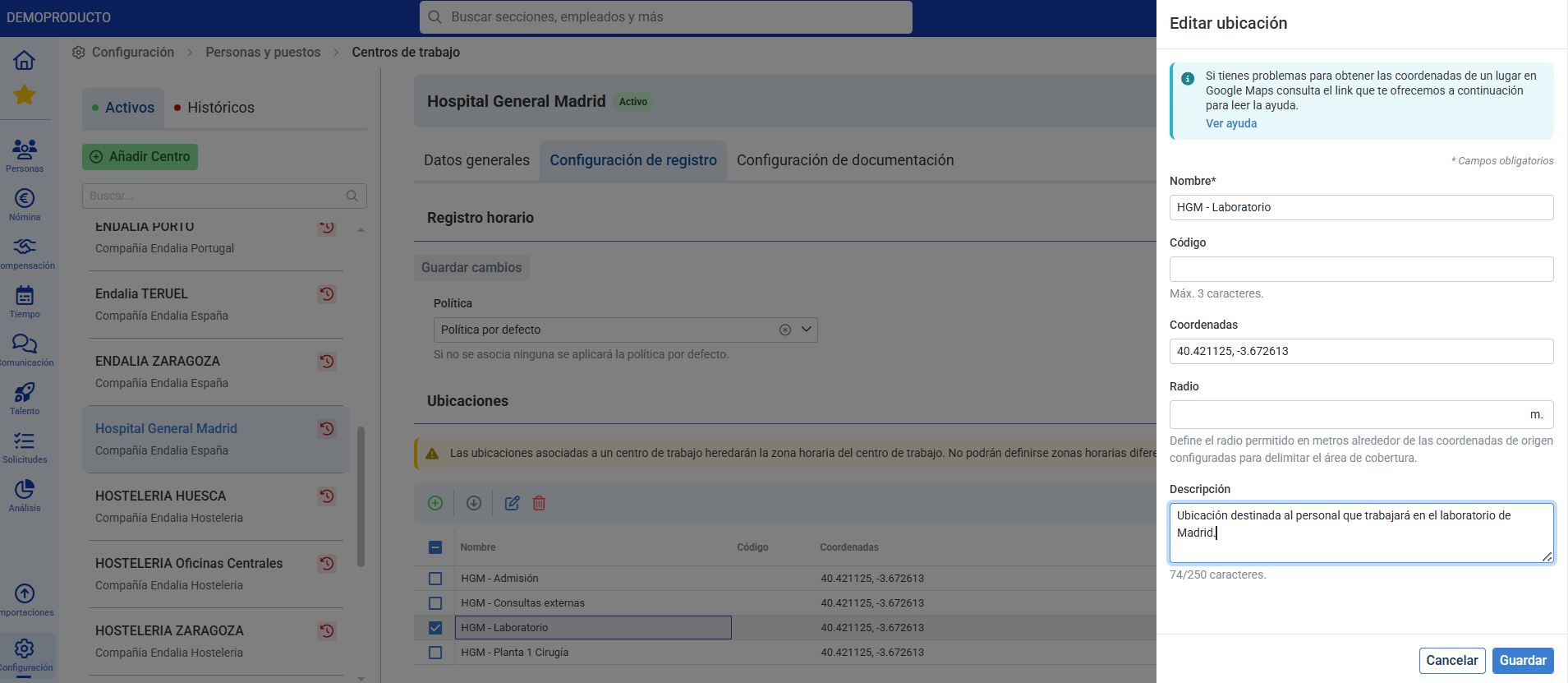
Add as many locations as desired defining the Coordinates and Radius:
Assignment of locations to Shifts
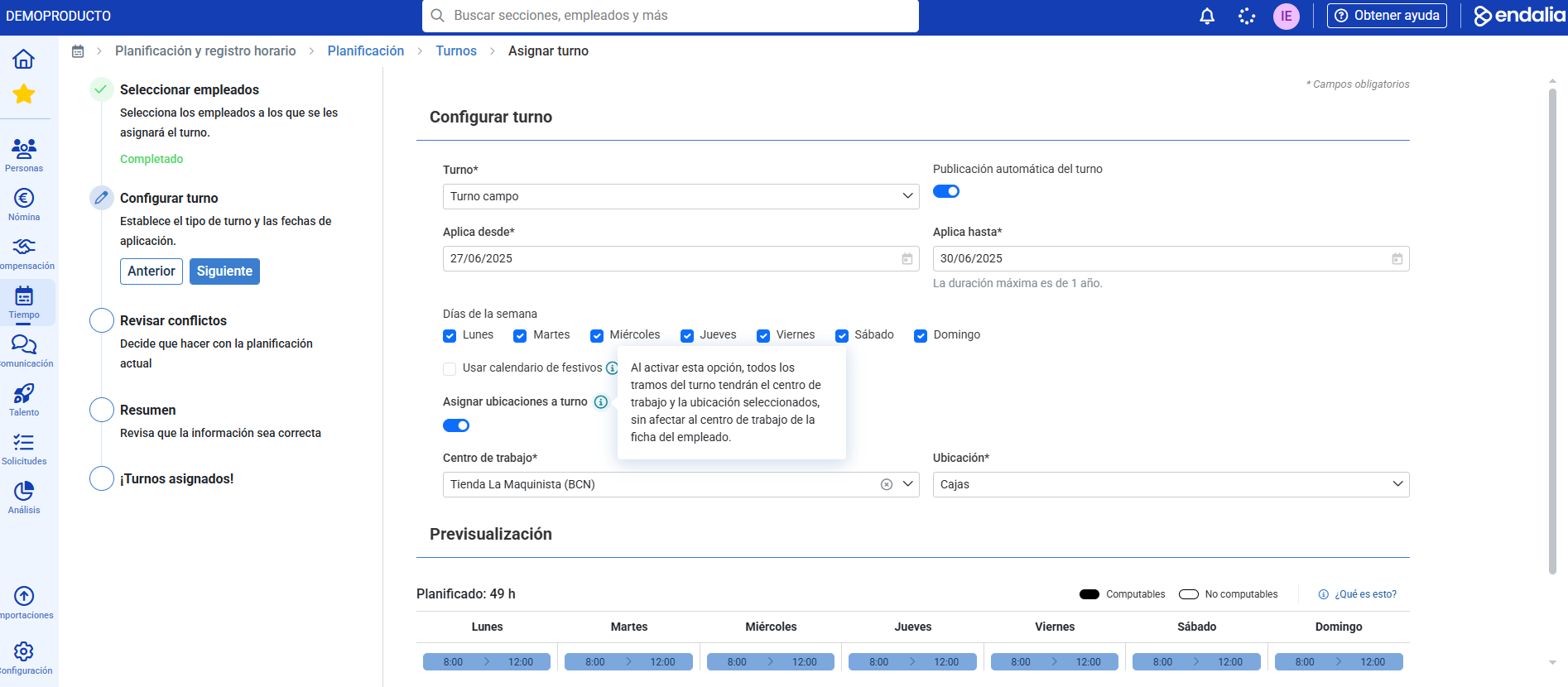
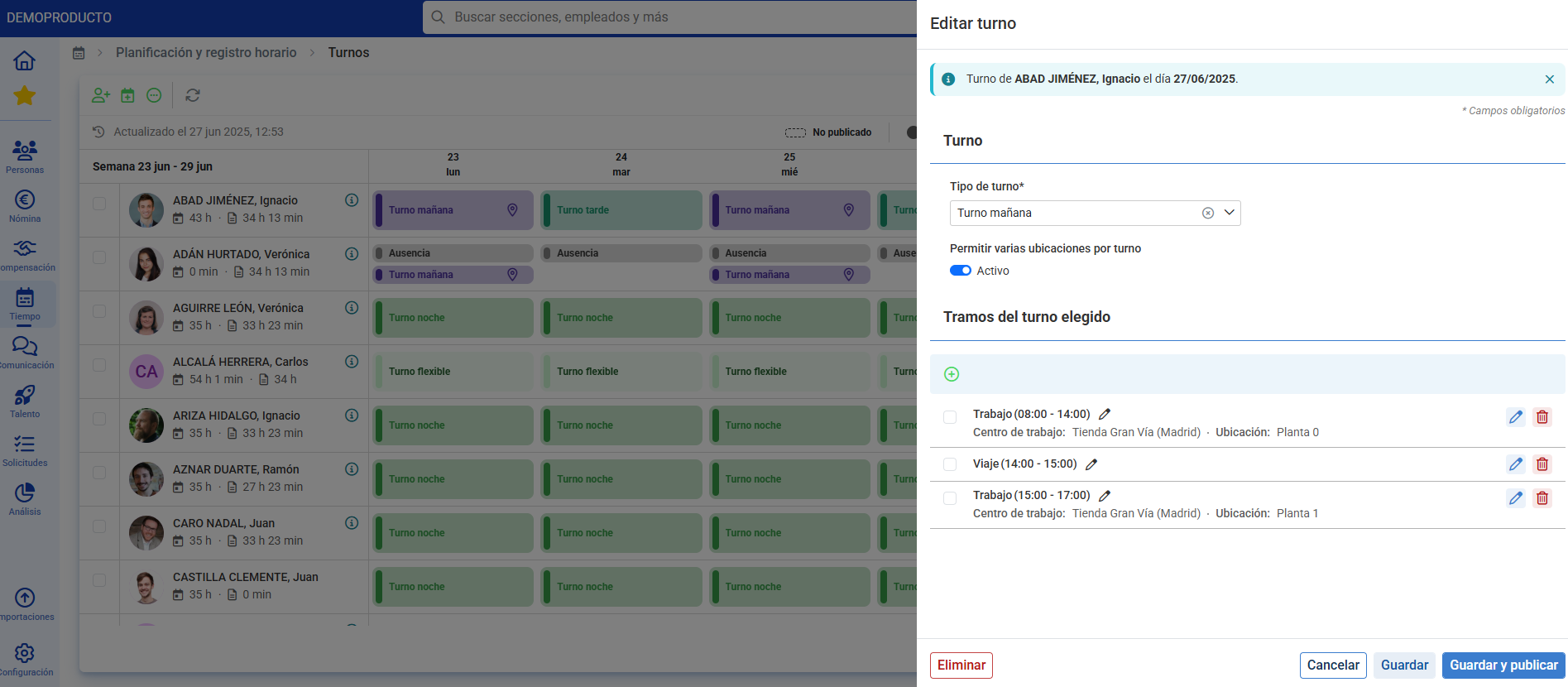
Assign the Work Center and Location to Shifts from Time -> Planning and time registration -> Planning -> Shifts. From the tunnelizer, only one location can be assigned to all the segments associated with the shift:
By adding the shift manually, different Work Centers and Locations can be associated by segments:
Related Articles
Want to know more? Check the following related articles:
Start planning your shifts with locations!
With this functionality, you can define with full precision where and when your employees should work. If you have questions about the terms, take a look at our glossary at this link.
Was this article helpful?
That’s Great!
Thank you for your feedback
Sorry! We couldn't be helpful
Thank you for your feedback
Feedback sent
We appreciate your effort and will try to fix the article