Important: this article is aimed at Endalia users with an Administrator profile.
Understanding the evolution of a position within the organization is fundamental to grasping its trajectory and current position within the organizational chart.
Thanks to the new Dependencies and Change History section, you can clearly and chronologically view all modifications made to a position and how these affected its hierarchical structure.
Dependencies and Change History
Within the People and Positions hub, access Positions > Organizational Structure.
Select the position you want to consult and, within its sheet, click on the Dependencies and Change History section of the side menu.
In this section, you will see a list of all dates on which modifications occurred to the position or its upper hierarchy.
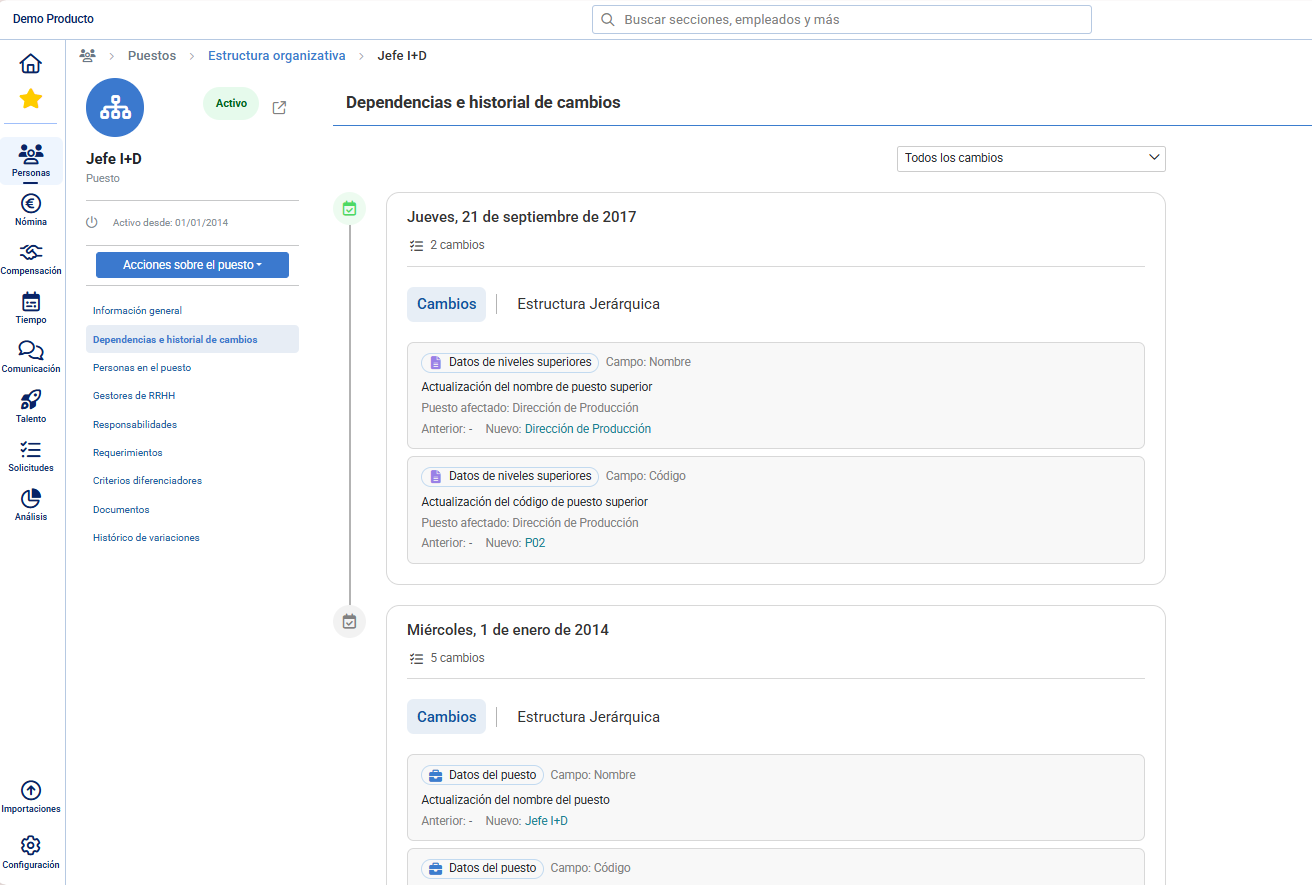 Each date represents a moment when the system recorded a relevant change.
Upon viewing a particular date, there will be two tabs:
Changes: displays the details of the changes made that day.
Hierarchical structure: allows viewing how the organizational chart was after applying the changes.
Changes Tab
This tab compiles all the recorded changes to the position, grouped into three main categories:
1. Position Data. Includes modifications applied directly to the position, such as:
Position Name
Code
Employees occupying the position
Status

2. Hierarchy. Reflects changes made in the upper hierarchical structure, for example:
New superior position
Elimination of superior position
Change of hierarchical level

3. Upper-level data Here are the changes affecting positions higher in the hierarchy, such as updates in:
Name or code
Assigned employees

Tab Organizational Structure
In this view, a graphical representation is shown of how the upper organizational structure was configured after the changes of the selected date.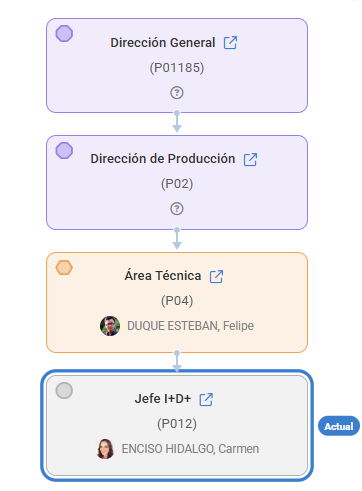
Related Articles
Want to know more? Consult the following related articles:
If you have questions about the terms, check our glossary at this link.
Was this article helpful?
That’s Great!
Thank you for your feedback
Sorry! We couldn't be helpful
Thank you for your feedback
Feedback sent
We appreciate your effort and will try to fix the article