Important: this article is intended for Endalia users with an Administrator profile.
From the Organizational Structure module, you can create new positions and place them within your company's hierarchy. This functionality allows you to keep the structure updated and reflect organizational changes.
In this article
Add a position to structure
Within the People and Positions hub, go to Positions > Organizational Structure.
On this screen, you can view, at a glance, the position hierarchy of your company.
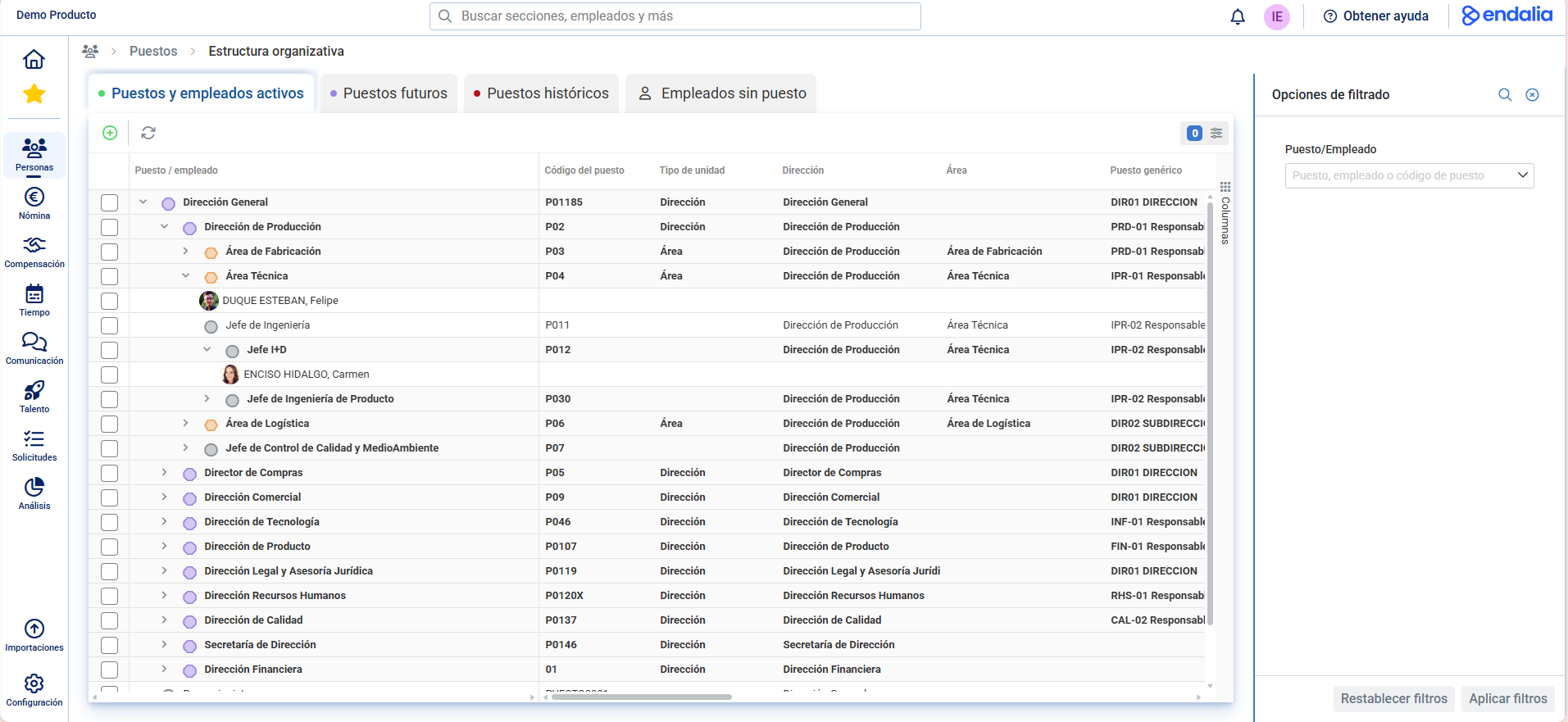
Click the Add Position button available in the upper toolbar. A modal window will open to guide you through a two-step process:
Note: You can also perform this action from the position card, under Position Actions.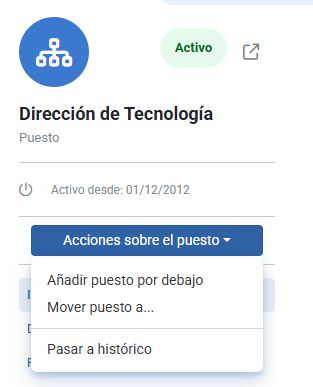
Step 1: Basic Information
Enter the code and the position name that you wish to include in the structure. (The code will appear depending on the configuration, whether it is auto-generated or not).
If the new position should act as an organizational unit, check the corresponding box (optional) and specify its type. This data cannot be modified later.
Add the start date of validity for the position, when it will become active.
Click Next to continue.
Step 2: New Location
In this second step, you must assign the new position to its place within the organizational structure.
You can do this in two ways:
Using the search bar to locate the unit or supervisory position.
Navigating directly through the structure tree.
At the top, you will find a filter that allows you to select whether to view active or future positions, making it easier to place the new position within the temporary or planned organizational structure.
By default, the option Open the file upon completion will appear checked, allowing you to automatically access the new position's record after its creation.
When you have completed the information, press Add to finalize the process.
Important: Keep in mind there are certain limitations when adding positions to the organizational structure:
- A subordinate position cannot be added with a type of organizational unit superior to which it belongs (for example, a department cannot be created above a direction or area, as these last are hierarchically superior).
- A position can be added if the type of organizational unit is the same (for example, moving a department underneath another).
Related Articles
Want to know more? Check out the following related articles:
If you have questions about the terms, take a look at our glossary at this link.
Was this article helpful?
That’s Great!
Thank you for your feedback
Sorry! We couldn't be helpful
Thank you for your feedback
Feedback sent
We appreciate your effort and will try to fix the article