Important: This article is intended for Endalia users with an Administrator profile.
In every organization, each employee is part of one or more departments or positions from which they perform their duties.
Do you want to know how to relate people and positions quickly and easily? Keep reading.
In this article
Assign an employee to a position
Access the People and Positions hub and go to Positions > Organizational Structure.
In the structure view, locate the organizational unit or position where you want to include one or more employees.
Check its box or click directly on the corresponding row.
Next:
Press the More options button located in the toolbar.
Select the Assign employee to a position option.
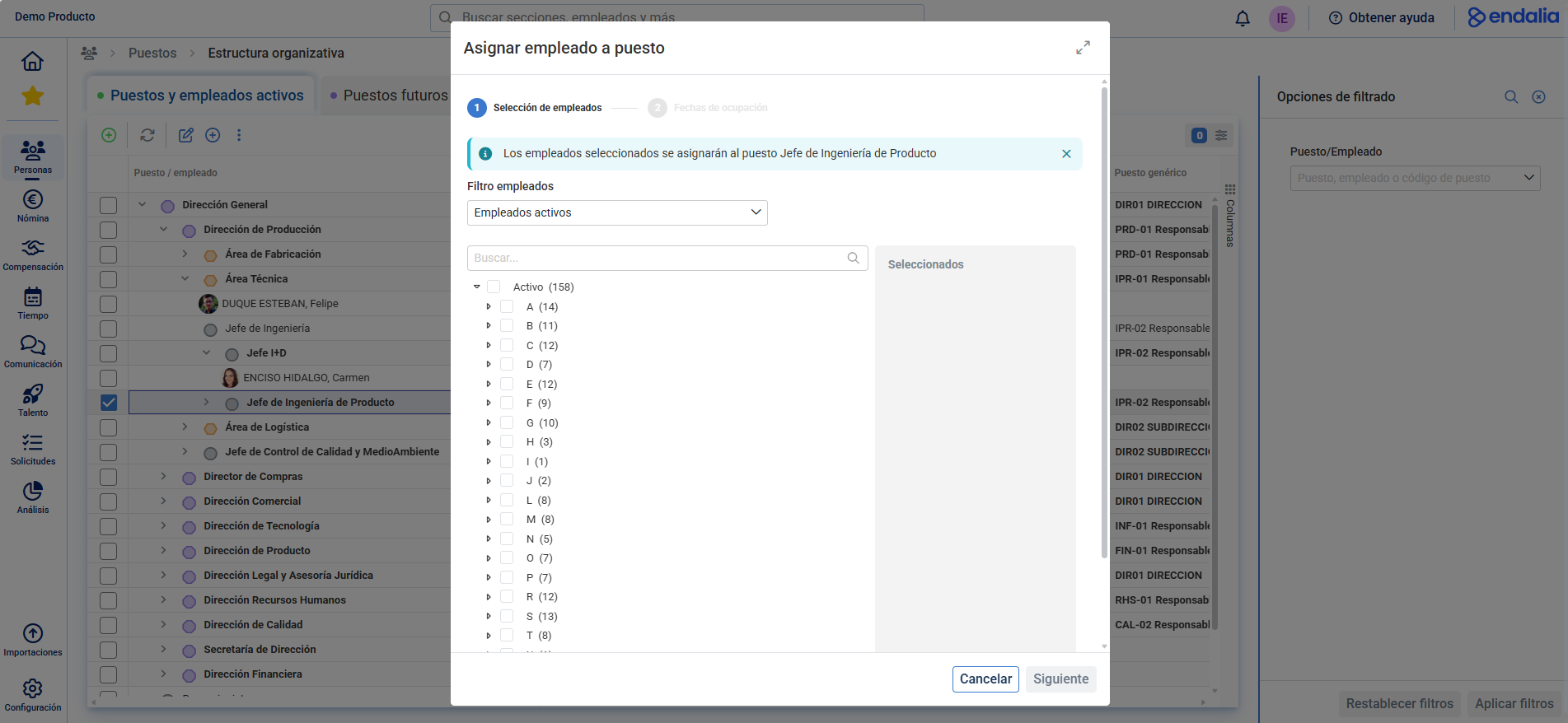
Step 1: Employee selection
Select the worker or workers you wish to assign.
You can do this in the following ways:
By browsing the alphabetical employee tree.
Using the search bar to locate a specific name.
Applying the employee status filter, to show only active, external or without position employees.
As you select employees, they will be listed on the right side of the modal window.
Click Next to continue.
Note: Alternatively, you can directly select the employee instead of the position. Check the box or the row where their name appears and click the Assign position button, also available in the toolbar.
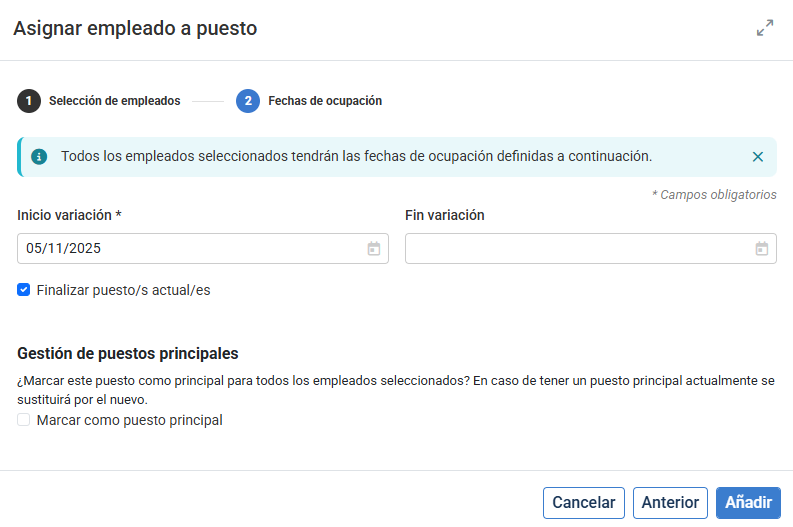
Step 2: Define incorporation and position options
In the second step, you must enter the incorporation date of the employee to the selected position or department.
This date will be reflected in the Start variation field.
Additionally, you can configure the following:
End current position(s):
If you activate this option, the employee will leave their previous positions and integrate exclusively into the new selected position.
If not activated, the employee will maintain both their current and new positions.
Main position management:
From here you can define the main position of the employee, selecting the new position as priority over the previous ones.
Once you have completed the configuration, click Add to save the changes.
Additional considerations:
- Only employees with active, active external, or no position status can be assigned.
- Assignment changes can be viewed immediately in the organizational structure.
Related articles
Want to know more? Check the following related articles:
If you have questions about the terms, check our glossary at this link.
Was this article helpful?
That’s Great!
Thank you for your feedback
Sorry! We couldn't be helpful
Thank you for your feedback
Feedback sent
We appreciate your effort and will try to fix the article