Important: this article is intended for Endalia HR users with an Administrator profile.
Sometimes, issues arise when managing time; these are called "incidents"; thanks to our software, you can keep them under control with a quick glance at the panel. Keep reading to learn more.
In this article, you'll find:
Incident Management
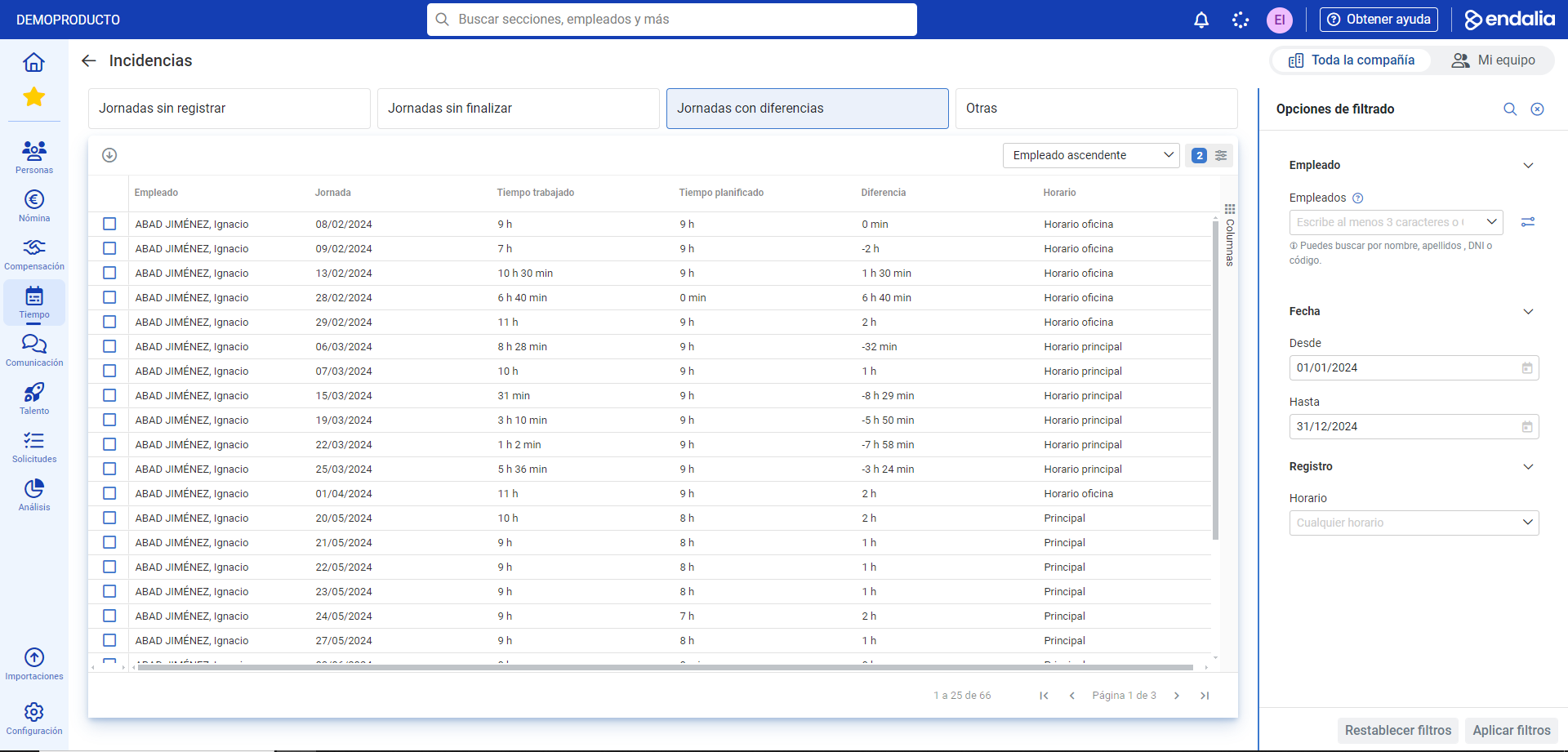
Within the time Management hub, navigate to the Time Tracking module > Time Tracking Monitoring > Incidents
- The following screen shows the list of employees with incidents related to worked and planned time. Click on the employee's name and use the Edit button in the toolbar to adjust the segments. Regarding the incidents themselves, there are 4 types, which you can see in their corresponding tabs of the main window:
- Unrecorded Workdays: the employee has a schedule for that day, but there is no time record.
- Incomplete Days: the employee has started records but has some open segments, that is, not finished (hasn't indicated they finished eating, resumed work time, etc.).
- Days with Discrepancies: directly refers to the relationship between worked and scheduled time; therefore, these days can be positive (if the time worked during the day is greater than scheduled) or negative (if the work time is less than scheduled).
- Other: to indicate incidents different from the above (e.g., an employee recorded the end of their workday earlier than planned).
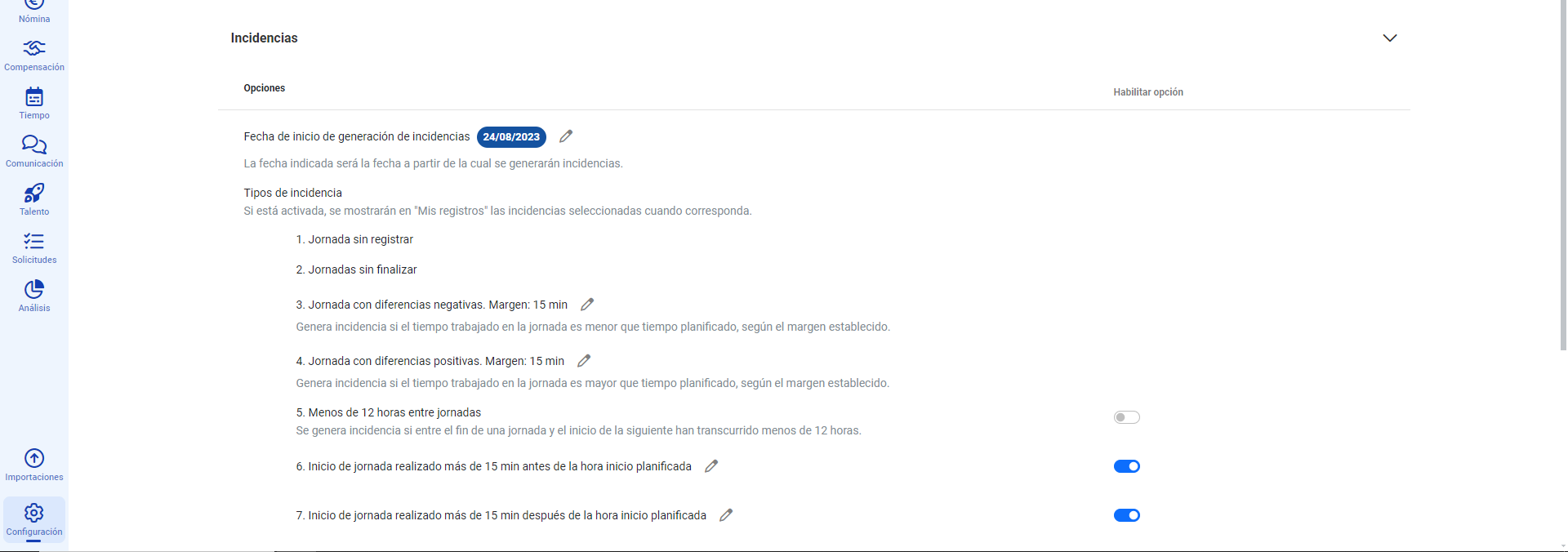
Note: To configure the incidents themselves, you must follow the path Settings > Time Tracking > Module Options > Incidents. Once inside the section, activate or deactivate the options, and edit them where possible (those statements that contain a pencil icon):
Still have questions? Refer to the following related articles:
Additionally, you can view our glossary, available at this link.
Was this article helpful?
That’s Great!
Thank you for your feedback
Sorry! We couldn't be helpful
Thank you for your feedback
Feedback sent
We appreciate your effort and will try to fix the article