Remember: this article is directed to Endalia HR users with Administrator profile.
It's as important to make changes in the software as it is to involve the recipients in these changes. Discover how to manage this functionality with this small informative guide.
In this article:
Set up notifications
- Within the hub Settings, click on Time Log > Module options > Notifications and emails.
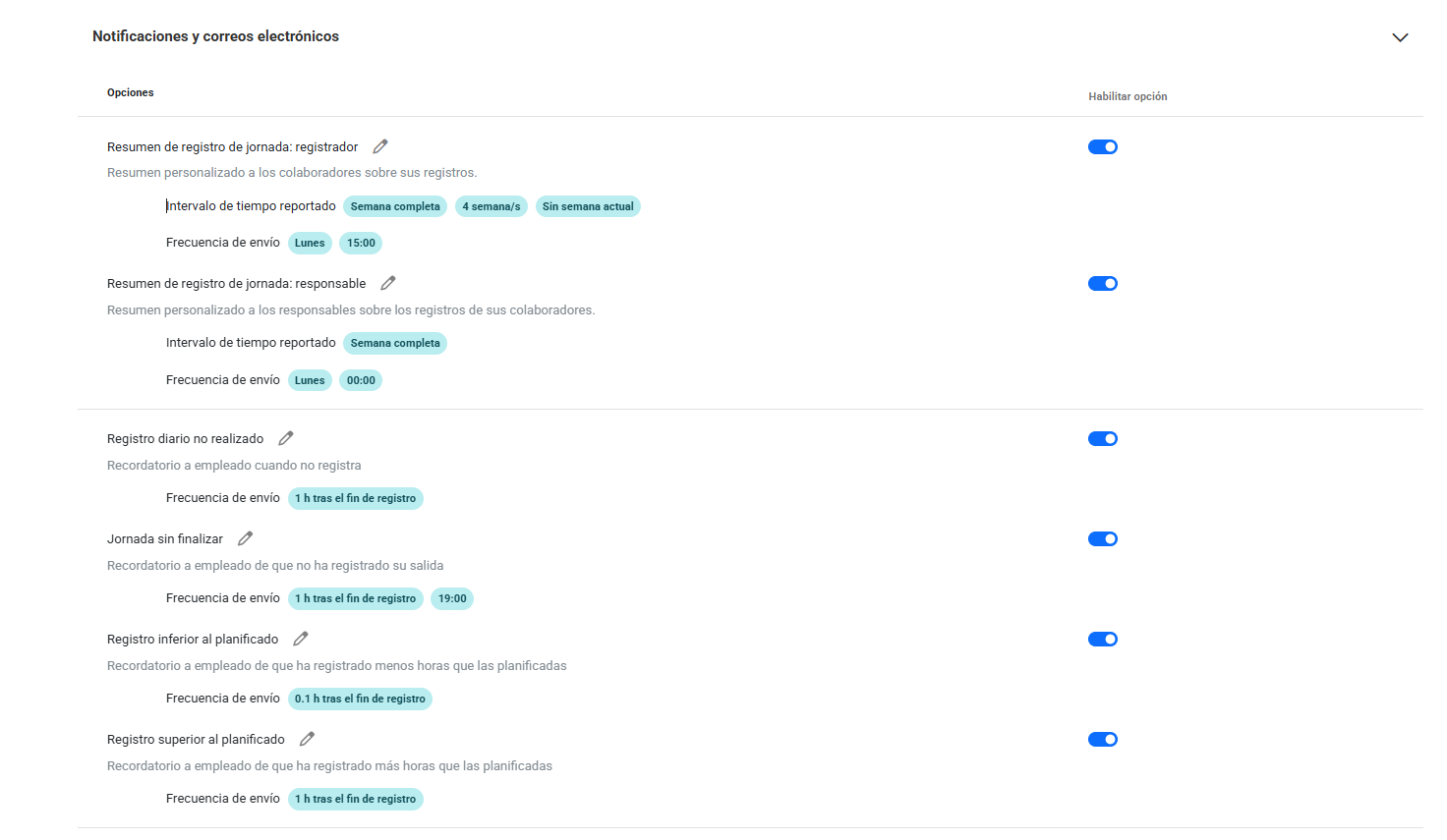
- Notifications and emails are divided into two sections: configuring a time log summary for both the manager and the employee, and the possibility of notifying the employee on the same day of logging in case of potential errors or oversights.
- For the former, you can set a weekly, monthly, or quarterly send frequency, allowing the manager to be informed about their employees' logs and redirect to the Time Balance screen. In the employee's case, the frequency can only be weekly, and the redirection would be to the My Logs screen.
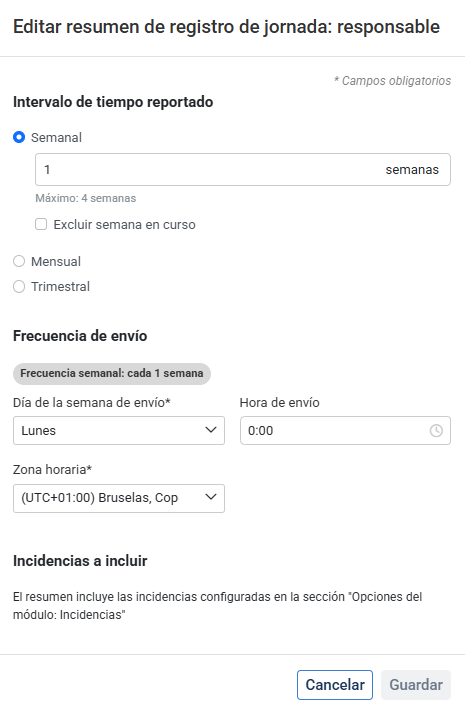
It is possible to configure the notification to be sent on a specific day (of the week, month, or quarter), at a specified time, and in the time zone where the notification will be generated.
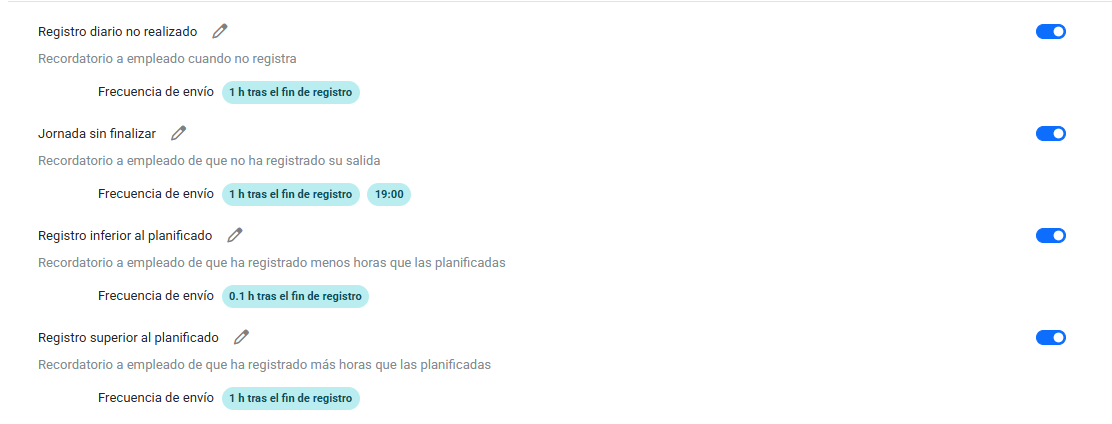
3. For the latter, the goal is to notify the employee on the same day of logging (as long as they have a plan) to avoid omission or errors in the same day. It is possible to configure for logs not carried out, unfinished work shifts (an open log but not closed), and if there's a log above or below the planned time.
Notification issuance is contingent upon planned hours, issued subsequently according to them. The only one that does not require planning is the unfinished work shift, allowing a standard time setting for employees who have no plan and have left a log open.
If you have doubts with the terms, check our glossary at this link.
Was this article helpful?
That’s Great!
Thank you for your feedback
Sorry! We couldn't be helpful
Thank you for your feedback
Feedback sent
We appreciate your effort and will try to fix the article