Important: this article is aimed at Endalia HR users with Administrator profile.
With this feature, employees can receive notifications related to their salary, so that they are visible on their portal. Take a look at the following text to learn more about the topic.
In this article:
Publish Letters
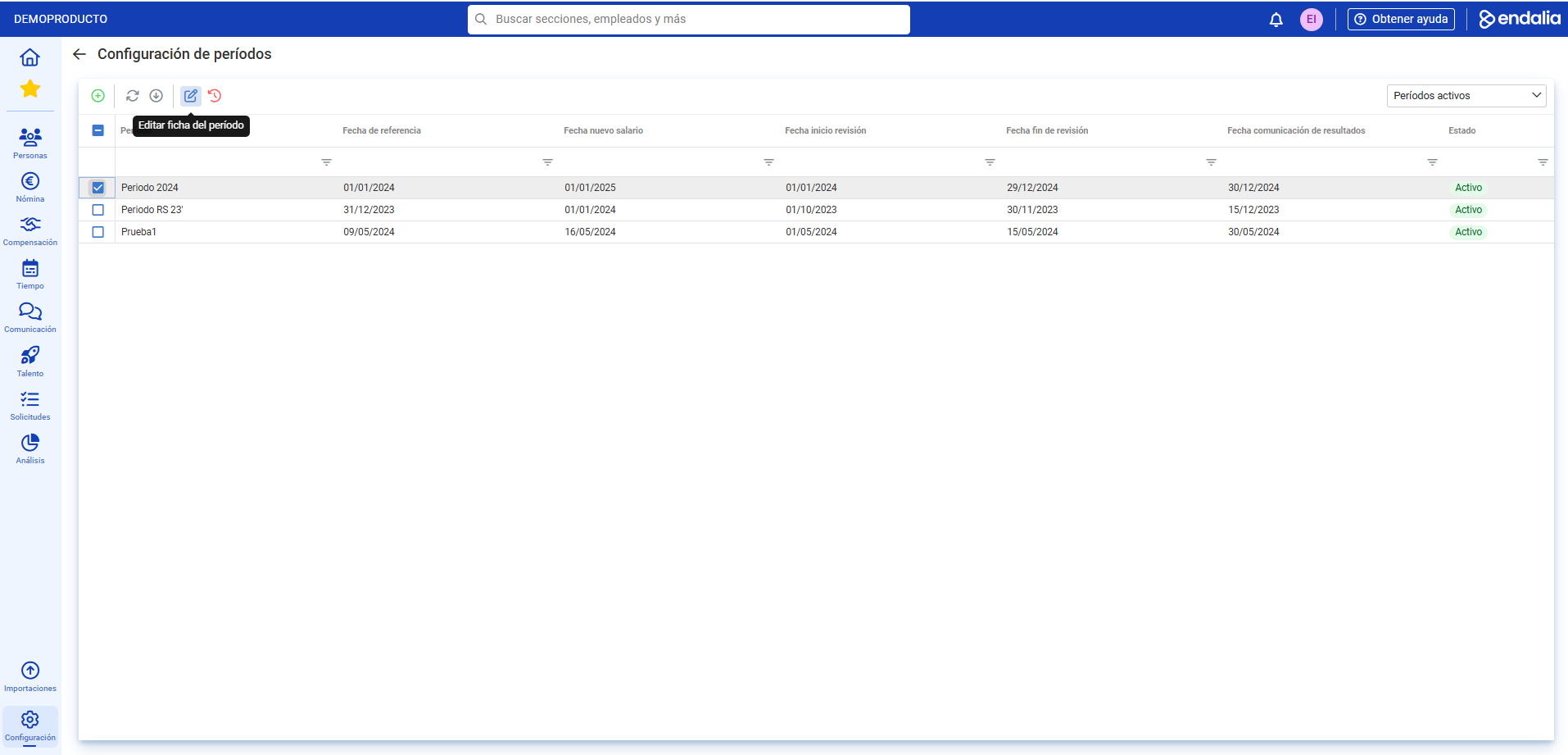
- Within the Configuration hub, go to Compensation and Benefits > Salary Review Periods
- Next, check the box/select the row corresponding to the period and click on Edit Period Record.
- Now, go to the Employees section; select a colleague from the list and click on Assign Letters in the toolbar as well:
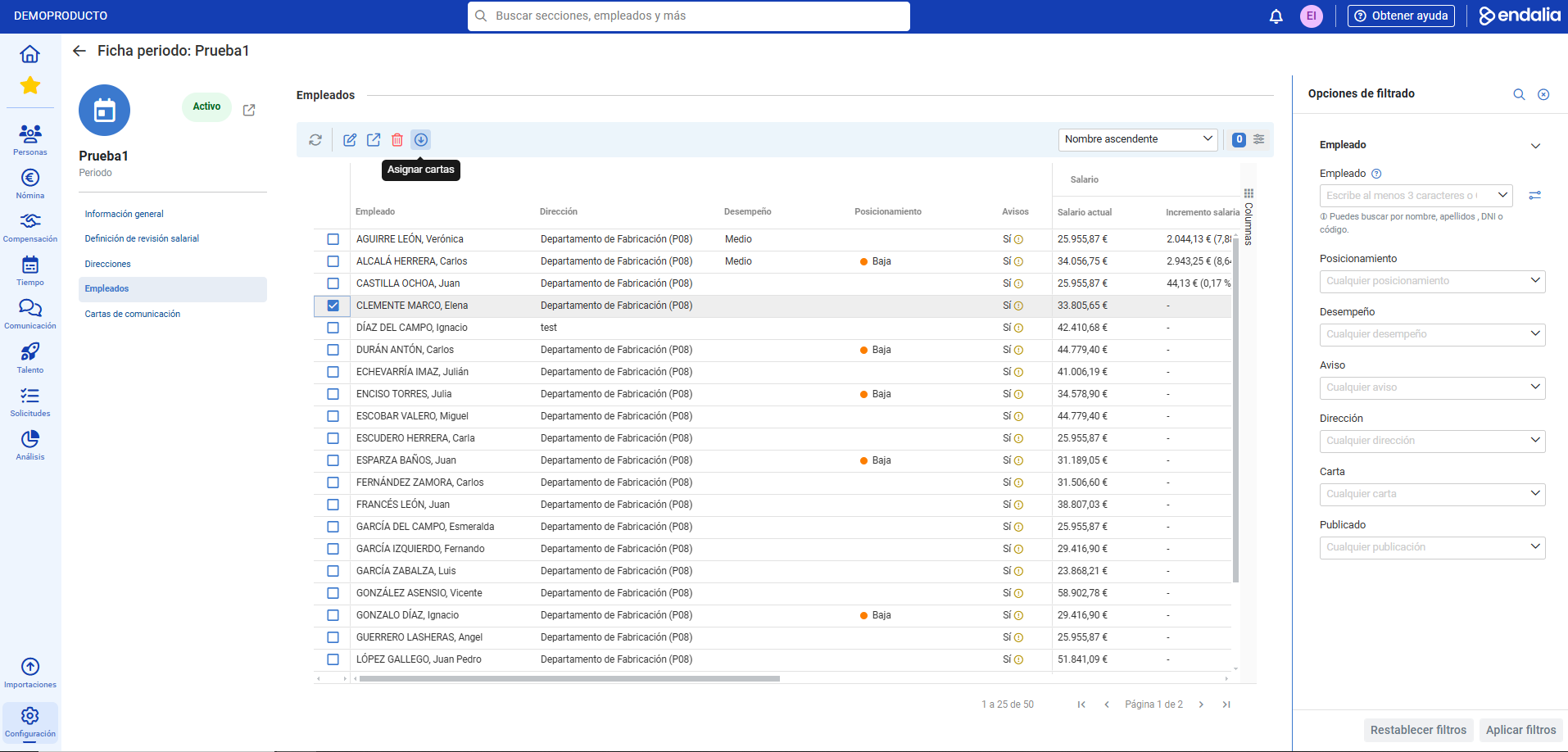
- In the modal window, you must complete four steps: first, select the letter template to communicate; then, choose the employee(s) to notify; in the third step, configure the communication; remember to activate the Publish Letters tab, so that these are communicated to the employee through the portal; and finally, confirm the selection in the summary before clicking the Add
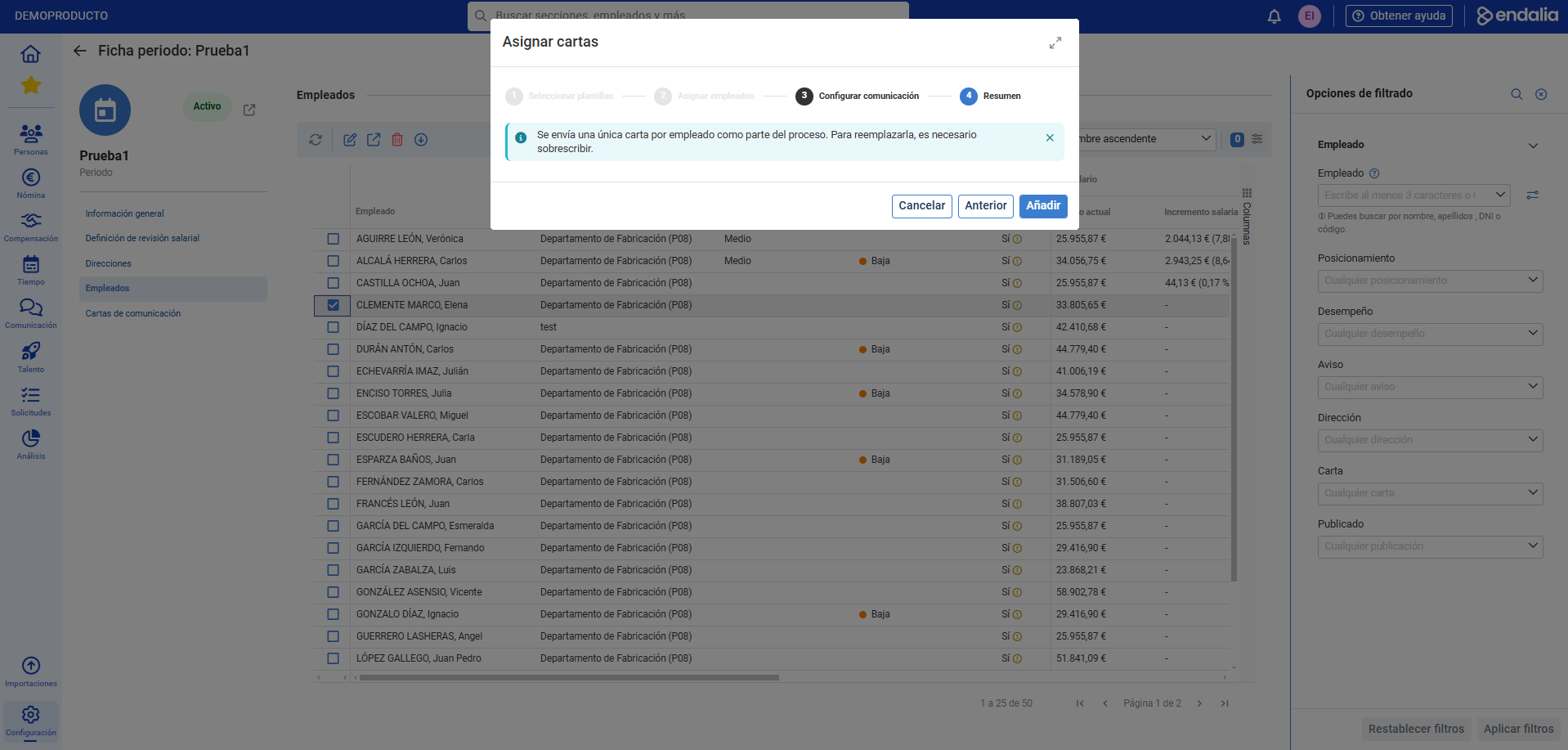 button.
Process Video
We show you quickly:
We remind you that the following related articles are available to you:
Additionally, a glossary of terms is available at the following link.
Was this article helpful?
That’s Great!
Thank you for your feedback
Sorry! We couldn't be helpful
Thank you for your feedback
Feedback sent
We appreciate your effort and will try to fix the article