Important: this article is aimed at users of Endalia HR with an Administrator profile.
With communication letters, we can inform employees about various aspects related to the salary review. Learn this simple functionality with this short tutorial.
In this article:
Manage letters
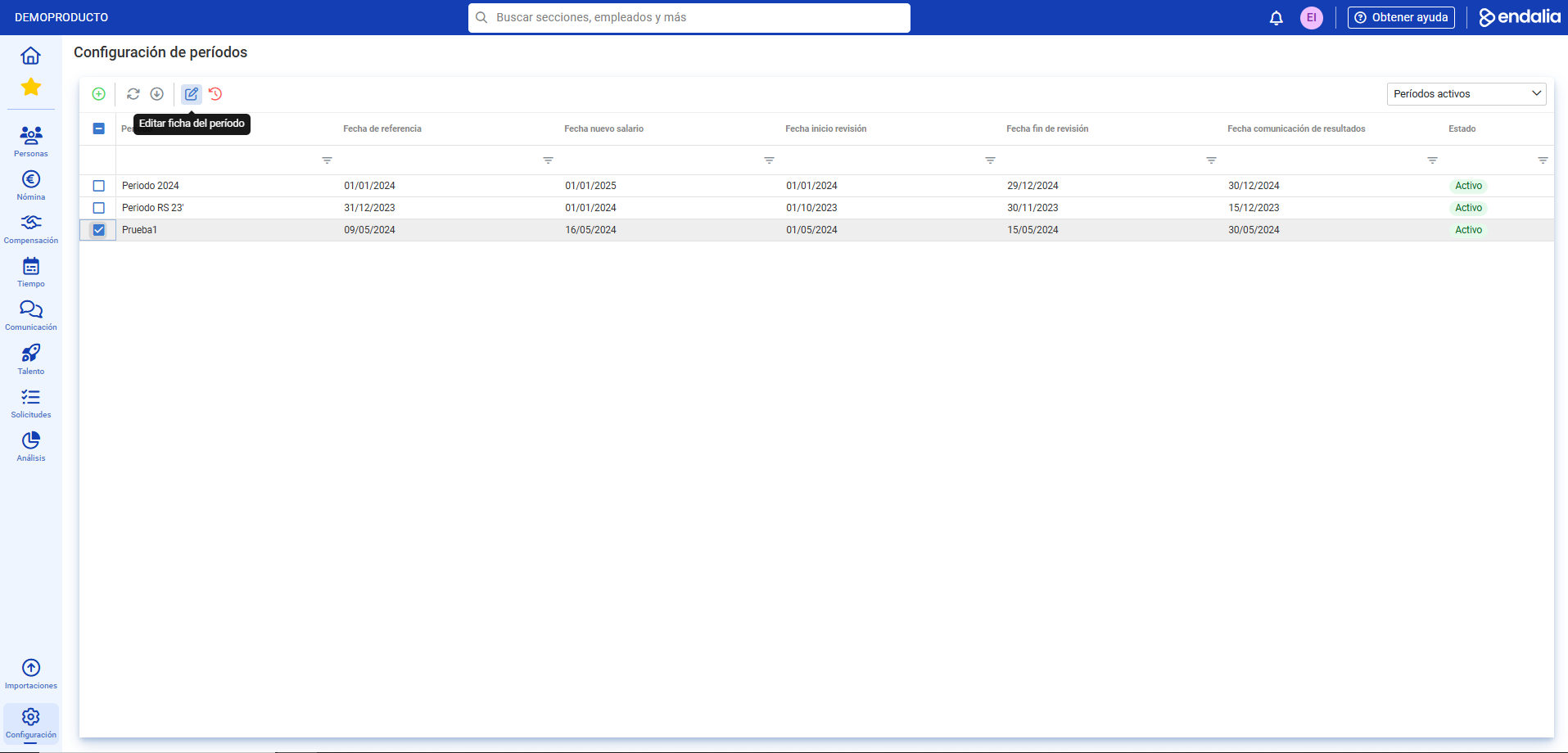
- Within the hub Configuration, go to Compensation and Benefits > Salary Review Periods
- Next, check the box/select the corresponding row for the period and click Edit period record
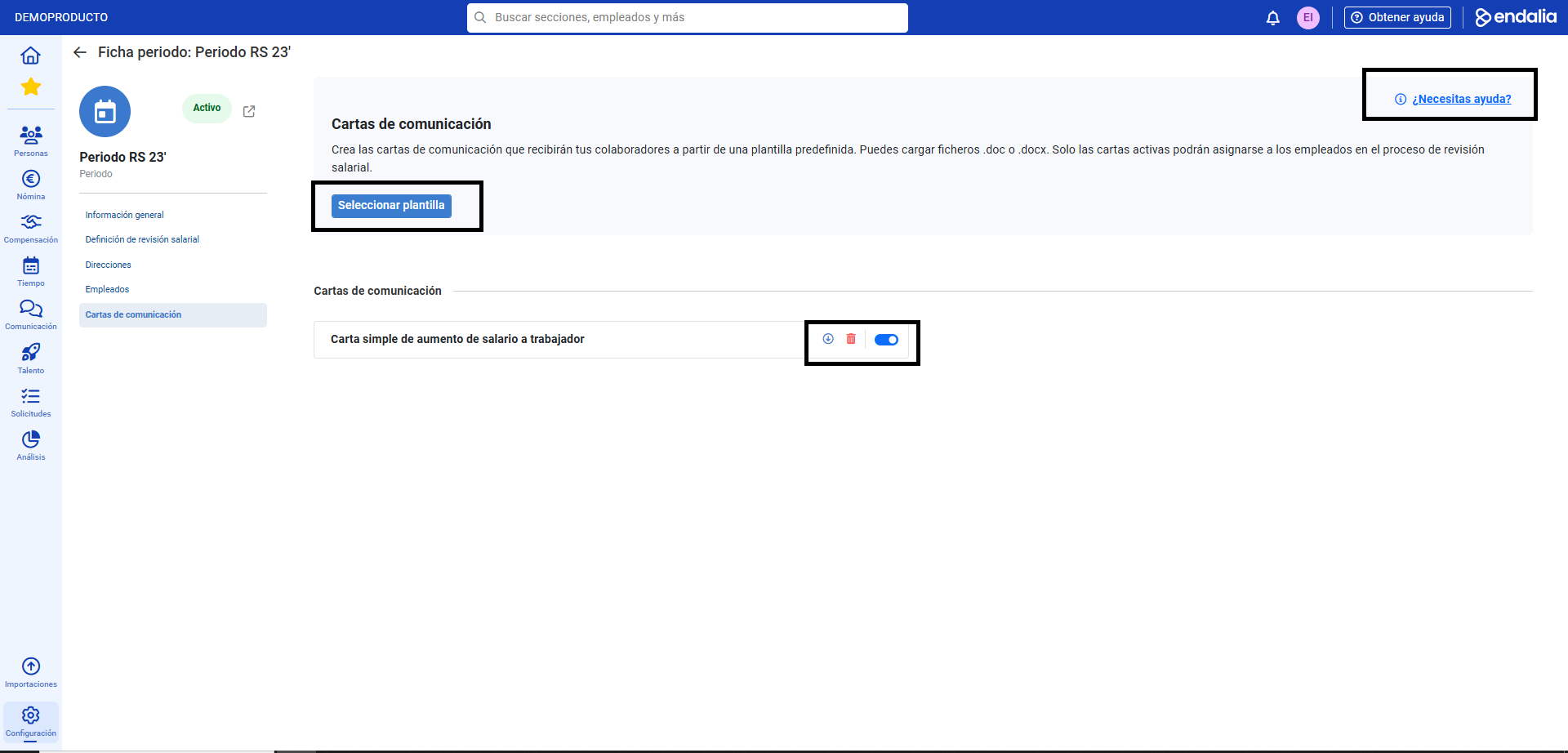
- Now, go to the Communication Letters section; select a template using the enabled button, and it will be displayed on the same screen you are on. Then, enable the tab you want from among the various letters to make it the default. Remember that you can download or delete the template using the corresponding buttons, and that you have help available in the upper right corner of the screen to configure your communications:
Additionally, you have at your disposal a glossary of terms in the following link.
Was this article helpful?
That’s Great!
Thank you for your feedback
Sorry! We couldn't be helpful
Thank you for your feedback
Feedback sent
We appreciate your effort and will try to fix the article