Important: this article is aimed at Endalia HR users with an Administrator profile.
Thanks to this option in the program, users identified as HR managers can view employee information based on the structure defined below the associated position.
Manage HR manager visibilities HR.
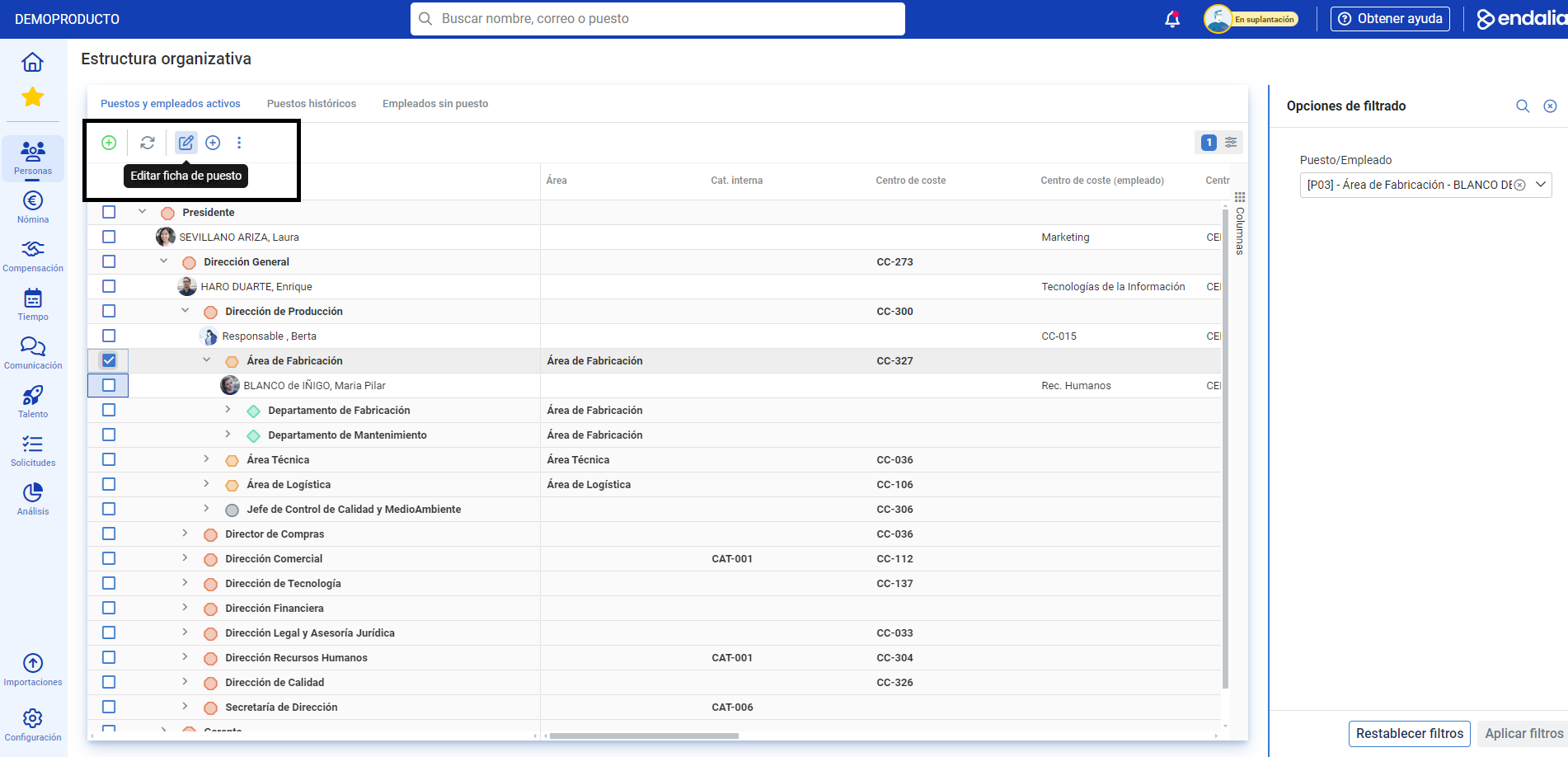
- Within the hub Organization and People, navigate to the Positions > Organizational Structure module
- Next, choose a position from the list and click on the Edit Position Card button, found in the toolbar:
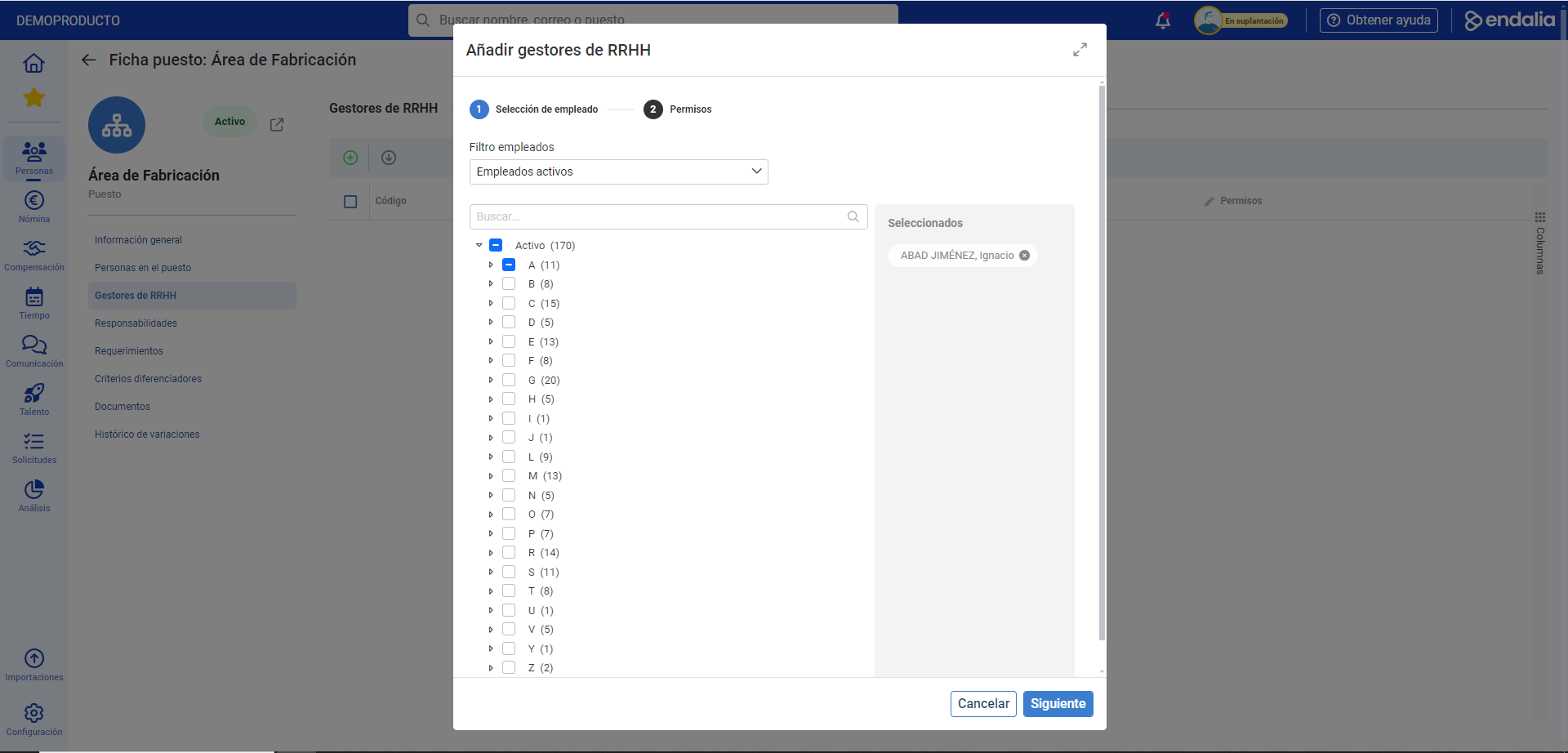
- Next, go to the HR Managers HR. section and then click on Add HR Manager HR Manager. button, which can be found again on the toolbar. In the modal window that appears next, called Information, choose the names in the structure tree and click on Save
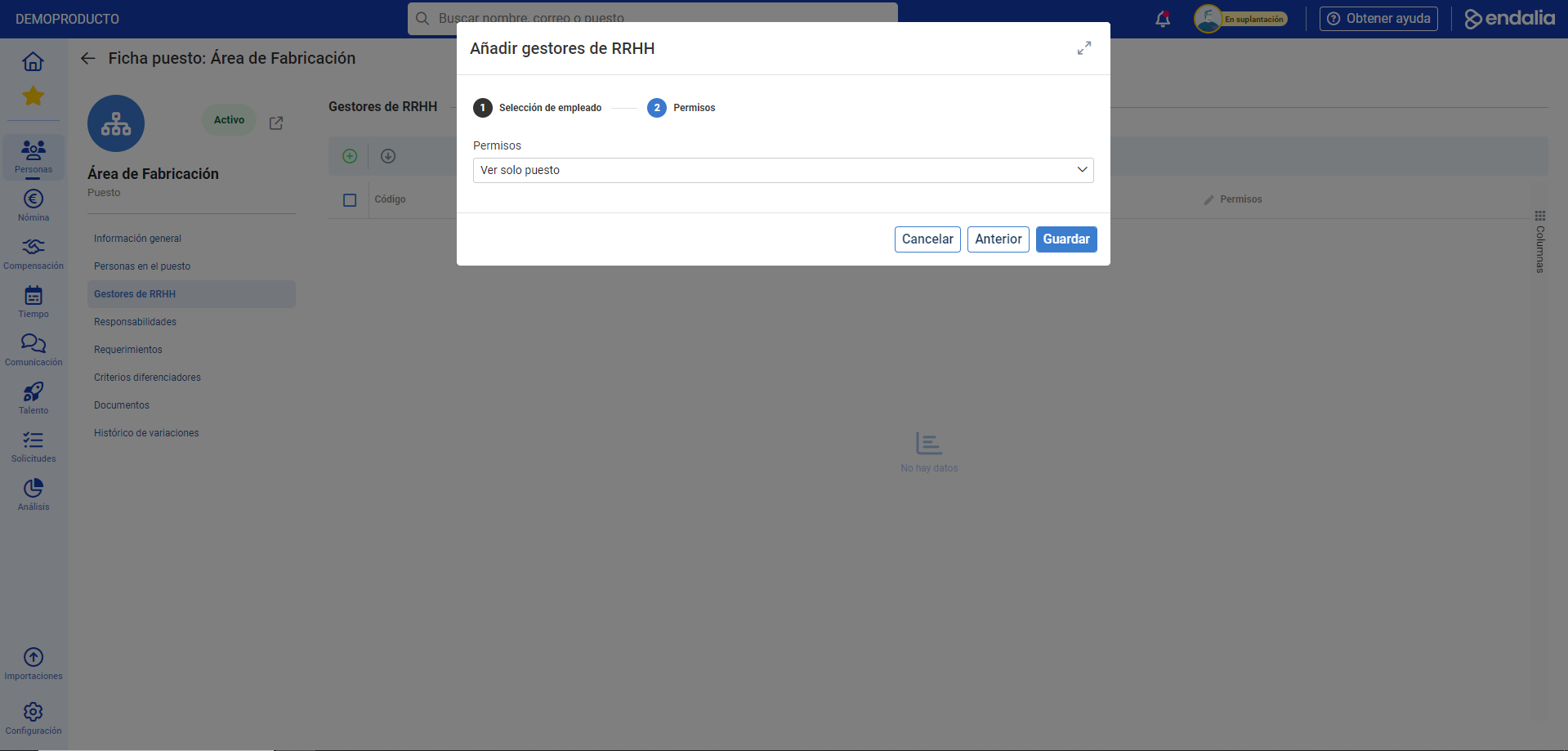
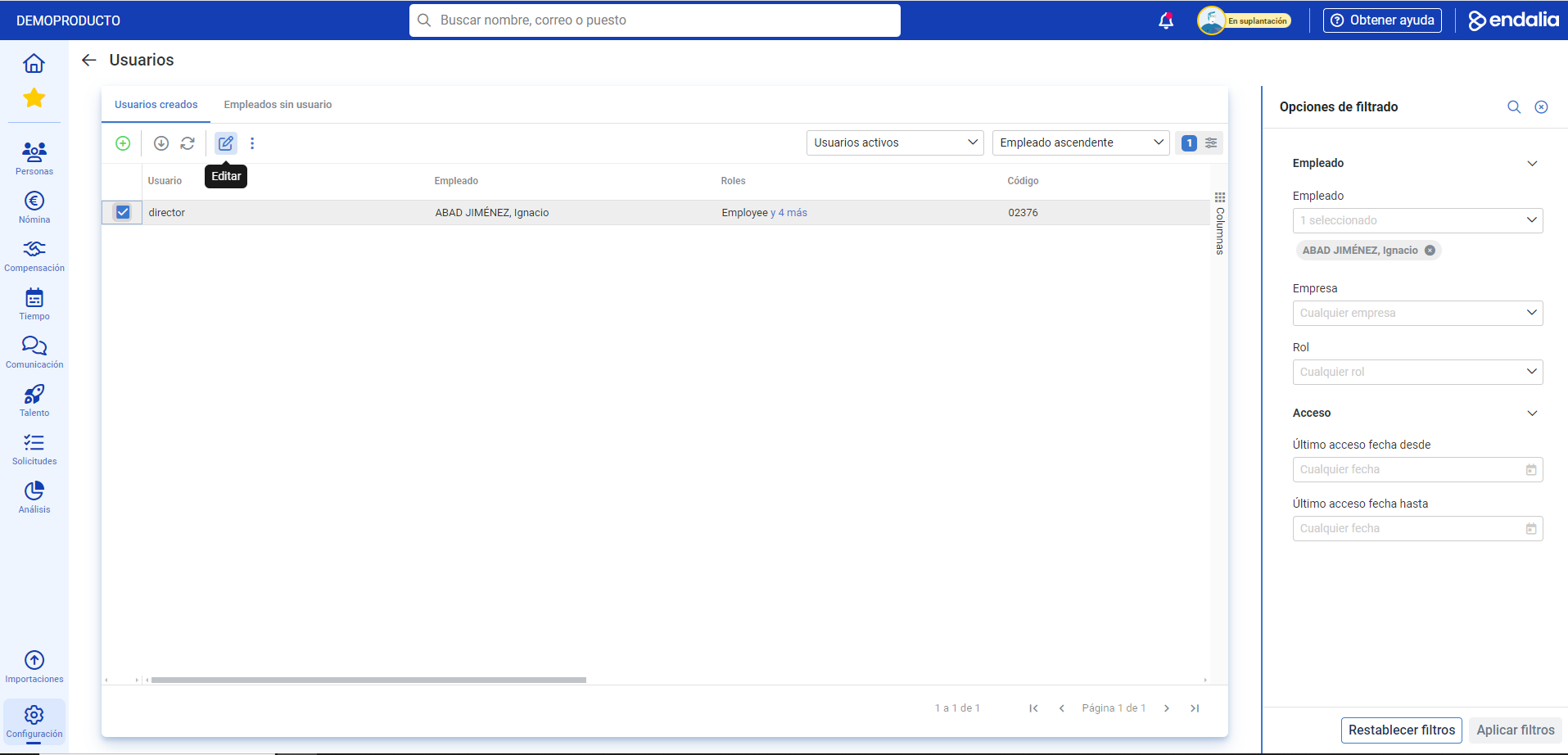
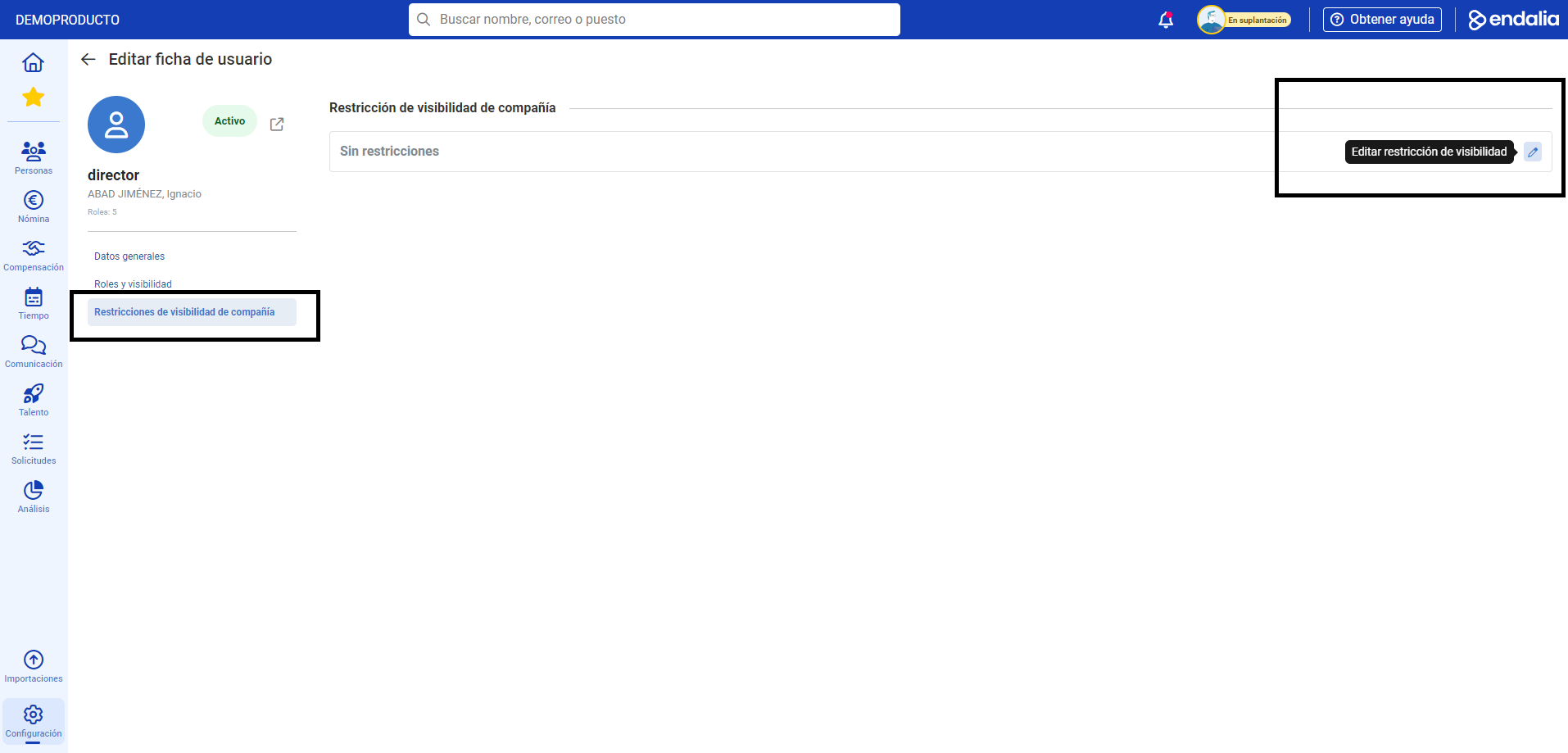
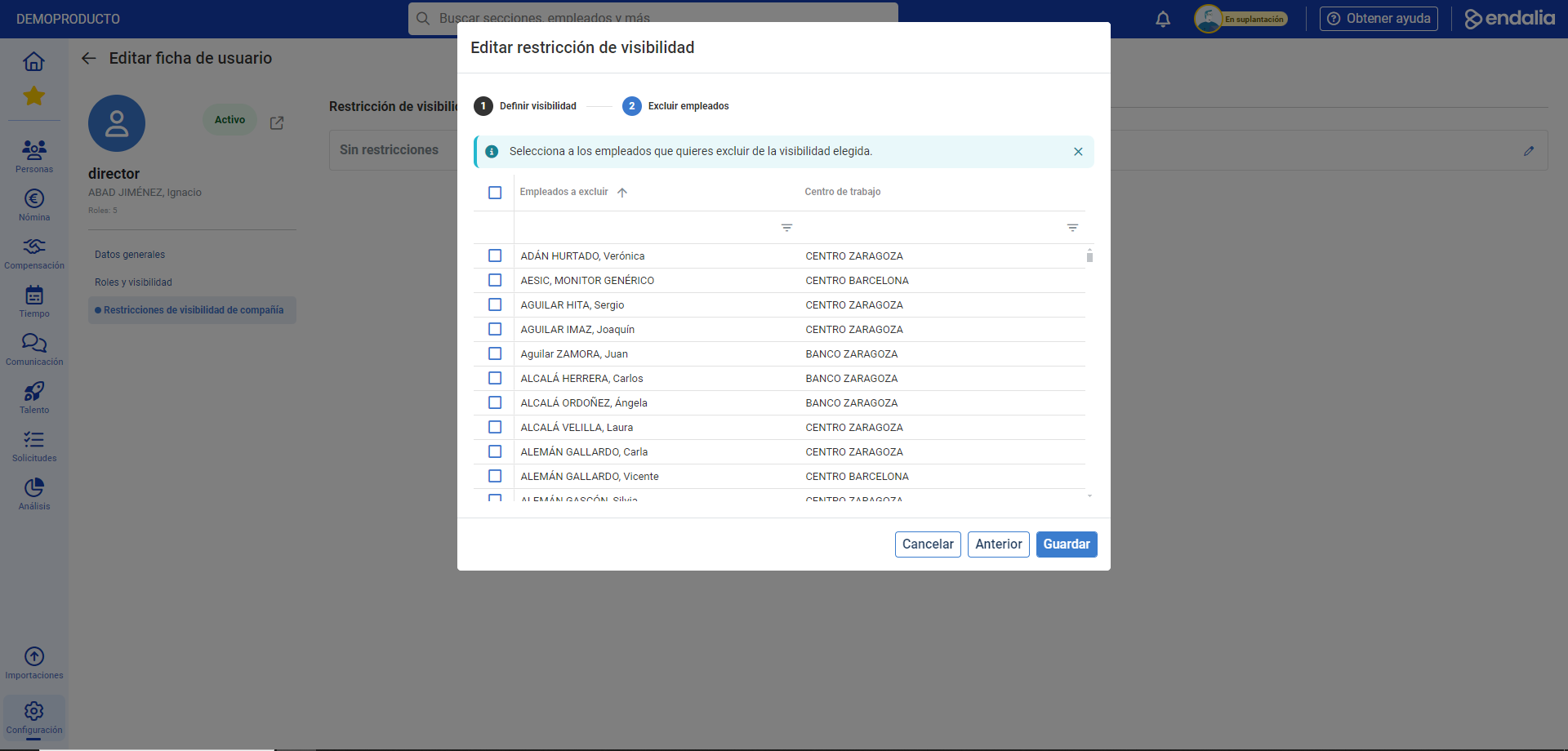
- At this point, you can go to Settings > General > Users. Select the user from the list of names and click on Edit User Card in the toolbar again. On the next screen, go to the Company Visibility Restrictions section and click on Edit. A modal window with two steps to complete is presented to you next. Remember to click on Save to make your preferences effective:
Process Video
Here is the complete process video:
Want to know more? Check the following related articles:
If you have doubts about the terms, take a look at our glossary at this link.
Was this article helpful?
That’s Great!
Thank you for your feedback
Sorry! We couldn't be helpful
Thank you for your feedback
Feedback sent
We appreciate your effort and will try to fix the article