Important: this article is aimed at Endalia HR users with Administrator profile.
Supervising salaries, budgets, etc. can be a challenging task, but not with the functionality we offer below.
In this article:
Monitor salary review
Within the hub Compensation and Benefits, go to Compensation > Salary Review
On the next screen, Salary Review, you have several indicators related to it, such as salary review balance (how many employees of a management have the salary review applied); salary budget (the money a department has to cover expenses), the status of directives and notices, in case there is any related issue. Don't forget to select the associated period, in the upper right corner, to obtain the relevant data:
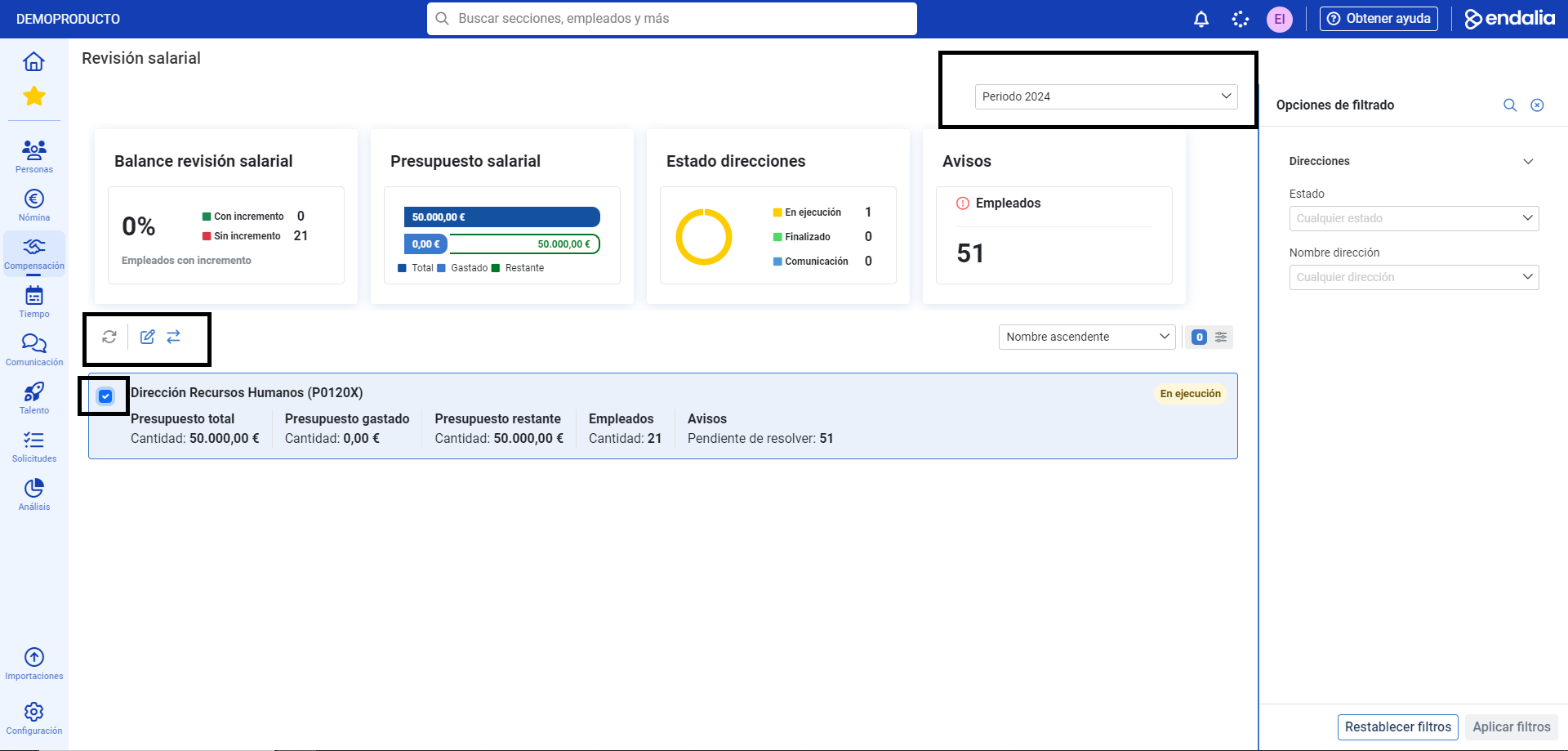
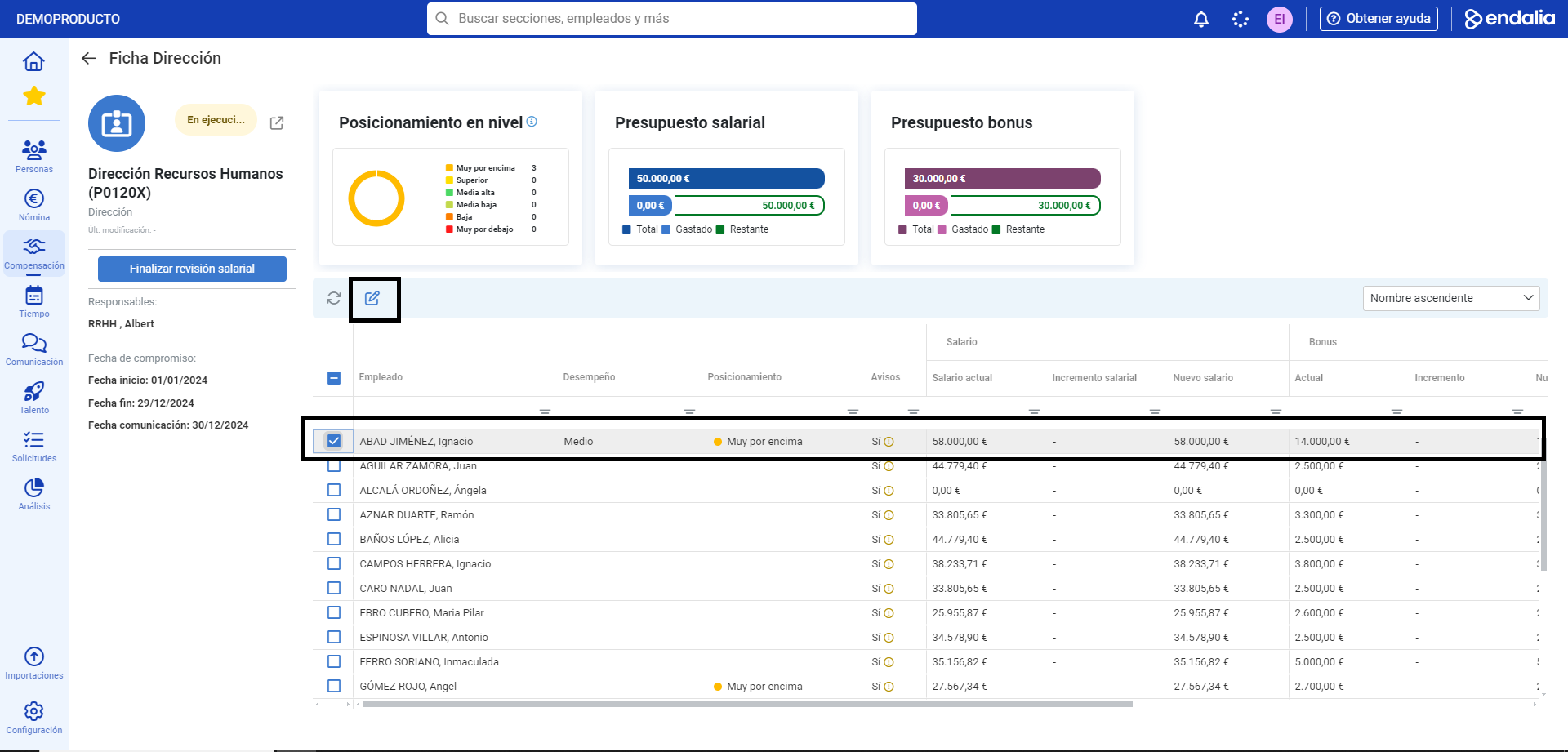
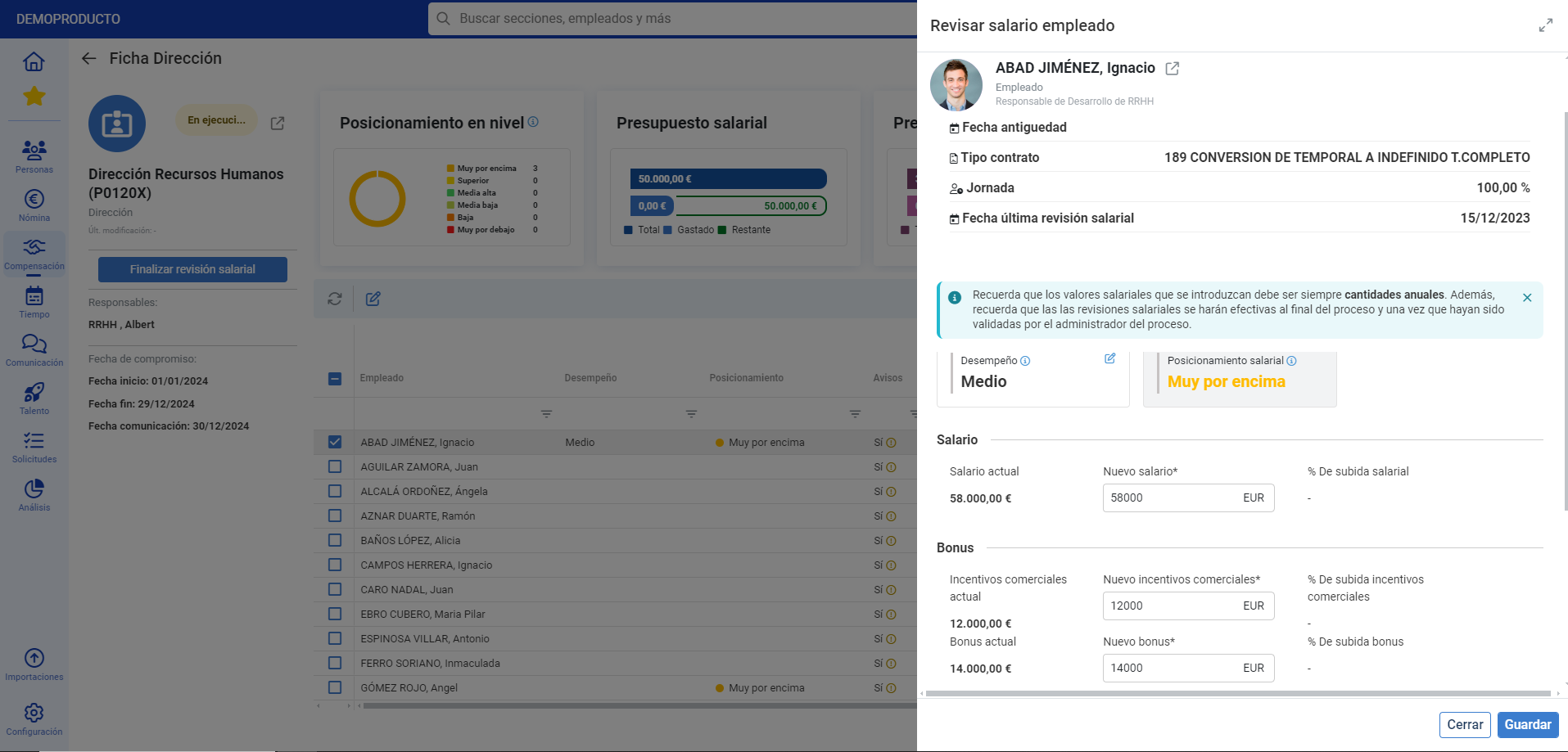
At the bottom of the screen, you have a list of addresses related to the salary review. Click on each one to access detailed information of a list of all employees, with their corresponding salaries, bonuses, and other relevant data. Select a collaborator and click Edit, in the toolbar provided for this purpose, to modify all fields related to their salary review:
Process video
Still have doubts? We explain it here, very briefly:
Additionally, you have the following related articles at your disposal:
Still have doubts? Take a look at our glossary at this link.
Was this article helpful?
That’s Great!
Thank you for your feedback
Sorry! We couldn't be helpful
Thank you for your feedback
Feedback sent
We appreciate your effort and will try to fix the article