Important: this article is targeted at Endalia HR users with Manager and Administrator profiles. Both profiles will be able to review and calibrate the bonus payment of employees from the departments during the period.
Administrator: can review and calibrate the payment of all employees during the period (from Configuration > Compensation > Bonus and Incentives Periods)
Manager: can only review and calibrate the payment of employees from their departments. (from Compensation > Variable Compensation > Bonus and Incentive Payment)
Integrate goal information to track the achievement of bonuses and incentives. Calibrate the payment and execute it integrated with the payroll module.
Here you will find:
Review and Calibration of Bonus and Incentive Payment
- Within the hub Compensation and Benefits, go to Compensation > Variable Compensation > Bonus and Incentive Payment
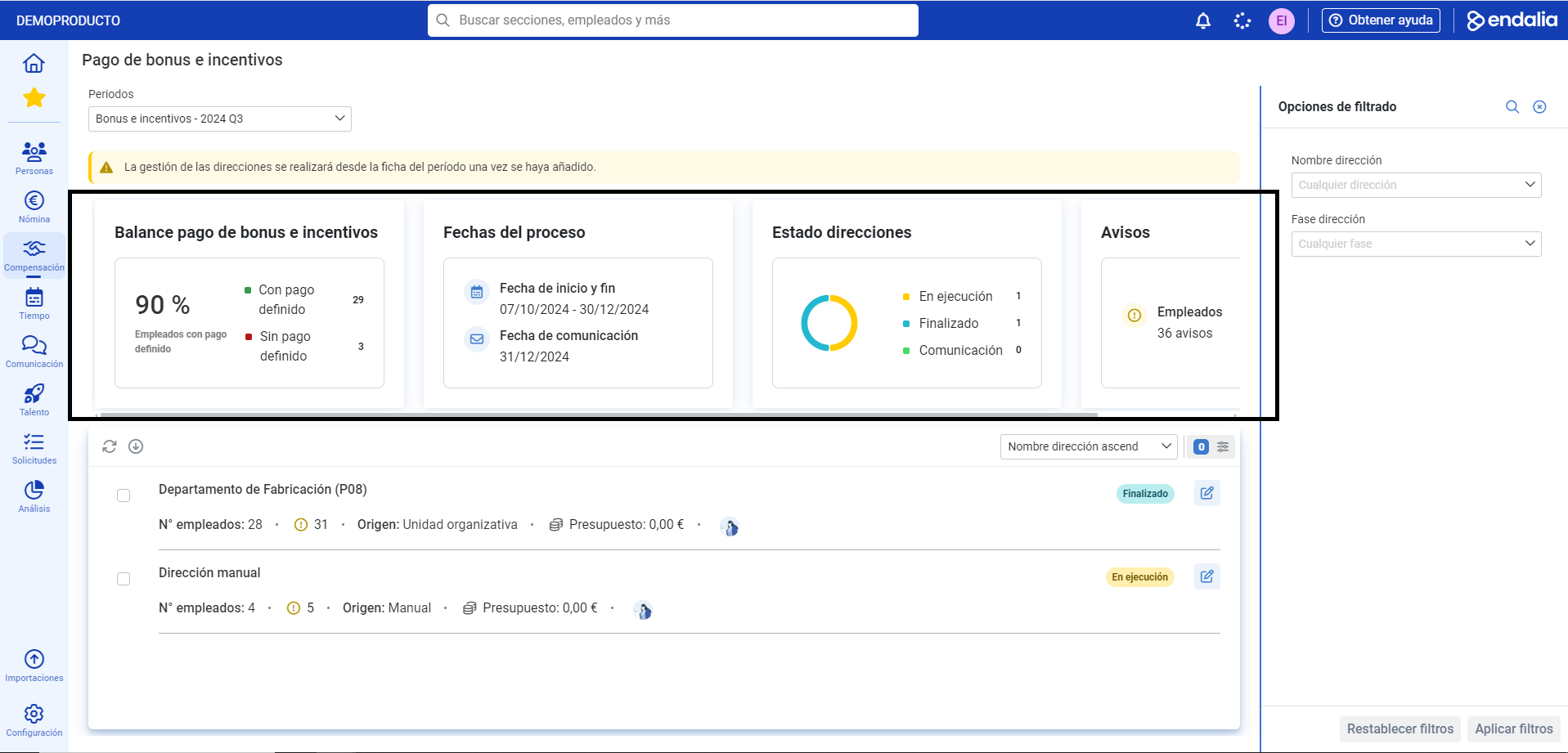
- This first screen provides you with various useful information about the departments; at the top, you have data such as the balance of bonus and incentive payments, department status, and warnings, among others. Remember that, as always, the filtering options will help you refine the results:
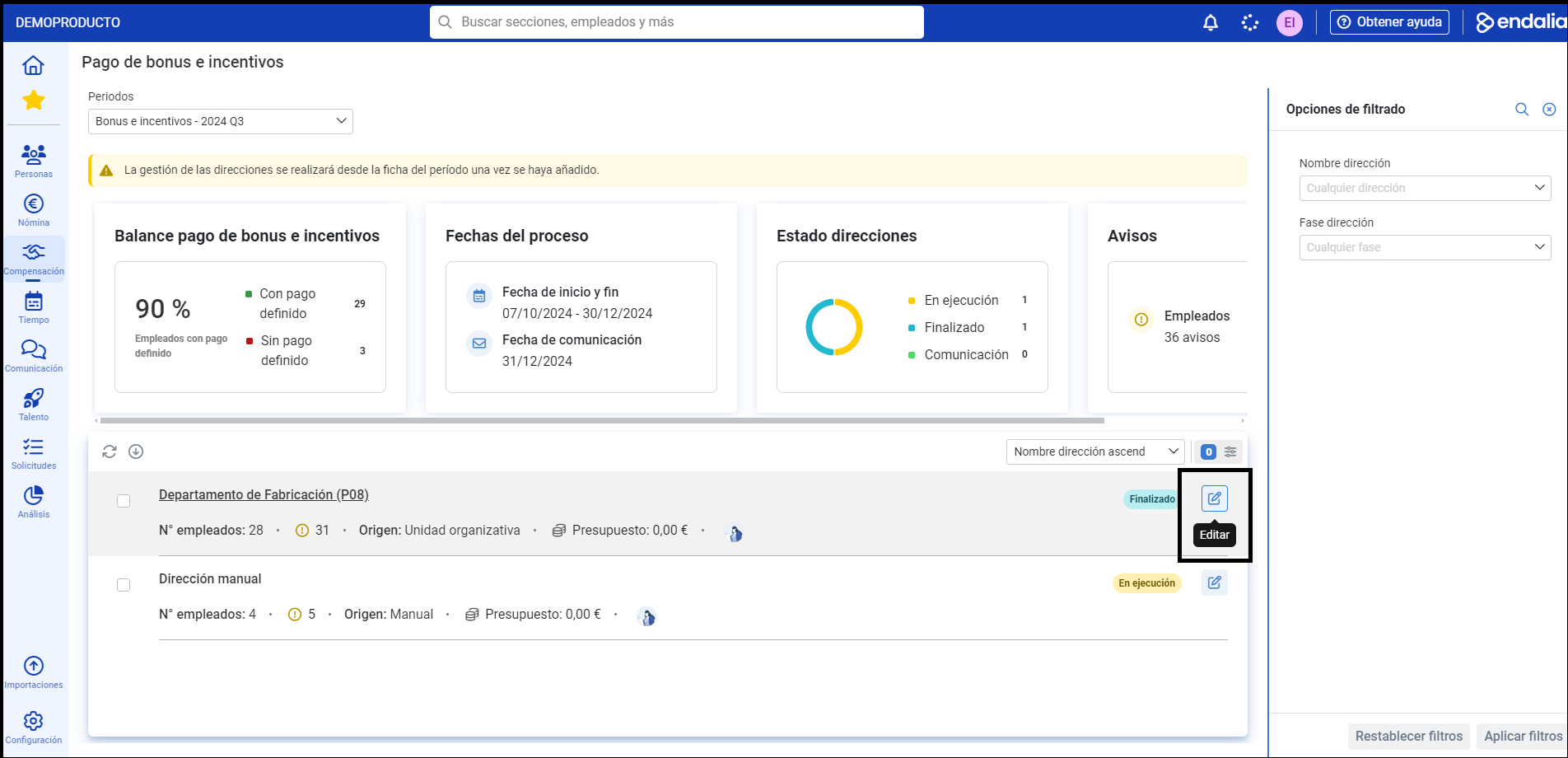
- At the bottom of the screen, you have the listing of departments with their status, and access to the associated employees through the Edit button:
- On this new screen, you have some additional indicators and warnings, although the most important functionality is to review and calibrate the payment of bonuses and incentives for employees. To do this, in the list of employees presented to you, select one of them and click on the Edit button, which you will find in the toolbar.
- How is the payment reviewed?
One way is to calibrate the bonus target:
Achievement: percentage of the goal period, applied over the bonus target (if the employee has a completed goal evaluation in the goal period).
Payout: percentage of the goal period, applied over the bonus target (if the employee has a completed goal evaluation in the goal period).
Calibration : % of calibration defined in this bonus review sheet.
Another way is to define a manual payment, which will take precedence over all other calibration methods. The sequence of bonus payment is as follows:
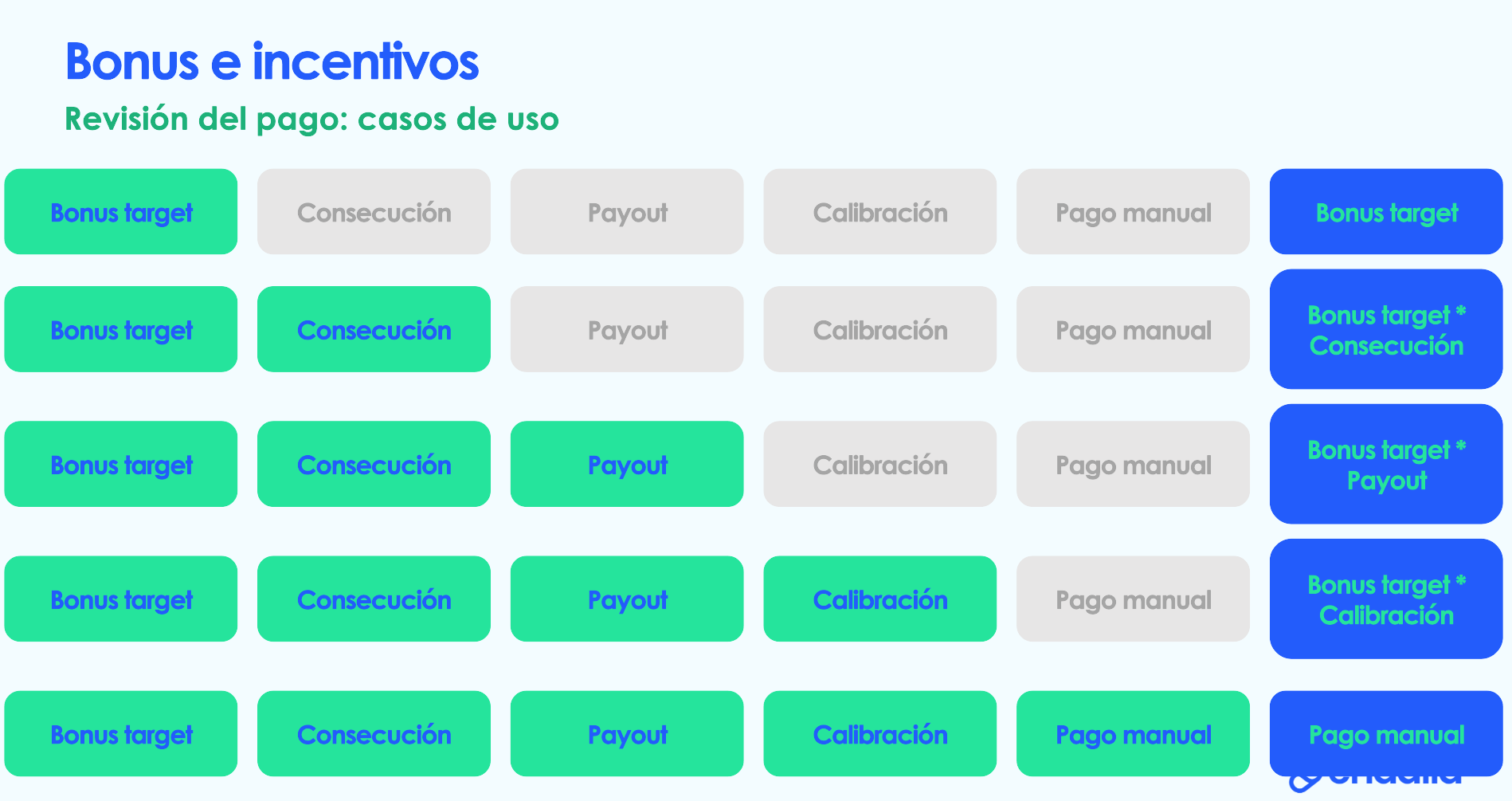
That is, if there is a bonus target, that will be the payment. If the first is present, and in addition, achievement, the payment will be the multiplication of both concepts. In the third case, the payment will equal the bonus multiplied by the payout; in the fourth, the sum will be determined by the multiplication of the bonus by the calibration, while in the last, if you establish a manual payment, it will take preference over the other concepts directly.
- Set your preferences in the modal window presented to you, and do not forget to click on Save to make your preferences effective:
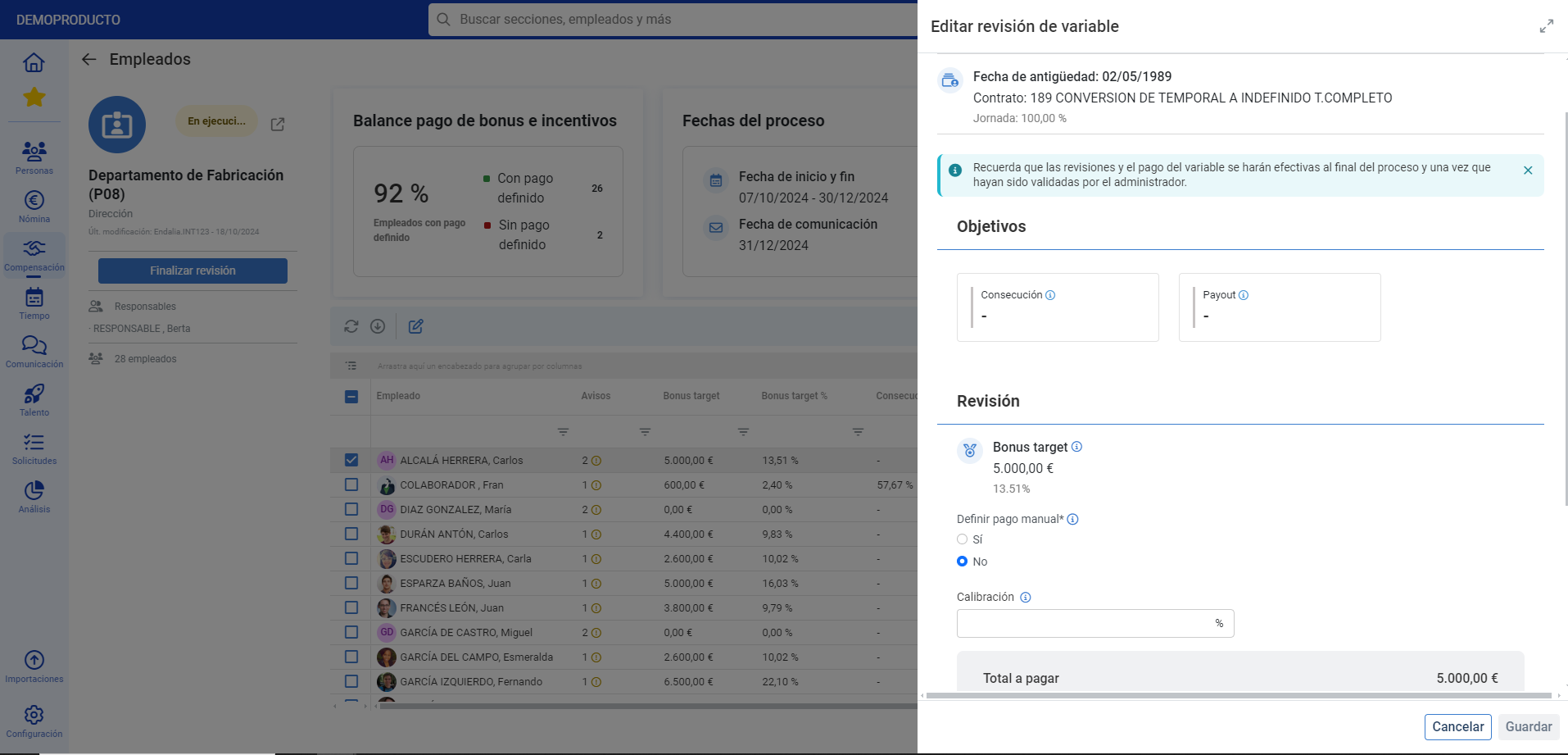
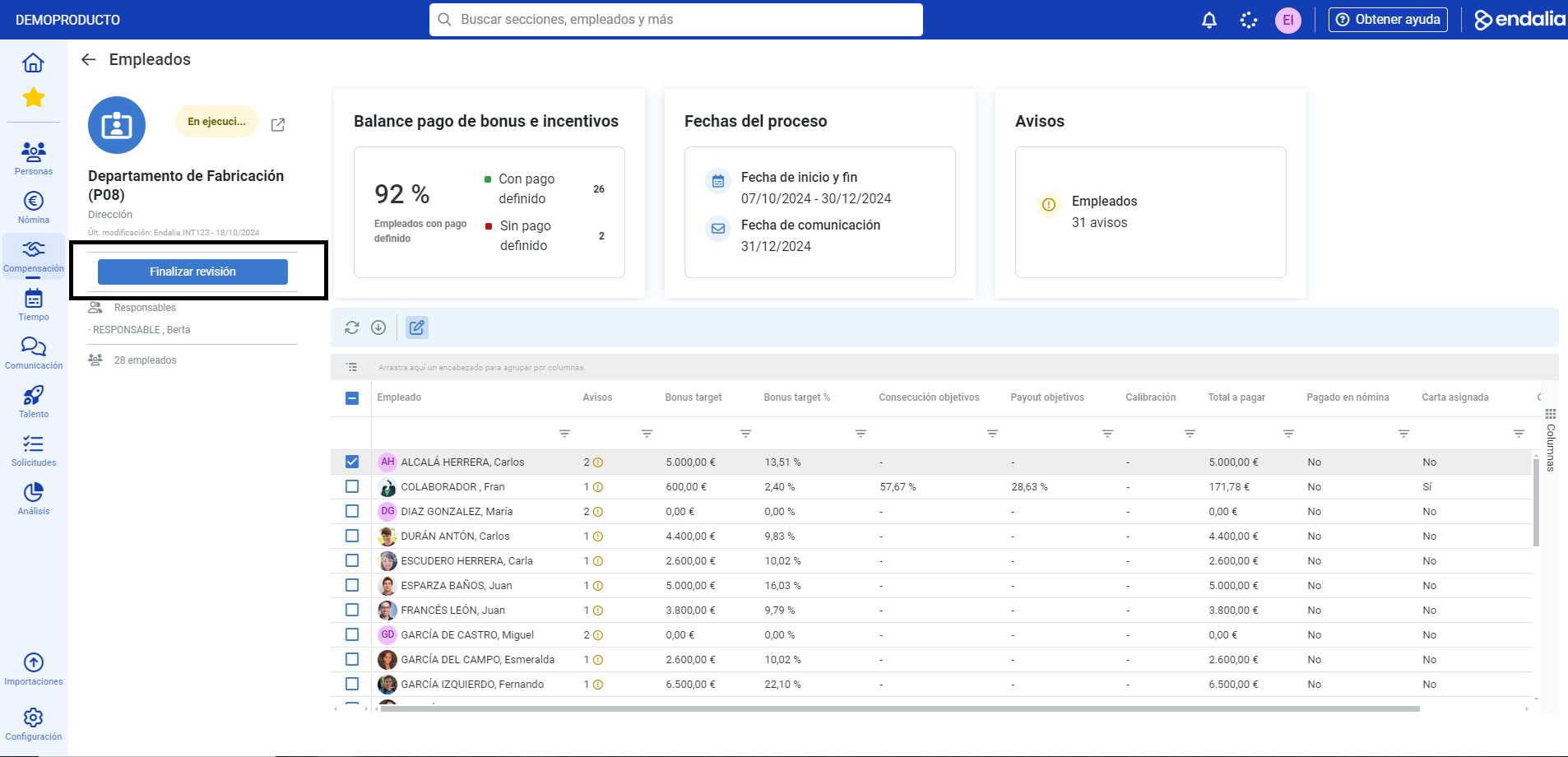
- Back on the Employees screen, you can finalize the department review; this way, it will automatically go from the execution phase to the finalized phase; from this point, the manager will not be able to edit the payment of the employees in their departments, instead, they will only be able to access the review and calibration sheet in "read-only" mode:
Here you have this link, to access the glossary of terms.
Was this article helpful?
That’s Great!
Thank you for your feedback
Sorry! We couldn't be helpful
Thank you for your feedback
Feedback sent
We appreciate your effort and will try to fix the article