Important: this article is aimed at Endalia users with an Administrator profile.
The Welcome Space allows future employees to access the platform before their official integration, to complete information and get familiar with the digital environment. Its activation can be carried out both during the registration and from the employee's profile.
Activation during employee registration
During the registration process, in the onboarding phase, you can enable the Welcome Space directly.
Steps:
Within the People and positions hub, access People > Employees or People > Candidates.
Click the Add employee or Register employee button, which you will find in the toolbar.
When you reach the onboarding phase, select the option to activate Welcome Space.

Enter a personal email and/or a personal phone.
Confirm the information: the system will generate an access link for the welcome, which should be sent by the company to the future employee.
Note: The email and phone are necessary for the system to send the future employee the authentication key that will allow them to enter the platform.
Activation from the employee profile
If you didn't enable it during registration, you can still activate it from the employee's profile in historical status (with a future start date).
Steps:
Within the People and positions hub, access People > Employees > Employee's file > Organizational Information > Onboarding.
Select the option Activate Welcome Space.
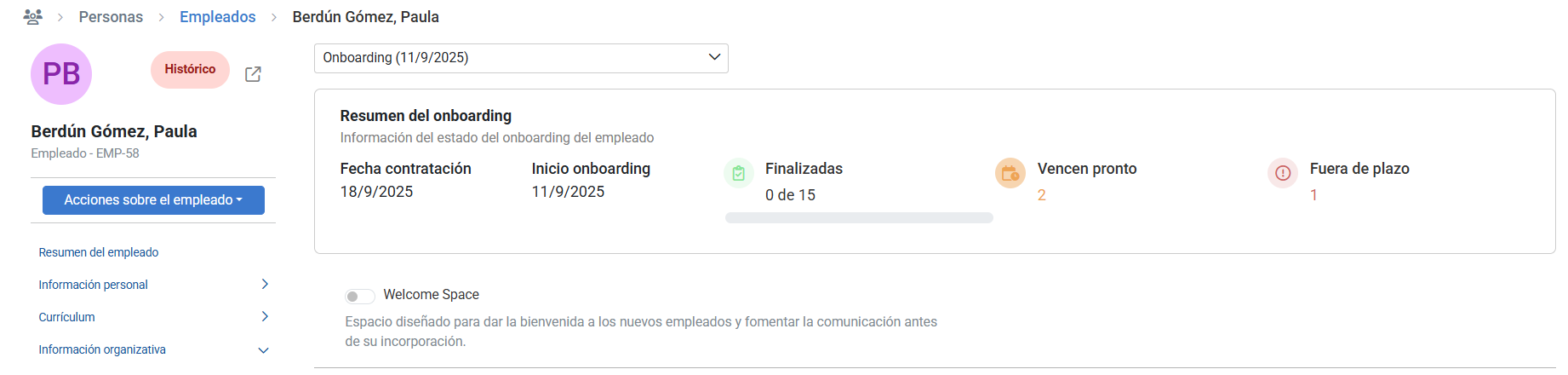
Once active, you can generate and copy the link. The system will automatically generate an access link.
Copy and share that link with the future employee.
Important: You can only do this before the employee changes to the active status.
Related articles
Do you want to know more? Check the following related articles:
If you have questions about the terms, take a look at our glossary at this link.
Was this article helpful?
That’s Great!
Thank you for your feedback
Sorry! We couldn't be helpful
Thank you for your feedback
Feedback sent
We appreciate your effort and will try to fix the article