Important: this article is intended for Endalia users with an Administrator profile.
The onboarding process for a new employee starts before their first day at the company. With the Welcome Space, you can offer future employees an environment to complete data, familiarize themselves with the platform, and receive personalized tasks.
In this article
Activate the welcome space
- Within hub Settings, go to People and positions > Module options > Onboarding and offboarding > Onboarding.
- Click on the Welcome option to activate the Welcome space.
- Select which sections of the employee record the future employee can view and edit.
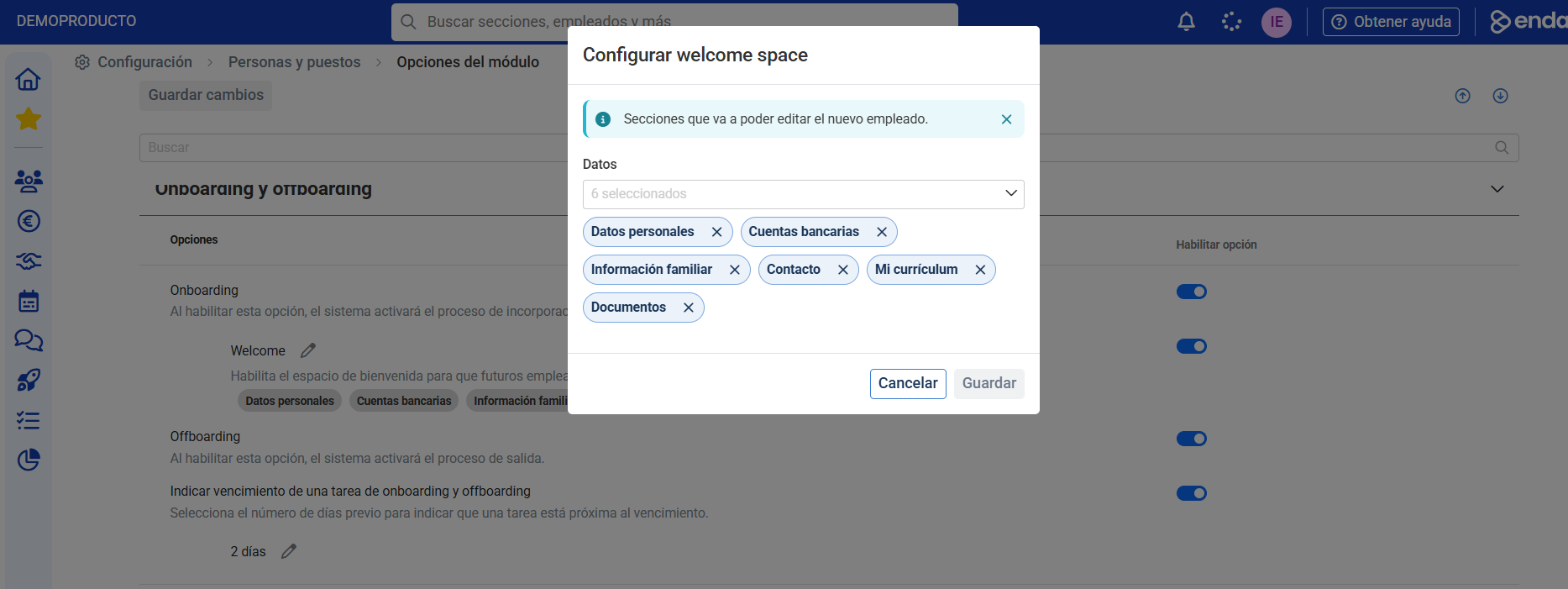
Note: Visibility of sections is managed from this configuration and not from the permissions of the active employee record.
Configure the welcome text
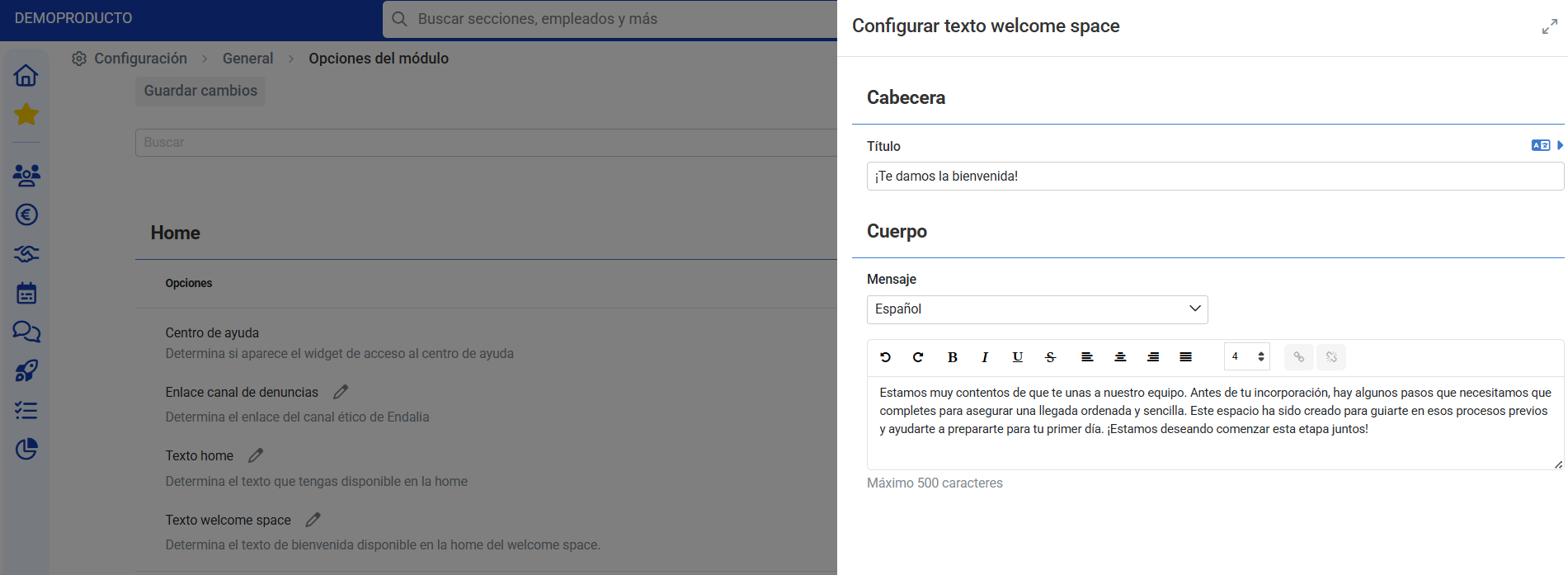
Once activated, you can personalize the message the future employee will see upon entering the platform.
Go to: General > Module options > Home > Welcome Space Text.
Enter a personalized welcome text, or keep the default text provided by the system.
Availability in entries and records
After configuration, the Welcome Space will be available to assign to future employees.
Ensure that in the employee onboarding process, along with onboarding, the Welcome Space section already appears.
Also verify that in the employee record, with onboarding, you have the option to activate it manually before the employee is active.
Related articles
Want to know more? Check the following related articles:
If you have questions about terms, take a look at our glossary at this link.
Was this article helpful?
That’s Great!
Thank you for your feedback
Sorry! We couldn't be helpful
Thank you for your feedback
Feedback sent
We appreciate your effort and will try to fix the article