Important: this article is intended for Endalia HR users with Administrator profiles.
Employees can have one or multiple positions in the company, but there is always one main, defining position. Take a look at these lines to learn more about this functionality.
In this article, you will find:
Management of main positions
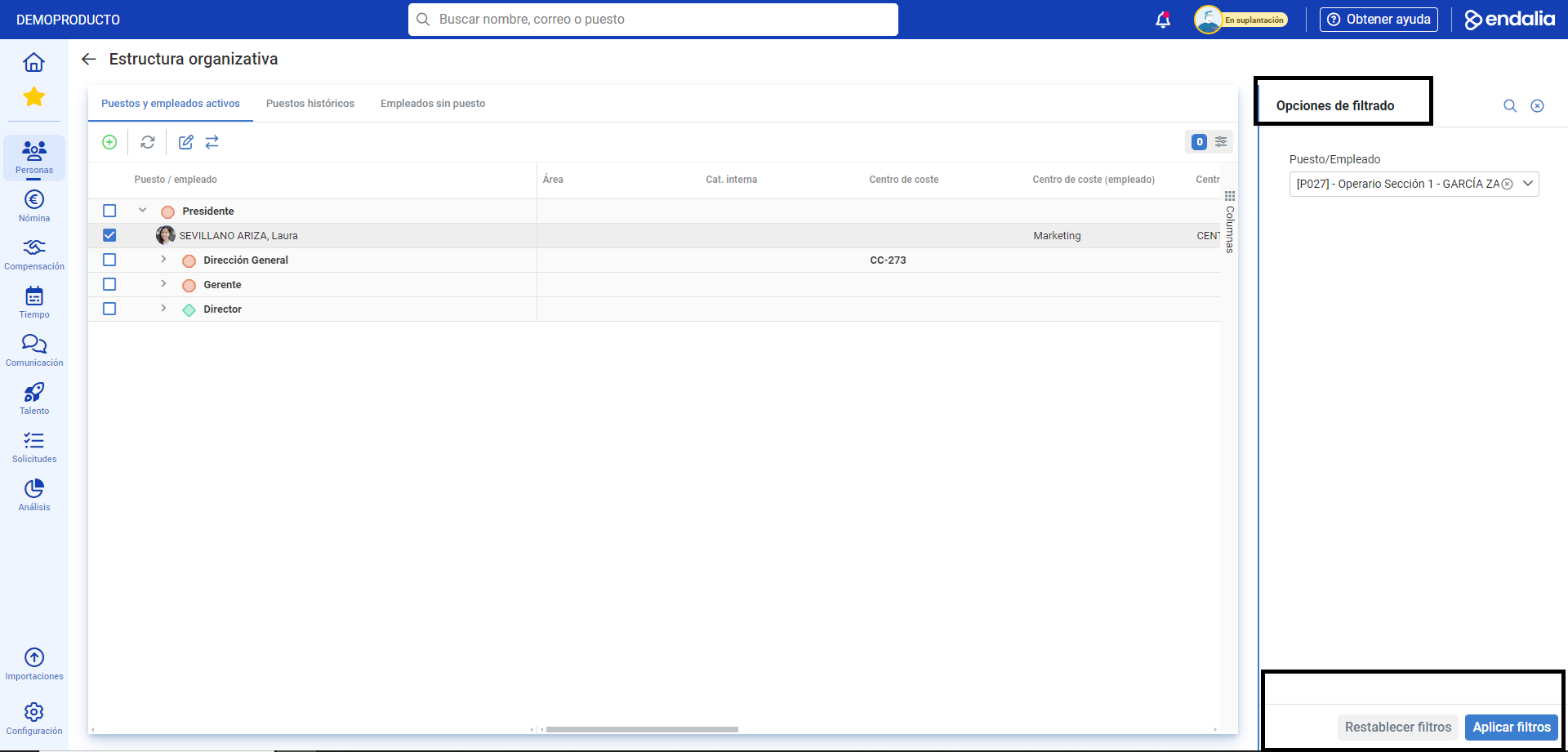
- Within the hub Organization and People, go to the Positions > Organizational Structure module.
- Using Filtering Options, select the employee and click on Apply Filters. Once the employee appears on the list, double-click on them to access their record. Remember that you can also use the path Organization and People > People > Personnel Monitoring > Employees + double-click on the employee's name to view their information.
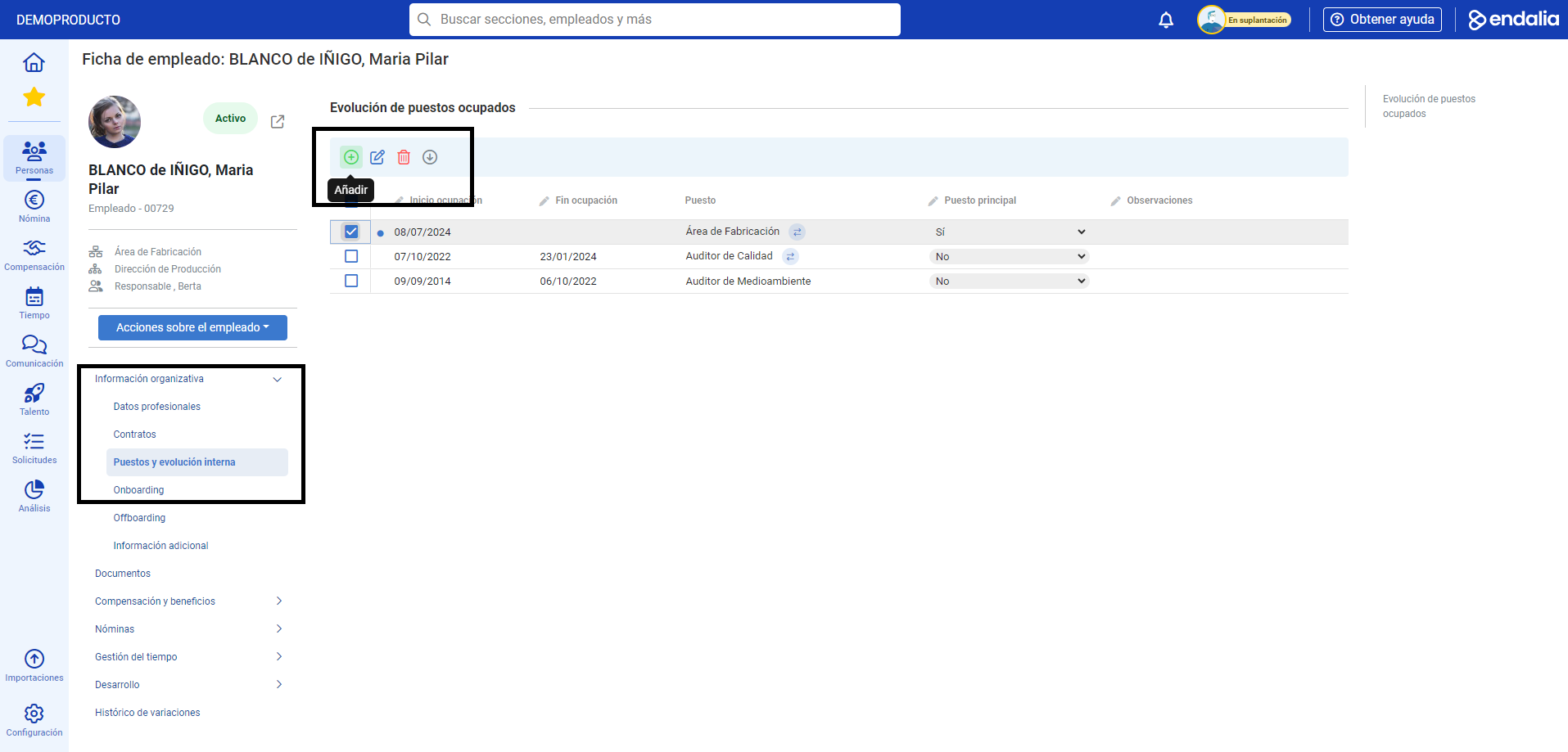
- Once you've accessed the employee's record by double-clicking on their name, go to the menu item Organizational Information > Positions and Internal Evolution:
- In the Evolution of Occupied Positions section, you can view and edit the employee's job history, check whether these positions are currently held, and add comments.
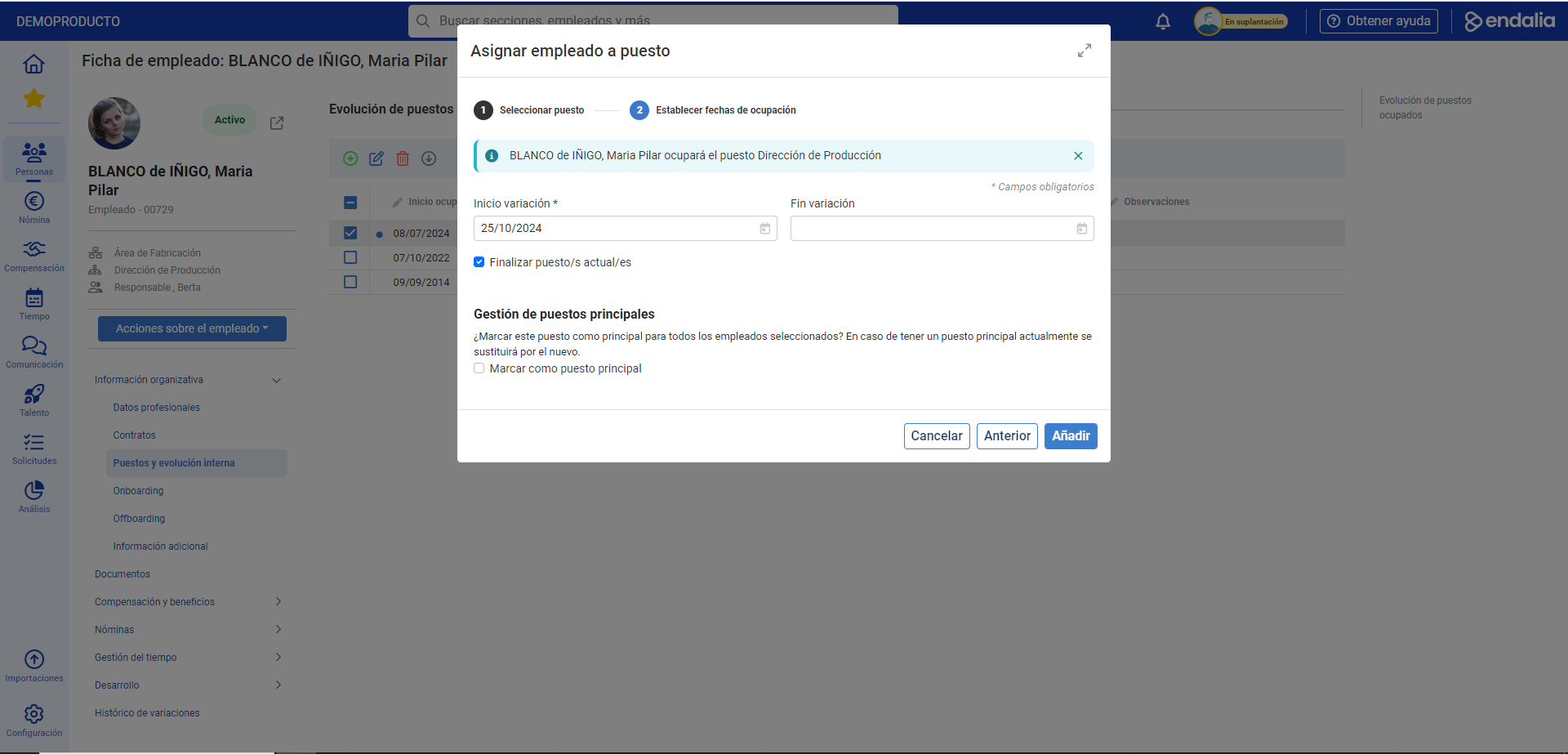
- Lastly, you can Add new positions via the Add button in the toolbar. In the modal window that appears, Assign Employee to Position, select one from the structure tree and click on Next. In step 2, indicate the start date and whether it will become the main occupation. Consolidate the change by clicking Add, and you'll see it reflected on the screen.
Note: Alternatively, you can assign an employee's main position from the Organizational Structure.
 If a position variation is closed and it remains historical, it cannot be selected as the main. If that was the main position, when it becomes historical, EndaliaHR looks if the employee has another active position and automatically selects it as the main position. If that employee has no more active positions, they will not have a main position. For more information, see the following article: Assign an employee to a position
Process video
Here is the complete process video:
Want to know more? Check out the following related articles:
If you have questions about the terms, check our glossary at this link.
Was this article helpful?
That’s Great!
Thank you for your feedback
Sorry! We couldn't be helpful
Thank you for your feedback
Feedback sent
We appreciate your effort and will try to fix the article