Important: this article is aimed at Endalia users with an HR profile.
At Endalia, we present an improvement in special hours management that will help you work more efficiently.
Currently, the scope of special hours is managed through Agreements. Soon, this functionality will evolve to be managed through Hour Registration Policies, offering more flexibility and precise control.
In this article
We will explain step-by-step everything you need to keep in mind to ensure this transition is as comfortable as possible.
What is going to change?
There will be a transition period where both systems, Agreements and Policies, will coexist. This will allow you to migrate your configurations progressively without interruptions.
Coexistence period: As long as the Agreements option is active in the Configuration tab, you can continue using this method in the scope of your special hours. It is essential to take advantage of this time to start associating your special hours with Hour Registration Policies. We will notify you in advance, but after some time, all associations with agreements will cease to be available, and only those linked to policies will remain.
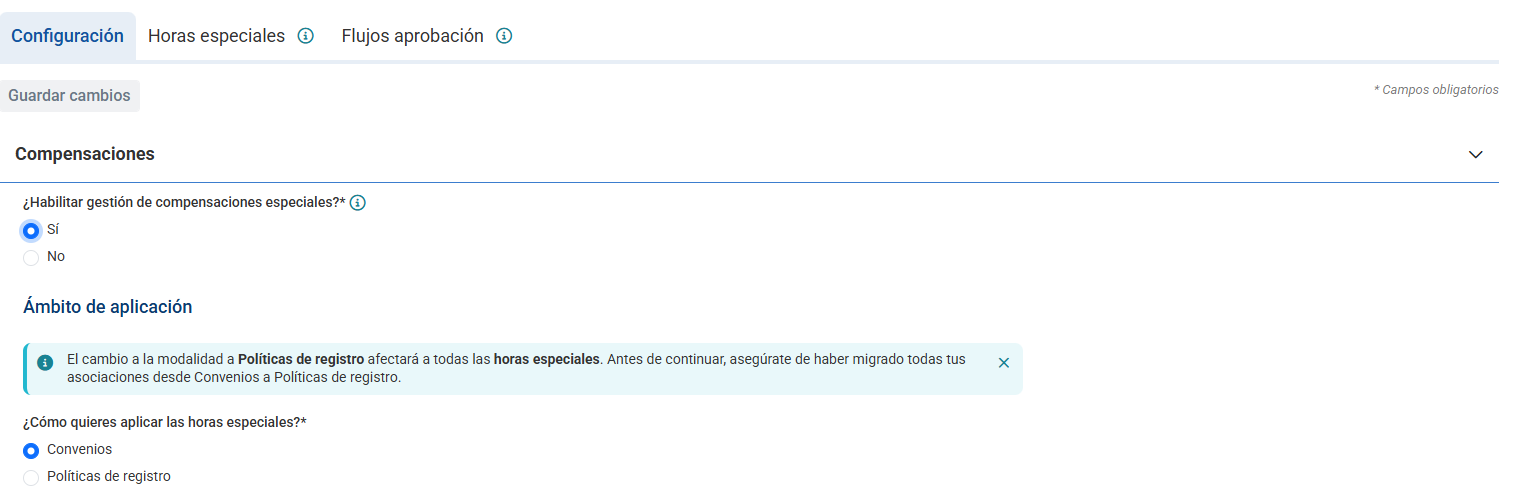
Irreversible change: When you decide to switch to Hour Registration Policies, the Agreement option will be disabled and you will not be able to revert back. From that moment on, only the linkages created through Hour Registration Policies in your special hours will be displayed and accounted for.
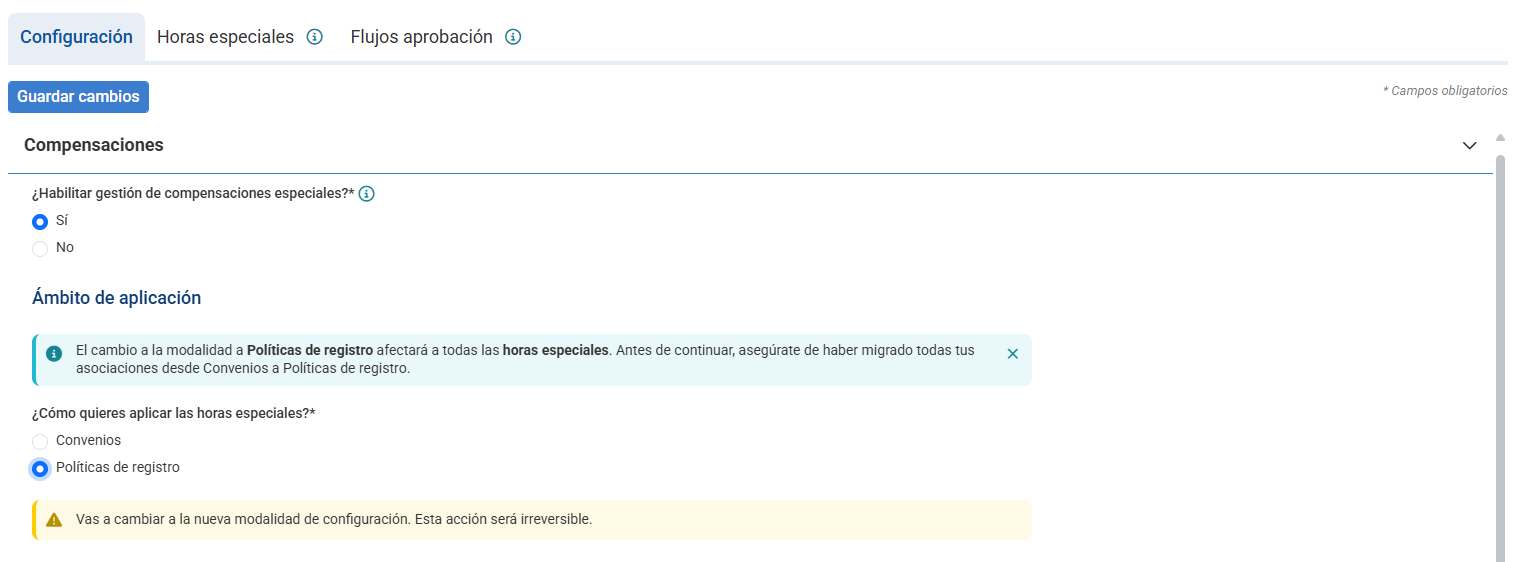
What actions should you take?
To ensure a smooth transition and maintain continuity in managing your special hours, we recommend that you start familiarizing yourself with the new system.
Necessary action: Before activating the option to apply special hours through policies and ensuring continuity, create or edit your Hour Registration Policies and assign employees currently linked by agreement.
1. From Configuration -> Planning and Hour Registration -> Hour Registration Policies, you can create or edit your policies, and from the Employee Tab, you can add them, filtering by the Agreements you need.
2. Then, from Configuration -> Planning and Hour Registration -> Special Compensations -> Special Hours tab, you can edit all your special hours, and in the scope section, you can associate the hour registration policies that you believe should be linked to that type of special hour.
Once you are sure you have grouped all employees under Policies of hour registration according to the groupings you had by Agreements, you can activate the option from the Configuration tab for your special hours to be applied through Hour Registration Policies.
We are confident that this change will enable more agile and precise management of special hour compensation in your company.
If you have questions about the terms, take a look at our glossary here.
Was this article helpful?
That’s Great!
Thank you for your feedback
Sorry! We couldn't be helpful
Thank you for your feedback
Feedback sent
We appreciate your effort and will try to fix the article