This article is not available in Portuguese/Portugal, view it in Spanish
Important: this article is intended for Endalia HR users with an Administrator profile.
Something as important as bank accounts requires certain verification and control, a possibility that we consider and manage with our software. Keep reading to learn more about the account checks.
In this article you will find:
Bank Account Validation
- Within the Organization and People hub, select People > Employee Monitoring > Employees
- Double click on the employee's record, or select it using the filtering options. Once you have accessed the record, navigate to the menu item Personal Information > Personal Data. From there, go to the lower section of the screen, called Bank Accounts. You can now add a bank account, edit, or delete it, using the corresponding buttons offered by the section:
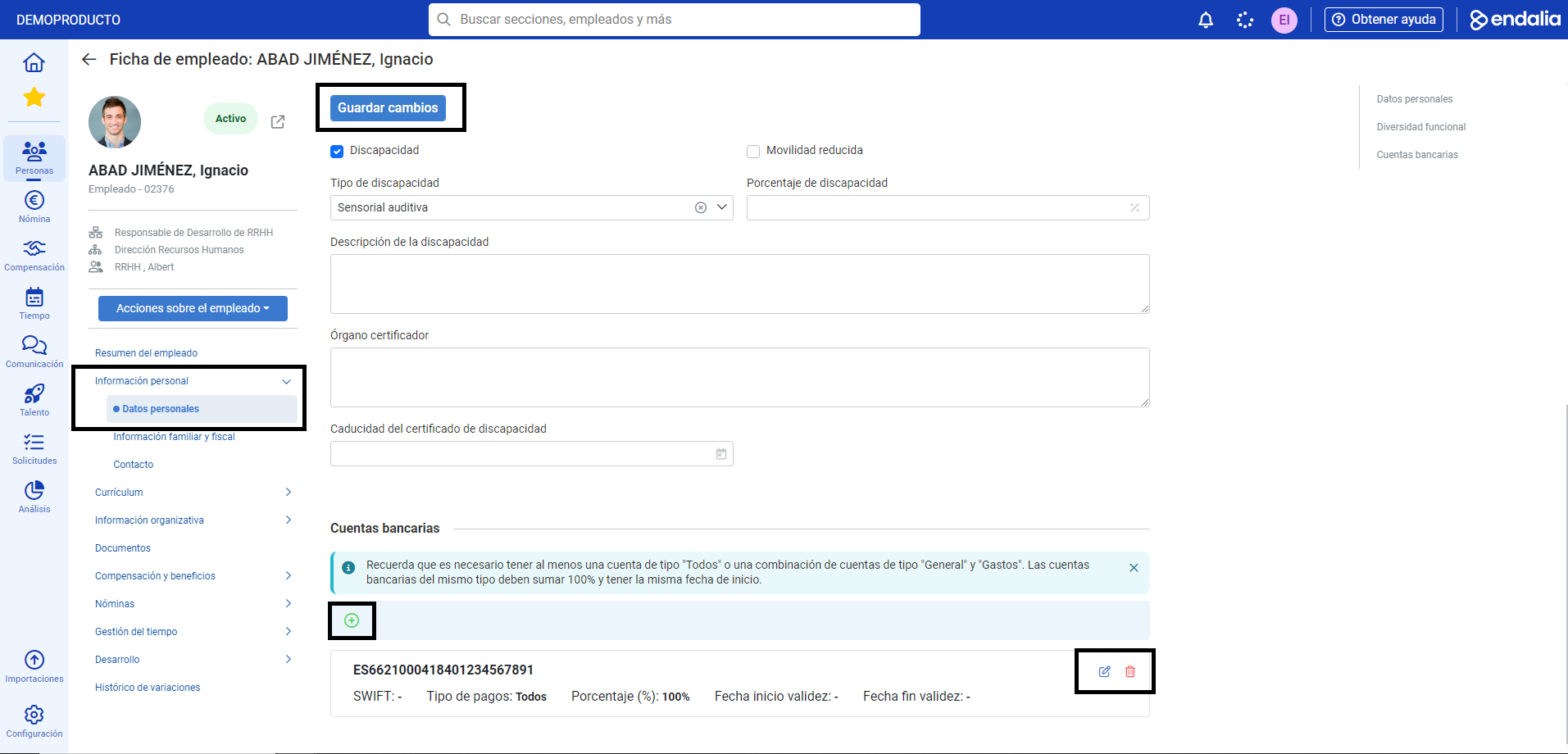 To ensure that bank accounts are correct, the patterns must match a three-fold verification:
- All accounts of the same type must add up to 100%.
- It is only possible to have two types of accounts: "All" and "General and Expenses". In the first case, payments will go to the account of that same type, which the employee has previously provided. In the second case, payments will be divided into two; on one side, the salary will be deposited into the "General" type account, while expenses will be paid into the account with that name.
- Accounts of the same type must have the same start date.
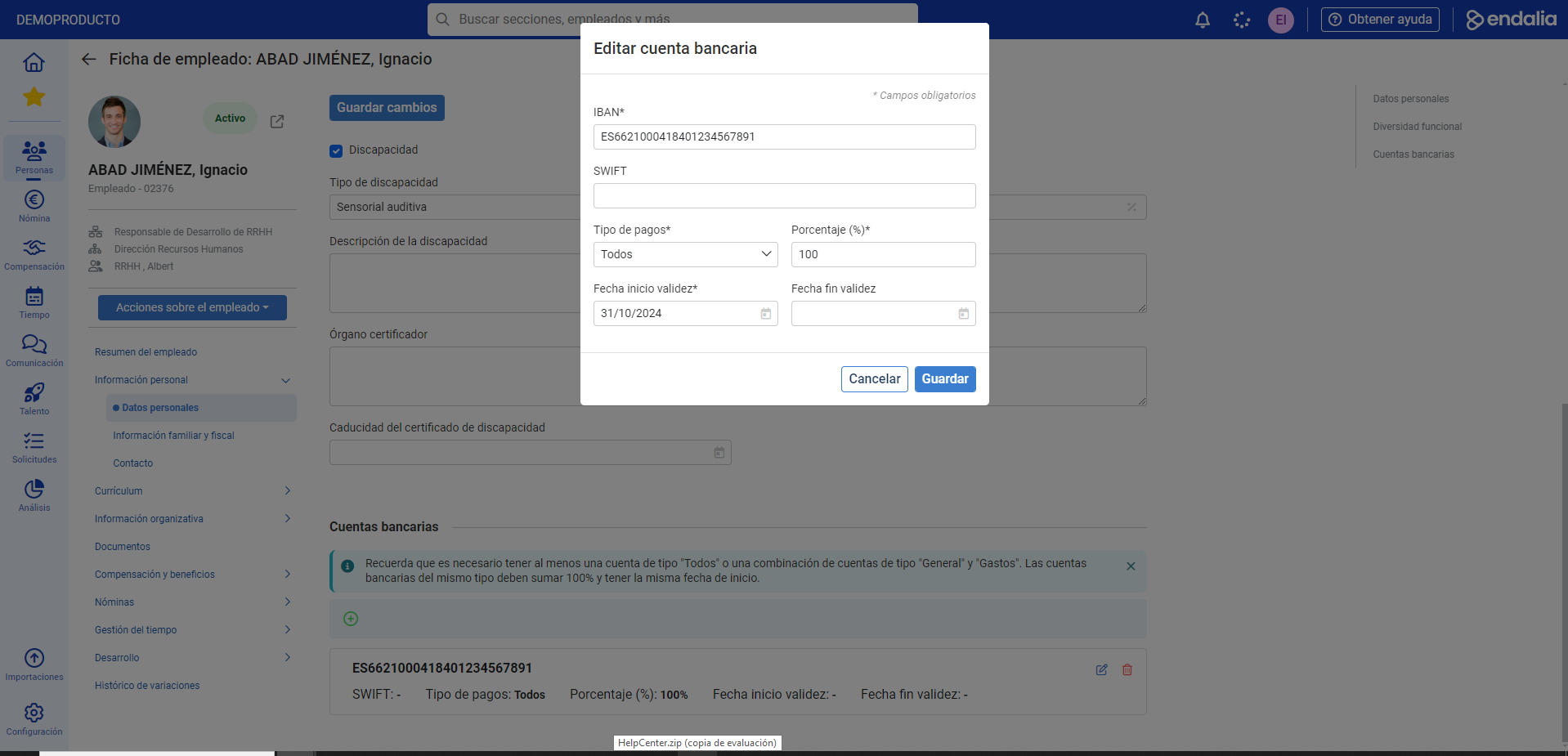
- Remember to click the Add, Save, or Delete buttons, as appropriate for each process, to make your preferences effective. Also in Save changes, at the top of the screen, under system requirement:
Video of the process
To know more:
- Assign an employee to a position
- Register an employee
- Delete an employee
- Add a position in the structure
If you have any questions about the terms, take a look at our glossary at this link.
Was this article helpful?
That’s Great!
Thank you for your feedback
Sorry! We couldn't be helpful
Thank you for your feedback
Feedback sent
We appreciate your effort and will try to fix the article