Important: this article is intended for Endalia HR users with an Administrator profile.
One of the most attractive features of this hub is the ability to customize the IRPF for the employee's payroll. If you want to learn more about the topic, you've come to the right place.
In this article, you will find:
Generate customized IRPF
Note: It is important to differentiate in this functionality between forced IRPF type and maximum:
Forced: you can indicate a withholding percentage that will ALWAYS be taken into account, regardless of what should be taxed in terms of withholding according to AEAT calculations.
Maximum: a withholding percentage is indicated but if AEAT calculations at any point exceed the indicated amount, the higher value will always be considered.
Within the hub Payroll, click on Payrolls > Payroll incidences > Customized IRPF
- Now, you can see on the screen a list of employees with their corresponding percentages, ID, etc. You can use the toolbar buttons to edit or delete data related to the employee's record, as well as the Add button, which allows you to generate customized IRPF additions. If you opt for this last option, in the side modal window, you must fill out the following fields:
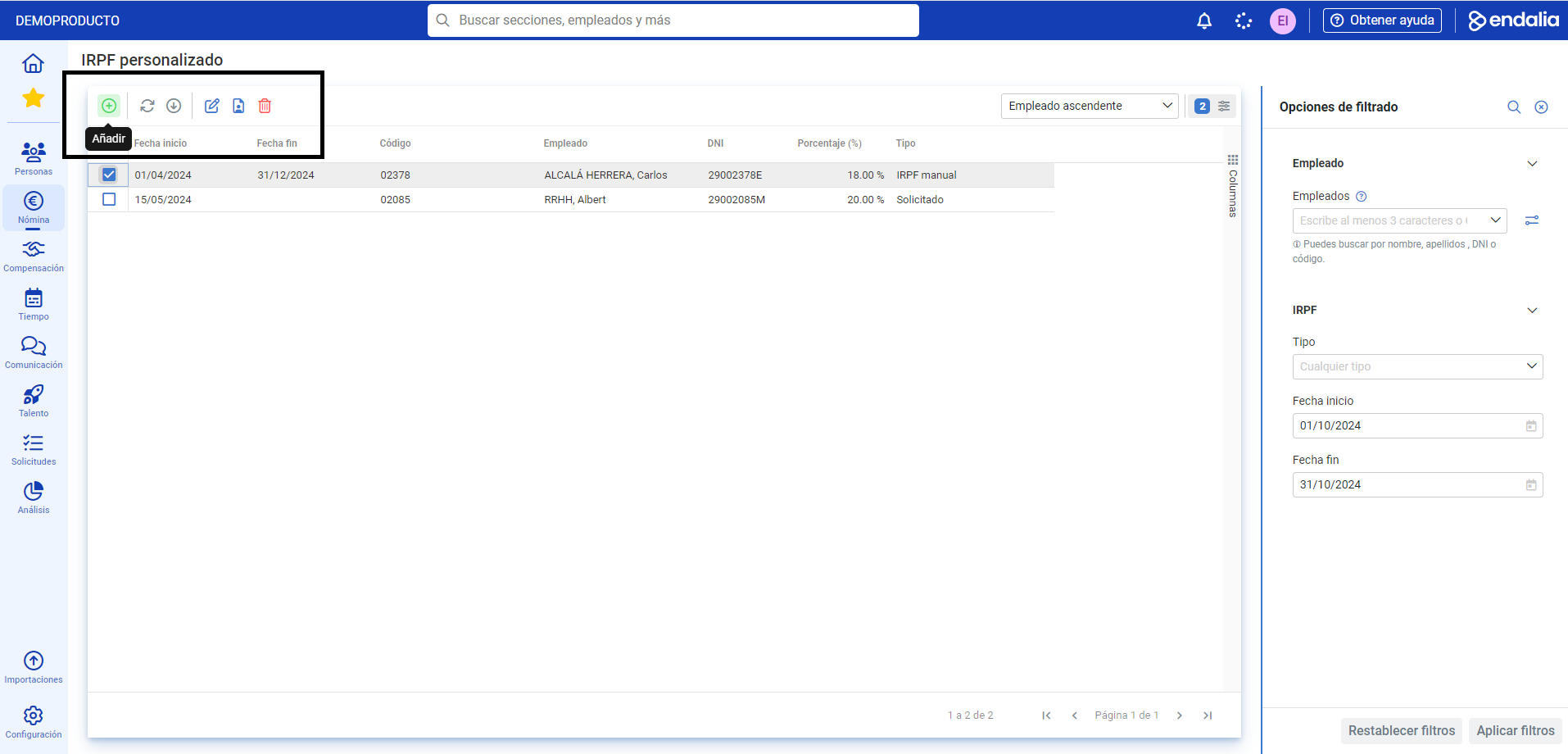
- Employee: select the worker using the searcher.
- Percentage to apply: as its name suggests, it is necessary to enter the number related to the IRPF to apply.
- Start/End Date: application of the concept, and
- Remarks: to add additional information. Once this last step is completed, remember to click on Add to finalize your preferences:
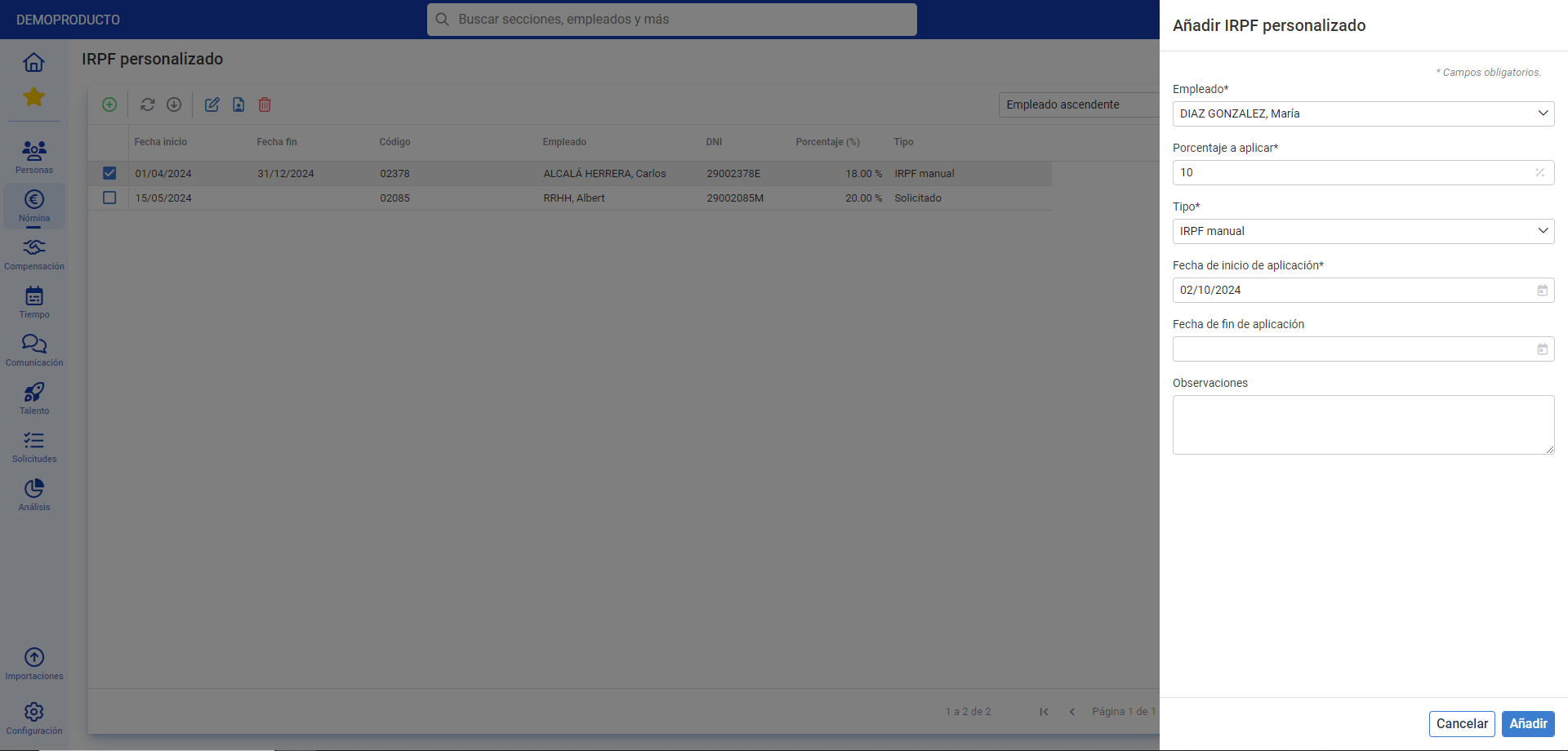
Note: If the system displays an error when adding a percentage, it will be because the employee already has an assigned percentage and date range. Therefore, you must delete the worker from the list before assigning new ranges.
Process video
If you're still unclear, take a look at this brief summary of the functionality:
Also, you can view our glossary, available here.
Was this article helpful?
That’s Great!
Thank you for your feedback
Sorry! We couldn't be helpful
Thank you for your feedback
Feedback sent
We appreciate your effort and will try to fix the article