Important: this article is directed at Endalia HR users with an Administrator profile.
How is a company organized? Do I need a diagram to clearly see its structure? Easy answers to tough questions in the following lines of this article.
Here you will find:
Organigrama
- Inside the hub Organization and People, go to the Positions > Organizational Chart module.
- On the next screen, you can see the full layout of your company's organization diagram. These are the general tools to make the most out of the organizational chart:
- Export the organizational chart: located on the toolbar, this button allows you to export your organization's diagram in PDF format.
- Search bar: located at the top right of the screen, it allows you to search for a person by name, email, or position.
- Zoom: at the bottom right, you have buttons to center, zoom out, or zoom in the view of the diagram.
- Thumbnail: allows you to visualize where you are in the diagram. By default, it appears at the bottom left of the screen.
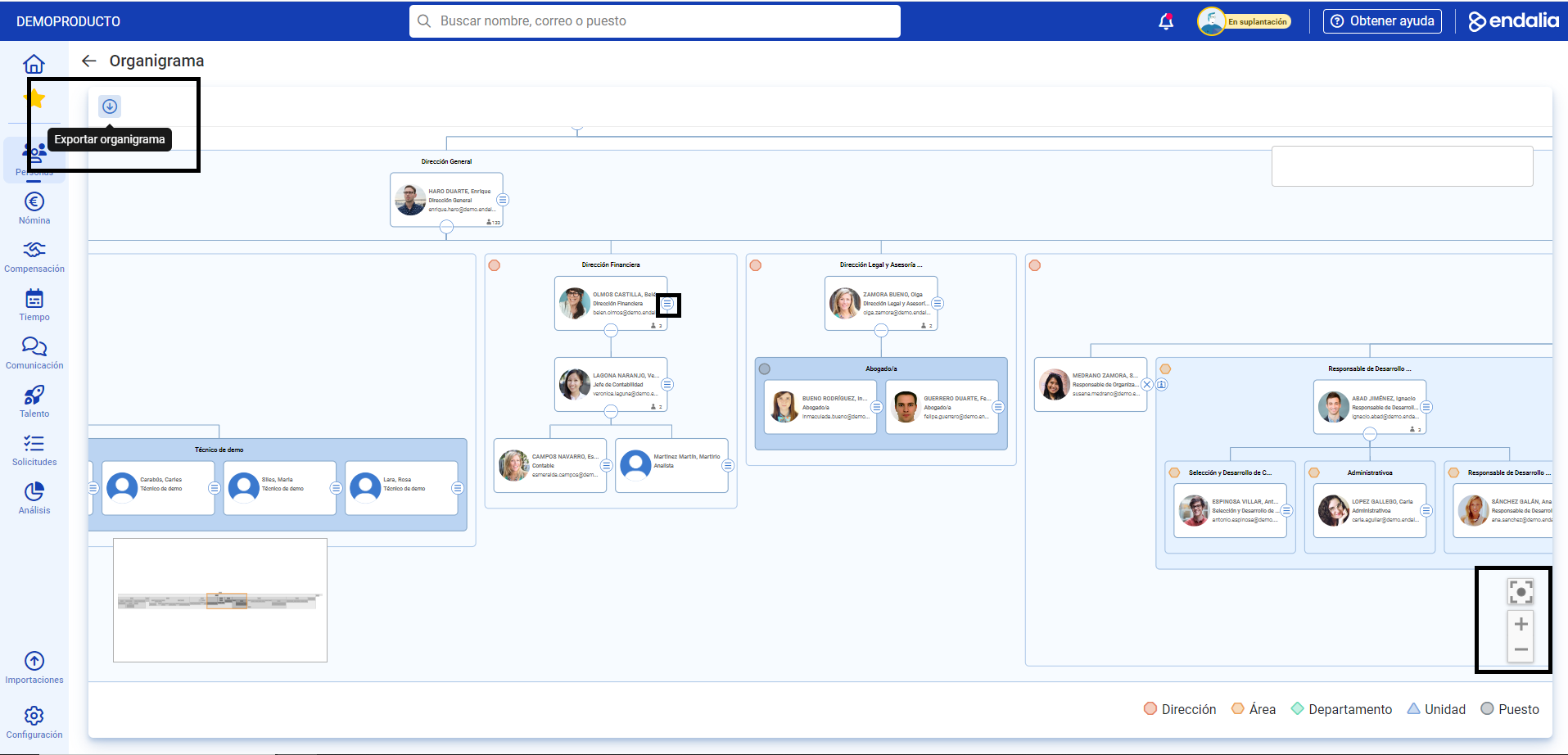
3. Within the organizational chart, and specifically for each integrated person, you have various buttons for accessing different functionalities, including expanding the hierarchical structure of an employee, opening the position card, opening the employee card, viewing details of the position, or closing the menu.
Video of the process
We show you these functionalities in this simple audiovisual piece:
Want to know more? Check out the following related articles:
- Add a generic position
- Duplicate a position
- Delete a position/generic position
- Add a position to the structure
- Move positions within the structure
If you have questions about the terms, check out our glossary at this link.
Was this article helpful?
That’s Great!
Thank you for your feedback
Sorry! We couldn't be helpful
Thank you for your feedback
Feedback sent
We appreciate your effort and will try to fix the article